
Editable Calendar Template App
Convert to PDF and print
Designed for iPhone, iPad
Free · In-app purchases
- Age rating4+
- CategoryProductivity
- Developermanabu ueda
- LanguagesEnglish+ 3 more
- Size8.1 MB
Links to the official App Store page
Download.org hosts no file of Editable Calendar Template App. The button opens its official App Store page, published by manabu ueda. Listing last checked on Nov 27, 2026.
Screenshots

About
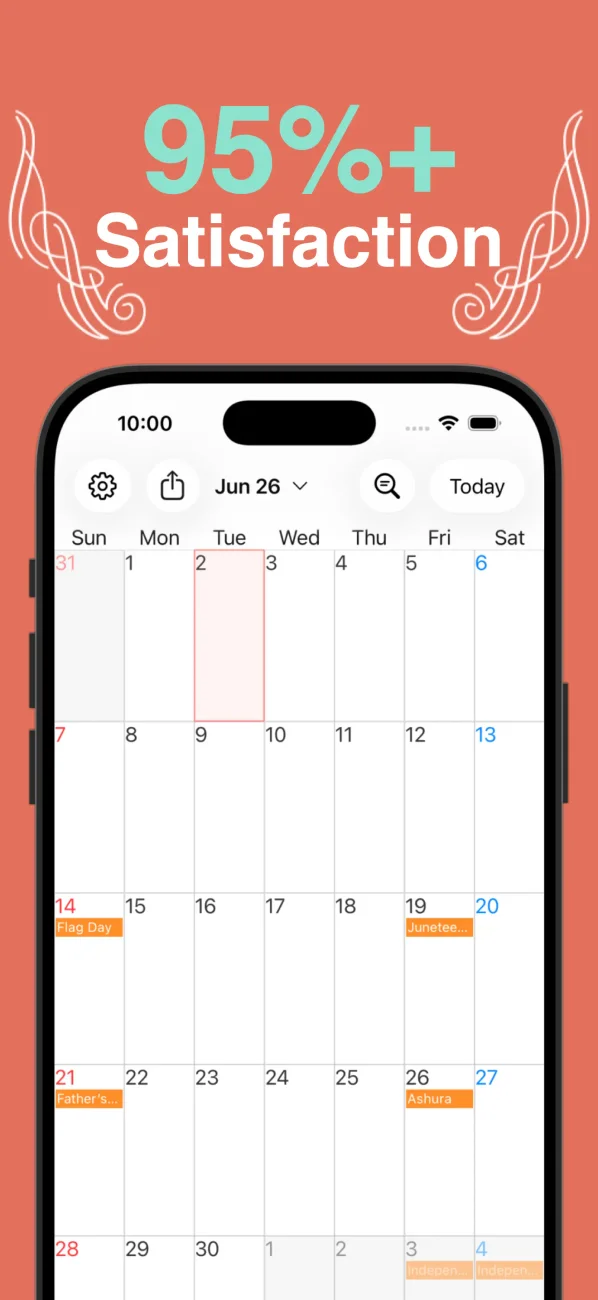
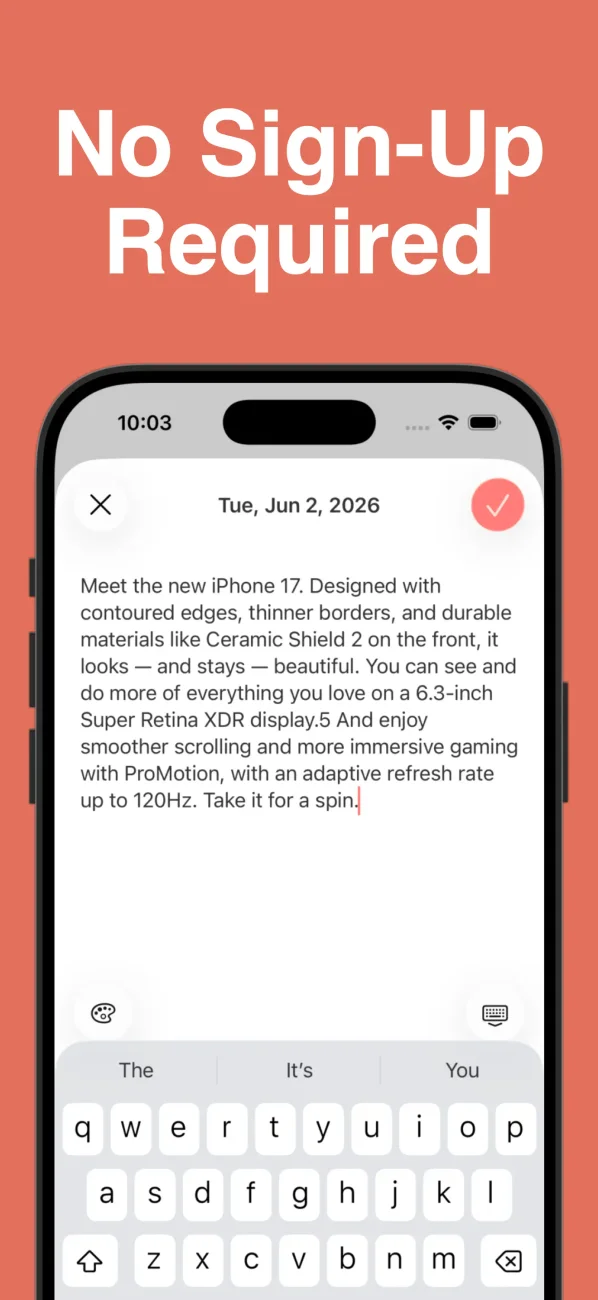
Easily record your daily plans and notes, and convert your calendar to a PDF for printing. This app does not sync with the iPhone’s built-in calendar, making it ideal as a secondary calendar. No account registration is required—just download and start using it immediately. With a simple interface and Touch ID/Face ID lock functionality, your privacy is protected.
Key Features
1. Standalone calendar without sync
Manage your schedule separately from the iPhone's default calendar, keeping work and personal plans organized.
2. Convert calendar to PDF for saving and printing
Save and print your calendar with all your notes, making it useful as a physical planner.
3. iCloud support for syncing across devices
Automatically sync your data via iCloud and access your latest schedule on both iPhone and iPad.
4. Quick one-touch note entry
Open the memo function directly from the calendar and jot down events, lists, or reminders instantly.
5. Clear and easy-to-read calendar layout
View your entire month at a glance, with a weekly structure that smoothly handles cross-month scheduling.
6. Change the start day of the week
Adjust it to your preference for a clearer and more convenient calendar view.
7. Privacy protection with security lock
Secure your calendar with Touch ID or Face ID. Password lock support ensures that your private data remains protected.
8. Customizable text colors
Organize your schedule visually by using different colors for work, personal tasks, important events, and reminders.
9. Dark mode support
Enjoy a comfortable viewing experience with dark mode, which adjusts automatically based on your device settings.
10. Optimized for iPad
Designed for larger screens, providing a spacious and user-friendly interface.
Why Choose This App?
- No account registration—start using it instantly
- Separate your personal and work schedules without syncing to the main calendar
- Convert your calendar to PDF for easy saving and printing
- Sync data across multiple devices via iCloud
- Enhanced security with Touch ID and Face ID lock
How You Can Use It
- Manage schedules separately from your main calendar
- Organize work and personal events efficiently
- Print your calendar to use as a physical planner
- Use it as a personal diary or memo pad
- Track to-do lists and reminders for better task management
Recommended For
- Those who value privacy and data security
- Users who prefer to keep personal and work schedules separate
- Anyone looking for a simple way to jot down notes
- Professionals who want to organize their work and private life
- Users who need secure calendar management with biometric authentication
- Those who want to sync schedules across multiple Apple devices
- People who prefer a printable calendar for offline use
Manage your schedule easily with Editable Calendar—an intuitive tool that helps you stay organized both digitally and on paper.
What’s new
Version 1.5.5 · Jun 28, 2026
Updated libraries
App privacy
What manabu ueda declares on the App Store about how this app handles data.
-
Data used to track you
May be used to track you across apps and websites owned by other companies.
- Identifiers
- Usage data
-
Data not linked to you
May be collected but is not linked to your identity.
- Identifiers
- Usage data
- Diagnostics
Privacy practices may vary, for example with the features you use or your age.
Information
- Seller
- manabu ueda
- Category
- Productivity
- Version
- 1.5.5
- Updated
- Jun 28, 2026
- Released
- Sep 12, 2024
- Size
- 8.1 MB
- Requires
- iOS 17.0 or later
- Age rating
- 4+
- Price
- Free
- In-app purchases
- Yes
- Languages
- English, Japanese, Korean, Simplified Chinese
- Copyright
- © 2024 P.N.K
You might also like
-
 EZ Calendar MakerProductivity
-
 Caly - Calendar & WidgetsSimple Planner & Schedule
-
 Basic CalendarPlan, decorate, and look back
-
 PDF Calendar - Print & SharePrint or share your calendar
-
 Calendar ZProductivity
-
 Pencil Calendar: CalendarPadHandwritten Planner & Notes
-
 Calendar Vertical & MonthlySimple Multiple Calendar
-
 CalCal|Simple CalendarSee every plan as you scroll
-
 Calendar 2027Simple Calendar
-
 The Grid - CalendarDesigner Daily Planner & Tasks