EditorPro: AI Video Editor
Reels Maker, Filters & Effects
Designed for iPhone
Free · In-app purchases
- Age rating4+
- CategoryPhoto & Video
- DeveloperYogesh Badke
- LanguagesEnglish+ 9 more
- Size116.8 MB
Links to the official App Store page
Download.org hosts no file of EditorPro: AI Video Editor. The button opens its official App Store page, published by Yogesh Badke. Listing last checked on Nov 25, 2026.
Screenshots


About
Meet the AI video editor that does the work for you.
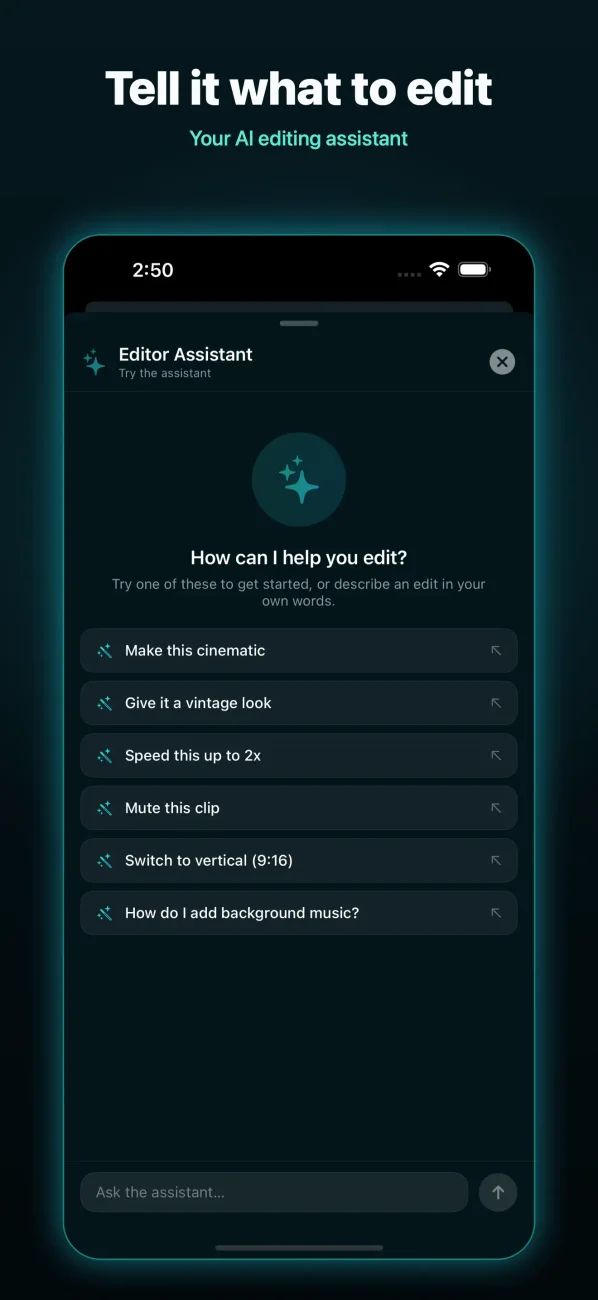
Just tell EditorPro what you want — "make this cinematic," "add a fade between these clips," "switch to vertical" — and it edits for you. No menus to hunt through. No learning curve.
Or tap once and AutoReel turns your photos and clips into a finished, music-synced reel — pick a mood, and it builds the whole thing automatically.
Start free, edit everything privately on your device, and go Pro when you want watermark-free 4K.
EDIT BY CHATTING
Tell the assistant what you want in plain English — filters, transitions, trims, speed, reorder, audio. It just happens.
ONE-TAP AUTOREEL
Turn your media into a polished reel automatically — mood styles, auto music, auto transitions.
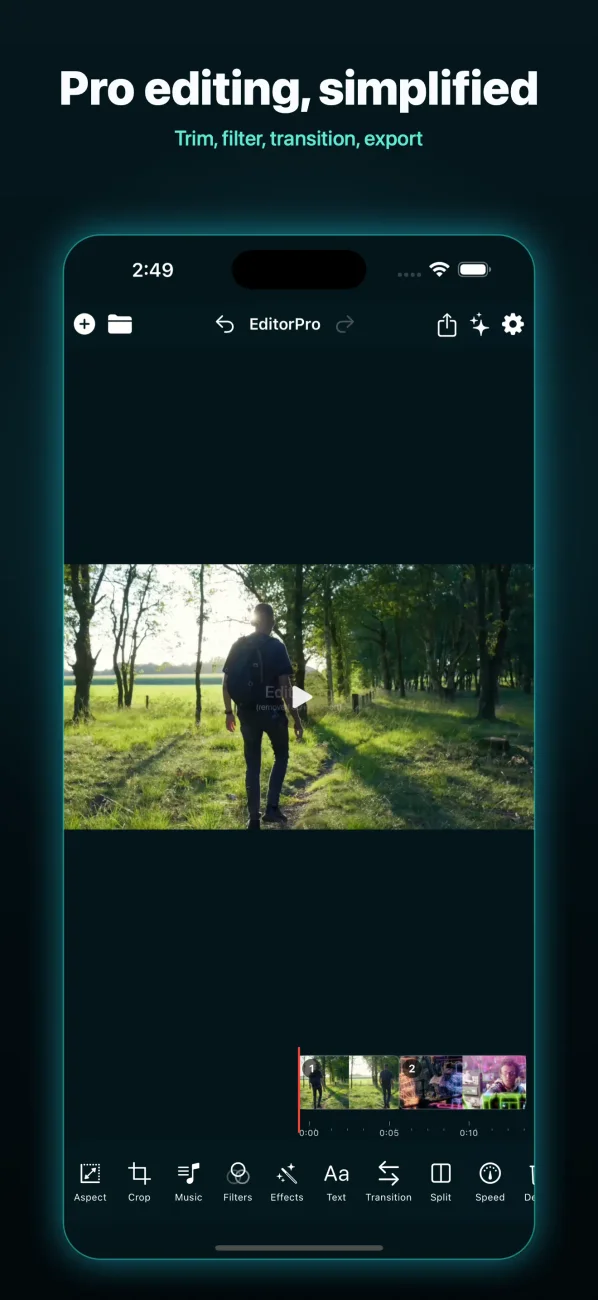
A FULL EDITING TOOLKIT
• 25+ cinematic filters & color presets
• 35+ smooth transitions
• Dynamic motion effects
• Background music + 40+ sound effects
• Video collage, text, speed control, crop & aspect ratios
• Drag-and-drop timeline
PRIVATE BY DESIGN
Your photos and videos are edited and exported right on your device — your media is never uploaded. (The AI assistant connects to the internet to understand your requests.)
FREE TO START
• The full editing toolkit
• Unlimited exports (with a small EditorPro watermark)
• A free AutoReel every week, plus a taste of the AI assistant
EDITORPRO PRO
Upgrade to unlock everything:
• Watermark-free exports
• 4K export
• AI editing assistant (fair use: up to 100 messages a day)
• Unlimited AutoReel
• No ads
Go Pro once with Lifetime and keep it forever, or choose monthly or yearly.
Download EditorPro and make your next video in minutes — just by asking.
Terms of Use (EULA): https://www.apple.com/legal/internet-services/itunes/dev/stdeula/
What’s new
Version 1.8.0 · Nov 24, 2026
• Tap Sound in the toolbar to mute a clip or set its volume from 0 to 200%, then apply it to all clips at once.
• Pick a collage layout first, then add your media. Pinch to zoom and drag to position each cell, and the export keeps it.
• Each request to the assistant is now one step. Tap Undo on its reply to take it all back.
• The assistant tells you why when it can't complete a request, and moves several clips exactly where you ask.
• Tap outside a selected clip to deselect it. The editing tools work on the clip you selected.
• Exports now sound like the preview: background music plays at the level you hear while editing, no longer louder.
• Fixed: in Reorder Clips, the highlight follows the clip you drag, and a clip muted as a whole shows the muted badge.
App privacy
What Yogesh Badke declares on the App Store about how this app handles data.
-
Data linked to you
May be collected and linked to your identity.
- Purchases
- Identifiers
- Usage data
-
Data not linked to you
May be collected but is not linked to your identity.
- Location
- Diagnostics
- Other data
Privacy practices may vary, for example with the features you use or your age.
Information
- Seller
- Yogesh Badke
- Category
- Photo & Video
- Version
- 1.8.0
- Updated
- Nov 24, 2026
- Released
- Dec 8, 2025
- Size
- 116.8 MB
- Requires
- iOS 17.0 or later
- Age rating
- 4+
- Price
- Free
- In-app purchases
- Yes
- Languages
- English, Dutch, French, German, Italian, Japanese, Korean, Portuguese, Simplified Chinese, Spanish
- Copyright
- © Yogesh Badke 2026
You might also like
-
 Old Photo Restore - ObjectsAIFix Blurry Photos & AI Eraser
-
 AI Prompts Art Photo EditingEdit Photos Prompt Engineering
-
 Meme Maker & Text Behind PicSticker, Fonts & Collage
-
 Dual Camera GeoTagDual Cam Capture with Location
-
 Pro Camera Photo & Video - AIRManual controls, RAW, LUTs, 4K
-
 MixReels - AI Video EditorTemplates, Glitch & Captions
-
 Radiant Landscape CameraTravel Photo & Video Editor
-
 ExifSmith: Batch Exif EditorMetadata Remover & Photo Info
-
 PocketBox: Video CompressorHEIC to JPG·MOV to MP4·GIF
-
 Portra Pic: AI Headshot MakerProfile Picture & Hair Color