
- Age rating4+
- CategoryProductivity
- DeveloperNational Centre Information Technology
- LanguagesEnglish
- Size35.2 MB
Links to the official App Store page
Download.org hosts no file of Efaas. The button opens its official App Store page, published by National Centre Information Technology. Listing last checked on Nov 15, 2026.
Screenshots



About
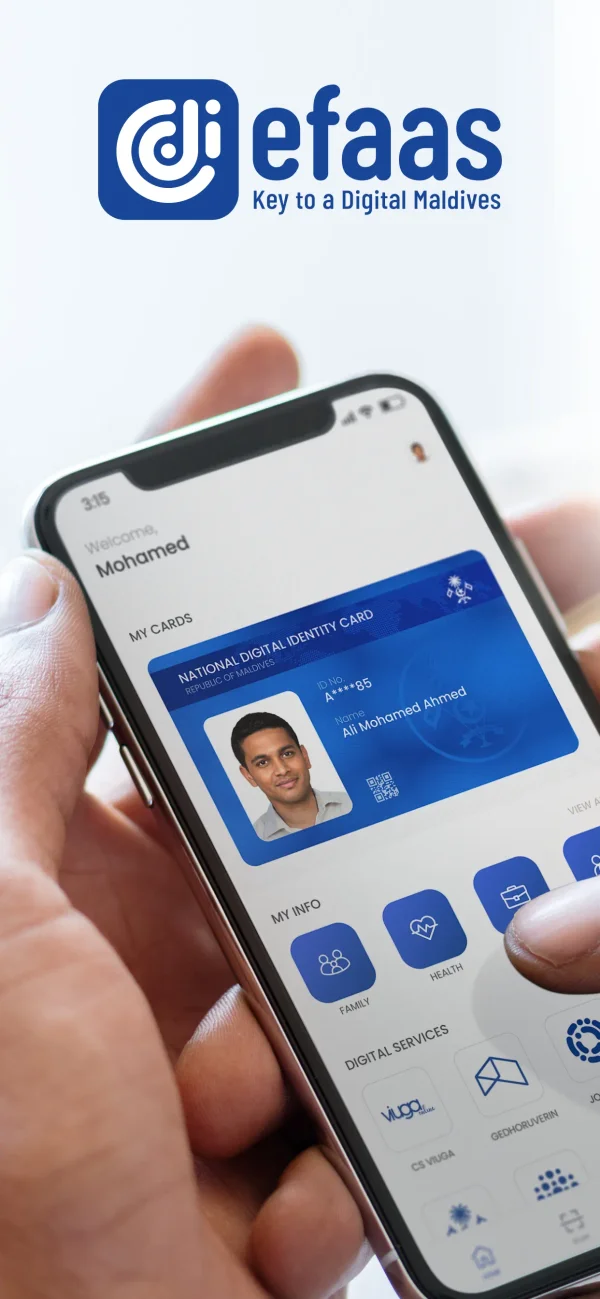
Your key to the Digital Maldives! Unlocking a world of digital possibilities
EASY
• Conveniently create your own verified ID to use across multiple digital and in-person services.
EMPOWERING
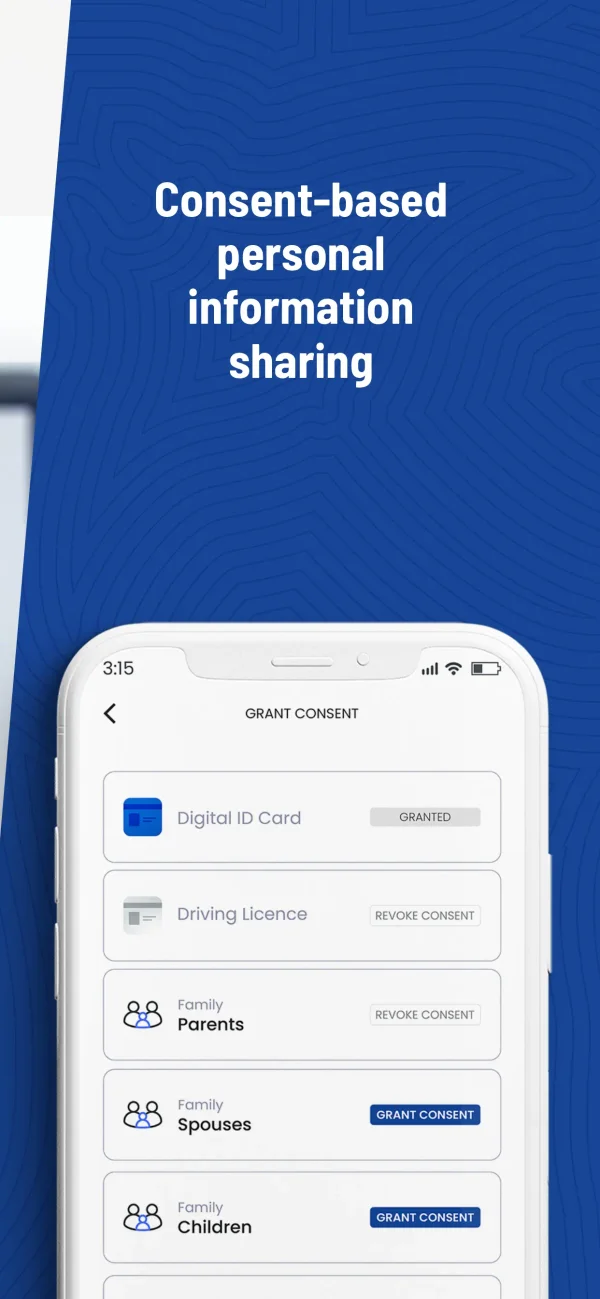
• Track and manage how your personal information is shared and maintained by official registrars.
SECURE
• Safeguard your identity and assure your data's safety with biometrics and multi-factor authentication.
KEY APP FEATURES:
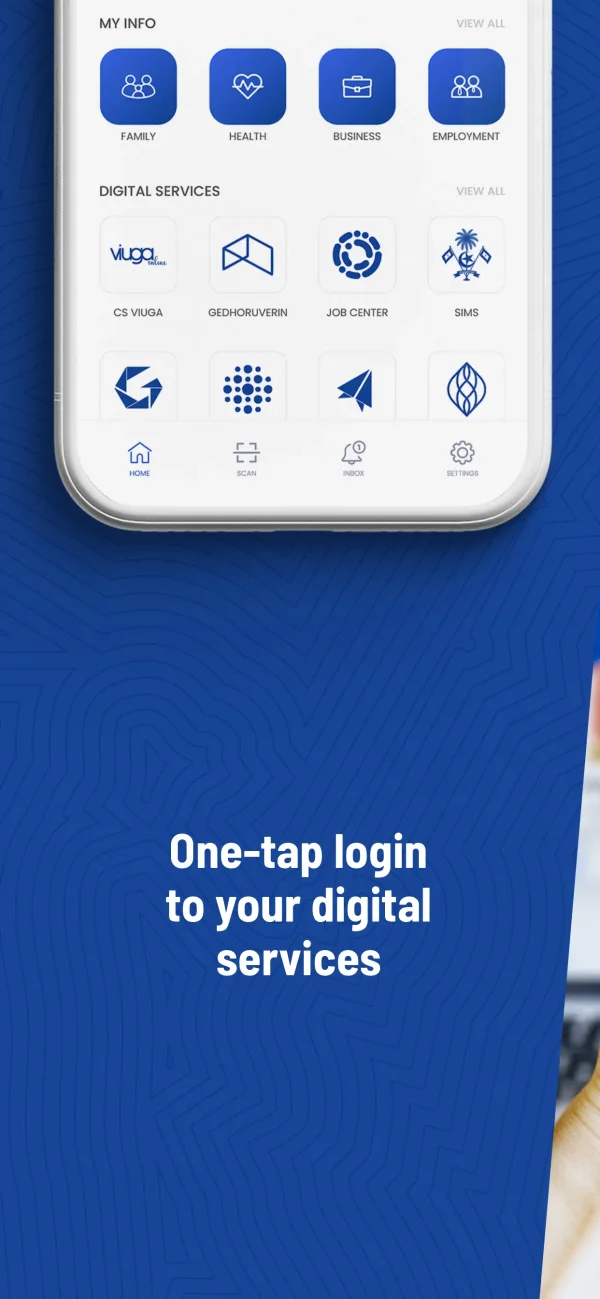
PASSWORD-LESS / OTP-LESS AUTHENTICATION: No more passwords and OTPs. Conveniently access online services using:
• QR CODE LOGIN: Scan QR Code to login.
• ONE TAP LOGIN: Tap an icon to login.
VIEW YOUR INFORMAITON IN ONE PLACE: With eFaas mobile My Info, you can view key information about yourself from government registers.
TRACK PERSONAL INFOMRATION SHARING: With eFaas consent management system, grant and revoke consent during authentication and track and manage personal information shared to various service providers.
INBOX: Receive messages, notifications, and alerts in one inbox from different public and private agencies.
BIOMETRIC VERIFICATION: Verify your identity with just a quick selfie using the eFaas mobile and web app biometric self-verification feature.
HOW TO CREATE YOUR NATIONAL DIGITAL IDENTITY?
• Step 1: Create your eFaas at efaas.gov.mv
• Step 2: Install the eFaas app and login with your eFaas credentials
• Step 3: Verify it’s you with face verification and setup your personal 6-digit PIN code
• Step 4: Your National Digital Identity is now ready! QR Code scan and One-Tap Login is now enabled and protected with your fingerprint, face or 6-digit PIN code.
FEEDBACK:
What can we do to improve your experience?
For feedback or questions, please email us at helpdesk@mds.gov.mv You can also reach us at 1551.
eFaas is brought to you by the Maldives Digital Service.
SOLUTIONS TO COMMON ISSUES:
• During face verification if you are getting error “"Sorry, we couldn't verify your identity." please make sure you are in a well-lit area and your face is fully angled to the camera. If issue persist, please call MDS Helpdesk 1551.
• “Login request expired” error – Please ensure your device date and time is current.
What’s new
Version 1.2.2 · Jun 1, 2026
Improved app stability.
Fixed UI edge cases for a smoother user experience.
Fixed an issue where numbers in addresses (e.g. flat numbers) were displayed in reverse order.
App privacy
What National Centre Information Technology declares on the App Store about how this app handles data.
-
Data linked to you
May be collected and linked to your identity.
- Identifiers
-
Data not linked to you
May be collected but is not linked to your identity.
- Diagnostics
Privacy practices may vary, for example with the features you use or your age.
Information
- Seller
- National Centre for Information Technology
- Category
- Productivity
- Version
- 1.2.2
- Updated
- Jun 1, 2026
- Released
- May 30, 2023
- Size
- 35.2 MB
- Requires
- iOS 15.1 or later
- Age rating
- 4+
- Price
- Free
- Languages
- English
- Copyright
- Copyright © 2026 MDS. All rights reserved.
You might also like
-
 MWSCThe official MWSC Application
-
 Keplar HRThe ultimate all-in-one HR app
-
 TaskinGet things done, fast
-
 NamaadhuProductivity
-
 HaasibooProductivity
-
 Dhiraagu EvvunProductivity
-
 AI Email Writer: Lazy MailType, Reply, Correct Any Text
-
 SafeShell VPN: Fast & SecureUltimate Access, Ultra Speed
-
 ViyanaProductivity
-
 AI Email Generator: XemailFast Mail Writer, Text Reply