- 対象年齢4+
- カテゴリ仕事効率化
- 開発元National Centre Information Technology
- 言語英語
- サイズ35.2 MB
App Storeの公式ページにリンクしています
Download.orgはEfaasのファイルを一切ホストしていません。ボタンを押すと、National Centre Information Technologyが公開しているApp Storeのアプリページが開きます。ページの最終確認:2026/11/15。
スクリーンショット



概要
開発元はこのテキストをお使いの言語で提供していません。
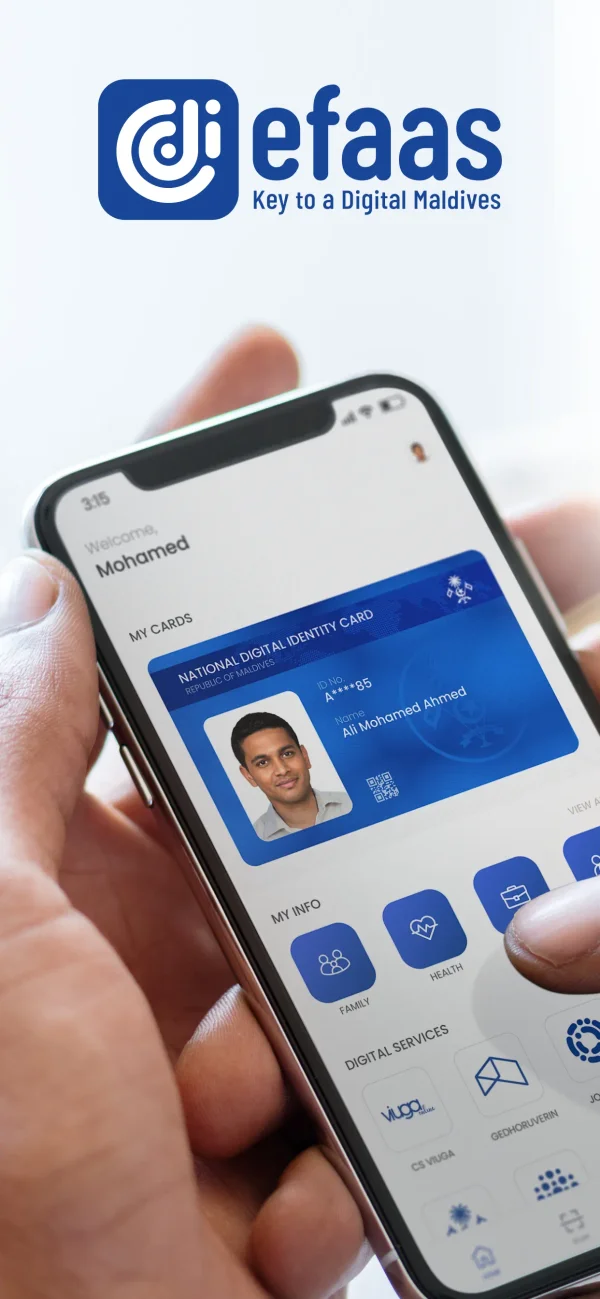
Your key to the Digital Maldives! Unlocking a world of digital possibilities
EASY
• Conveniently create your own verified ID to use across multiple digital and in-person services.
EMPOWERING
• Track and manage how your personal information is shared and maintained by official registrars.
SECURE
• Safeguard your identity and assure your data's safety with biometrics and multi-factor authentication.
KEY APP FEATURES:
PASSWORD-LESS / OTP-LESS AUTHENTICATION: No more passwords and OTPs. Conveniently access online services using:
• QR CODE LOGIN: Scan QR Code to login.
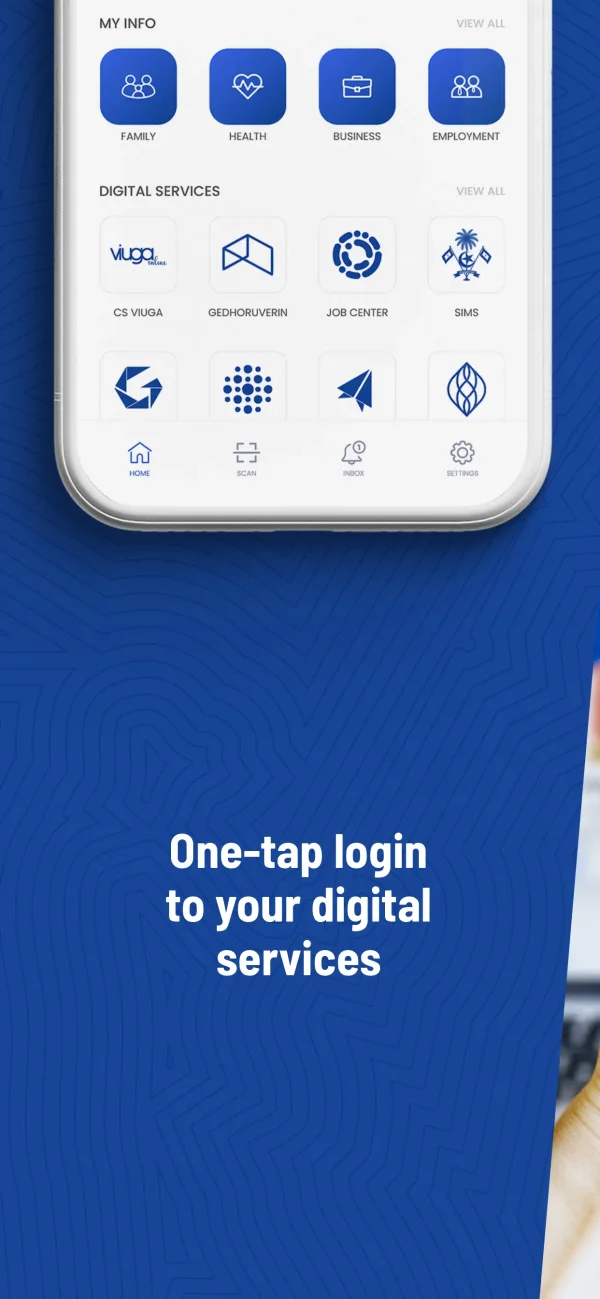
• ONE TAP LOGIN: Tap an icon to login.
VIEW YOUR INFORMAITON IN ONE PLACE: With eFaas mobile My Info, you can view key information about yourself from government registers.
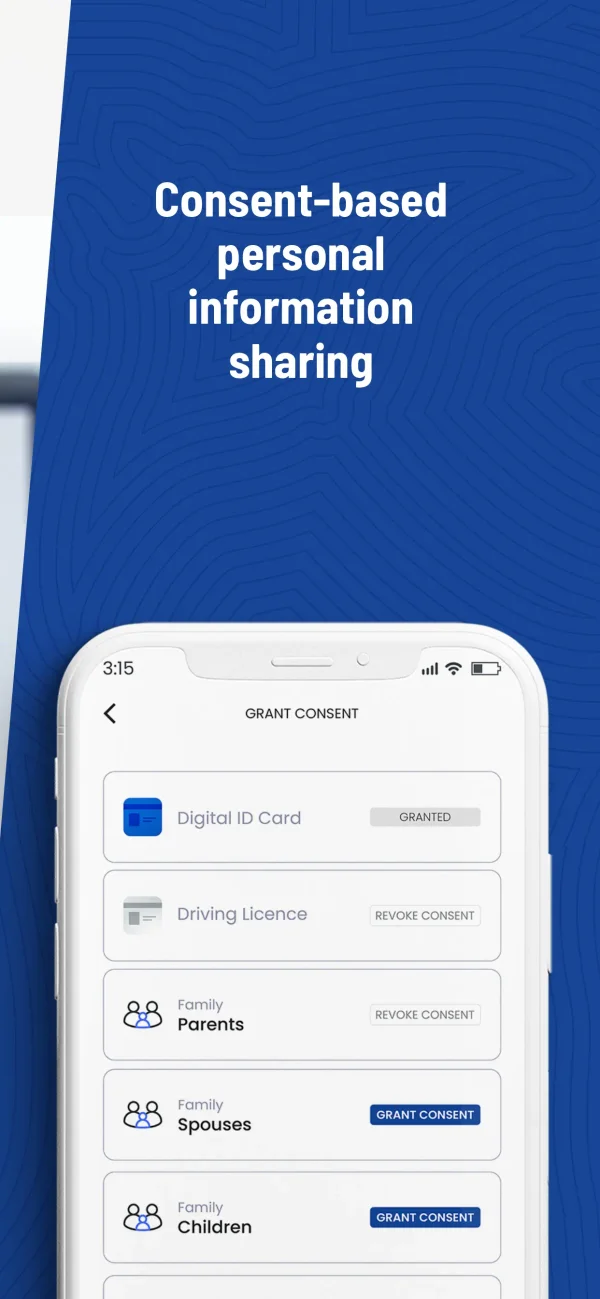
TRACK PERSONAL INFOMRATION SHARING: With eFaas consent management system, grant and revoke consent during authentication and track and manage personal information shared to various service providers.
INBOX: Receive messages, notifications, and alerts in one inbox from different public and private agencies.
BIOMETRIC VERIFICATION: Verify your identity with just a quick selfie using the eFaas mobile and web app biometric self-verification feature.
HOW TO CREATE YOUR NATIONAL DIGITAL IDENTITY?
• Step 1: Create your eFaas at efaas.gov.mv
• Step 2: Install the eFaas app and login with your eFaas credentials
• Step 3: Verify it’s you with face verification and setup your personal 6-digit PIN code
• Step 4: Your National Digital Identity is now ready! QR Code scan and One-Tap Login is now enabled and protected with your fingerprint, face or 6-digit PIN code.
FEEDBACK:
What can we do to improve your experience?
For feedback or questions, please email us at helpdesk@mds.gov.mv You can also reach us at 1551.
eFaas is brought to you by the Maldives Digital Service.
SOLUTIONS TO COMMON ISSUES:
• During face verification if you are getting error “"Sorry, we couldn't verify your identity." please make sure you are in a well-lit area and your face is fully angled to the camera. If issue persist, please call MDS Helpdesk 1551.
• “Login request expired” error – Please ensure your device date and time is current.
新機能
バージョン 1.2.2 · 2026/6/1
Improved app stability.
Fixed UI edge cases for a smoother user experience.
Fixed an issue where numbers in addresses (e.g. flat numbers) were displayed in reverse order.
アプリのプライバシー
このアプリのデータの取り扱いについて、National Centre Information TechnologyがApp Storeで申告している内容です。
-
ユーザーに関連付けられたデータ
収集され、ユーザーの識別情報に関連付けられる場合があります。
- ID
-
ユーザーに関連付けられないデータ
収集される場合がありますが、ユーザーの識別情報には関連付けられません。
- 診断
プライバシーの取り扱いは、ご利用の機能やお客様の年齢などに応じて異なる場合があります。
情報
- 販売元
- National Centre for Information Technology
- カテゴリ
- 仕事効率化
- バージョン
- 1.2.2
- 更新日
- 2026/6/1
- リリース
- 2023/5/30
- サイズ
- 35.2 MB
- 必要条件
- iOS 15.1以降
- 対象年齢
- 4+
- 価格
- 無料
- 言語
- 英語
- 著作権
- Copyright © 2026 MDS. All rights reserved.