- Age rating4+
- CategoryUtilities
- DeveloperSeungYoun YI
- LanguagesEnglish+ 1 more
- Size1.5 MB
Links to the official App Store page
Download.org hosts no file of Elsewhen: World Clock. The button opens its official App Store page, published by SeungYoun YI. Listing last checked on Nov 16, 2026.
Screenshots


About
Elsewhen is a world clock for people whose friends, family and teammates live in other time zones.
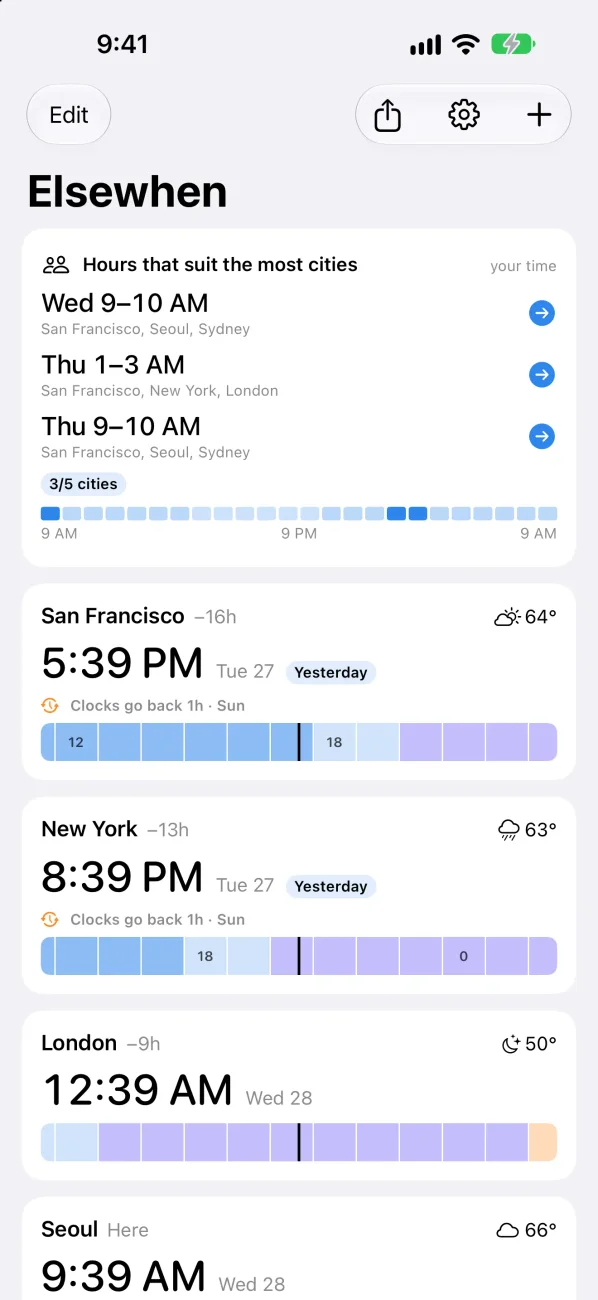
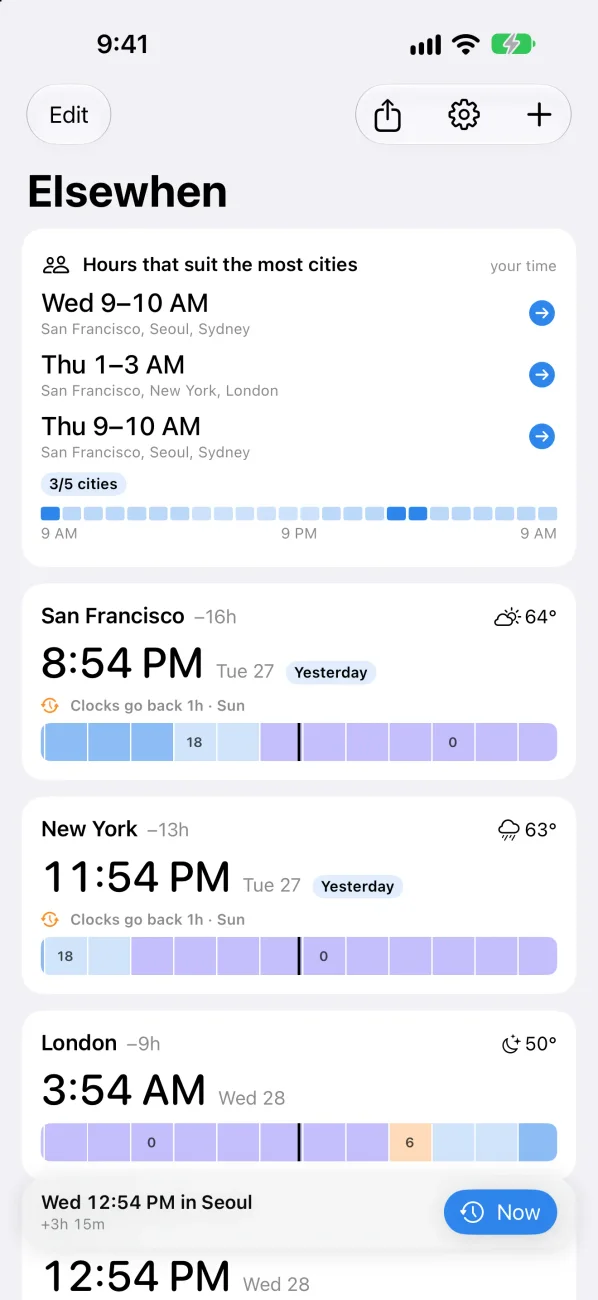
Each city is a lane: its current time, date and weather on a 24-hour track shaded for night, day and working hours. Drag any track and every city moves together, so you can see in a second that 6 pm in San Francisco is 2 am in London and the next morning in Seoul. Tap a city's time to type an exact moment in that city's zone, like 8 am in New York on Tuesday.
The overlap card does the scheduling math. It looks a week ahead, skips each city's weekend, and lists the next windows when everyone, or the most cities, are inside working hours, in your own time. Tap one and every lane jumps there. Share the moment you land on as a tidy list that names your city.
Widgets bring it to your Home Screen and Lock Screen in your 12- or 24-hour choice and your language. Pick one city for a small widget or a Lock Screen clock, three for the Lock Screen list, or several for the medium and large widgets.
Features:
- One lane per city: time, date, weather, offset and a day/night track
- Drag the timeline, or tap a time and type one, and every city moves together
- Overlap card: the next weekday windows everyone shares, one tap to jump
- Daylight saving heads-up a week before a city's clocks change
- Search by city, country or code (NYC, EST, Japan), in English or Korean
- Home Screen and Lock Screen widgets, including a three-city Lock Screen widget
- Share the shifted times as text
- Rename and reorder cities, choose which appear in widgets
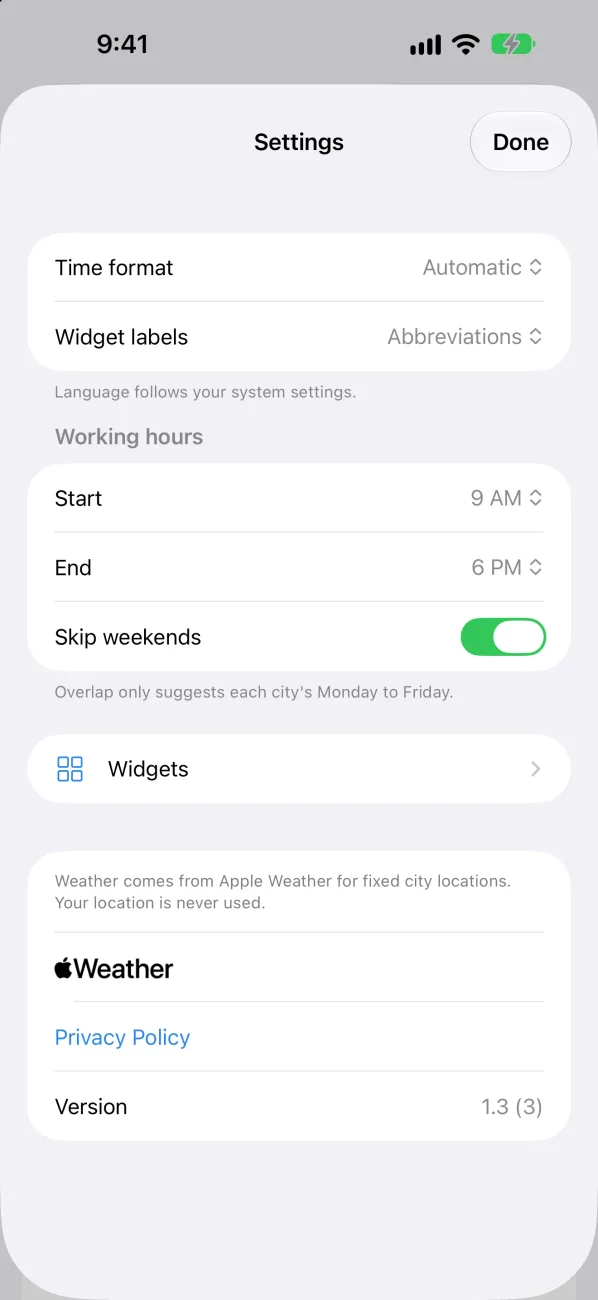
- 12-hour or 24-hour time, editable working hours
- VoiceOver can move the timeline
- Current conditions from Apple Weather
- Free, with no subscription, account, ads or analytics
Elsewhen needs no permissions and collects no data. Your city list and preferences stay on your iPhone. The only network use is Apple Weather (WeatherKit) for each city's current conditions, looked up by fixed city coordinates and never your location.
Also available for Mac as a menu bar clock.
What’s new
Version 1.3 · Oct 29, 2026
- The overlap card skips weekends, labels each window with its day, and jumps there when you tap it
- Tap a city's time to type a time in that city's zone
- A three-city Lock Screen widget, and widgets now follow your 24-hour and language choice
- Daylight saving heads-up a week before a city's clocks change
- Search cities in Korean, by country, or by codes like NYC and EST
- VoiceOver can move the timeline, with haptics while you drag
- Shared times now name your city
- Widget clocks change every minute
- Every screen fits the largest text sizes, with stronger contrast
App privacy
What SeungYoun YI declares on the App Store about how this app handles data.
-
Data not collected
The developer does not collect any data from this app.
Privacy practices may vary, for example with the features you use or your age.
Information
- Seller
- SeungYoun YI
- Category
- Utilities
- Version
- 1.3
- Updated
- Oct 29, 2026
- Released
- Jul 13, 2026
- Size
- 1.5 MB
- Requires
- iOS 17.0 or later
- Age rating
- 4+
- Price
- Free
- Languages
- English, Korean
- Copyright
- © 2026 SeungYoun YI
You might also like
-
 Time Strip: Time ZonesA world clock for your desktop
-
 HourFrame: Desk ClockBeautiful Fullscreen Clocks
-
 Hanzi Clock: Widget DialsChinese Numeral Dials
-
 Cyatal: Digital Clock & WidgetRetro Digital Clock & Widget
-
 Light: Athan, Qibla FinderPrayer Times, Reminders, Azan
-
 WorldClocksy for WomenWorld Clock & Widgets
-
 Live Weather Forecast ProUtilities
-
 World Clock & Time ConverterTrack Clocks & Set Reminders
-
 Vizzy.SiteControl Vizzy Enabled Devices
-
 StandBy Hub: Nightstand & HomeClocks, Countdown & Dashboard