- Age rating4+
- CategoryProductivity
- DeveloperExtron Electronics
- LanguagesEnglish
- Size16.0 MB
Links to the official App Store page
Download.org hosts no file of EMS-Quantum Ultra. The button opens its official App Store page, published by Extron Electronics. Listing last checked on Nov 15, 2026.
Screenshots




About
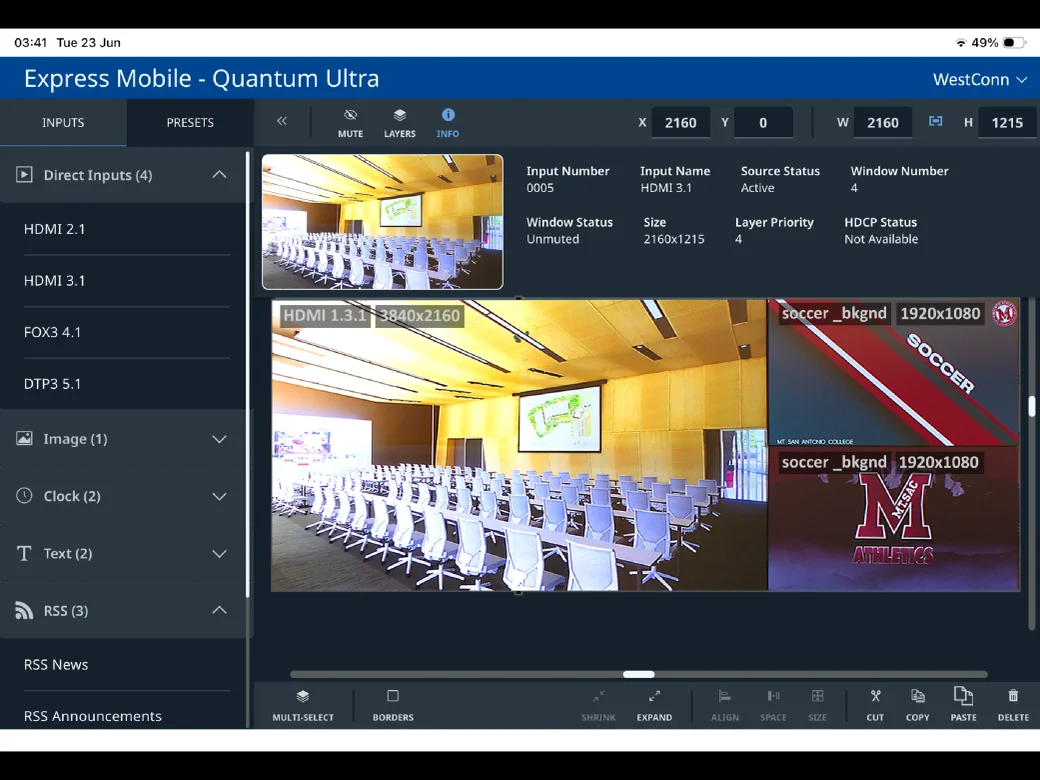
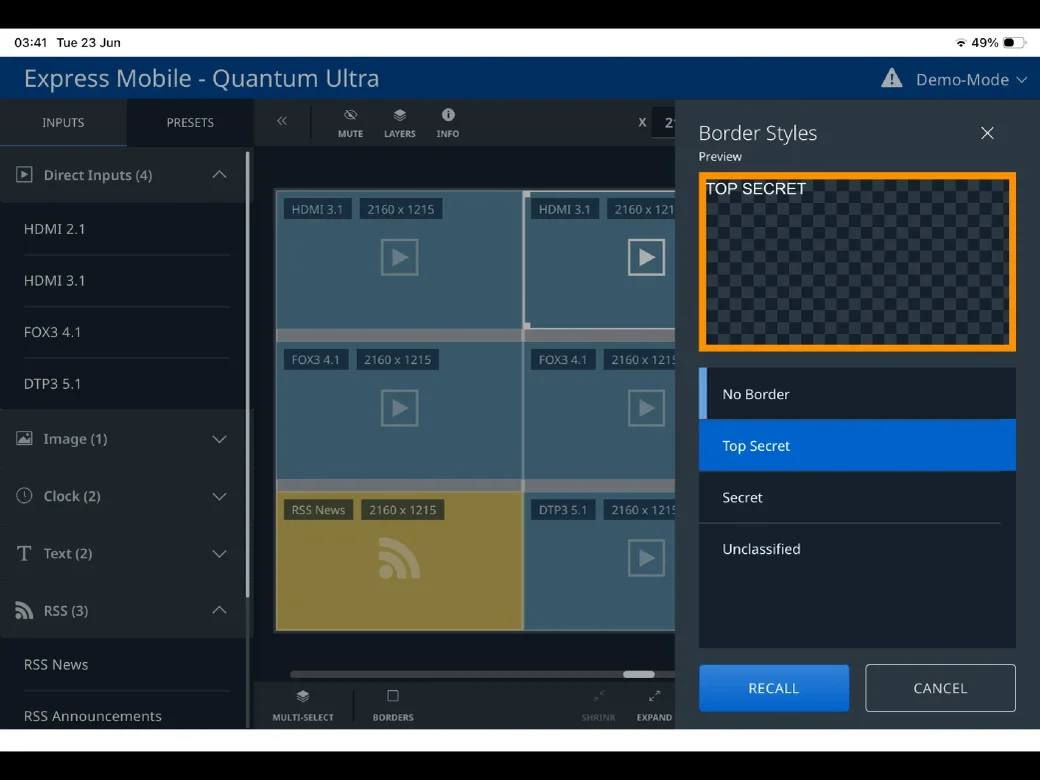
EMS Express Mobile Software - Quantum Ultra is an application designed to provide intuitive user control of Quantum Ultra videowall processors from Apple® iOS® devices. The software combines the freedom of wireless control with an easy to use application operated with familiar finger gestures, such as tap, drag and drop, swipe, and pinch/stretch. It facilitates preset selection, window size and position, source selection, and other common operational tasks, and can work in tandem with VCS and a control system. Up to 10 users can control one or more videowalls. Separate User, Designer, and Administrator credentials define operational roles. EMS-Quantum Ultra is ideal for use with systems requiring one or more points of control through a user-friendly interface.
EMS-Quantum Ultra can be used in any application that requires mobile, wireless control of a videowall for operational use. This includes corporate conference rooms, command and control centers, network operations hubs, or other applications that would benefit from intuitive control, either single-point or multi-point. A LinkLicense® upgrade for the Quantum Ultra, LinkLicense for EMS-Quantum Ultra, is required to enable communication between EMS and the processor.
Familiar finger gestures facilitate easy and intuitive control of videowalls. Drag and drop enables quick changes between presets and source selection within windows. Effortlessly resize windows using familiar two-finger pinch and stretch actions. To access each videowall in the system, swipe to switch between canvases.
Features
• Provides simple user control of Extron Quantum Ultra videowall processors from a mobile device
• Simplifies common operational tasks, such as preset selection, window management, and source switching
• Supports familiar operational gestures, including tap, drag and drop, swipe, and pinch/stretch
• Separate access credentials for Users, Designers, and Administrators
• Control videowalls from up to 10 mobile devices simultaneously
• Requires Extron videowall processor with LinkLicense® for EMS‑Quantum Ultra
• Easily preview presets prior to recalling
• Snap grid simplifies window placement
• Precise, pixel perfect editing of window size and position
• Create, save, and recall up to 128 window presets
• Multi-level Undo function
• Lock feature prevents windows from being moved or resized while still allowing source changes
• Quickly remove all windows from a canvas with a single tap
• Mute feature hides the selected window
• Cut, copy, and paste functions easily replicate the selected window
• Window layer control
• Alerts notify users of temperature warnings, along with power supply and fan failures
What’s new
Version 1.8 · Jun 25, 2026
Support for Quantum IN4DTP3 and Quantum OUT4DTP3 Cards
In-app live source display from HDMI 4K PLUS, DTP3, and FOX3 cards
App privacy
What Extron Electronics declares on the App Store about how this app handles data.
-
Data not collected
The developer does not collect any data from this app.
Privacy practices may vary, for example with the features you use or your age.
Information
- Seller
- RGB Systems, Inc.
- Category
- Productivity
- Version
- 1.8
- Updated
- Jun 25, 2026
- Released
- Jul 8, 2020
- Size
- 16.0 MB
- Requires
- iOS 12.0 or later
- Age rating
- 4+
- Price
- Free
- Languages
- English
- Copyright
- © Extron Electronics
You might also like
-
 Fieldshare.ioProductivity
-
 PadClientProductivity
-
 PDF Maker : Photo to PDFTurn Photos Into PDFs Fast
-
 InfiniteX2P Pro — Desktop ModePro Desktop for Your iPhone
-
 iCount TimeiCount's time management app
-
 Mailroom by PackageXProductivity
-
 Pocket Mac LabYour Mac on iPhone and iPad
-
 Mind Map - Ideas Outline NotesFlowchart · Fishbone · Offline
-
 25LiveAcademic and Event Scheduling
-
 BrowserCam MonitorOld Phone WiFi Camera