- Age rating17+
- CategoryProductivity
- DeveloperDeclann Tan
- LanguagesEnglish
- Size121.4 MB
Links to the official App Store page
Download.org hosts no file of Pocket Mac Lab. The button opens its official App Store page, published by Declann Tan. Listing last checked on Nov 15, 2026.
Screenshots



About
Your Mac. A whole new way to carry it.
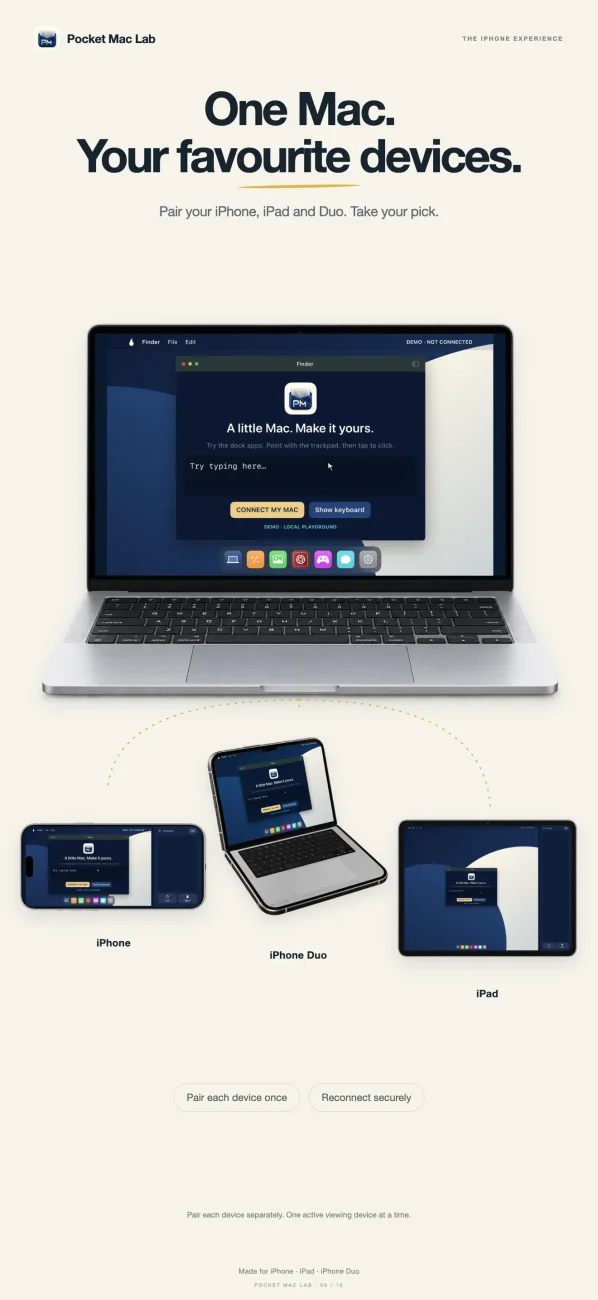
Pocket Mac Lab brings your own Mac desktop and sound to iPhone, iPad and iPhone Duo. Use touch, an on-screen keyboard, a spacious trackpad or your own compatible keyboard and mouse.
YOUR DESKTOP, WHEREVER YOU ARE
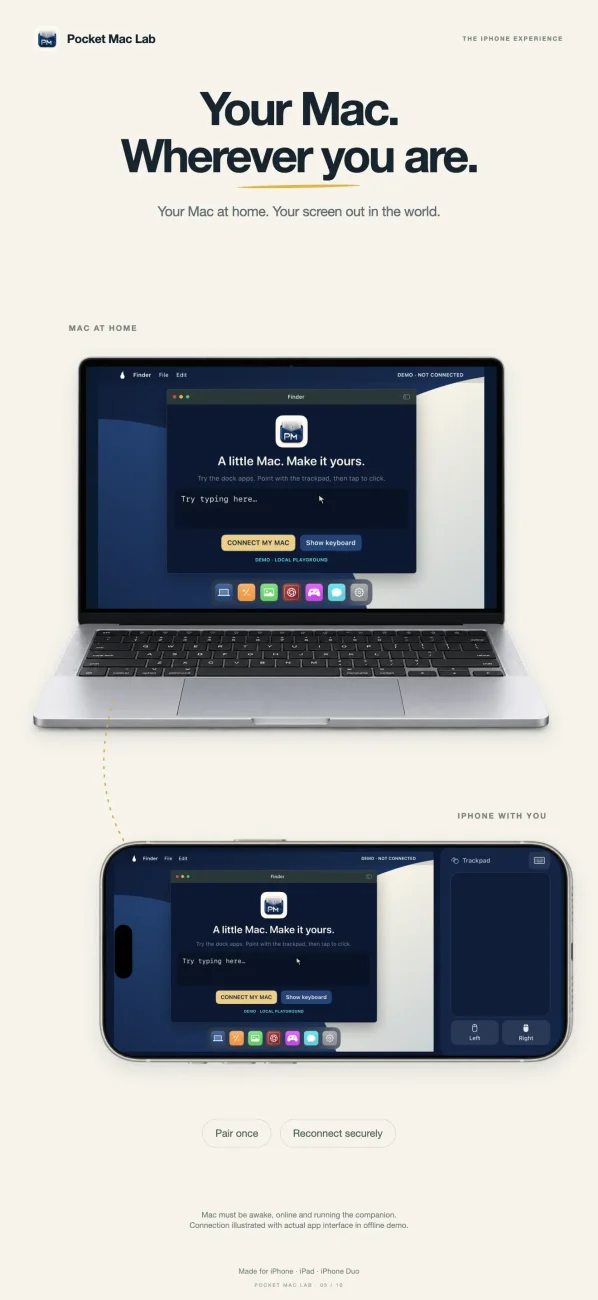
Pair with your Mac, then reconnect from home or another network. Your Mac must stay awake, online, signed in and running Pocket Mac Connector. After restarting the Mac, local sign-in may be needed before remote access is available.
MADE FOR YOUR DEVICE
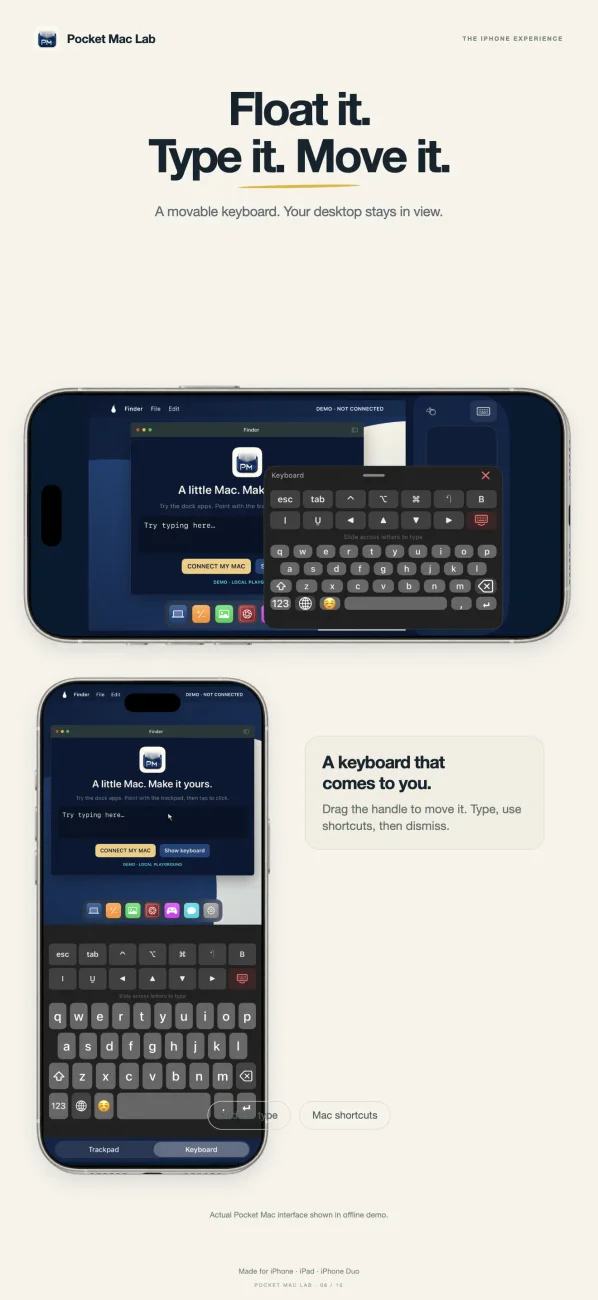
On iPhone and iPad, use a clear desktop view with a separate trackpad and left/right click controls. Rotate to portrait for a display above your keyboard or trackpad. Open the movable floating keyboard without changing your full-screen desktop.
ROOM TO MOVE
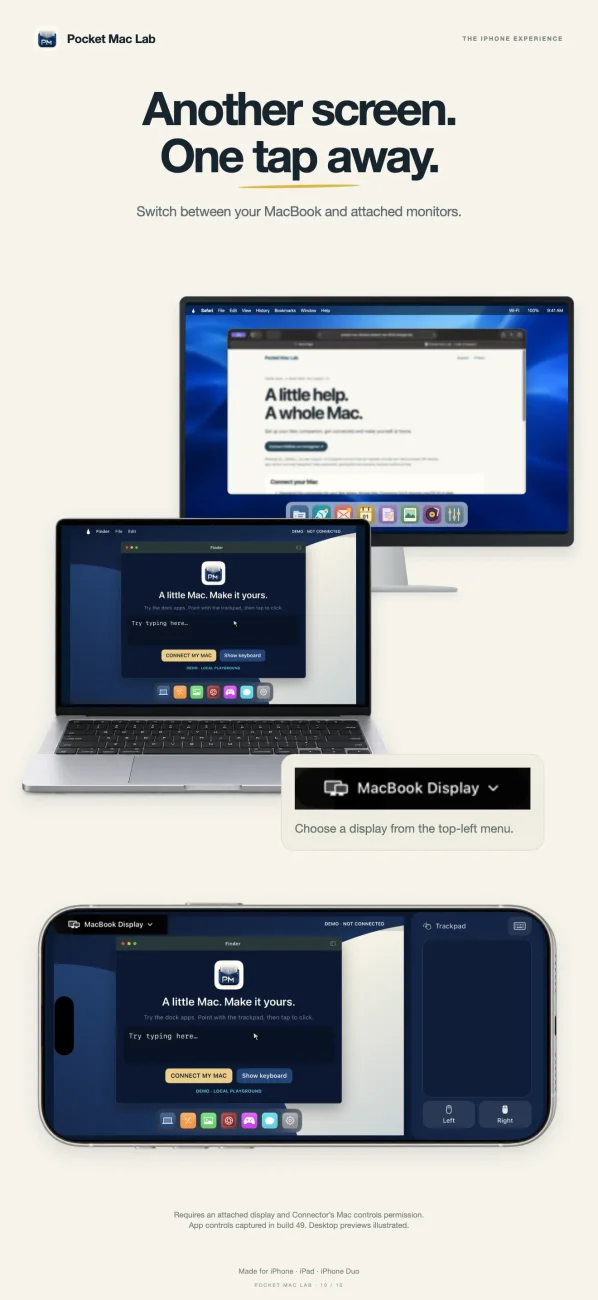
Point, click, drag and scroll. An optional ridged scroll wheel gives you a dedicated scrolling surface. Pinch where you want to zoom, pan with two fingers and let the view follow your pointer near the edges. Fit whole Mac restores the complete desktop. Switch between detected Mac monitors with the display selector.
YOUR MACS, IN ONE PLACE
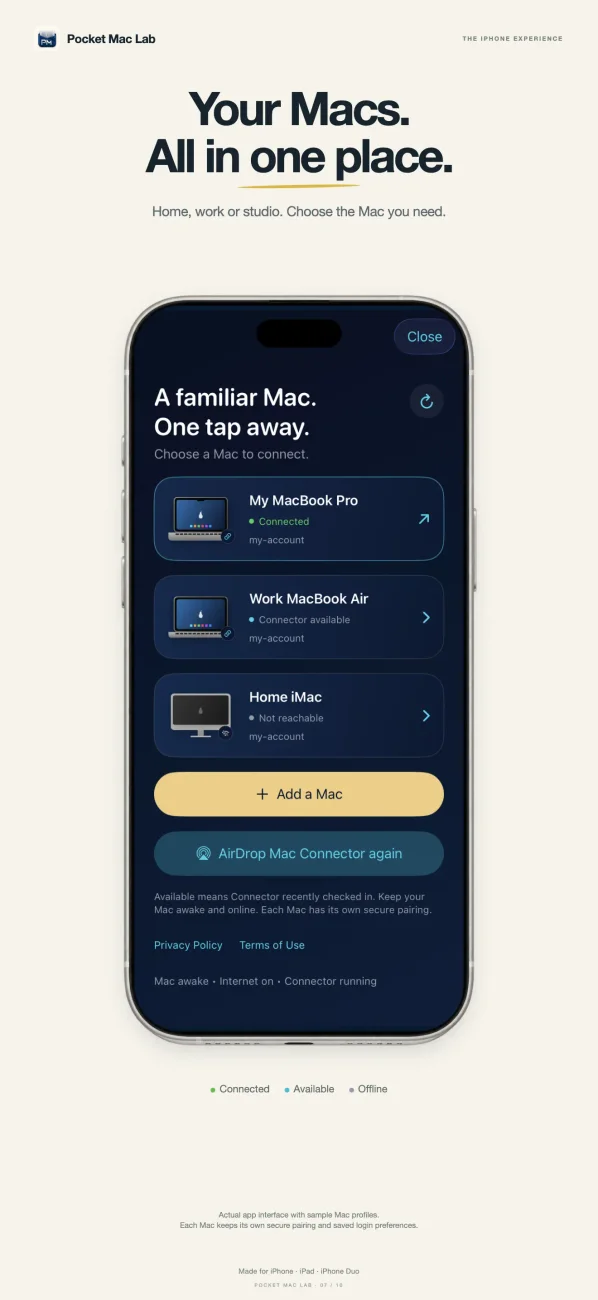
Save multiple Macs with separate pairings and connection status. Pair your iPhone, iPad and Duo with the same Mac and choose the device you need. One active viewing device per Mac at a time.
BRING YOUR OWN SETUP
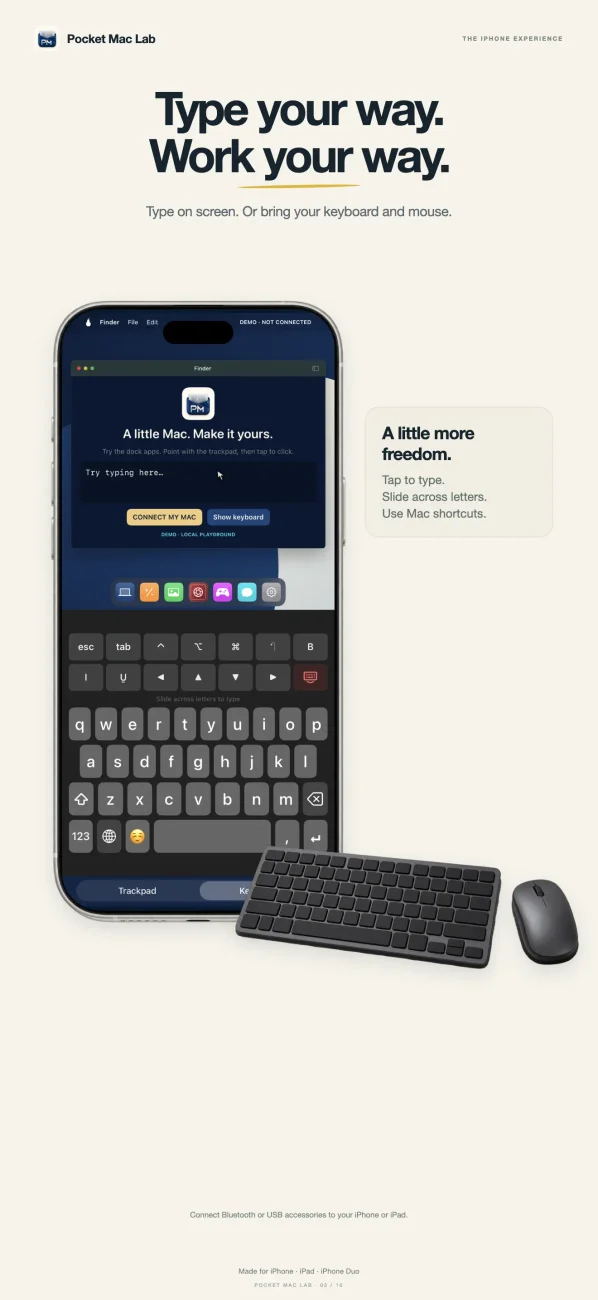
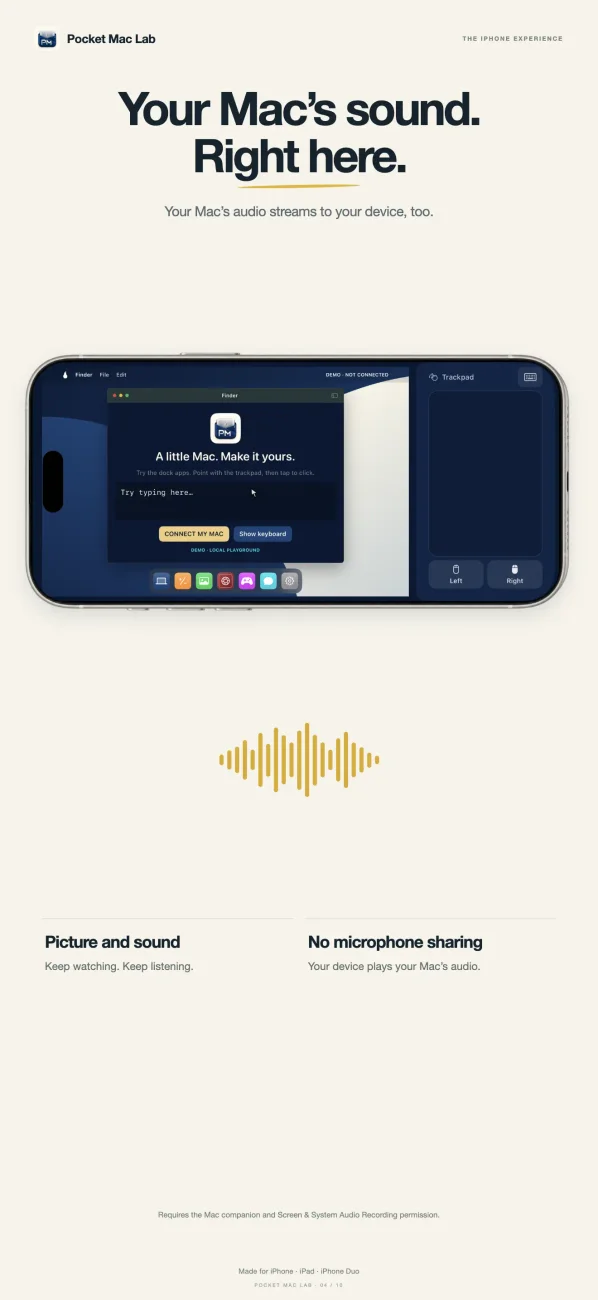
Connect a compatible Bluetooth or USB keyboard and mouse to your device. Type, use shortcuts, click, drag and scroll. Mac audio plays on your device when enabled. Mac controls and monitor switching require the companion permissions shown during setup.
A LITTLE LAPTOP ON IPHONE DUO
Choose Studio Silver, Studio Space Black, Daybreak, Circuit, Midnight, Tide, Ember or Slate. The themed keyboard and matching pear cover follow your choice. Fold into a laptop, open fully or close to show your cover. Themes and covers are exclusive to iPhone Duo.
A LITTLE DESKTOP, BUILT IN
Explore the local launcher, gallery, calculator, games and Photo Room without a Mac. These mini apps do not run macOS; your connected Mac provides the real desktop. Photo Room includes a nine-filter grid and saves pictures to the in-app gallery.
PRIVATE PAIRING
First connection uses your Mac account login plus matching-code approval on your Mac. Approved devices can reconnect without scanning again. Optional remembered passwords stay in device-only Keychain. Forget the saved Mac or revoke sharing from the companion whenever needed.
GETTING CONNECTED
AirDrop the free signed and notarized Mac companion from the app. Drag it into Applications and follow its guided setup for Screen Sharing, Screen & System Audio Recording and Accessibility. A compatible Mac running macOS 15 or later and working internet on both devices are required. Performance depends on your devices and networks.
Paid upfront. No subscriptions or in-app purchases. Independent; not affiliated with or endorsed by Apple.
Support: https://pocket-mac-declann.declann-tan-9532.chatgpt.site/support.html
Privacy Policy: https://pocket-mac-declann.declann-tan-9532.chatgpt.site/privacy.html
Terms of Use: https://www.apple.com/legal/internet-services/itunes/dev/stdeula/
What’s new
Version 1.0.3 · Nov 11, 2026
• Saved Mac profiles with connection status.
• Pair additional iPhone, iPad and Duo devices to your Mac. One active viewer at a time.
• Switch between your MacBook and attached monitors.
• Refined scaling, clarity and streaming across all three device layouts.
• A simpler Mac Connector with guided setup and an Applications-folder installer.
Update the Mac Connector from the app to use the latest features.
App privacy
What Declann Tan declares on the App Store about how this app handles data.
-
Data linked to you
May be collected and linked to your identity.
- Diagnostics
Privacy practices may vary, for example with the features you use or your age.
Information
- Seller
- Declann Tan
- Category
- Productivity
- Version
- 1.0.3
- Updated
- Nov 11, 2026
- Released
- Nov 1, 2026
- Size
- 121.4 MB
- Requires
- iOS 17.0 or later
- Age rating
- 17+
- Price
- $5.99
- Languages
- English
- Copyright
- © 2026 Declann Tan
You might also like
-
 DuoBook: Pocket MacTurn iPhone Duo into a Mac
-
 GratefoldPocket notebook, made digital
-
 TypeDrawYour new Notebook
-
 OpenDisplayUse your iPad as a Mac Monitor
-
 choclift: Workflow Sweetenerdesktop touch controls
-
 Finalist: Daily PlannerYour Whole Day on One Page
-
 Timepage: Calendar PlannerWeather & Family Appointments
-
 UniFi DesignProductivity
-
 Claude Duet by AnthropicYour proactive work agent
-
 Locally AI by LM StudioLocal & Private AI Assistant