- Age rating4+
- CategoryProductivity
- DeveloperKYLE SHERIDAN
- LanguagesEnglish
- Size2.4 MB
Links to the official App Store page
Download.org hosts no file of Erre: To-Do List. The button opens its official App Store page, published by KYLE SHERIDAN. Listing last checked on Nov 26, 2026.
Screenshots

About
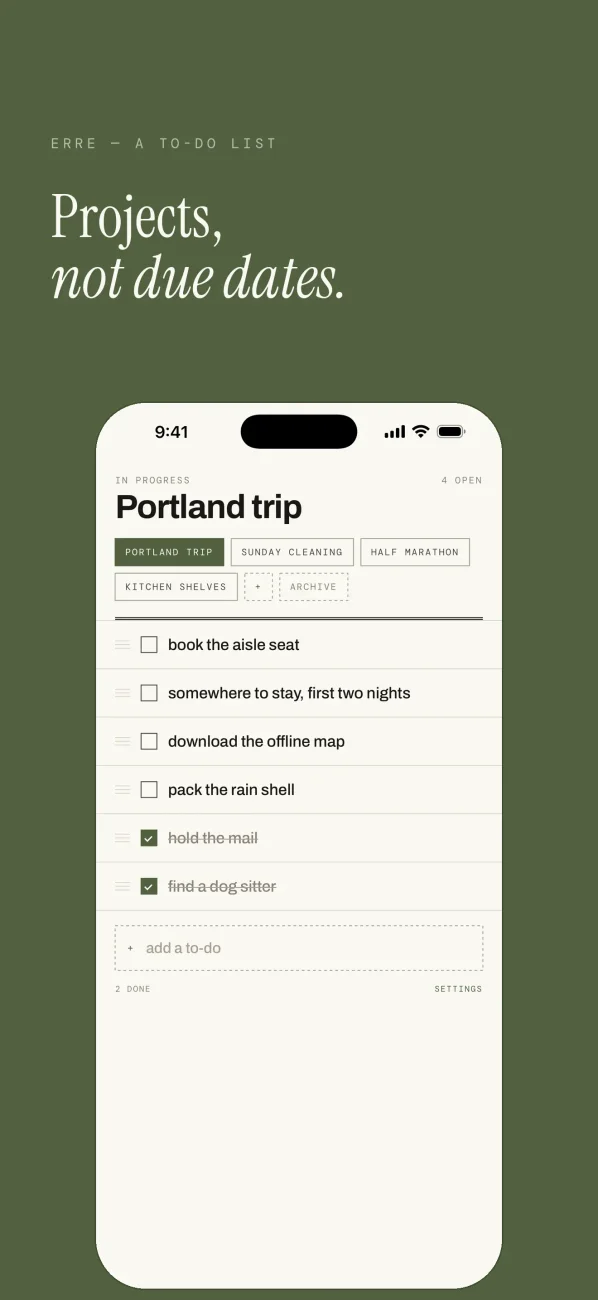
Erre is a to-do list built around projects instead of dates.
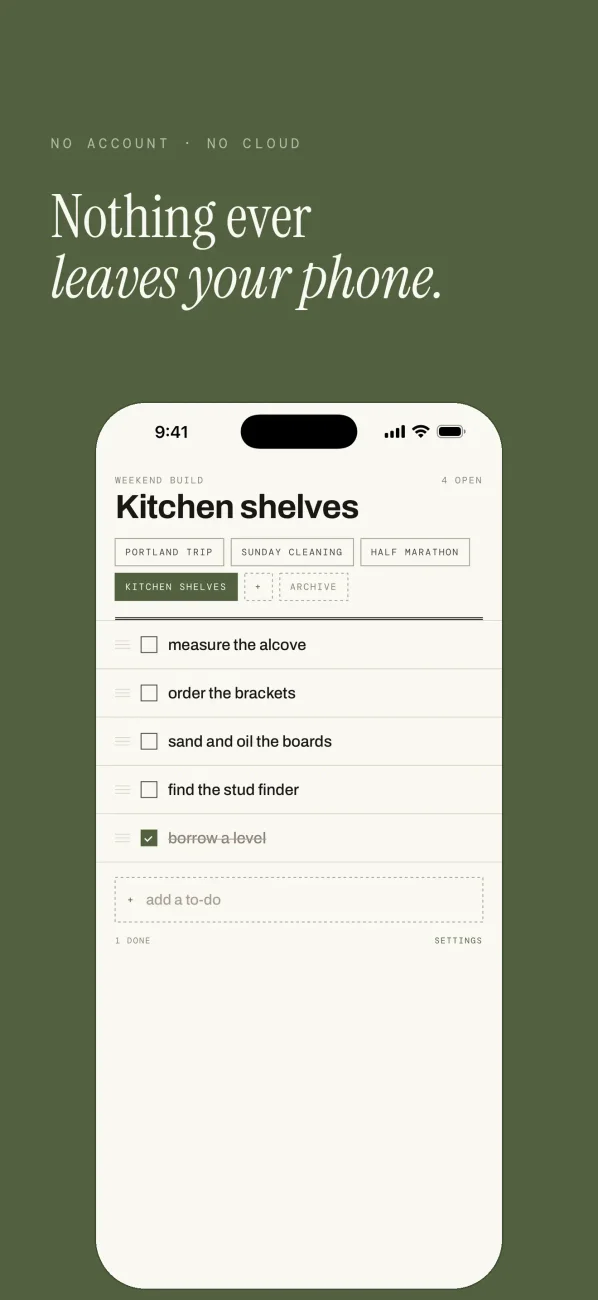
Most task apps ask when something is due. Erre asks what it belongs to. Your to-dos live inside a project; that could be a shoot you are editing, a room you are cleaning, a trip you are getting ready for. Everything is accessible on one screen and extremely easy to navigate.
WHAT IT DOES
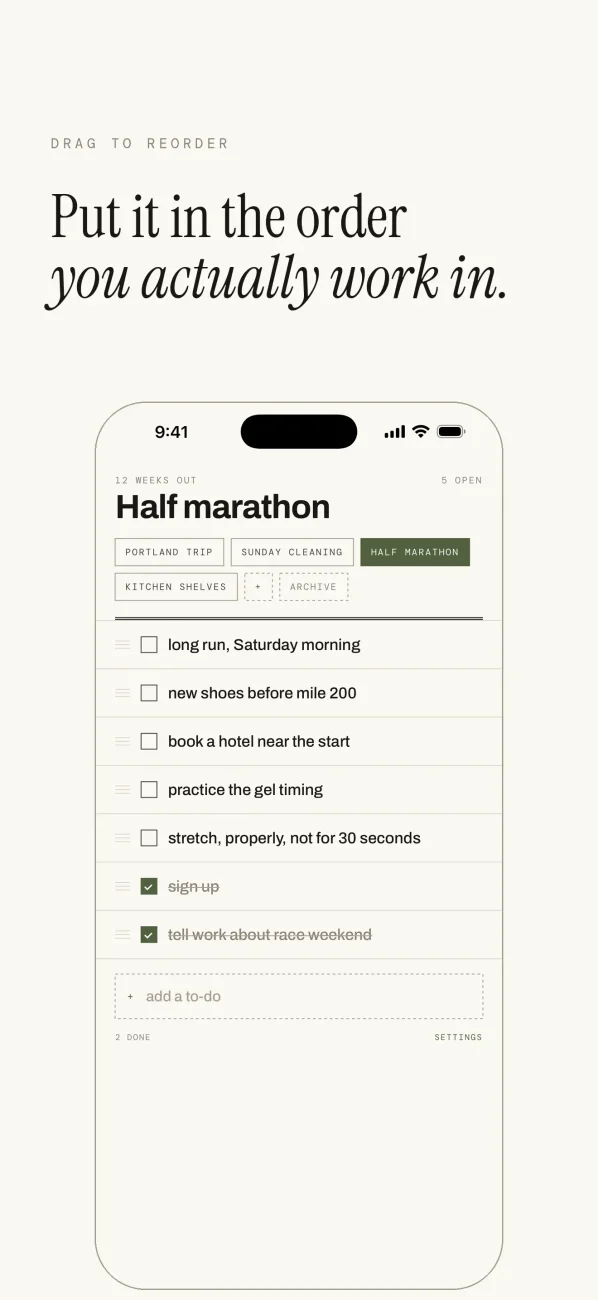
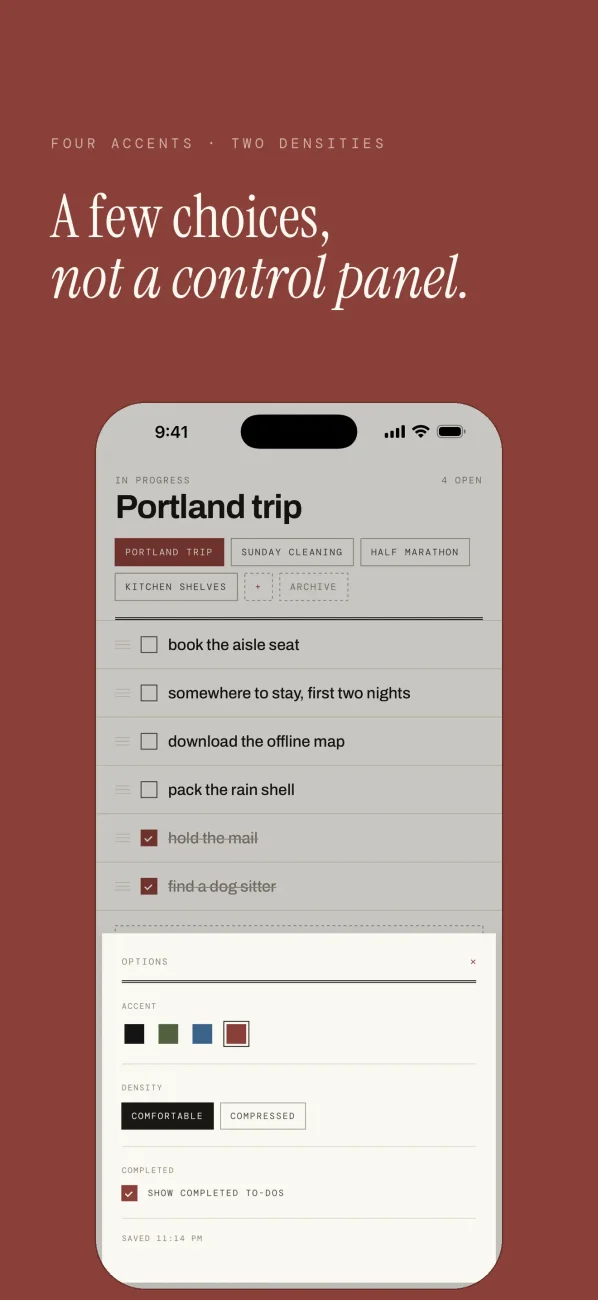
• Create, rename, reorder, and archive projects easily. The one you are working on fills the screen.
• Drag to reorder. Swipe to delete. Tap to tick.
• Completed to-dos sink to the bottom, struck through, and can be hidden entirely.
• The line above each project name writes itself; "new", then "in progress", then "completed" as the work moves. Type your own label instead and Erre leaves it alone.
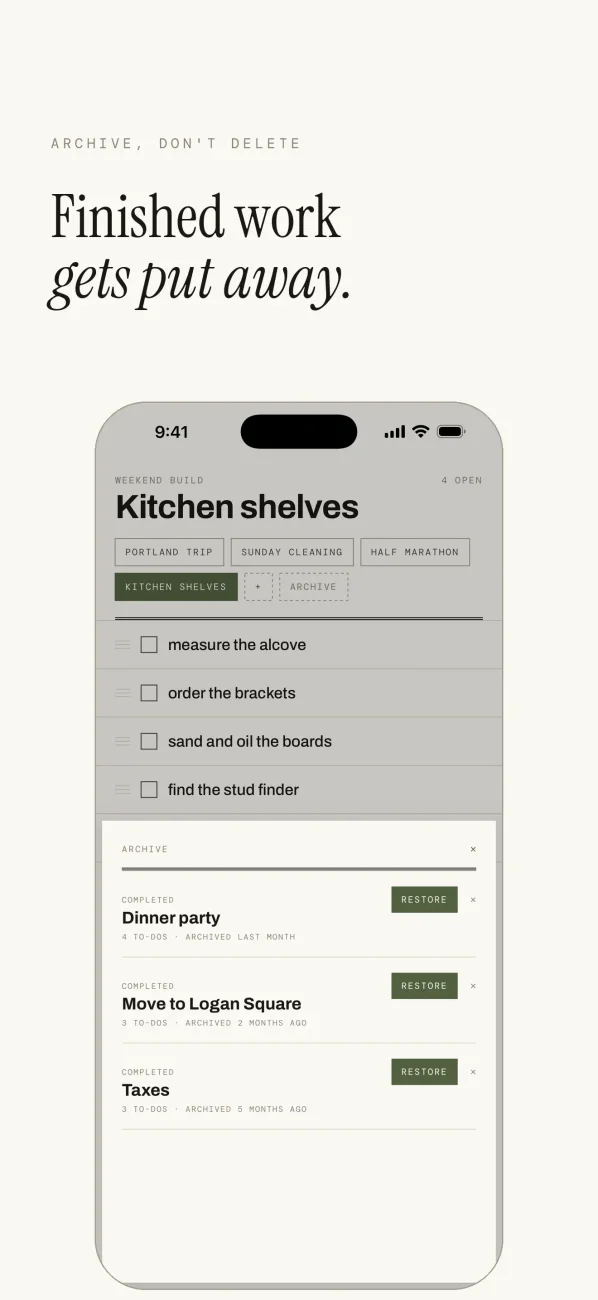
• An archive for the projects you have finished, and a restore button for the ones you had not.
• Four accent colors and two densities.
ON IPAD AND IPHONE DUO
On an iPad, or an iPhone Duo opened flat, Erre becomes a notebook laid open: a contents page of every project on the left, and the one you are working on facing it. On the closed Duo, the side column takes your accent color and holds the tools: add, projects, completed, and settings. Your list fills the rest of the screen.
WHAT IT DOES NOT DO
No account. No sign-in. No notifications, no streaks, no nagging, nothing to subscribe to.
It also does not talk to the internet. There is no networking in the app at all — your projects and to-dos are written to a single file on your iPhone and they stay there. Nothing is collected, nothing is measured, nothing is sent anywhere.
HOW IT LOOKS
Erre is set in the manner of a printed field notebook: warm paper, a double rule under the header, monospaced small caps for the labels, and a serif where it counts. It is meant to look like something you would write in, not a dashboard.
What’s new
Version 1.5 · Nov 25, 2026
- Erre is easier to tap and easier to read.
- Tap a to-do's words to tick it, not just its box, and every button is now big enough to hit without aiming. Text follows your device's text size, the gray labels are darker, and VoiceOver can tick, edit, move, and delete.
- Tap the done count at the foot of a list to show or hide what you've finished, or clear it away. The three dots beside a project's name hold Rename, Archive, and Delete, and deleting a project with to-dos in it now asks first.
- A to-do you swipe away stays readable while you decide, with a line beneath it that runs out with the seconds.
App privacy
What KYLE SHERIDAN declares on the App Store about how this app handles data.
-
Data not collected
The developer does not collect any data from this app.
Privacy practices may vary, for example with the features you use or your age.
Information
- Seller
- KYLE SHERIDAN
- Category
- Productivity
- Version
- 1.5
- Updated
- Nov 25, 2026
- Released
- Sep 8, 2026
- Size
- 2.4 MB
- Requires
- iOS 17.0 or later
- Age rating
- 4+
- Price
- Free
- Languages
- English
- Copyright
- © 2026 Kyle Sheridan
You might also like
-
 handy: to-do lista calm to-do list, by hand
-
 Routine Builder: Daily PlannerBuild streaks, reach goals
-
 To-Do-List: All in one placeReminders & Calendar
-
 Lists for DaysEverything is a list
-
 daily plannersTo do list & Todo task
-
 To Do List - Minimal PlannerTasks, Calendar, Checklist
-
 Strata for Micro.blogNotes sync and sharing
-
 Blitz: Tasks, ToDo List, NotesReminder, planner & organizer
-
 Workbox CompanyProductivity
-
 CalCal|Simple CalendarSee every plan as you scroll