Eslaforde Workout Tracker
Set-by-set workout guide
Designed for iPhone, iPad, Mac
Free · In-app purchases
- Age rating4+
- CategoryHealth & Fitness
- DeveloperGuy Montgomery
- LanguagesEnglish
- Size3.9 MB
Links to the official App Store page
Download.org hosts no file of Eslaforde Workout Tracker. The button opens its official App Store page, published by Guy Montgomery. Listing last checked on Nov 23, 2026.
Screenshots


About
Eslaforde Workout Tracker guides you through your own workout, one set at a time, and lets you run the whole session without unlocking your phone.
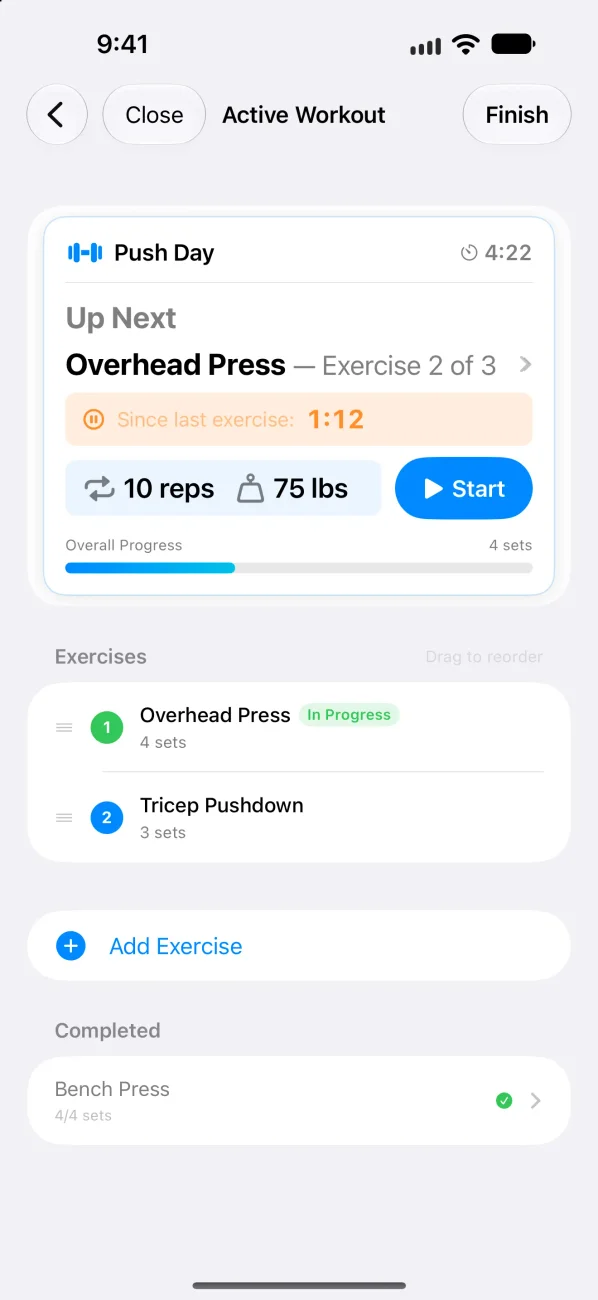
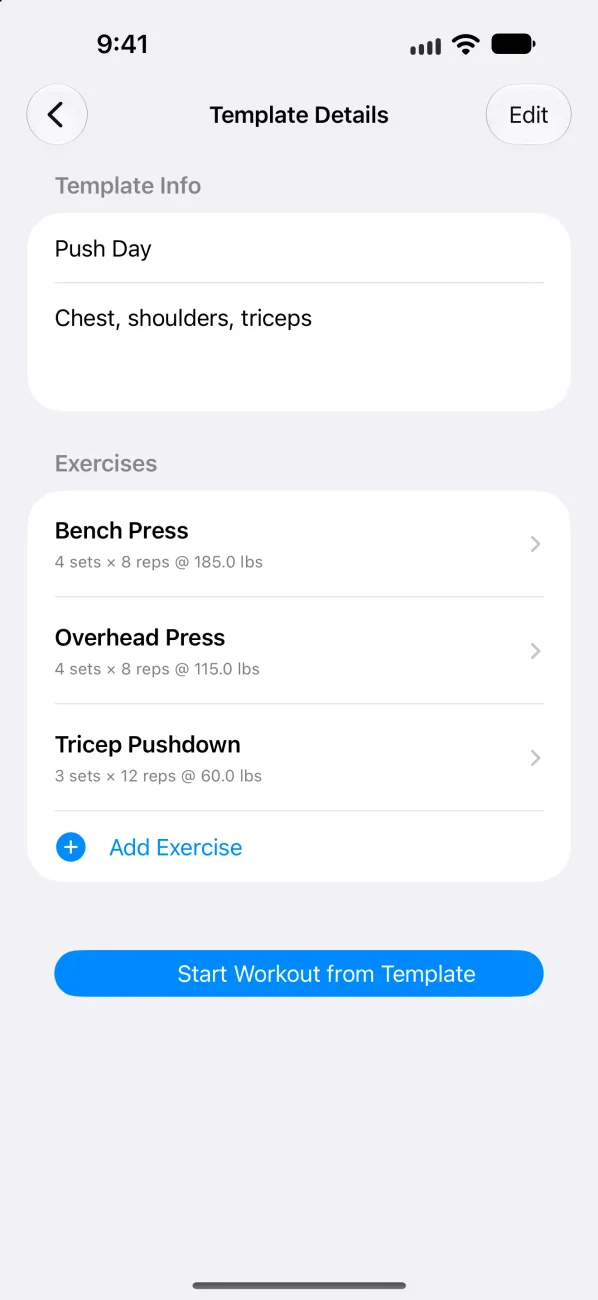
It isn't an exercise library, and it won't teach you how to lift. You build your workouts once, like Push Day or Leg Day, and the app keeps you on track: which exercise, which set, the reps and weight to hit, when to rest, and what's up next. Tap Finish when a set's done and the rest timer starts. Between exercises there's no countdown, so take as long as you need. Every exercise remembers what you did last time, so each session starts pre-filled.
RUN YOUR WORKOUT WITHOUT UNLOCKING YOUR PHONE
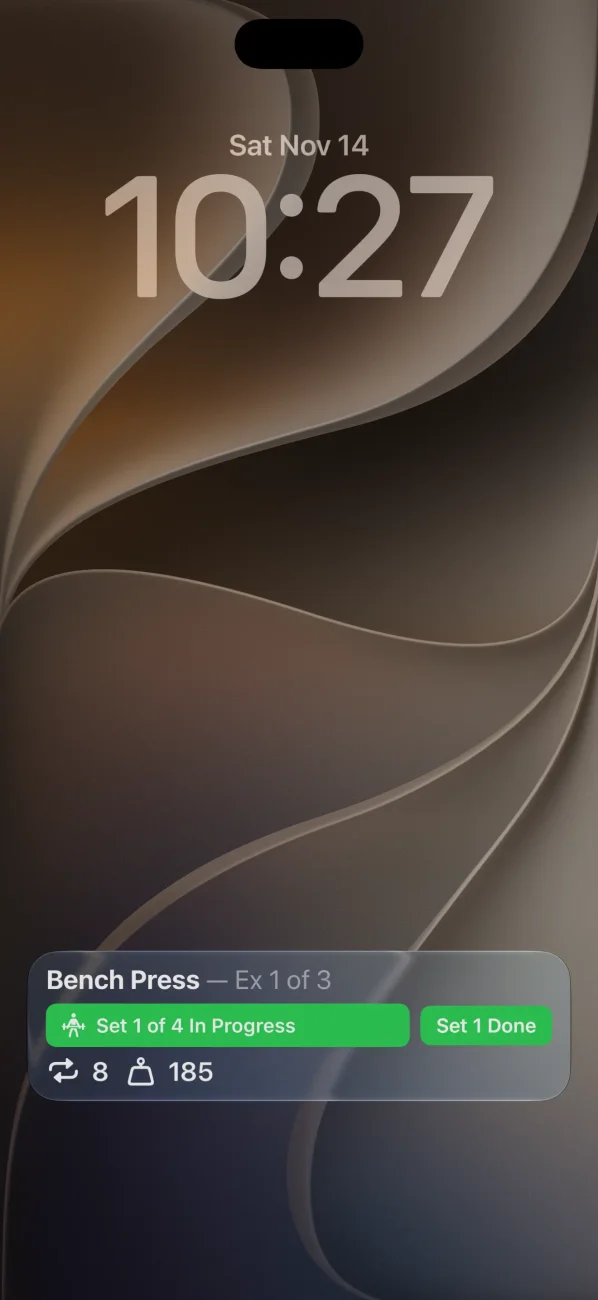
Use the Lock Screen: your current set, reps and weight stay there with a Set Done button. During a rest it counts down, then shows Set In Progress when it's time for your next set, and a Rest Complete alert tells you your rest is over. Or leave your phone in your locker or your pocket and run the whole workout from your Apple Watch. Everything syncs back to your iPhone, with the right times, when you're together again.
IS YOUR NEXT MACHINE BUSY?
Skip or reorder your exercises on the fly. Skip moves an exercise down one place so you can come straight back to it, or drag your exercises into any order. Changes you make on Apple Watch carry over to your iPhone.
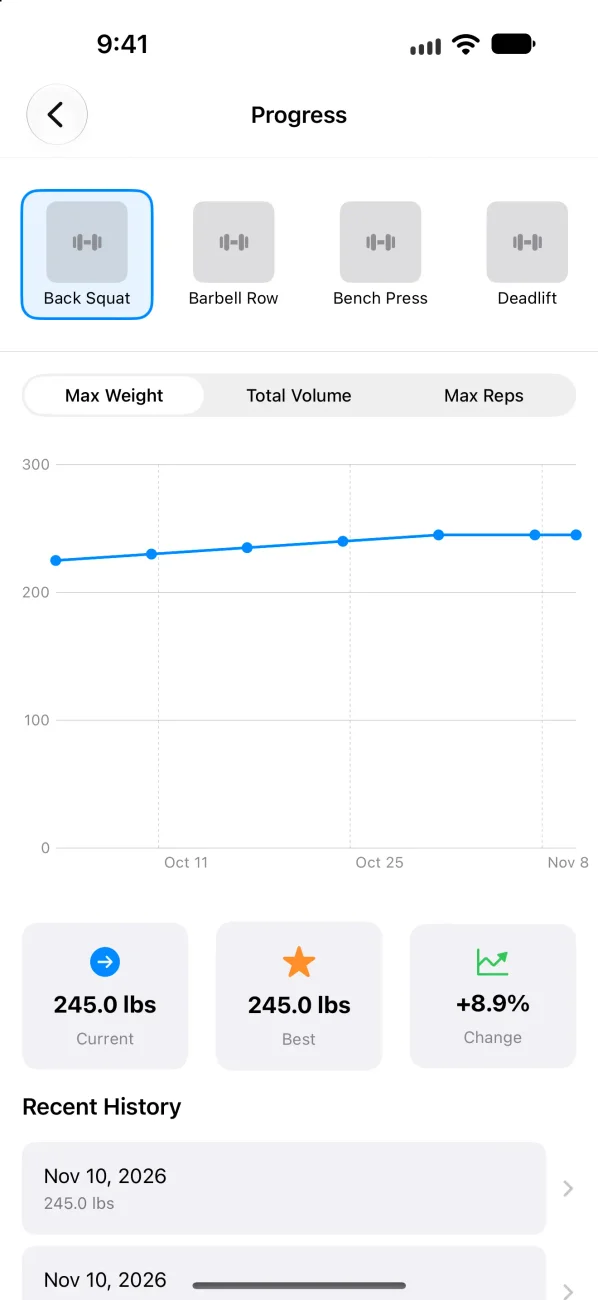
GRAPHICAL TRACKING OF YOUR HISTORY AND PROGRESS
See every session you've logged, and chart the weight you've lifted over time for each exercise.
PLAN ON YOUR MAC
The new Mac companion app is a comfortable place to create and manage your workouts and exercises at your desk, and to look back at your history and progress. Changes sync to your iPhone and Apple Watch, ready for your next session.
SYNC TO APPLE HEALTH & ICLOUD
Completed workouts save to Apple Health as Traditional Strength Training. Your exercises, workouts and history sync across iPhone, iPad, Apple Watch and Mac with iCloud.
FREE TRIAL & SUBSCRIPTION
Every new user gets 14 days of full access. After the trial, the app stays free for one workout of your choice, and all your data stays intact. Subscribe monthly or yearly for unlimited workouts, plus Apple Watch and Lock Screen support. One subscription covers iPhone, iPad, Apple Watch and Mac.
No clutter. No accounts. No ads. No tracking. Just you and your workout.
Terms of Use: https://www.apple.com/legal/internet-services/itunes/dev/stdeula/
What’s new
Version 2.1 · Nov 18, 2026
A clearer guide through every set, and more of your workout with your phone locked.
• Run a workout from the Lock Screen: your set, reps and weight with a Set Done button. During a rest the card counts down, then shows Set In Progress and turns the button green when it's time to go.
• Rest Complete alerts arrive when a rest ends with your phone locked, on your Apple Watch if you're wearing it, and can come through a Focus.
• Take your time between exercises: there's no countdown after an exercise's last set. Tap Start when you're ready for the next one.
• Run on Apple Watch: choosing Apple Watch on your iPhone now opens the watch app for you, and your workout stays on screen between sets.
• One workout at a time across iPhone and Apple Watch, with a prompt if one is already running. Close a workout to keep it for later or discard it.
• Each exercise's sets, reps and weight now live in one place, its own page. Every workout starts from them, and finishing an exercise updates them with what you did.
• Skip This Exercise now moves an exercise down one place instead of to the end, and reordering on Apple Watch carries over to your iPhone.
• Workouts done on Apple Watch away from your phone now sync with the right set and finish times.
• New Mac app for planning your workouts and reviewing your history and progress.
• Fixes for the Lock Screen falling out of step with the app, and for sets being recorded against the wrong exercise after reordering on Apple Watch.
App privacy
What Guy Montgomery declares on the App Store about how this app handles data.
-
Data not collected
The developer does not collect any data from this app.
Privacy practices may vary, for example with the features you use or your age.
Information
- Seller
- Guy Montgomery
- Category
- Health & Fitness
- Version
- 2.1
- Updated
- Nov 18, 2026
- Released
- May 25, 2026
- Size
- 3.9 MB
- Requires
- iOS 18.6 or later
- Age rating
- 4+
- Price
- Free
- In-app purchases
- Yes
- Languages
- English
- Copyright
- © 2026 Guy Montgomery
You might also like
-
 LiftHabit: Simple Workout LogGet Stronger & Track Progress
-
 WorkJournal - Gym TrackerStrength Training Tracker
-
 FistPump - The Fastest LoggerGym logging. Totally free.
-
 Simple GymFast Workout & Lifting Log
-
 Gym Log: Track WorkoutsStrength & Workout Tracker
-
 Simple Gym Workout Log - VOIDEasy strength training tracker
-
 Minimalist WorkoutPrivate. Offline. Yours.
-
 sesh: Simple Workout TrackerGym log for lifting & cardio
-
 Simple Workout Log: FitHubProgressive Overload Tracker
-
 Simple Workout Tracker - Arnie100% Offline