- Age rating4+
- CategoryUtilities
- DeveloperMichael Geers
- LanguagesGerman
- Size46.9 MB
Links to the official App Store page
Download.org hosts no file of evcc.io. The button opens its official App Store page, published by Michael Geers. Listing last checked on Nov 17, 2026.
Screenshots

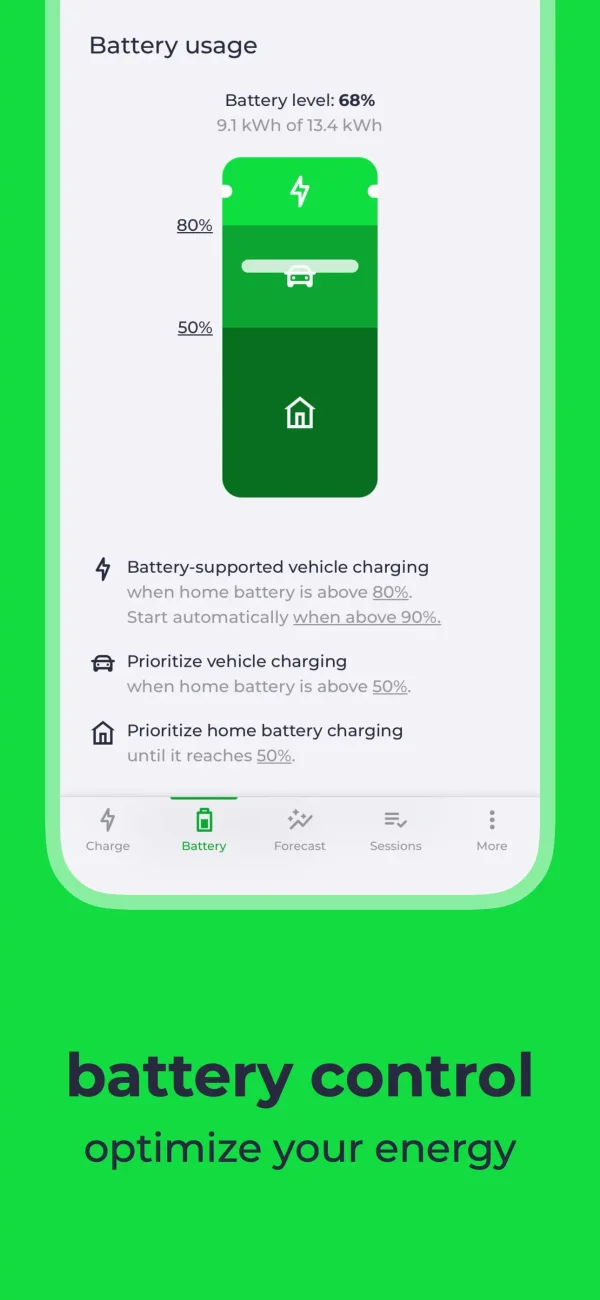
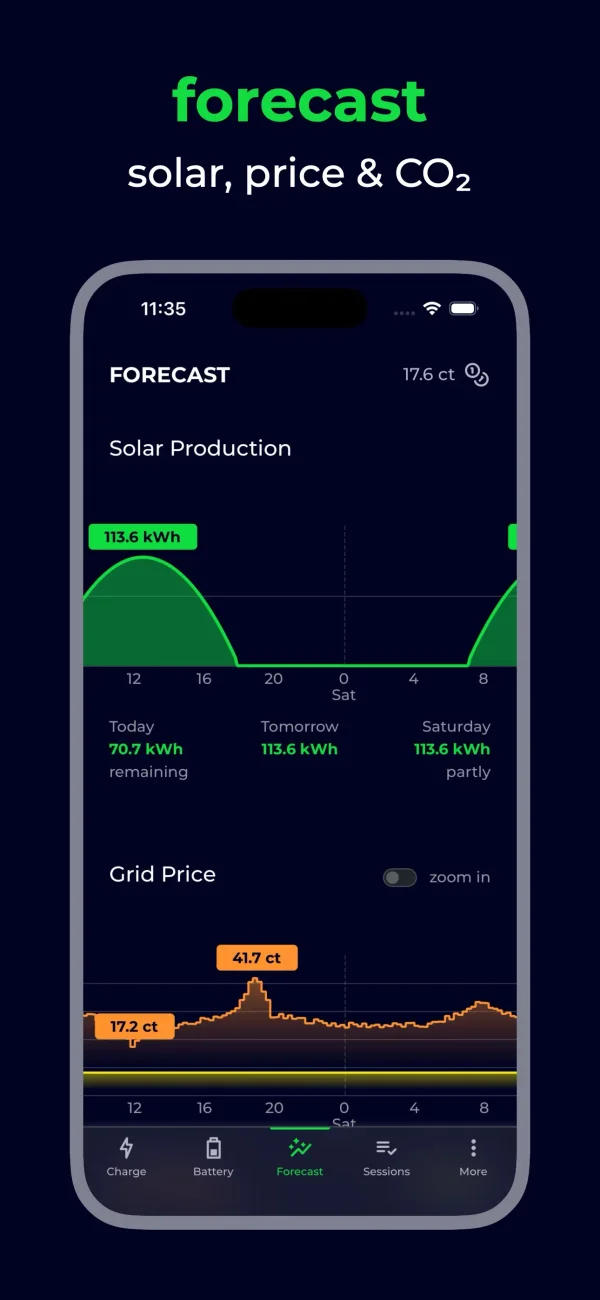
About
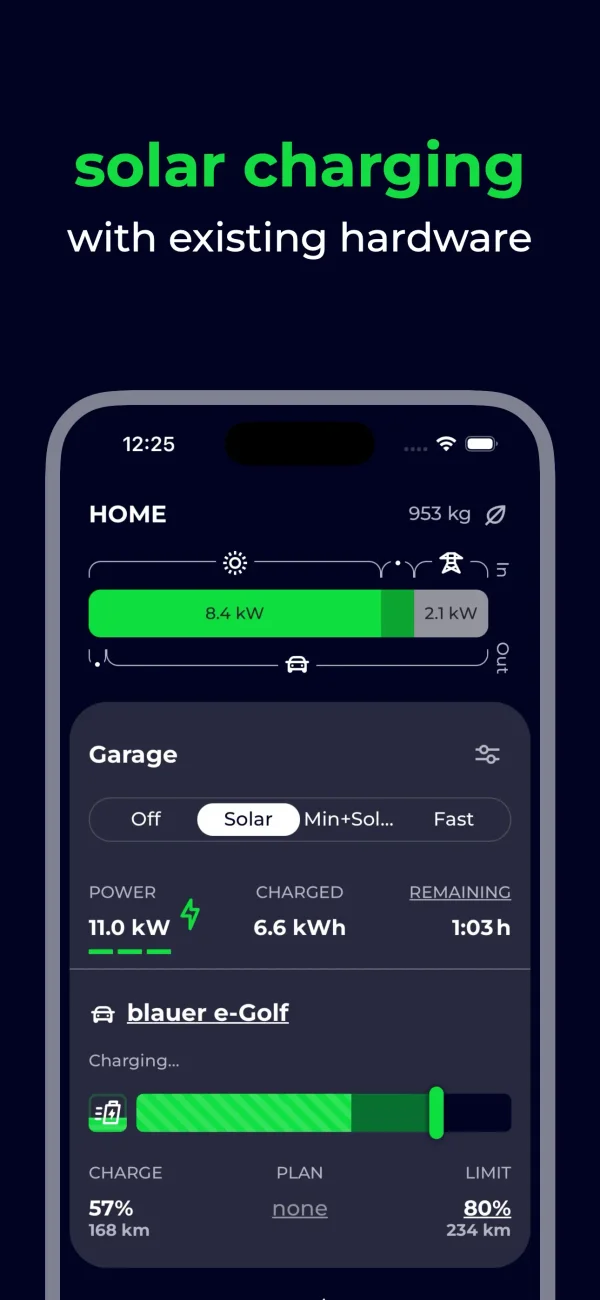
Charge your electric car when the sun is shining or when electricity is clean and affordable. With this app, you can access your local evcc instance on your home network.
App Features:
- Automatic detection of your evcc server
- Interaction with your evcc UI
- Demo instance available for testing
- Light/Dark Mode: Adapts to your device
Prerequisite:
You must have evcc installed on a device (Raspberry Pi, Windows, macOS, Linux Docker, ...) at your home.
What is evcc?
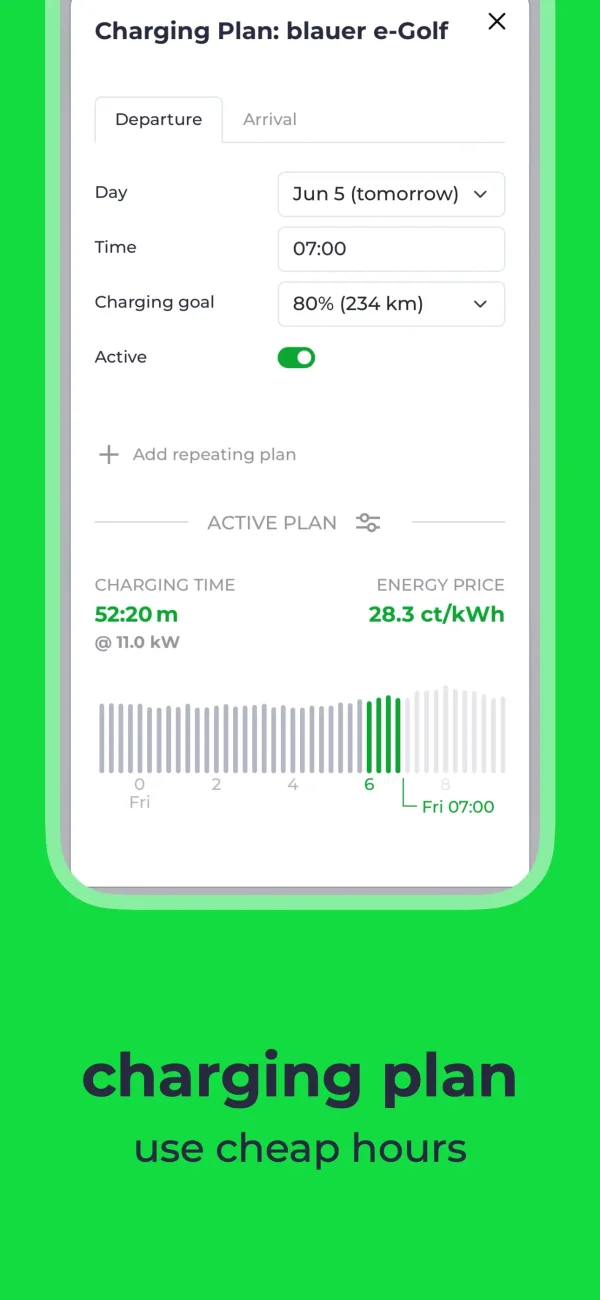
evcc is an open-source software that runs at your home. It is compatible with many PV and battery systems and controls your EV charger - regardless of manufacturer. If your car has an online interface, you can also use smart controls like charging schedules, minimum charging, and charging limits. Additionally, it supports dynamic electricity tariffs, smart plugs, balcony solar systems, and small home batteries.
Supported EV Chargers:
ABB, ABL, Alfen, Alphatec, Amperfied, Audi, Bender, BMW, cFos, Compleo, CUBOS, Cupra, Dadapower, DaheimLaden, Delta, E.ON Drive, E3/DC, Easee, Ebee, echarge, EcoHarmony, Edgetech, Elli, EM2GO, Ensto, ESL, eSystems, Etrel, EVBox, Fronius, Garo, go-e, HardyBarth, Heidelberg, Hesotec, Homecharge, Innogy, INRO, Juice, KEBA, Kontron Solar, Kostal, KSE, LadeFoxx, LRT, Mennekes, my-PV, NRGKick, OBO Bettermann, OpenEVSE, openWB, Optec, Orbis, PC Electric, Peblar, Phoenix Contact, Porsche, Pracht, Pulsares, Pulsatrix, Qcells, Schneider, Schrack, SENEC, Siemens, Skoda, SMA, Smartfox, SolarEdge, Solax, Sonnen, Spelsberg, Stark in Strom, Sungrow, TechniSat, Tesla, Tigo, TinkerForge, Ubitricity, Vestel, Victron, Viridian EV, Volkswagen, Wallbe, wallbox, Walther Werke, Webasto, Weidmüller, Zaptec
Supported Smart Plugs:
AVM, Homematic IP, HomeWizard, myStrom, Shelly, Tasmota, TP-Link
Supported Inverter and Battery Systems:
A-Tronix, Acrel, Ads-tec, Alpha ESS, Ampere, Anker, APsystems, AVM, BGEtech, Bosswerk, Carlo Gavazzi, Deye, E3/DC, Eastron, Enphase, FENECON, FoxESS, Fronius, Ginlong, go-e, GoodWe, Growatt, Homematic IP, HomeWizard, Hoymiles, Huawei, IGEN Tech, Kostal, LG, Loxone, M-TEC, myStrom, OpenEMS, Powerfox, QCells, Qcells, RCT, SAJ, SAX, SENEC, Senergy, Shelly, Siemens, SMA, Smartfox, SofarSolar, Solaranzeige, SolarEdge, SolarMax, Solarwatt, Solax, Solinteng, Sonnen, St-ems, Steca, Sungrow, Sunsynk, Sunway, Tasmota, Tesla, TP-Link, VARTA, Victron, Wattsonic, Youless, ZCS Azzurro, Zendure
Supported Vehicles:
Aiways, Audi, BMW, Citroën, Dacia, DS, Fiat, Ford, Hyundai, Jeep, Kia, Mercedes-Benz, MG, Mini, Nissan, NIU, Opel, Peugeot, Polestar, Renault, Seat, Skoda, Smart, Tesla, Volkswagen, Volvo, Zero Motorcycles
What’s new
Version 1.7.1 · Nov 11, 2026
External links now open in an in-app browser.
The loading screen explains connection problems and reconnects more reliably.
Layouts adapted for iPhone Duo.
Fixed Chinese and Norwegian language detection.
App privacy
What Michael Geers declares on the App Store about how this app handles data.
-
Data not collected
The developer does not collect any data from this app.
Privacy practices may vary, for example with the features you use or your age.
Information
- Seller
- Michael Geers
- Category
- Utilities
- Version
- 1.7.1
- Updated
- Nov 11, 2026
- Released
- Feb 27, 2025
- Size
- 46.9 MB
- Requires
- iOS 16.4 or later
- Age rating
- 4+
- Price
- Free
- Languages
- German
- Copyright
- © 2026 Michael Geers
You might also like
-
 AdGuard Home RemoteAd Blocker, Privacy & Control
-
 Pi-hole RemoteAd Blocker, Privacy & Control
-
 Netzero for PowerwallHome energy management
-
 WallboxUtilities
-
 Screens 5: VNC Remote DesktopFast & Secure Computer Access
-
 Enphase Installer ToolkitInstall and Commission
-
 OBD2 Scanner | OBD Auto DoctorCar Diagnostics & Check Engine
-
 Anker PowerFormerly Anker
-
 BLUETTIJust Power On.
-
 mySolarEdgeUtilities