Exam Training Timer
Train with a faster clock
Designed for iPhone, iPad
Free · In-app purchases
- Age rating4+
- CategoryEducation
- Developeryoon seong dan
- LanguagesEnglish+ 10 more
- Size32.0 MB
Links to the official App Store page
Download.org hosts no file of Exam Training Timer. The button opens its official App Store page, published by yoon seong dan. Listing last checked on Nov 18, 2026.
Screenshots

About
Train to solve faster — Exam Training Timer.
When you practice with a mock exam, the thought "I still have 5 minutes" kills your sense of urgency. This timer fixes that.
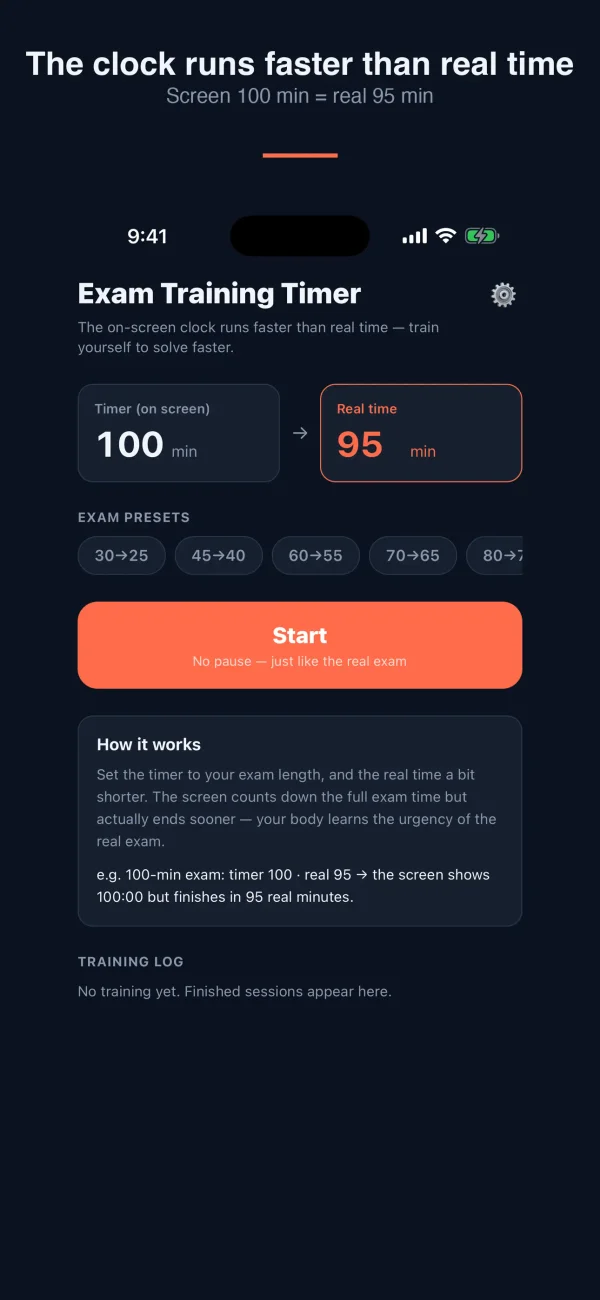
The on-screen clock runs FASTER than real time.
HOW IT WORKS
1) Set the timer to your exam length (e.g. 100 min)
2) Set the real time a bit shorter (e.g. 95 min)
3) The screen counts down from 100:00, but actually finishes in 95 real minutes
4) Your body learns to finish early — in the real exam, you get spare time for answer sheets
FEATURES
- Compressed-time timer: set displayed time and real time separately
- Exam presets: 30 / 45 / 60 / 70 / 80 / 90 / 100 / 120 minutes
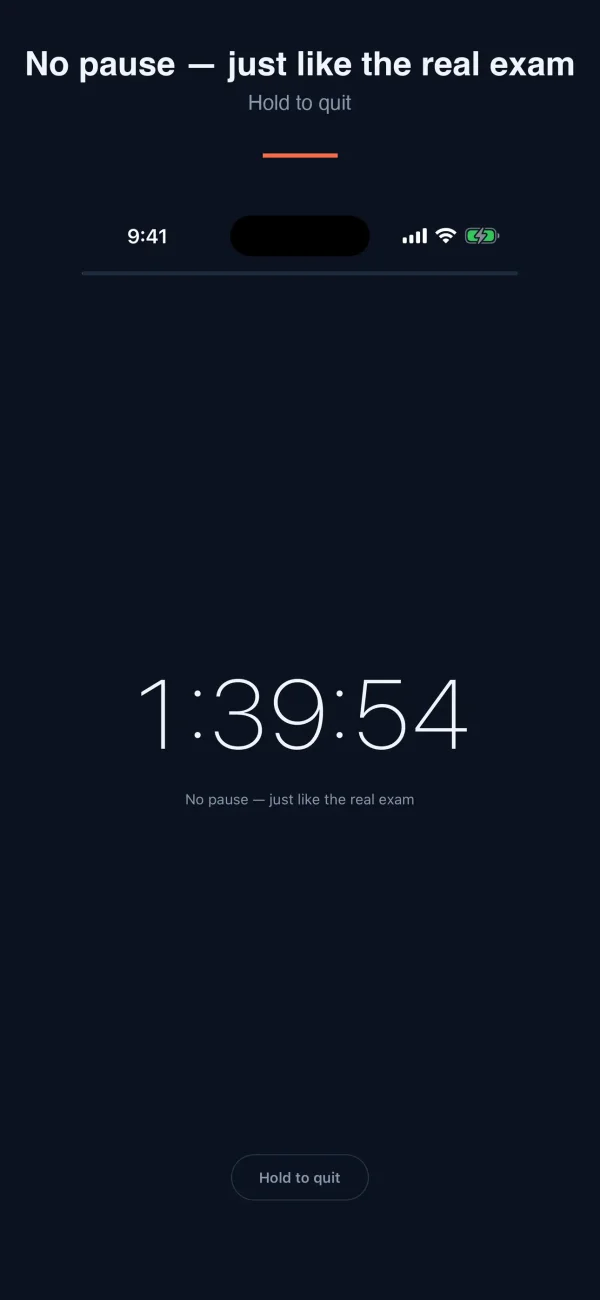
- No pause — just like the real exam (long-press to quit)
- Screen stays awake during your session
- Training log: finished sessions are saved automatically
- 11 languages
Try one mock exam with it the day before your test.
SUBSCRIPTION INFORMATION
- Monthly: auto-renews every 1 month, US$3/month
- Yearly: auto-renews every 12 months, US$24/year (saves 33% vs monthly)
- Lifetime: one-time purchase US$36, does not renew (saves 67% vs monthly)
Prices are charged in your local currency. Everything is free for 7 days after install. Subscriptions renew automatically unless cancelled at least 24 hours before the current period ends; payment is charged to your Apple ID account. Manage or cancel in your account settings.
Terms of Use (EULA): https://trendx-company.vercel.app/examtimer/terms.html
Privacy Policy: https://trendx-company.vercel.app/examtimer/privacy.html
What’s new
Version 1.4.0 · Oct 24, 2026
Now fits tablets and landscape, including foldable phones — the clock grows to fill a big screen. A new switch in Settings lets you turn app usage statistics off; in the EEA and Switzerland they are sent only if you agree.
App privacy
What yoon seong dan declares on the App Store about how this app handles data.
-
Data not linked to you
May be collected but is not linked to your identity.
- Purchases
- Location
- Identifiers
- Usage data
Privacy practices may vary, for example with the features you use or your age.
Information
- Seller
- yoon seong dan
- Category
- Education
- Version
- 1.4.0
- Updated
- Oct 24, 2026
- Released
- Jun 1, 2020
- Size
- 32.0 MB
- Requires
- iOS 16.4 or later
- Age rating
- 4+
- Price
- Free
- In-app purchases
- Yes
- Languages
- English, Arabic, Bengali, French, Hindi, Korean, Portuguese, Russian, Simplified Chinese, Spanish, Urdu
- Copyright
- © yoon seong
You might also like
-
 Bizu: MatemáticaEducation
-
 Focus Meter: Study TimerExam countdown & app blocker
-
 세무사 1차 필기 모의고사 - 오답노트 시험 대비Education
-
 Vic FellowshipEducation
-
 Geilio TimerProductive customizable Timer
-
 ExamLock StudentSecure Exam Lock & Check-In
-
 PhiloLux : brille au bac philoEducation
-
 Studiely: Your AI Study BuddyAP, SAT, Common Core, IB Study
-
 단어짱 - 찍으면 완성되는 나만의 단어장Education
-
 Treine.meEducation