
Focus Meter: Study Timer
Exam countdown & app blocker
Designed for iPhone
Free · In-app purchases
- Age rating4+
- CategoryEducation
- Developerkazunari aoki
- LanguagesEnglish+ 43 more
- Size8.6 MB
Links to the official App Store page
Download.org hosts no file of Focus Meter: Study Timer. The button opens its official App Store page, published by kazunari aoki. Listing last checked on Nov 24, 2026.
Screenshots

About
Focus Meter is a visual focus timer for students and anyone who wants to concentrate.
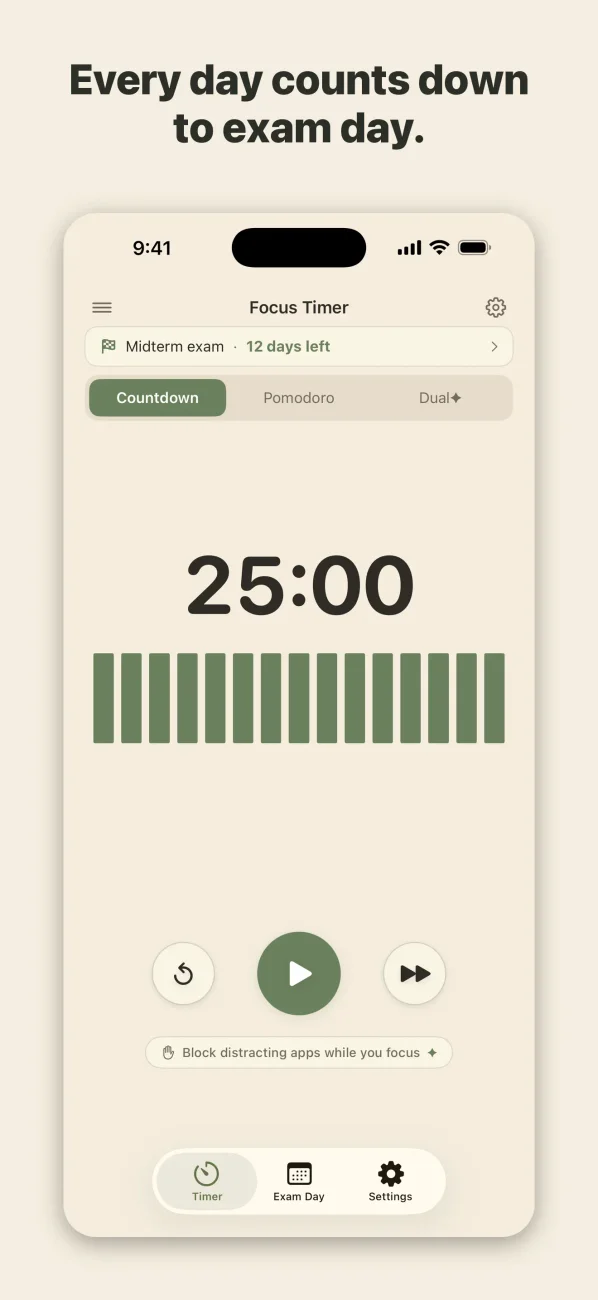
See your remaining time at a glance — not just as numbers, but as bars, a line, or a ring. It looks like a piece of desk stationery, so you'll actually want to leave it out on your desk while you study.
■ Days Until Your Exam
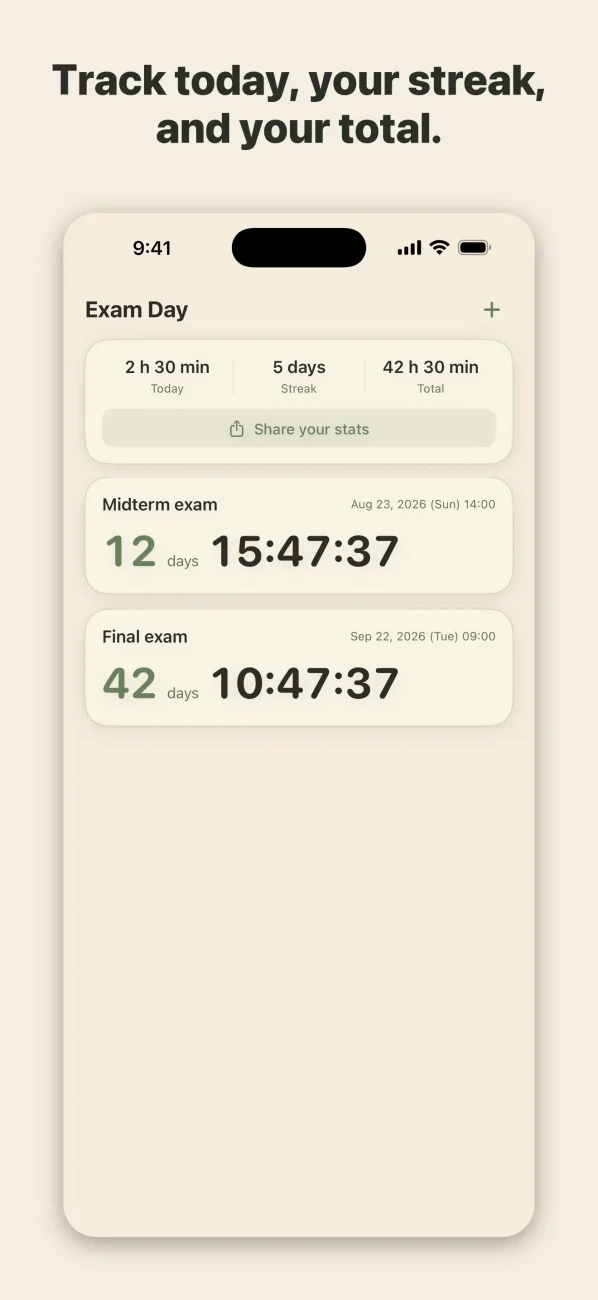
Add your exam or mock test date and Focus Meter counts down the days, hours, minutes and seconds. The timer screen always shows "X days to go," connecting today's session to the day that matters. Home Screen and Lock Screen widgets are included.
■ Three Timers
• Countdown — for study, reading, work, or timed practice tests
• Pomodoro — alternate focus and breaks to stay sharp longer
• Dual — run a total session and a Pomodoro at the same time (for example, 25-minute cycles inside a 90-minute block)
■ Three Ways to See the Time
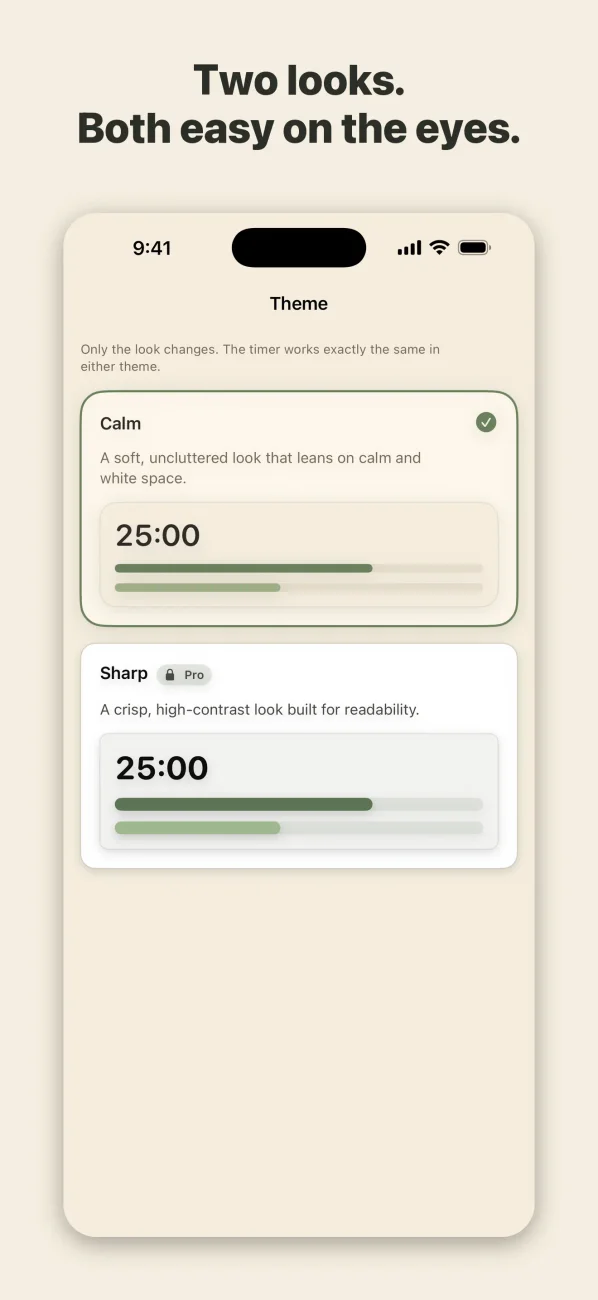
Standard bars (like the LCD on a desk timer), a minimal line meter, or a ring. Two themes — Calm and Sharp — so it fits your desk.
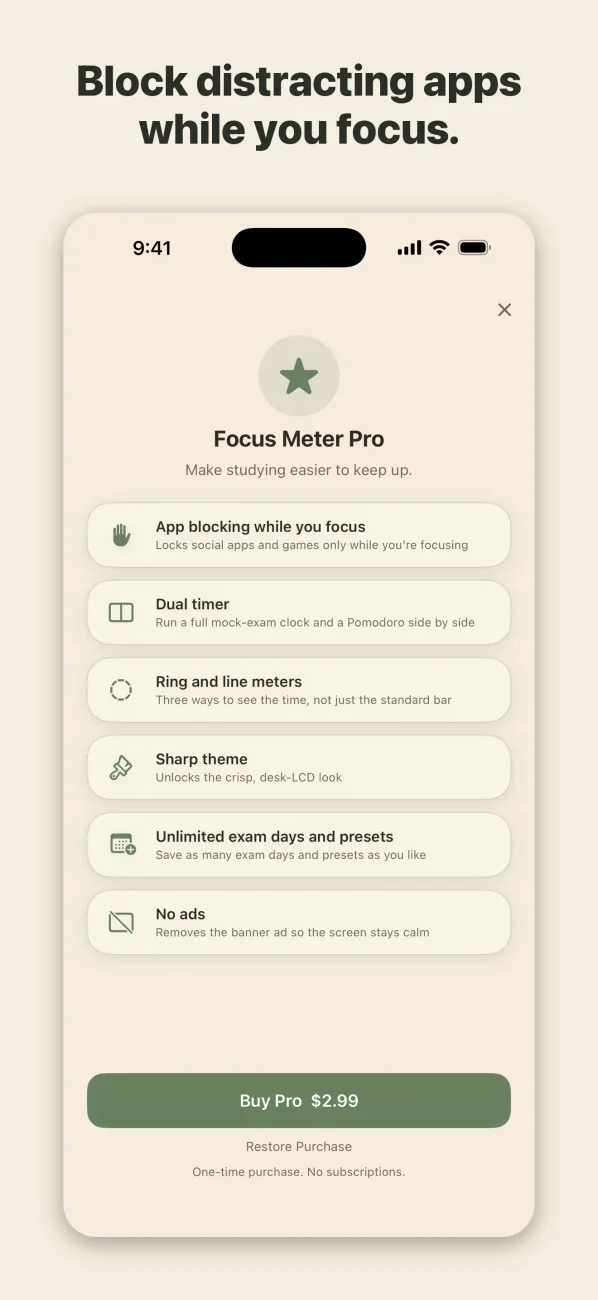
■ Block Distracting Apps While You Focus (Pro)
Temporarily block the apps you choose — social media, games — but only while your timer is running. Everything unblocks automatically when the session ends, even if the app was closed. Need out early? Use Emergency Unlock and write down your reason. Phone calls and emergency features are never blocked.
■ A Record Worth Keeping
Completed sessions are saved as Today, Streak, and Total. You can share a card of your progress.
■ Built Not to Break Your Focus
• Lock mode during a session (prevents accidental taps)
• Keeps the screen awake / notifications
• Live Activity on the Lock Screen and Dynamic Island
• Portrait and landscape (desk mode)
• Ad-free with Pro
■ Focus Meter Pro (one-time purchase)
Removes ads and unlocks the Dual timer, ring and line displays, the Sharp theme, app blocking during focus, and unlimited exam dates and presets. A single purchase — no subscription, no further charges.
Great for exam prep, professional certifications, working from home, or reading.
A quiet, readable timer you'll want to keep on your desk.
What’s new
Version 1.8.3 · Sep 28, 2026
• The app now remembers your last time and mode. While the timer is stopped, tap the time to change it
• You can now try App Blocking free up to 3 times before getting Pro
• When notifications are off, the app now lets you know the end sound won't play while your screen is off
• Fixed an issue where the Haptics setting had no effect
App privacy
What kazunari aoki declares on the App Store about how this app handles data.
-
Data used to track you
May be used to track you across apps and websites owned by other companies.
- Identifiers
-
Data linked to you
May be collected and linked to your identity.
- Identifiers
- Usage data
-
Data not linked to you
May be collected but is not linked to your identity.
- Identifiers
- Diagnostics
Privacy practices may vary, for example with the features you use or your age.
Information
- Seller
- kazunari aoki
- Category
- Education
- Version
- 1.8.3
- Updated
- Sep 28, 2026
- Released
- Jun 29, 2026
- Size
- 8.6 MB
- Requires
- iOS 17.0 or later
- Age rating
- 4+
- Price
- Free
- In-app purchases
- Yes
- Languages
- English, Arabic, Bengali, Catalan, Croatian, Czech, Danish, Dutch, Finnish, French, German, Greek + 32 more
- Copyright
- © 2026 Kazunari Aoki
You might also like
-
 Exam Training TimerTrain with a faster clock
-
 Study Focus - Social BlockerFocus Timer & App Blocker
-
 Deep Focus - Pomodoro TimeStudy Timer & Habit Tracker
-
 FocusQuill: Study TimerPomodoro & Exam Planner
-
 StudyDay - Pomodoro TimerStudy Tracker · Planner
-
 Todak Time: Study TimerFocus, Planner, Exam Countdown
-
 Focus - スマホロックで集中勉強 -Education
-
 Stuon: Study Timer & FocusFocus timer for students
-
 Sitday: Exam CountdownPaper Timetable & Reminders
-
 Андрей КостаковEducation