- Age rating4+
- CategoryHealth & Fitness
- DeveloperKuan Hsiung Chen
- LanguagesEnglish+ 1 more
- Size4.6 MB
Links to the official App Store page
Download.org hosts no file of EyeCares. The button opens its official App Store page, published by Kuan Hsiung Chen. Listing last checked on Nov 6, 2026.
Screenshots
About
Key Features:
Smart Alarm Reminders: Fully integrates with iOS 26's smart alarm system. The app automatically sets up eye break reminders for you - as simple and reliable as setting your morning alarm.
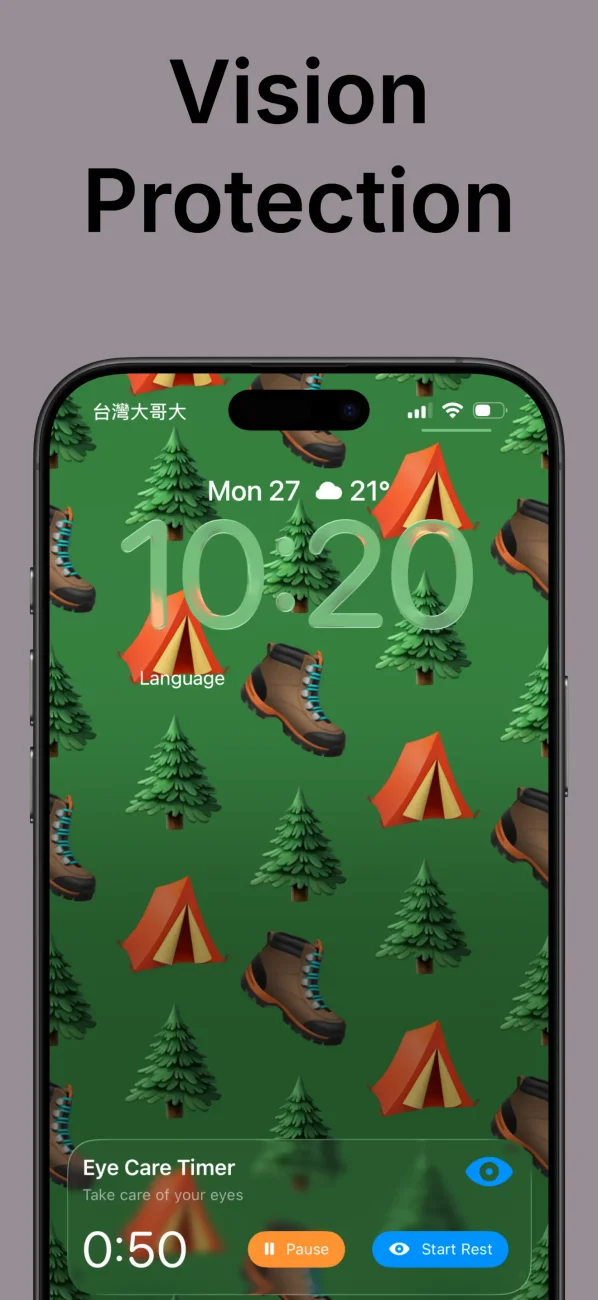
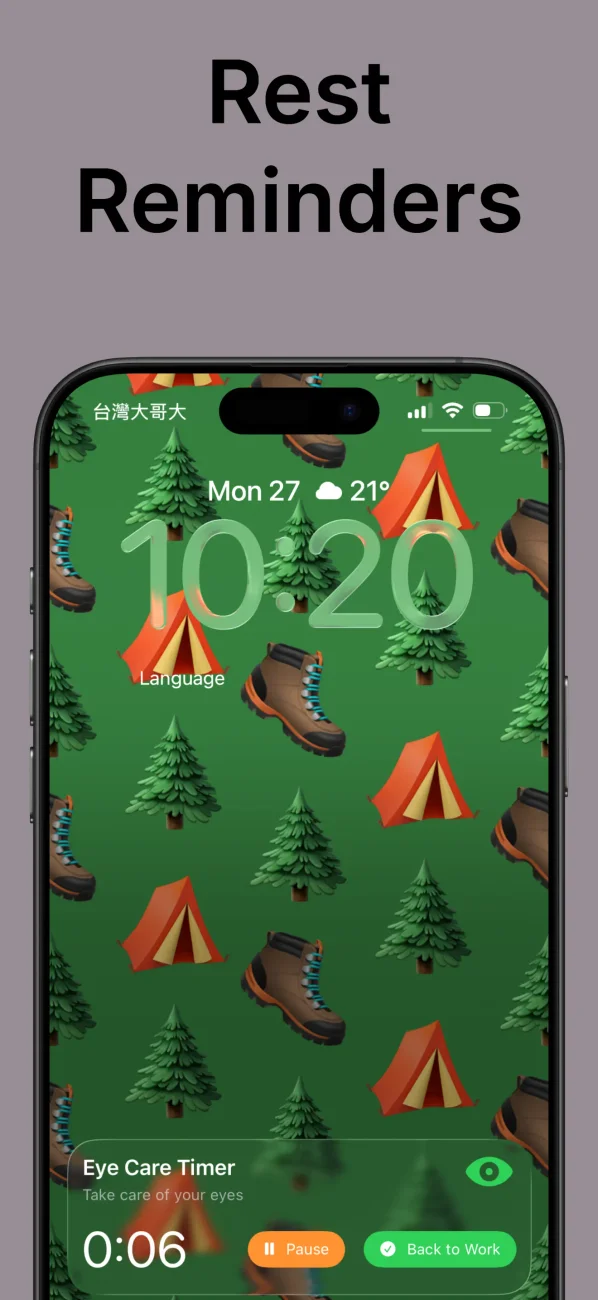
Dynamic Widget Updates: Just tap the Live Activity widget to refresh your timing cycle - no need to open the app.
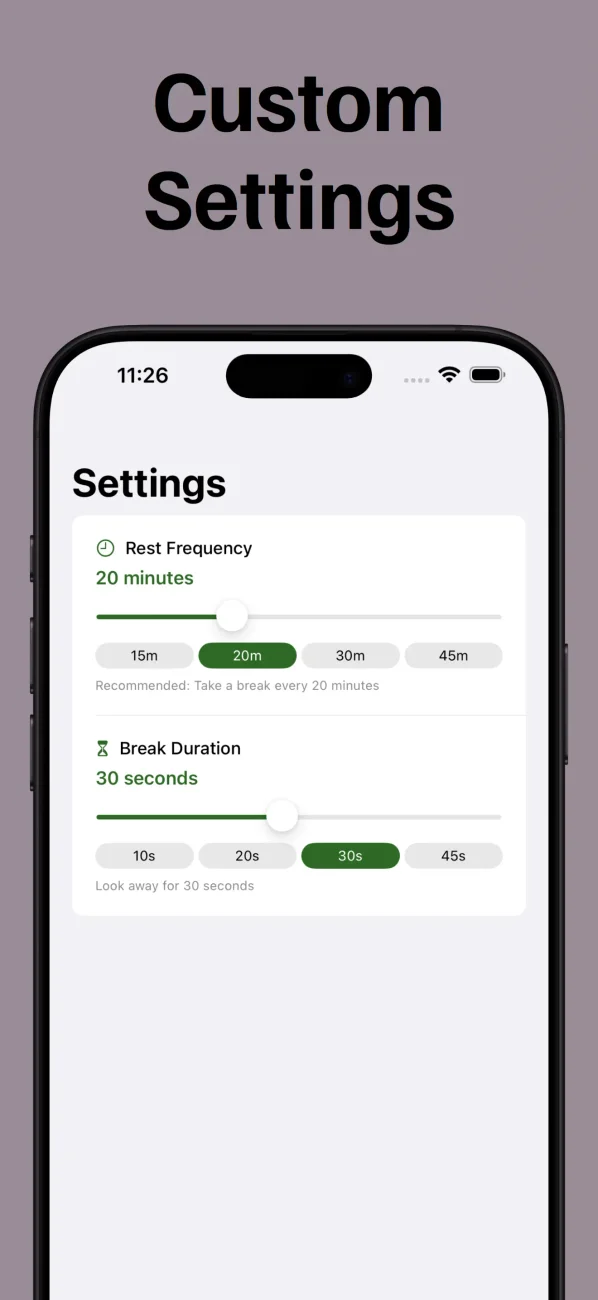
Personalized Rest Settings: Customize your eye break duration based on your personal needs for a tailored eye care experience.
How It Works:
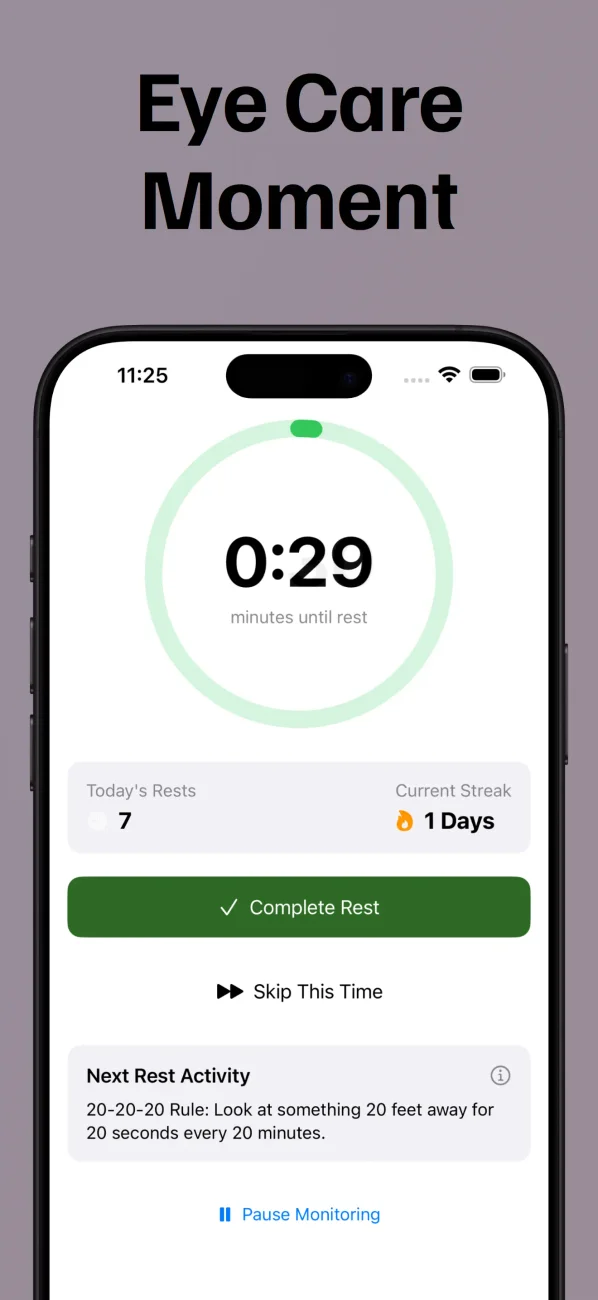
Protecting your vision has never been easier! After you hit "Start Monitoring," the timer kicks in automatically. When it's break time, you'll get a gentle notification. When your rest period wraps up, a work reminder helps you ease back into things.
Thanks to iOS 26's system alarm integration, the app automatically sets alarm reminders for your eye breaks, so you won't miss a single one. You can tweak the break frequency and duration in settings whenever you want, fully customizing it to match your personal work rhythm.
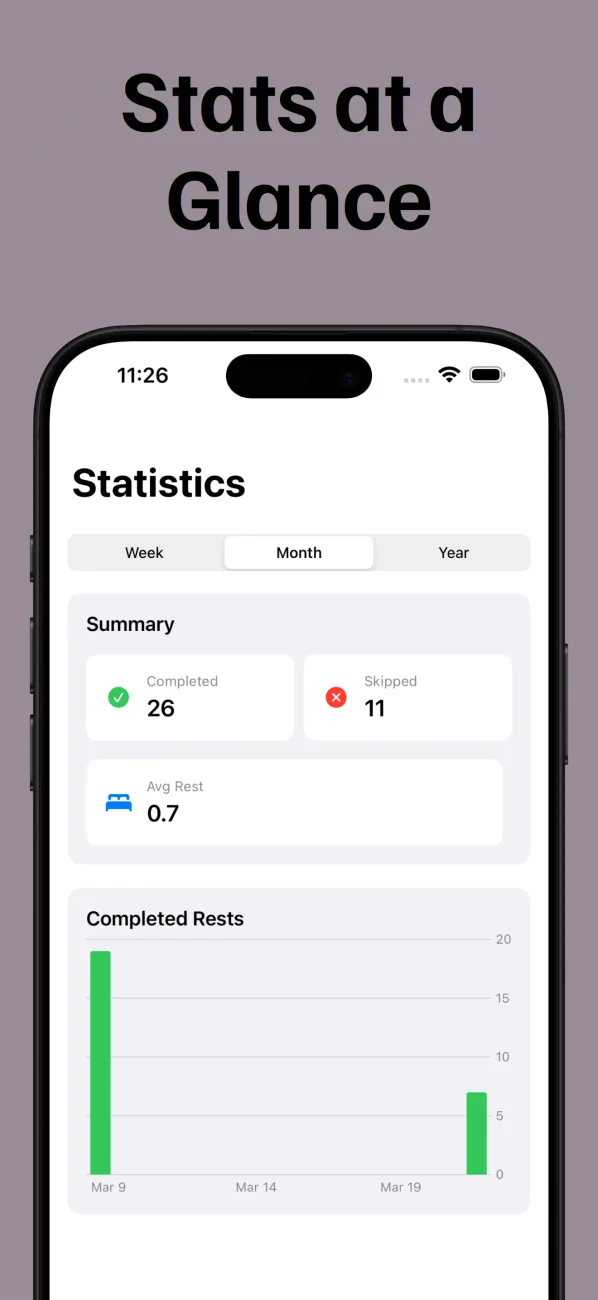
On the stats page, you can check out your long-term trend analysis to get clear insights into your eye care habits and how well they're working. Add EyeBreak to your home screen widget to instantly see when your next break is coming up, making eye care a natural part of your daily routine!
What’s new
Version 2.02 · Sep 23, 2026
・Siri support
Say "Start EyesCare," "Rest my eyes with EyesCare," or
"Show my EyesCare stats" to control your eye care timer
without opening the app.
・Shortcuts & Spotlight
Four actions — start monitoring, stop monitoring,
start a rest, and today's stats — are now available in
the Shortcuts app for your own automations.
・Control Center toggle
Add EyesCare to Control Center or your Lock Screen to
pause and resume monitoring with one tap.
・Fixed: rests completed by tapping "Back to Work" on the
Live Activity now count toward your daily stats.
App privacy
What Kuan Hsiung Chen declares on the App Store about how this app handles data.
-
Data not collected
The developer does not collect any data from this app.
Privacy practices may vary, for example with the features you use or your age.
Information
- Seller
- Kuan Hsiung Chen
- Category
- Health & Fitness
- Version
- 2.02
- Updated
- Sep 23, 2026
- Released
- Oct 29, 2026
- Size
- 4.6 MB
- Requires
- iOS 26.0 or later
- Age rating
- 4+
- Languages
- English, Traditional Chinese
- Copyright
- © 2025 Rex Chen
You might also like
-
 EyeMinute: 20-20-20 Eye CareEye Strain Relief & Workouts
-
 Tweny: Eye Break & Focus Timer20-20-20 reminders & breathing
-
 20.20.20: Eye Care & TrackerScreen break reminders
-
 Pawssport — Senior Pet TrackerCare for senior, chronic pets
-
 Herbar 喝吧Health & Fitness
-
 Eye Break Timer: GlanceAway20-20-20 Screen Reminder
-
 20s Vision Break20/20 Eye Strain & Blink Timer
-
 Dream Power FitnessHealth & Fitness
-
 iCare - Eye Break RemindersThe 20-20-20 Rule, Made Easy