FarmingEye Endoscope
USB microscope & mm ruler
Designed for iPhone, iPad, Mac, iPod touch
Free
- Age rating4+
- CategoryProductivity
- DeveloperHaesung Lee
- LanguagesEnglish
- Size37.0 MB
Links to the official App Store page
Download.org hosts no file of FarmingEye Endoscope. The button opens its official App Store page, published by Haesung Lee. Listing last checked on Nov 16, 2026.
Screenshots
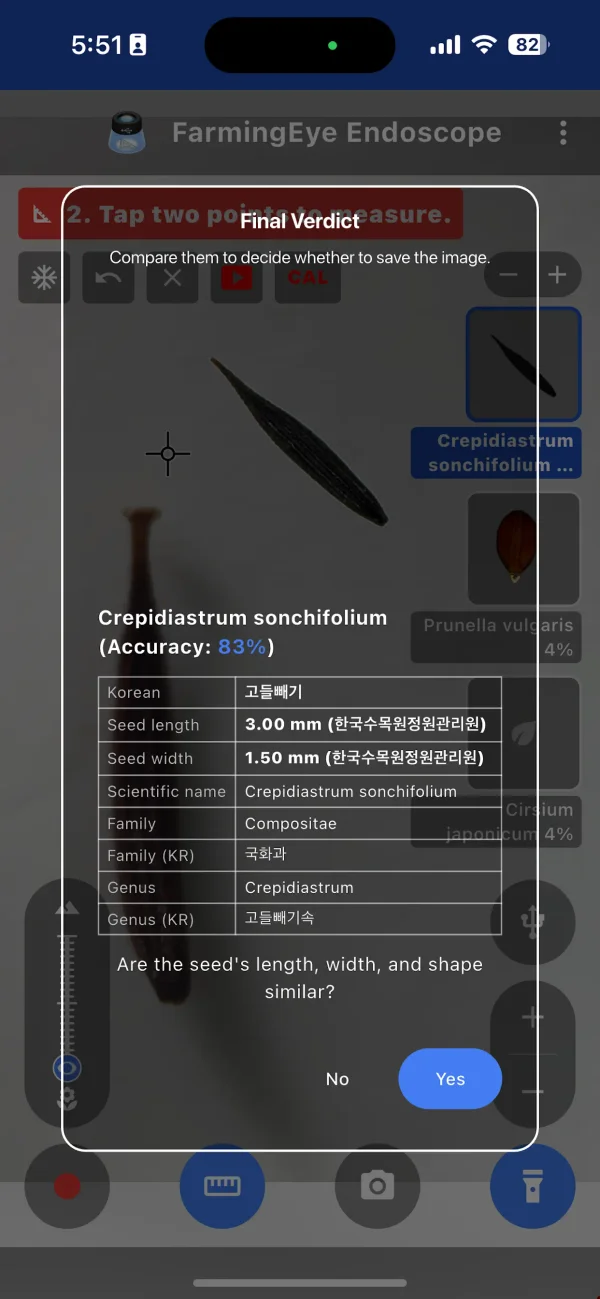
About
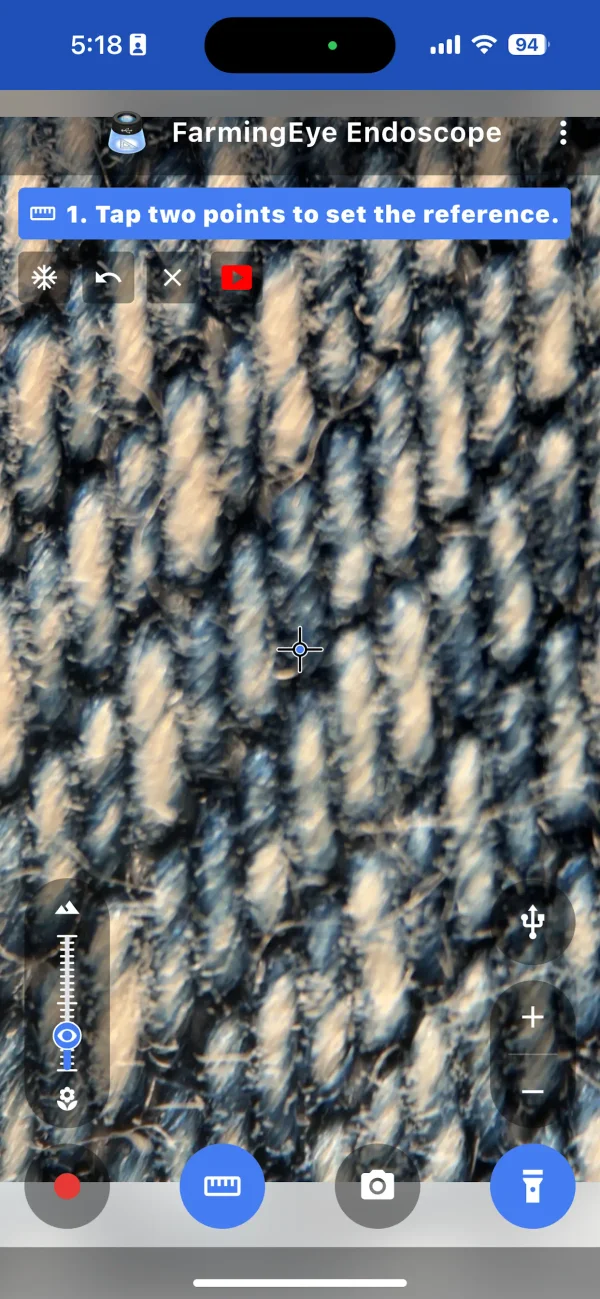
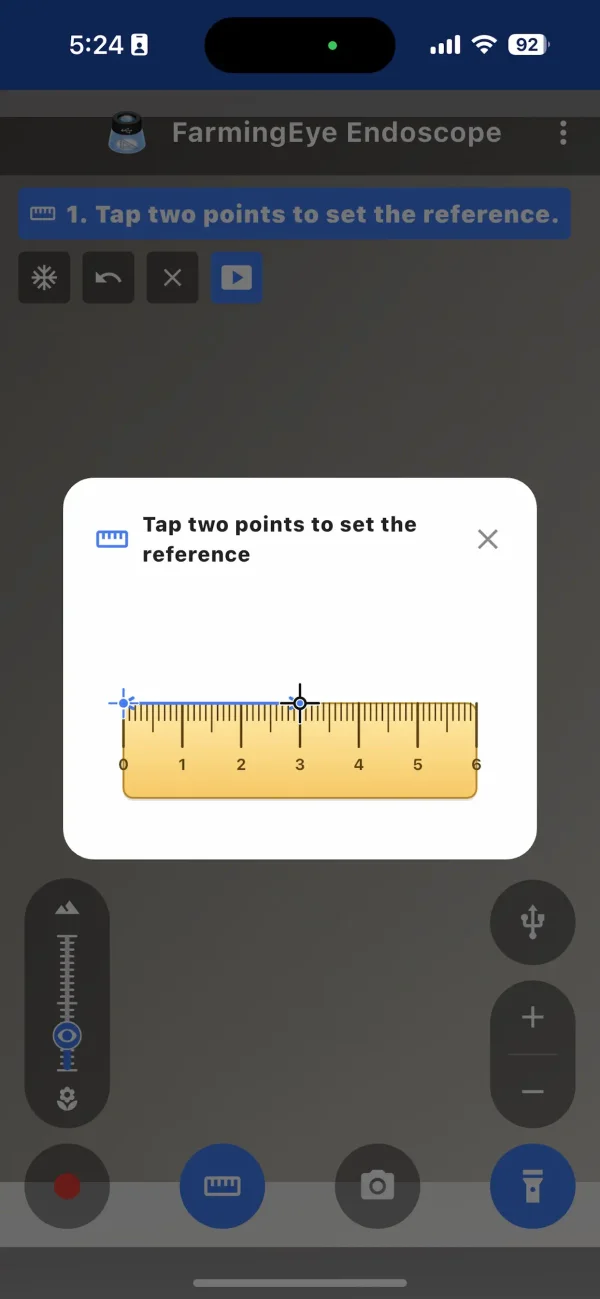
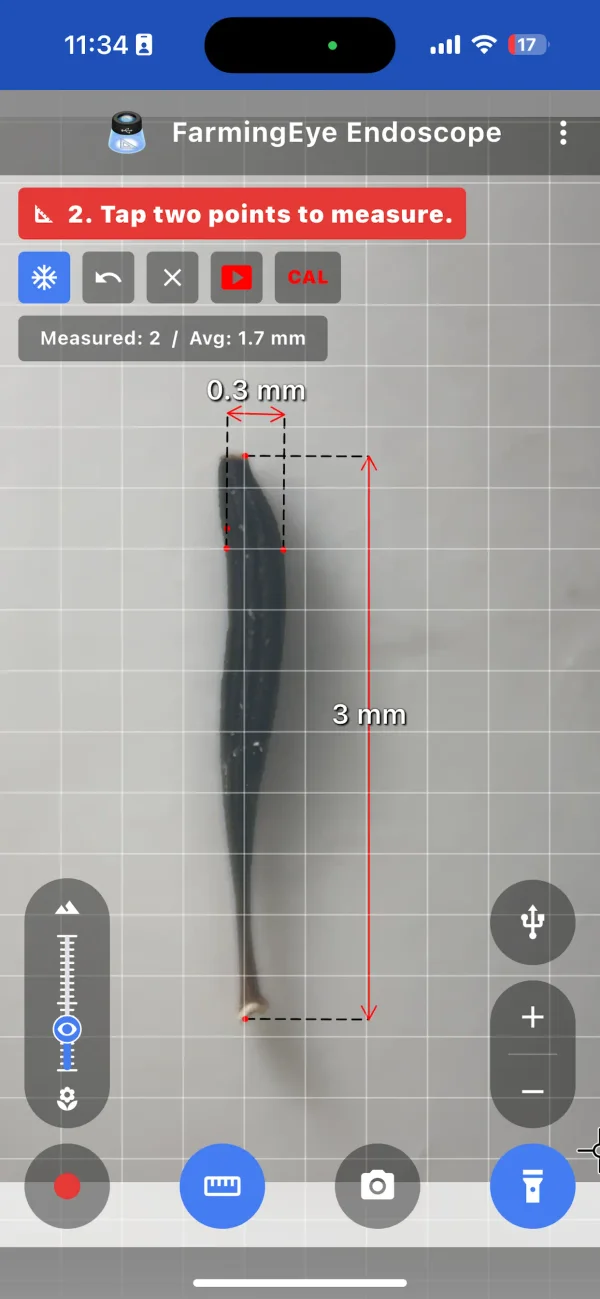
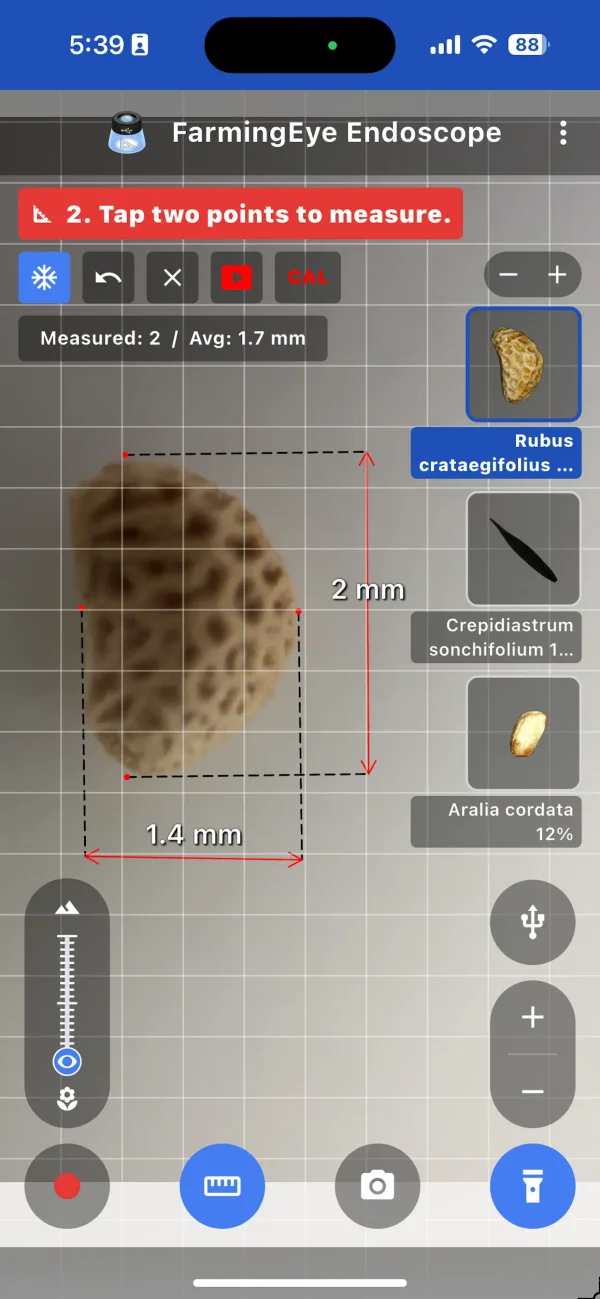
Measure anything in millimeters right on your screen. Connect a USB endoscope or microscope (UVC) to your iPad via USB-C, or point your iPhone/iPad rear camera at the subject, then tap two points to measure the real distance. Works with USB microscopes (e.g. Leica), borescope inspection cameras, otoscopes, and more.
■ On-screen ruler ■
• Tap two points → enter the real length (mm) → calibrate once
• After that, tap any two points to measure instantly in millimeters
• Reference/measurement arrows, drag labels to reposition, optional grid
• Calibration is saved — measure right away next time
■ Camera ■
• iPad: live view from a USB-C external UVC camera (endoscope/microscope/webcam) — a powered hub is recommended
• iPhone/iPad rear camera: lock focus on a loupe or close subject with the manual-focus slider
• Macro (ultra-wide) mode focuses on very close subjects on supported devices
• Up to 4× digital zoom, LED lamp (flashlight) toggle
• Note: external USB cameras require an iPad with USB-C; iPhone uses its built-in rear camera
■ Apple Watch remote ■
• Control the camera from your Apple Watch — shutter and lamp (torch)
• Manual focus with the Digital Crown; double-tap to autofocus
• Live camera preview right on your wrist
• Works while the iPhone app's camera screen is open (iPhone rear camera)
■ AI seed identification ■
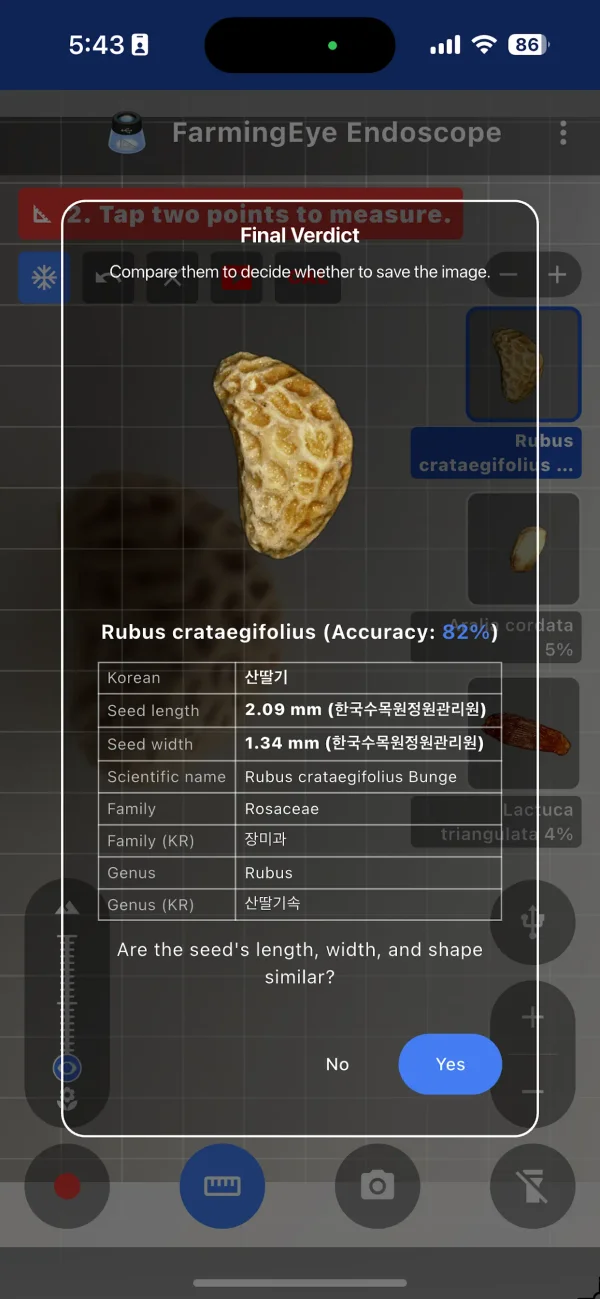
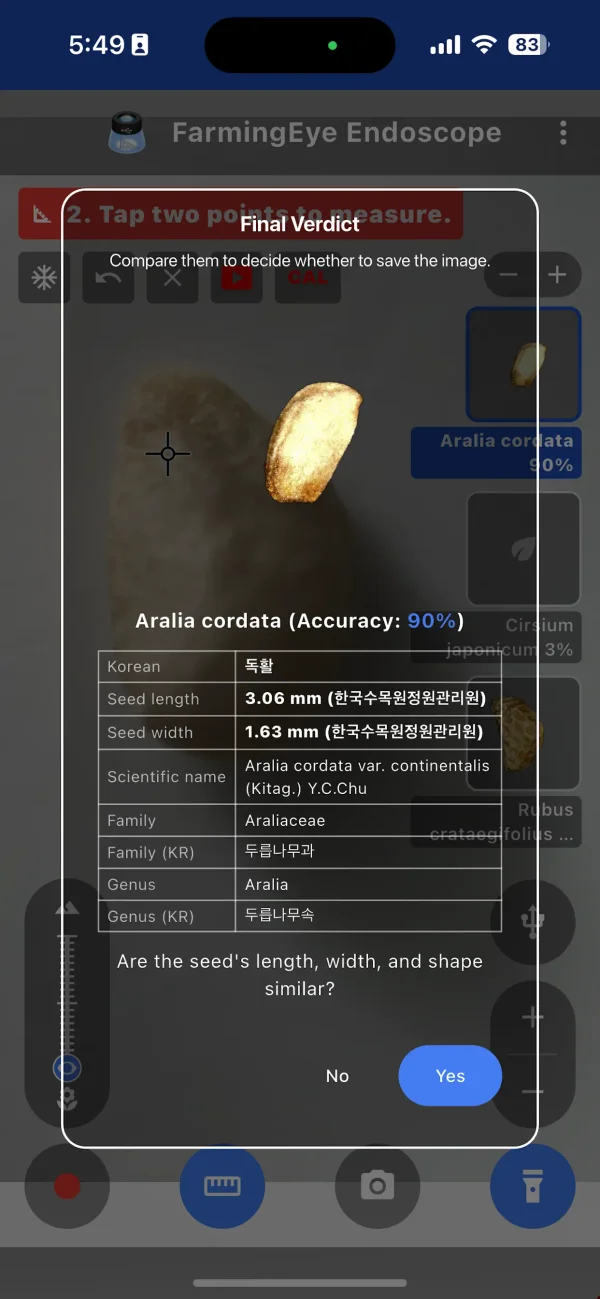
• Identify Korean forest tree seeds in real time, right in the camera view
• Runs fully on-device — no internet connection required
• Shows the top 3 most likely matches
■ Capture & record ■
• Photo capture (optional date/time stamp on the image)
• Video recording (on-screen timer, audio on/off)
• Saved straight to Photos; tap the thumbnail to open it
■ Great for ■
• Automotive, plumbing, and industrial inspection
• USB microscope viewing and measurement
• Forestry and seed identification
• Otoscope and other home use
■ 20 languages ■
Korean, English, Chinese (Simplified/Traditional), Japanese, Spanish, French, German, Russian, Portuguese, Italian, Arabic, Hindi, Indonesian, Thai, Vietnamese, Turkish, Polish, Dutch, Swedish
■ Privacy ■
All photos, videos, and audio stay on your device and are never uploaded.
■ Contact ■
farmingai.ceo@gmail.com / +82-507-1473-1394
What’s new
Version 1.3.0 · Jun 24, 2026
■ Improved: Sharper Apple Watch preview
• The live camera preview on your Apple Watch is now noticeably sharper
• Still includes shutter & lamp, Digital Crown manual focus, and double-tap autofocus
■ Other
• General stability and bug fixes
App privacy
What Haesung Lee declares on the App Store about how this app handles data.
-
Data not collected
The developer does not collect any data from this app.
Privacy practices may vary, for example with the features you use or your age.
Information
- Seller
- Haesung Lee
- Category
- Productivity
- Version
- 1.3.0
- Updated
- Jun 24, 2026
- Released
- Jun 18, 2026
- Size
- 37.0 MB
- Requires
- iOS 13.0 or later
- Age rating
- 4+
- Price
- Free
- Languages
- English
- Copyright
- © Farming AI Inc
You might also like
-
 Panda CalendarProductivity
-
 MarkRead - Markdown ReaderRead in pages, across devices
-
 Apple Size CountSizing and Count Apples
-
 NET InhouseIndoor 3D scanning
-
 Nota: Personal ScribeLive transcription & notes
-
 StageNoteMemos Perfectly Organized
-
 sizeless SiteScanAuto As-Built Documentation
-
 Dwellog: House MaintenanceBoiler, filters and warranties
-
 AutoDiag AI MechanicYour AI pocket mechanic.
-
 Hearing Amplifier: Spy Ear#1 Hear Boost App