
MarkRead - Markdown Reader
Read in pages, across devices
Designed for iPhone, iPad, Mac
In-app purchases
- Age rating4+
- CategoryProductivity
- Developer佳奇 袁
- LanguagesEnglish+ 13 more
- Size15.3 MB
Links to the official App Store page
Download.org hosts no file of MarkRead - Markdown Reader. The button opens its official App Store page, published by 佳奇 袁. Listing last checked on Nov 12, 2026.
Screenshots


About
Markdown, page by page.
MarkRead makes AI-generated writing easier to read closely, and easier to think through. Every .md reads two ways: Scroll, one continuous page, or Pages, laid out side by side so more fits on screen. Pinch the pages into a stack and spread them out again right where you left off; switch between the two any time without losing your place.
The more AI writes, the more it needs a proper read. MarkRead lays a .md file out as a calm reading page: headings, lists, quotes, code, and tables in clear order, so the point comes out fast and you decide with something solid under you.
Reading in Pages
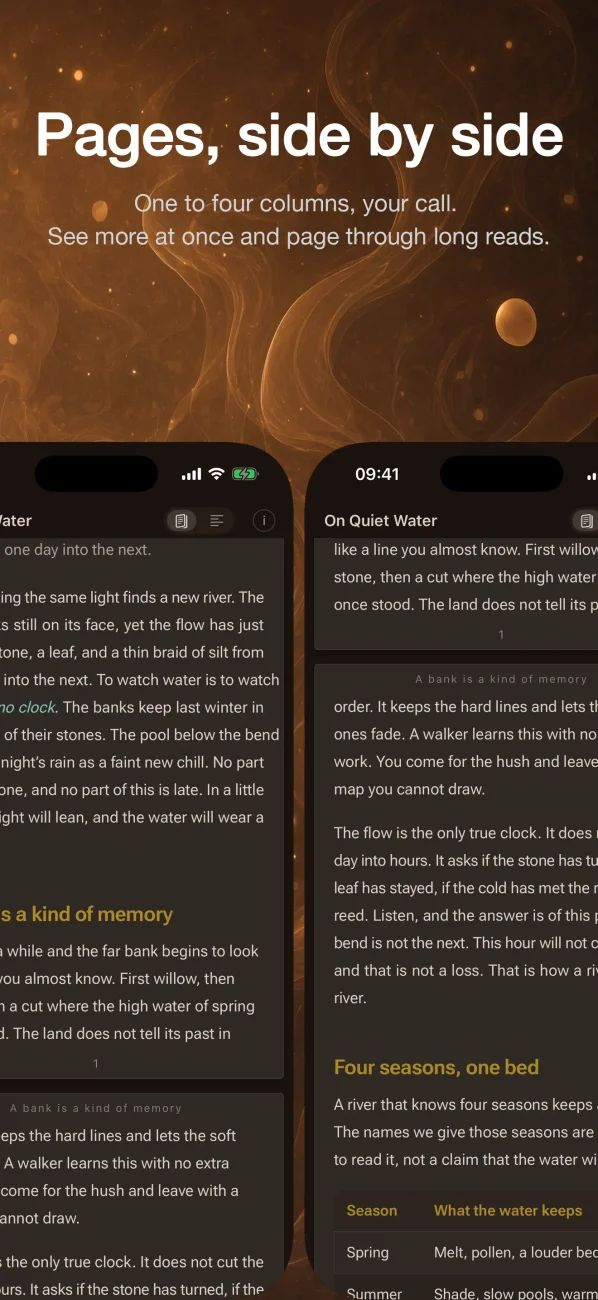
• Pages, side by side
See more at once and page through long reads. Up to four columns on iPad, two pages on iPhone in landscape, one to four on Mac.
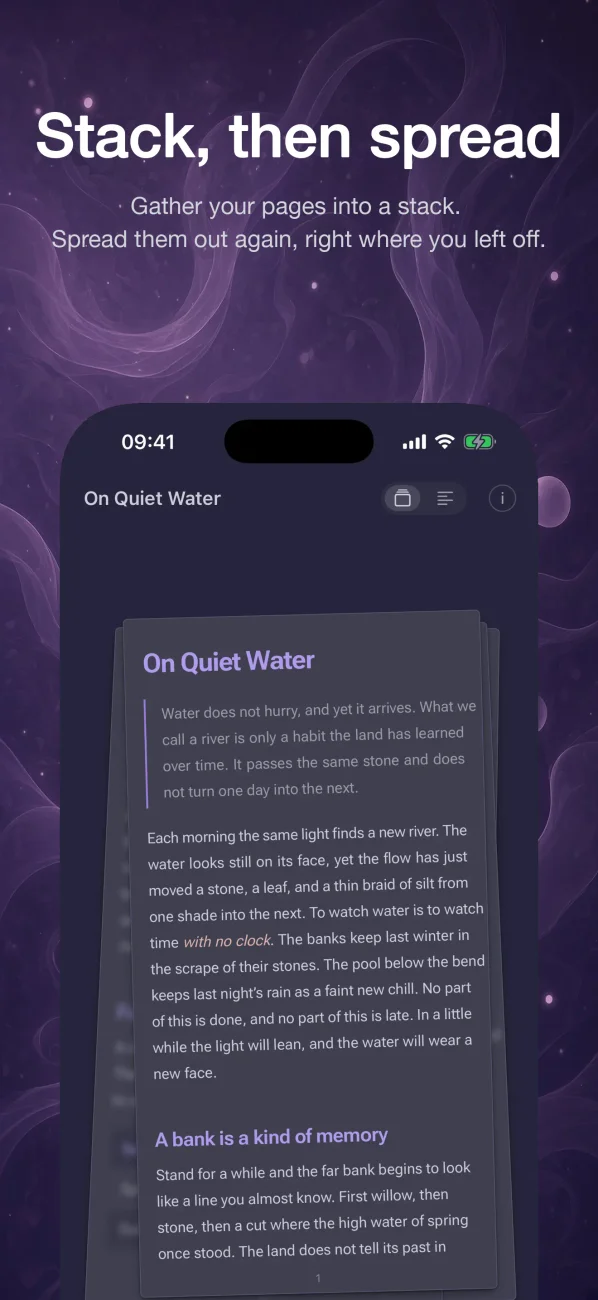
• Stack, then spread
Gather your pages into a stack, then spread them out again, right where you left off. On iPhone and iPad, just pinch and spread.
• Scroll or Pages, one tap
Two ways to read the same document. Switch any time and stay on the same line.
Features
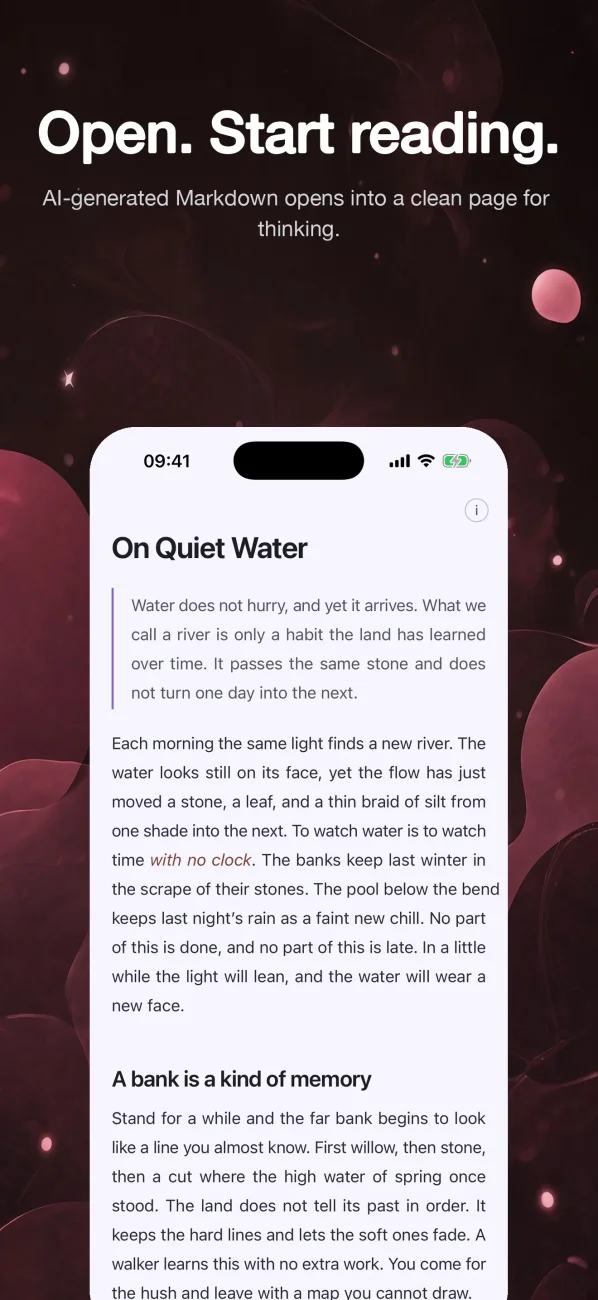
• Open. Start reading.
AI-generated Markdown opens into a clean page for thinking.
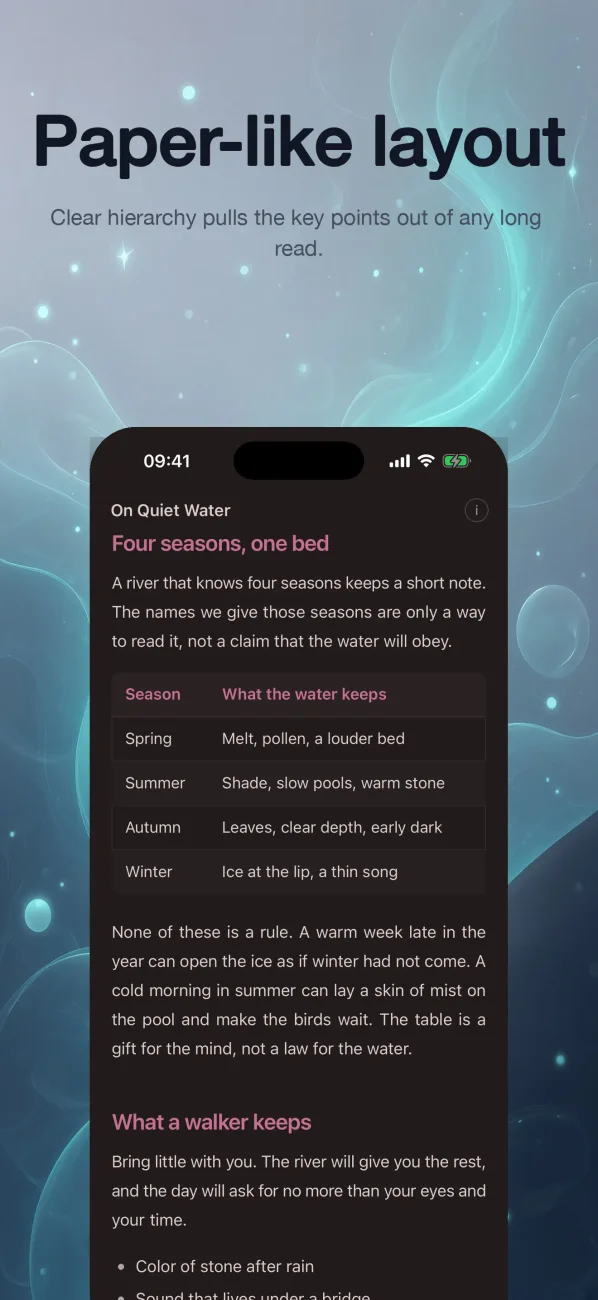
• Paper-like layout
Clear hierarchy pulls the key points out of any long read.
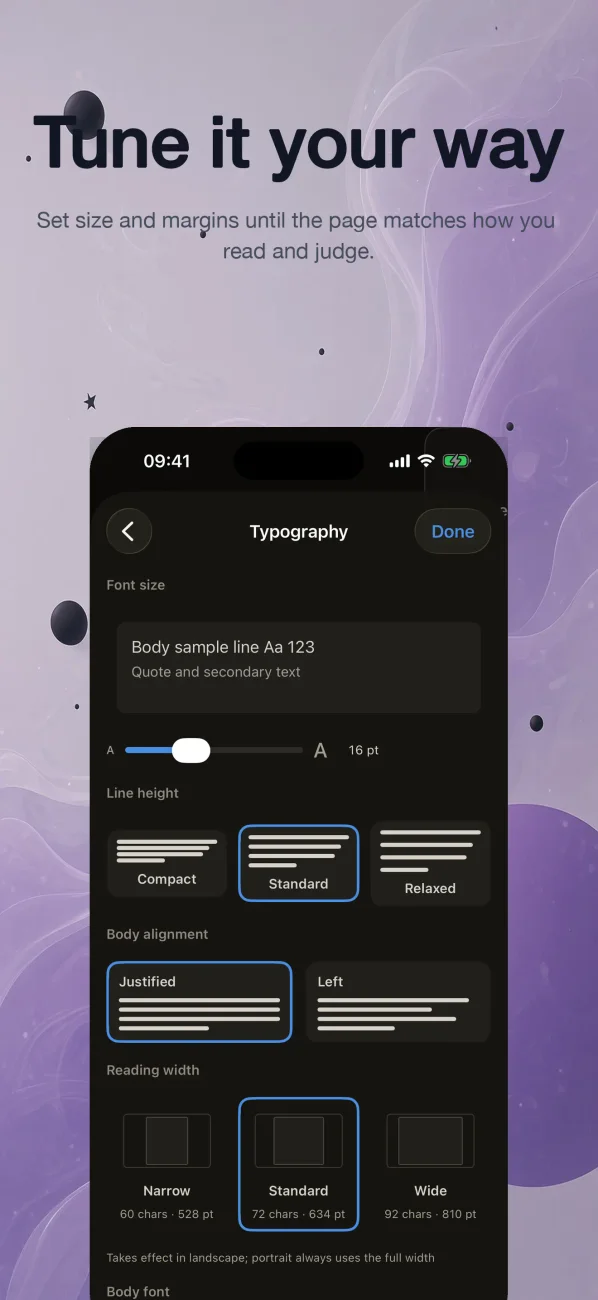
• Tune it your way
Set size and margins until the page matches how you read and judge.
• Back in one tap
Return to recent documents instantly, without losing your train of thought.
• 19 Pro themes (Pro)
Switch the theme, switch the lens you examine the text through.
• Reading Sets (Pro)
Group related AI reports and documents into one organized set.
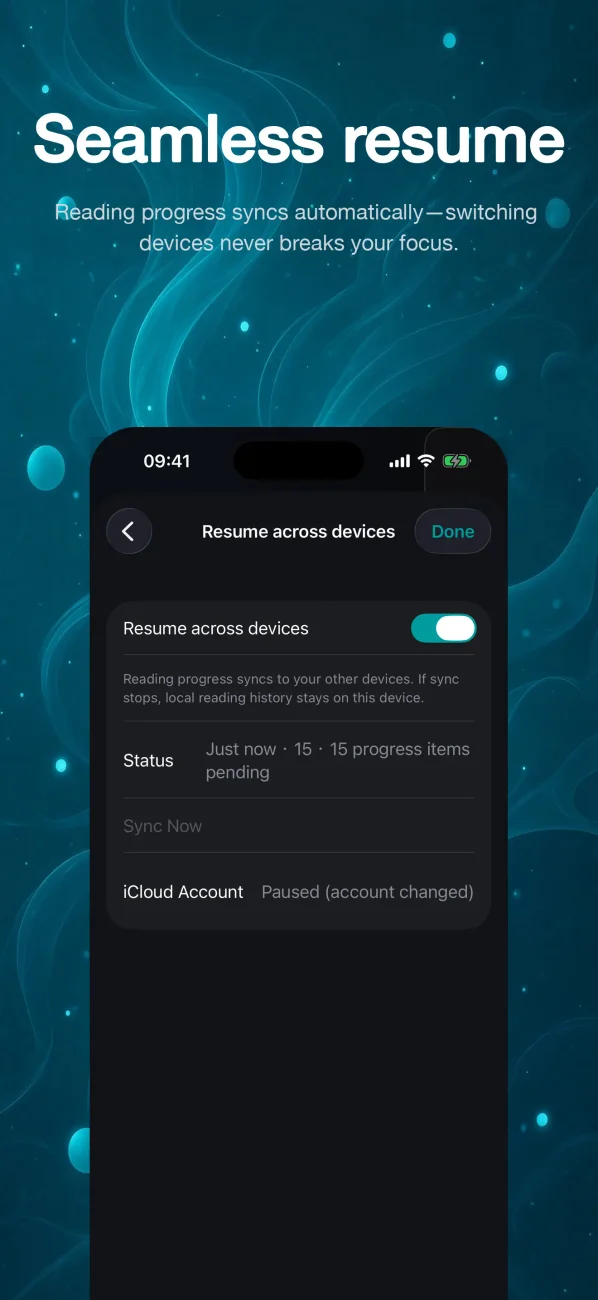
• Seamless resume (Pro)
Reading progress syncs automatically—switching devices never breaks your focus.
• Export (Pro)
PDF with bookmarks and page numbers, the whole document as one long image, plus Word, ePub, HTML and a LaTeX package ready for Overleaf. Markdown, Plain Text and three more formats export free.
• Privacy
No server, no account. Files stay on the device; what syncs goes through your own iCloud private database.
On iPhone and iPad
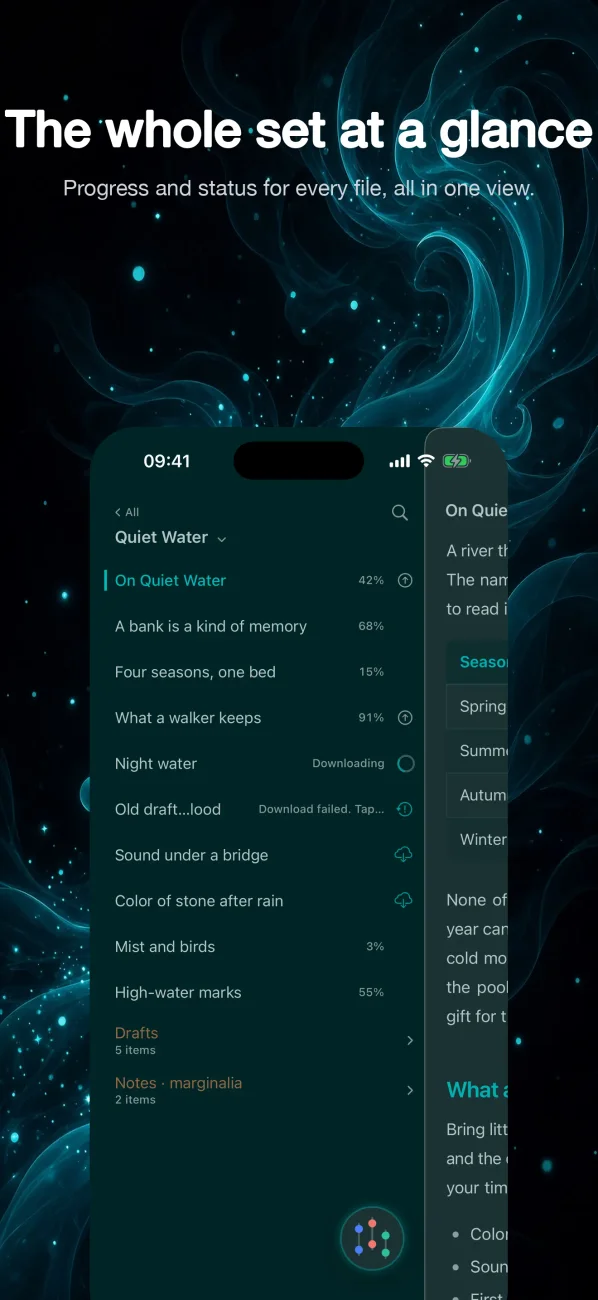
• The whole set at a glance
Progress and status for every file, all in one view.
On iPhone Duo
• Two-page spread
Inner display: two pages meet at the hinge as one sheet, and the spine shadow deepens as it half opens.
• Never lose your line
Fold or unfold, and you stay on the same line.
• Fore-edge
Outer display: drag along the edge marks to jump through the outline.
• Reading stand
Half open on a table: text on top, controls below.
On Mac
• Immersive review
A focused window built for deep reading and clear-headed judgment.
• Drop in, start reading
Drag an AI-generated .md onto the window and go straight into review.
• The whole picture
Outline and library on one screen—see it all, then decide.
Who it's for
People who read AI-generated reports, technical docs, notes, and long-form Markdown; people who move between iPhone, iPad, and Mac in the middle of a document; people who would rather keep related files in one set than hunt through folders; people who want more than one page on screen at a time.
MarkRead Pro
Unlocks 19 themes, Reading Sets, reading progress across devices, and export to PDF, long image, Word, ePub, HTML and LaTeX.
Subscribe monthly (1 month) or yearly (1 year), or buy it once, and a one-time purchase never renews. Subscriptions renew automatically. You can switch one off any time in your system subscription settings, and it stops at the end of the period. Prices are shown in the App Store.
Download MarkRead, and give the next long read a page worth reading on.
Privacy Policy: https://markread.cn/privacy/
Terms of Use: https://markread.cn/terms/
What’s new
Version 1.1.2 · Oct 23, 2026
Made for iPhone Duo: unfold it and it's an open book, with the hinge as its spine.
On iPhone Duo
• Two-page spread: on the inner display in landscape, two pages meet at the hinge as a single sheet. Read it half open and the shadow at the spine deepens with the angle, while the text doesn't move at all
• Never lose your line: close it or unfold it and you're on the same line, and each display remembers whether you read in Scroll or Pages
• Fore-edge on the outer display: the controls tuck into a side rail, and the marks along the edge are your outline — drag to jump
• Reading stand: stand it half open on a table; the top half is all text, with the outline, progress and controls below
• Hold it tall: two tall pages, with the top bar moved up beside the clock to give the height back to your text
• Contents and Outline stop at the spine, taking up exactly one page
• Pages are laid out while you're still opening it, ready the moment it unfolds
• The first time you unfold, a note reads "Opened as a two-page spread", and one tap takes you Back to Scroll
• None of this needs Pro
On all devices
• In Scroll, rotating or resizing the window keeps you on the line you were reading
• Fixed overly loose word spacing in justified lines in a few cases
Also on Mac
• The same app is a free download on Mac
New: Export
Export the document you’re reading to another format, then share it, save it to Files or send it with AirDrop. Find it on the document info page (ⓘ in the top bar).
• PDF: paginated, with bookmarks and page numbers
• Long image (JPG): the whole document in one image, easy to send and ready to save to Photos
• Word (DOCX) and HTML: keep editing, or view in a browser
• ePub: read it in Books
• All of the above with Pro; Markdown, Plain Text, RTF, TextBundle and OPML Outline are free
Export: LaTeX added, cleaner layouts
• LaTeX (Pro): the text, formulas and images in one zip you can upload to an online LaTeX platform and compile. It works with XeLaTeX, pdfLaTeX and LuaLaTeX, and the body sits in its own body.tex, easy to drop into your own template
• PDF: some Chinese characters can now be searched, and no longer copy out as radical characters
• Tables: column widths follow the content, so narrow columns are no longer squeezed to one character per line and wide tables no longer run off the page
• Box diagrams: diagrams drawn with line characters scale to the page or screen width instead of breaking into jumbled lines
• ePub: the book title now comes from the document’s title, not the file name
• Exporting an empty document now says so right away, instead of making you wait before reporting a failure
Other fixes
• Prices such as “$5” and “$19.99” in text are no longer mistaken for formulas, so the $ signs stay
App privacy
What 佳奇 袁 declares on the App Store about how this app handles data.
-
Data not collected
The developer does not collect any data from this app.
Privacy practices may vary, for example with the features you use or your age.
Information
- Seller
- 佳奇 袁
- Category
- Productivity
- Version
- 1.1.2
- Updated
- Oct 23, 2026
- Released
- Sep 25, 2026
- Size
- 15.3 MB
- Requires
- iOS 17.0 or later
- Age rating
- 4+
- In-app purchases
- Yes
- Languages
- English, French, German, Indonesian, Italian, Japanese, Korean, Portuguese, Russian, Simplified Chinese, Spanish, Thai + 2 more
- Copyright
- © 2026 JiaQi Yuan
You might also like
-
 MarkCove: Markdown ViewerRead Markdown beautifully
-
 MdChecker: Markdown ReaderMD Viewer & Editor for Files
-
 PickMD: Markdown ReaderRead, search and export PDF
-
 Bamboo LiteOffline Markdown & HTML Reader
-
 Elegy - Share Words on SocialWrite Without Compromise
-
 OpenPage: Markdown ReaderHTML Preview & Read Aloud
-
 Reader AI: Markdown ReaderVideo & text summarizer
-
 Quirely Markdown+LaTeX EditorViewer, editor, visual Mermaid
-
 Leaf Markdown离线阅读器-重拾阅读乐趣Productivity
-
 ReignSearchProductivity