
FawnGuard: Parental Control
Screen Time & App Blocker
Designed for iPhone, iPad
In-app purchases
- Age rating4+
- CategoryLifestyle
- DeveloperJan Daniel Naftanaila
- LanguagesEnglish+ 1 more
- Size43.7 MB
Links to the official App Store page
Download.org hosts no file of FawnGuard: Parental Control. The button opens its official App Store page, published by Jan Daniel Naftanaila. Listing last checked on Nov 12, 2026.
Screenshots



About
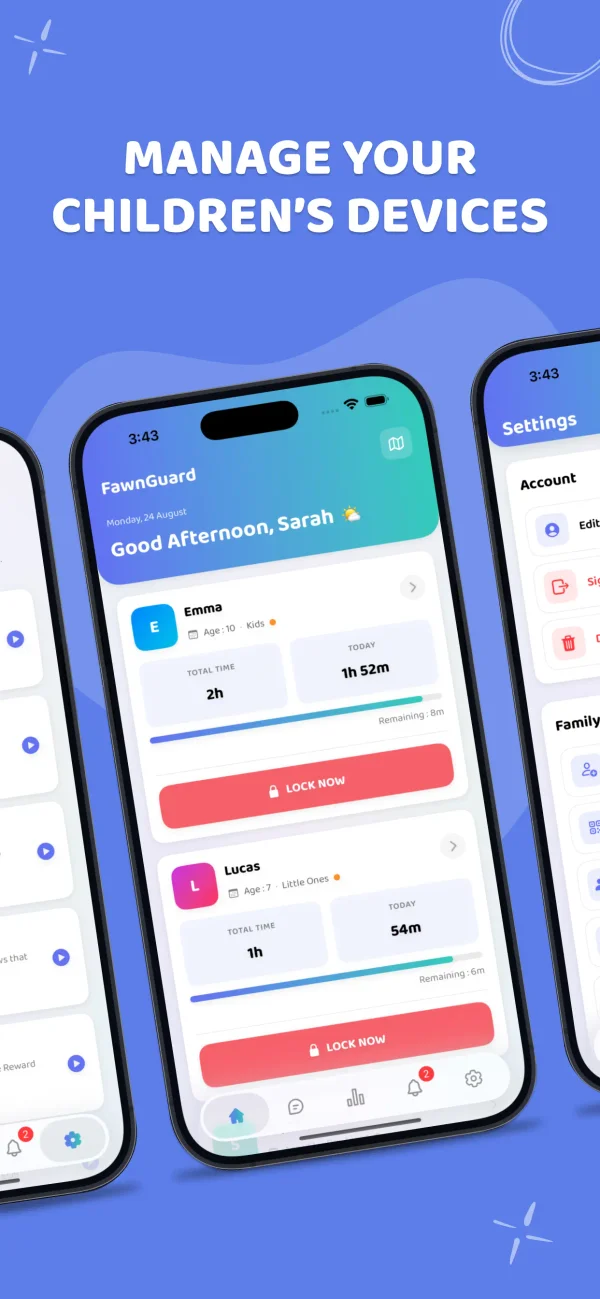
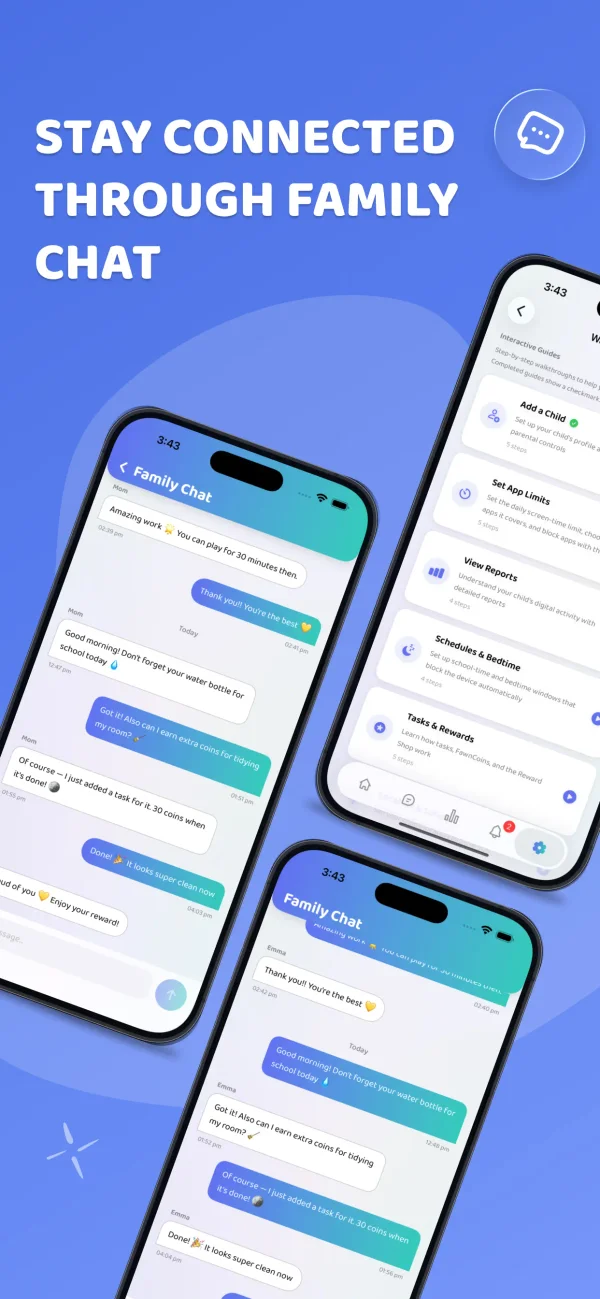
FawnGuard helps parents build healthy screen-time habits for their kids — without the guesswork. Set a daily limit, block the apps that get in the way, and reward the good stuff. Everything is managed from the parent's phone.
SCREEN TIME LIMITS THAT ACTUALLY STICK
• Set a daily screen-time limit for each child.
• When the time is up, FawnGuard shields the device using Apple's Screen Time technology.
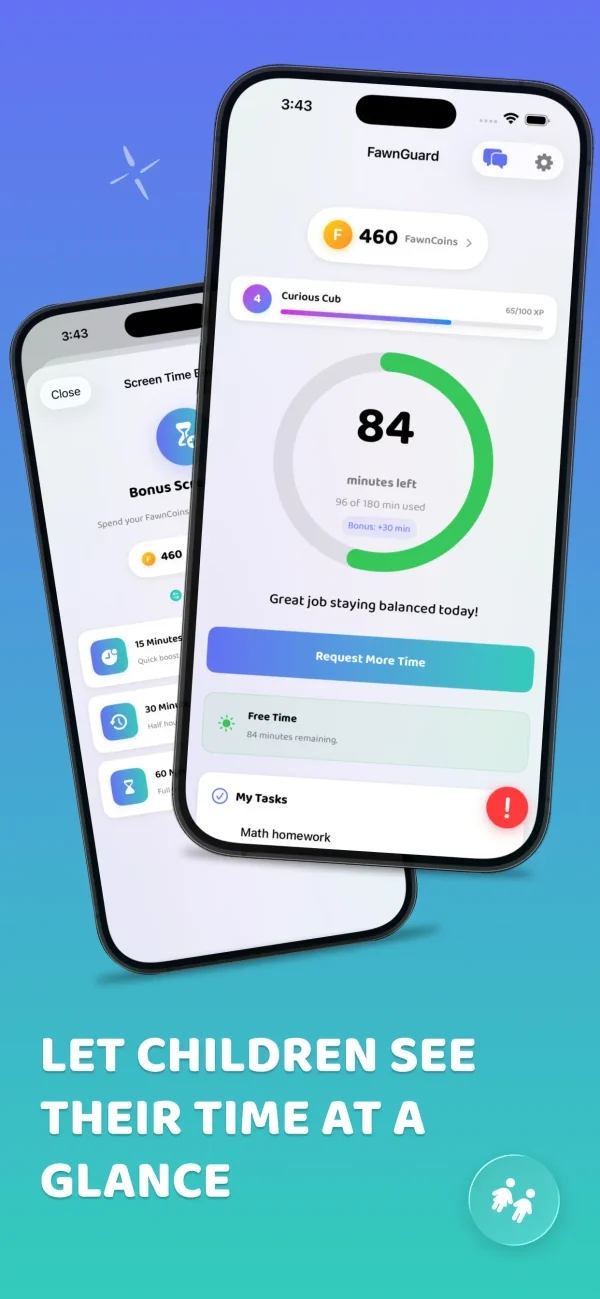
• Kids can ask for more time; you approve or deny right from your phone.
BLOCK & LIMIT APPS
• Limit specific apps or whole categories.
• Set a 0-minute limit to block an app entirely.
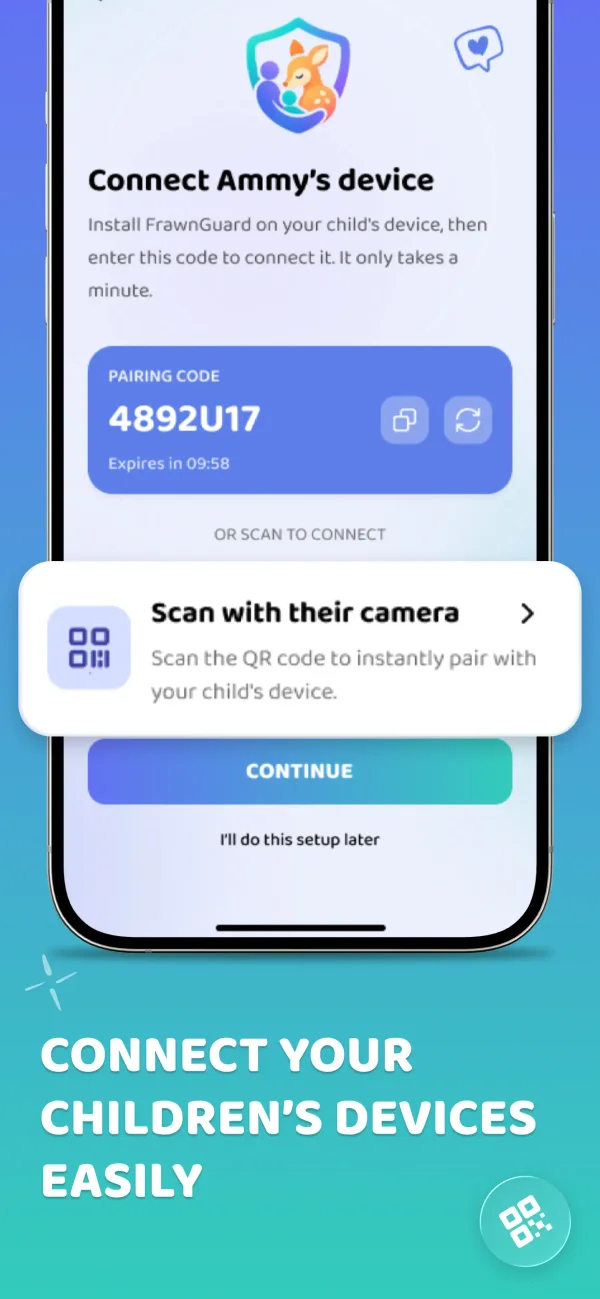
• Changes sync to your child's device automatically.
SCHEDULE DOWNTIME & BEDTIME
• Create school-time and bedtime windows that block the device automatically.
• Great for homework focus and a calmer night routine.
REWARD GOOD HABITS
• Kids complete tasks you set (chores, homework, reading) to earn coins.
• They redeem coins for bonus minutes or a short app unlock in the Reward Shop.
• Turns "screen time" into a positive, motivating system instead of a fight.
ONE DASHBOARD FOR THE WHOLE FAMILY
• Manage multiple children from a single dashboard.
• Invite a co-parent so you're both on the same page.
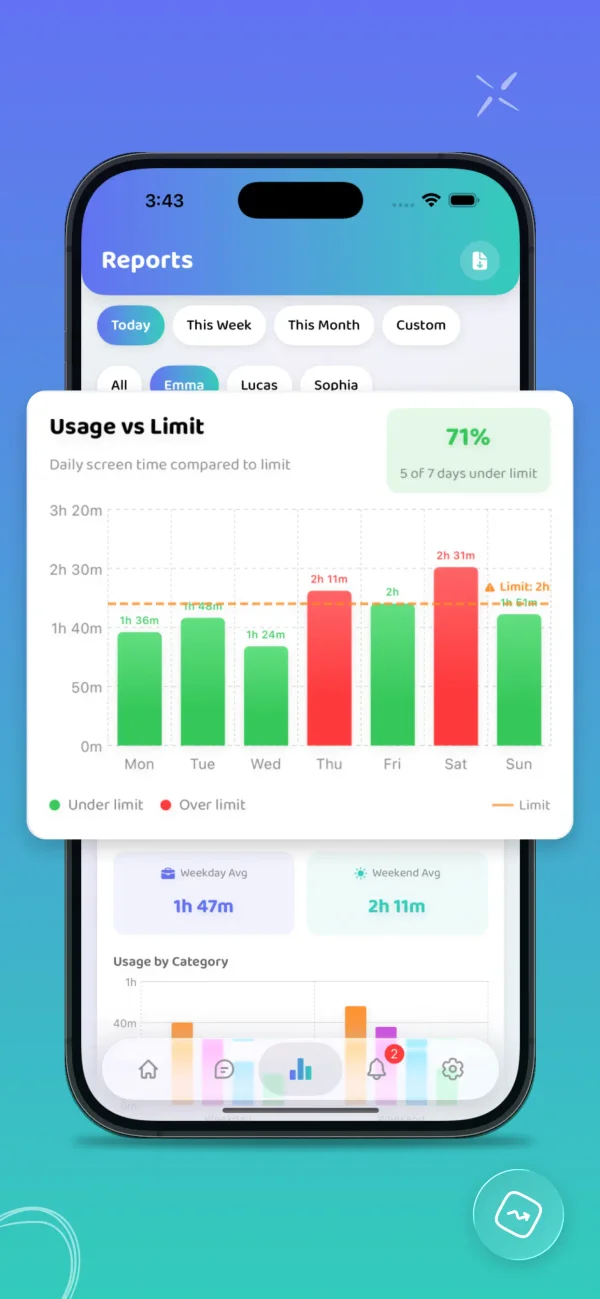
• See how screen time is being spent with clear usage reports.
PEACE OF MIND
• A child can send an SOS alert with their location to parents in an emergency.
• A parental PIN protects the settings on your child's device.
PRIVATE BY DESIGN
• FawnGuard is built for parents to manage their own family.
• We do not read your child's messages, browse their social media, or track their location in the background.
• Your family's data stays in your private account.
Requires iOS 17 or later. Screen-time enforcement uses Apple's Family Controls (Screen Time) framework and requires granting Screen Time permission on the child's device.
Terms of Use: https://fawnguard.com/terms
Privacy Policy: https://fawnguard.com/privacy
What’s new
Version 2.3 · Oct 15, 2026
A refreshed FawnGuard is here — smoother to set up, easier to read, and more private than ever.
• Redesigned onboarding & sign-in — a cleaner, faster first-run and login flow.
• Polished child dashboard — refreshed screens with smooth loading and an improved Break Time view.
• More reliable alerts & notifications — accurate app-icon badge counts and instant remote device lock.
• Stronger privacy — chat previews are hidden on the lock screen, wellbeing history stays on-device, and you have clearer control over your data.
• Bug fixes and performance improvements.
App privacy
What Jan Daniel Naftanaila declares on the App Store about how this app handles data.
-
Data linked to you
May be collected and linked to your identity.
- Location
- Contact info
- Identifiers
- Usage data
Privacy practices may vary, for example with the features you use or your age.
Information
- Seller
- Jan Daniel Naftanaila
- Category
- Lifestyle
- Version
- 2.3
- Updated
- Oct 15, 2026
- Released
- Jul 2, 2026
- Size
- 43.7 MB
- Requires
- iOS 17.0 or later
- Age rating
- 4+
- In-app purchases
- Yes
- Languages
- English, Spanish
- Copyright
- © 2026 Digital Nafta Portal FZCO
You might also like
-
 Monitor Kids Phone-Screen TimeParental Control App & Blocker
-
 Family Guardian - Kids SafetyParental Control & Safety
-
 Kidoks - Parental Control AppScreen Time & Kid's Location
-
 PearGuardScreen time rules, no account
-
 Parental Controls: TapGuardianScreen Time, App Blocker, Web
-
 Jiayin FamilyFamily life service platform
-
 OmoSafeScreen time, location and SOS
-
 Vigil: Family Screen LockParental control, one button
-
 Kiddowall: Parental ControlScreen time, web filter & GPS
-
 Guardian Bubble KidsThe child's companion app