
FileDrop: File Transfer
Photos to PC, NAS & Server
Designed for iPhone, iPad, iPod touch
Free · In-app purchases
- Age rating4+
- CategoryUtilities
- Developer乃 樊
- LanguagesEnglish+ 1 more
- Size4.2 MB
Links to the official App Store page
Download.org hosts no file of FileDrop: File Transfer. The button opens its official App Store page, published by 乃 樊. Listing last checked on Nov 17, 2026.
Screenshots


About
FileDrop turns your iPhone into a private transfer port for photos, videos, and files.
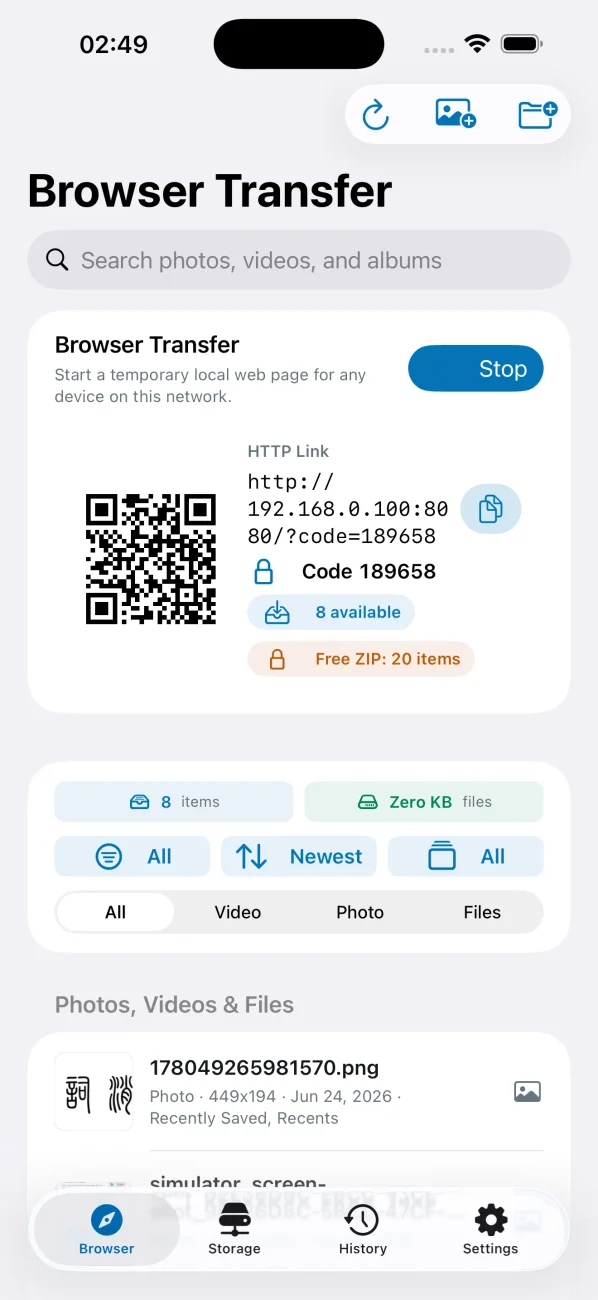
Need to move a large video to a computer? Start Browser Transfer, open the local address in a browser on the same Wi-Fi, and download from a clean web page. No desktop app, no cloud account, no cables.
For private storage, connect your own WebDAV, SFTP, or SMB target and send selected items to NAS, Nextcloud, private servers, or shared folders. You can also browse remote folders and download files back to your iPhone.
What you can do:
• Share iPhone photos, videos, and files through a temporary browser page
• Download single files or batch ZIP files from a browser on your local Wi-Fi
• Upload to WebDAV, SFTP, and SMB storage targets
• Download remote photos and videos to Photos
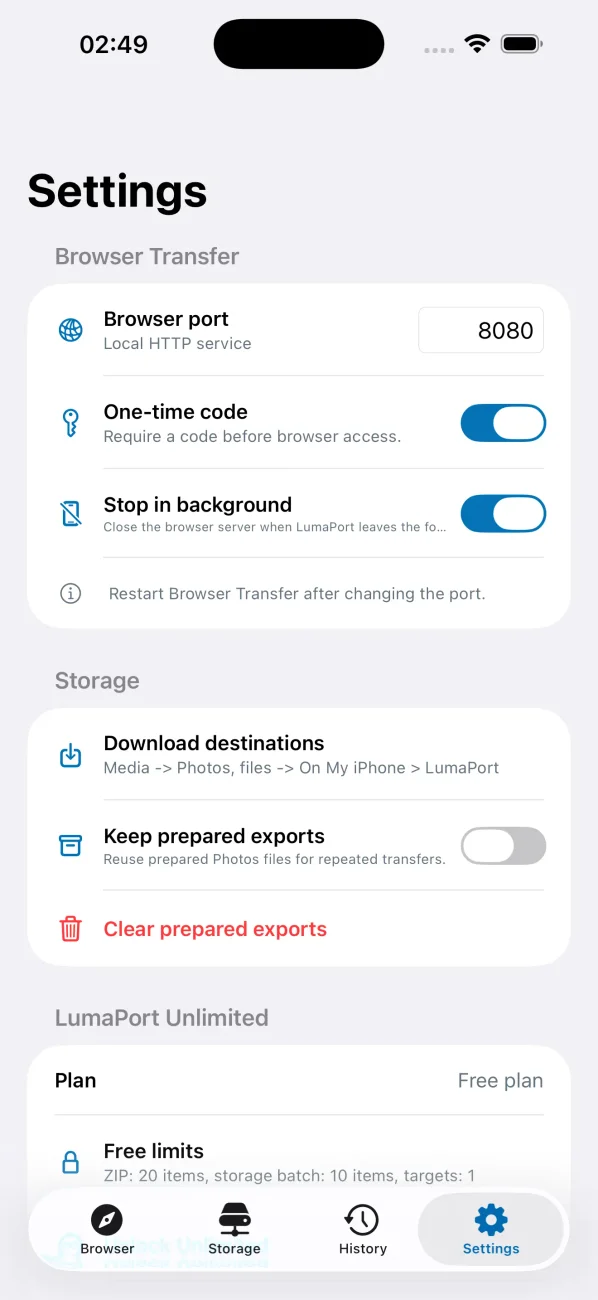
• Save other remote files to On My iPhone
• Track completed, failed, and running transfers
• Protect browser access with a one-time code
FileDrop is designed for local and private transfers. Your files are not sent to our servers, and there are no ads.
What’s new
Version 2.0 · Jul 18, 2026
1. Fixed some issues.
App privacy
What 乃 樊 declares on the App Store about how this app handles data.
-
Data not collected
The developer does not collect any data from this app.
Privacy practices may vary, for example with the features you use or your age.
Information
- Seller
- 乃 樊
- Category
- Utilities
- Version
- 2.0
- Updated
- Jul 18, 2026
- Released
- Jul 6, 2026
- Size
- 4.2 MB
- Requires
- iOS 15.0 or later
- Age rating
- 4+
- Price
- Free
- In-app purchases
- Yes
- Languages
- English, Simplified Chinese
- Copyright
- © Kaiyuan Tongbao
You might also like
-
 StreamRemindCancel streaming on time
-
 KAm LinkFast wireless file transfer
-
 Base NFC ConnectUtilities
-
 ShrimpSend-Fast File TransferFast & Reliable File Transfer
-
 Oju – AI Web TranslatorSelf-translate, AI-verify.
-
 Canopy Sieve: Ad BlockerBlock Trackers, Ads & Malware
-
 FlickUtilities
-
 LocalTranslate: Offline AIVoice & Camera, No Signal
-
 拍图标记Utilities
-
 ViaPortal: File Transferour Wireless Data Cable