
FileShift: Send Files Offline
Transfer data offline
Designed for iPhone, iPad, iPod touch
Free · In-app purchases
- Age rating4+
- CategoryUtilities
- DeveloperExtreemTek BV
- LanguagesEnglish
- Size73.1 MB
Links to the official App Store page
Download.org hosts no file of FileShift: Send Files Offline. The button opens its official App Store page, published by ExtreemTek BV. Listing last checked on Nov 12, 2026.
Screenshots





About
FileShift — The Fastest Way to Transfer Files Between Devices
Tired of slow Bluetooth, messy cables, or burning through mobile data just to send a file? FileShift lets you transfer anything — photos, videos, music, documents and more — directly between devices at lightning speed. No internet required. No cloud. No limits.
WHY FILESHIFT?
Most file sharing apps are slow, complicated, or need both devices on the same WiFi network. FileShift creates its own direct peer-to-peer connection, so you can transfer files anywhere — at home, at the office, or somewhere with zero signal. It just works.
TRANSFER ANYTHING
Photos and videos in full original quality. Music and audio files. Documents, PDFs, spreadsheets and apps. Even large files that other apps simply refuse to handle. If it's on your device, FileShift can send it.
BLAZING FAST SPEEDS
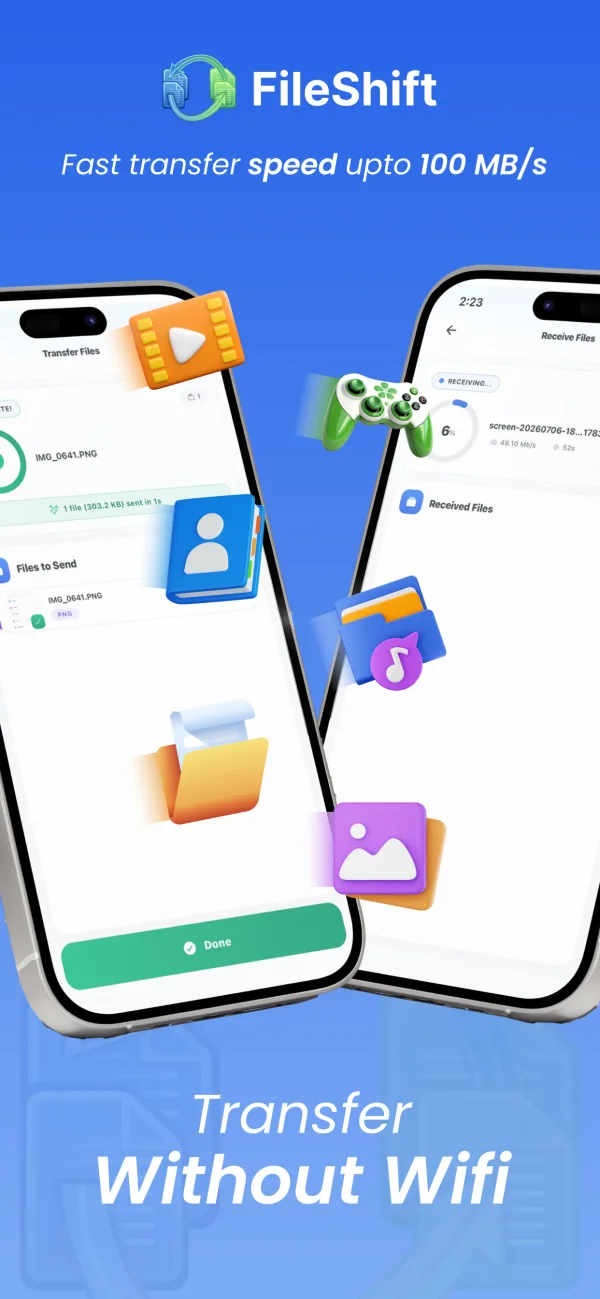
FileShift uses direct WiFi peer-to-peer technology to achieve transfer speeds up to 200x faster than Bluetooth. Send a full HD movie in seconds, not minutes. Share hundreds of photos in one go without the wait.
100% OFFLINE — NO INTERNET NEEDED
Unlike cloud-based sharing apps, FileShift works completely offline. Your files go directly from one device to another — they never touch a server, never get stored in the cloud, and never cost you a single MB of mobile data.
PRIVATE AND SECURE BY DEFAULT
Your files are yours. FileShift uses encrypted peer-to-peer connections so nobody can intercept your transfers. No account needed. No sign-up. We don't see, store, or have access to the files you transfer.
WORKS ACROSS ALL APPLE DEVICES
Send and receive between iPhone, iPad, and other supported devices with no setup.
HOW IT WORKS
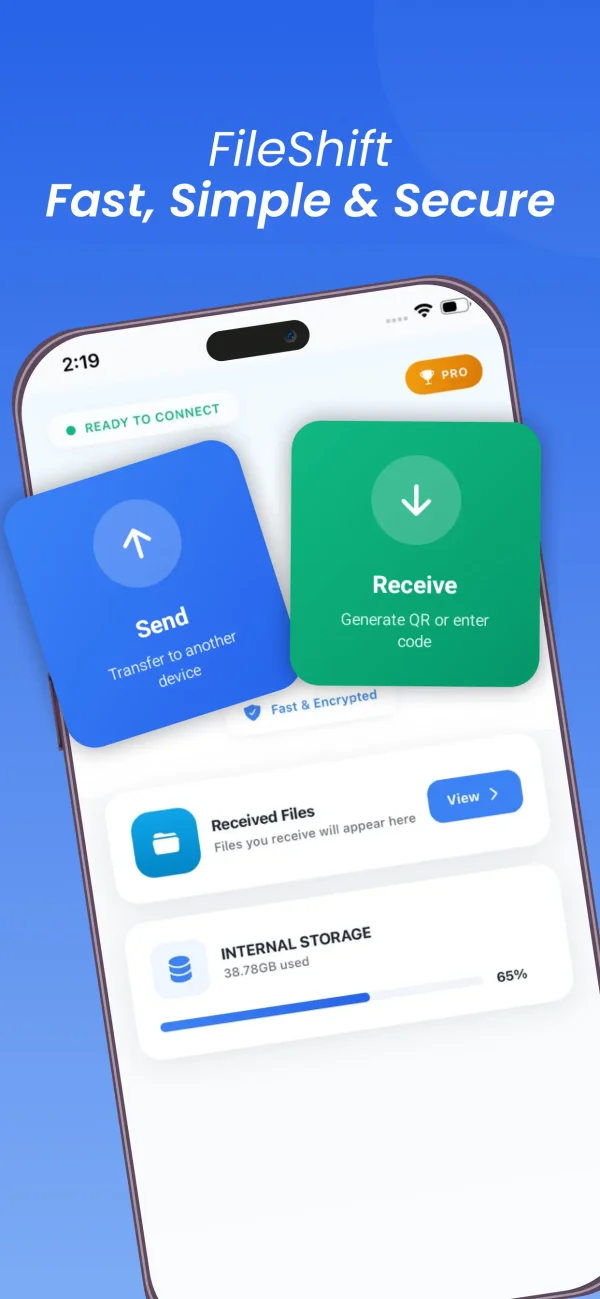
Open FileShift on both devices. One taps send, the other taps receive. Select your files and the transfer begins instantly. Most transfers complete in seconds. That's really all there is to it.
Perfect for sharing photos and videos with friends and family, moving files between your own devices without a cable, sending large files that WhatsApp or email won't allow, and backing up content to another device offline. It's also ideal when you're traveling, in a remote area, or anywhere without a reliable internet connection.
FREE TO USE — OPTIONAL PREMIUM
FileShift is free to download and use, with no caps on file size or number of transfers. The free version is supported by ads. Want a cleaner experience? FileShift Premium removes all ads and unlocks the full experience as an optional auto-renewing subscription. The core file-transfer features remain free.
SUBSCRIPTION DETAILS
FileShift Premium is an auto-renewable subscription.
- FileShift Weekly — 1 week — $0.99
- FileShift Monthly — 1 month — $4.99
- FileShift Yearly — 1 year — $17.99
Payment is charged to your Apple ID account at confirmation of purchase. The subscription renews automatically unless it is canceled at least 24 hours before the end of the current period. Your account is charged for renewal within 24 hours before the end of the current period. You can manage or cancel your subscription any time in your App Store account settings after purchase. Any unused portion of a free trial, if offered, is forfeited when you purchase a subscription.
Privacy Policy: https://sites.google.com/view/file-shift-privacy-policy/home
Terms of Use (EULA): https://www.apple.com/legal/internet-services/itunes/dev/stdeula/
(The Terms of Use link above is Apple's standard EULA, which Apple accepts and resolves this rejection immediately. If you prefer your own custom EULA, publish the FileShift Terms of Use page — e.g. on Google Sites, the same way as the privacy policy — and replace the link above with that URL.)
What’s new
Version 1.4.8 · Oct 15, 2026
• Direct Wi-Fi with Android: your iPhone or iPad now connects straight to an Android phone over its own fast Wi-Fi link. No router or internet needed.
• Pair without a QR code: find nearby Android phones over Bluetooth and enter the 6-digit code they show.
• See what's happening: clear progress while your devices connect, including when to tap Join on the Wi-Fi prompt.
• Tapped Cancel by mistake? You'll get a chance to try the faster connection again.
• Works with older versions: if a direct connection isn't possible, FileShift switches to another method automatically.
• New look: the tab bar now uses Liquid Glass on iOS.
• iPad: the QR scanner now fits properly in landscape.
• Fixes: Receive no longer reopens a finished transfer, no ad right after buying Pro, and a clear message if a purchase can't be confirmed.
App privacy
What ExtreemTek BV declares on the App Store about how this app handles data.
-
Data used to track you
May be used to track you across apps and websites owned by other companies.
- Identifiers
-
Data not linked to you
May be collected but is not linked to your identity.
- Contacts
- User content
- Identifiers
Privacy practices may vary, for example with the features you use or your age.
Information
- Seller
- ExtreemTek BV
- Category
- Utilities
- Version
- 1.4.8
- Updated
- Oct 15, 2026
- Released
- Mar 12, 2026
- Size
- 73.1 MB
- Requires
- iOS 15.1 or later
- Age rating
- 4+
- Price
- Free
- In-app purchases
- Yes
- Languages
- English
- Copyright
- Copyright © 2026 ExtreemTek BV
You might also like
-
 FileShiftConvert documents, images, etc
-
 File Transfer: Local SharingUtilities
-
 Inventory Fixed AssetInventory Fixed Asset
-
 Keylix — Loyalty Card WalletLoyalty cards in one app
-
 QR Offline - LiteOffline File Transfer
-
 Battery Identifier & FinderScan Code, Type, Replacement
-
 LanShare – File TransferSend files. No internet.
-
 AirTransfer: Files & ClipboardFast & Secure File Sharing
-
 FlyDropOffline File Sharing Made Easy
-
 Jpg Converter Photos to JPEG ™jpeg converter gif converter