FileZen - File Manager
File Manager File Comparison
Designed for iPhone, iPad
Free
- Age rating4+
- CategoryProductivity
- Developer斌 刘
- LanguagesEnglish+ 1 more
- Size111.4 MB
Links to the official App Store page
Download.org hosts no file of FileZen - File Manager. The button opens its official App Store page, published by 斌 刘. Listing last checked on Nov 12, 2026.
Screenshots

About
FileZen — Free All-in-One File Management Tool
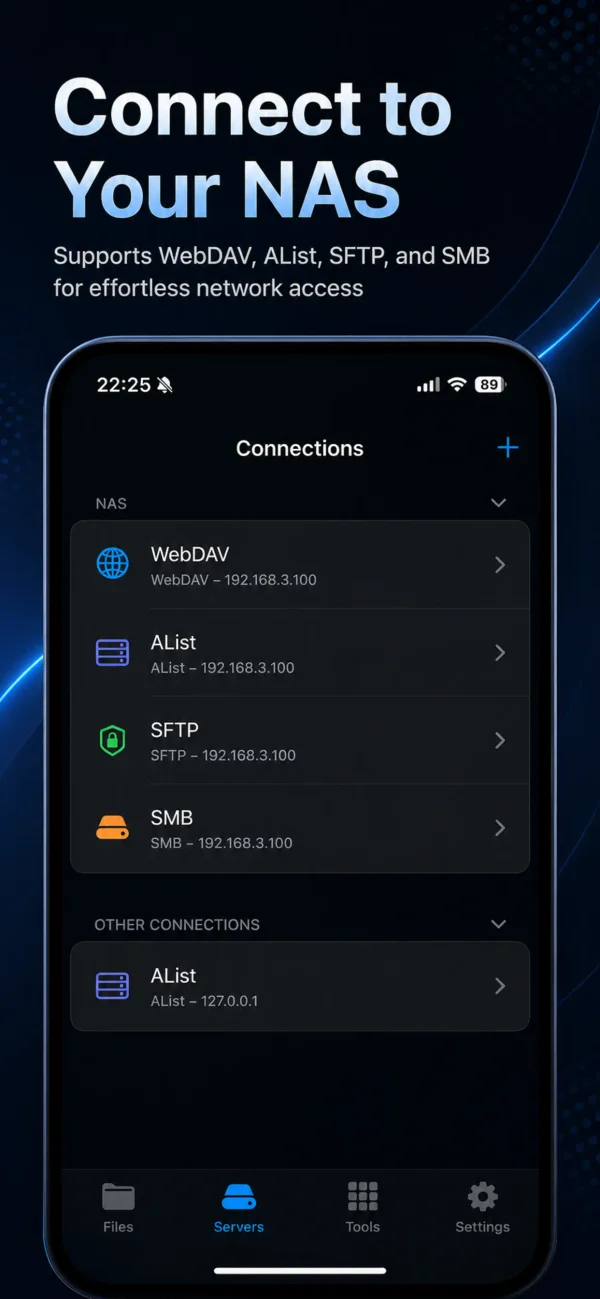
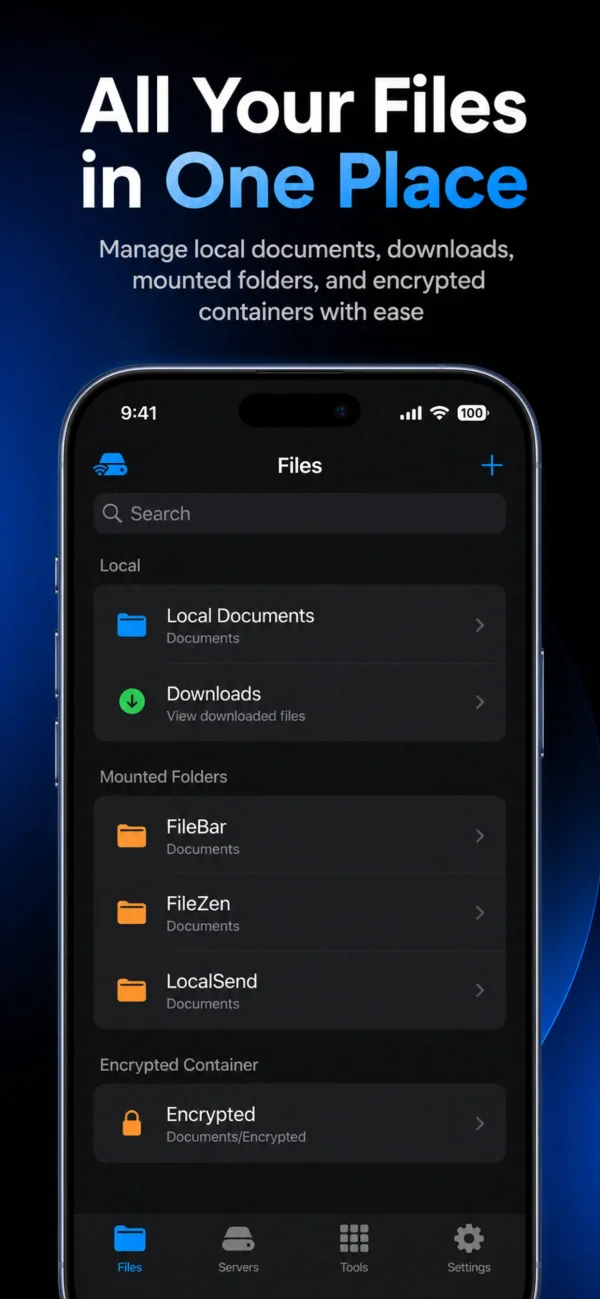
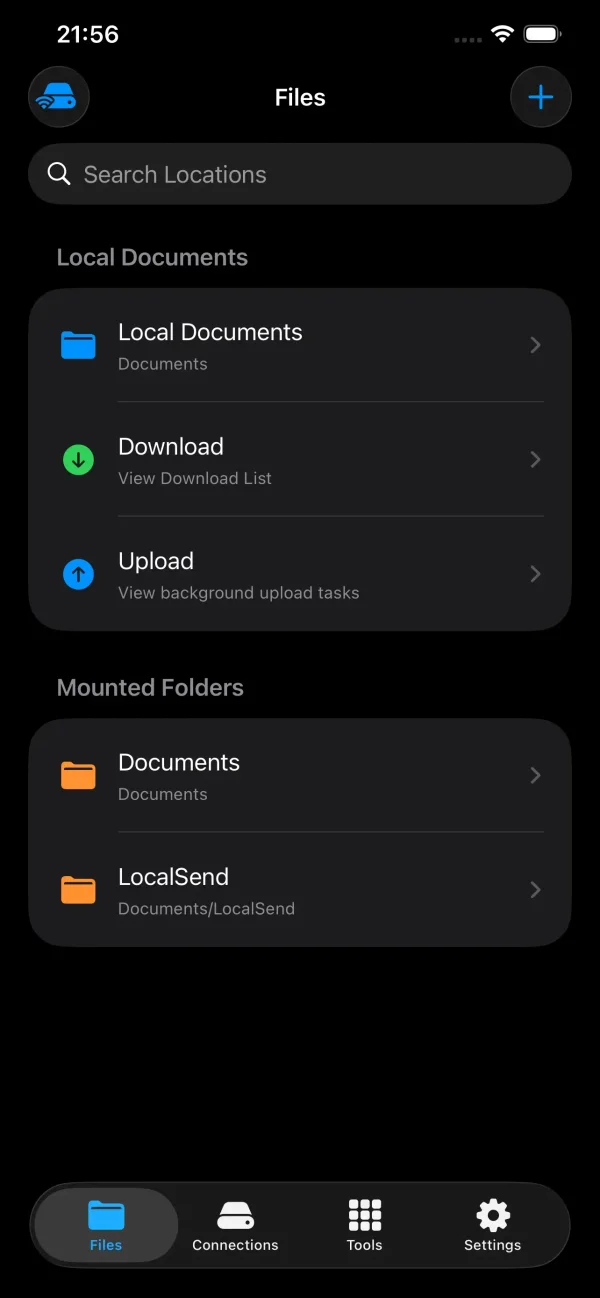
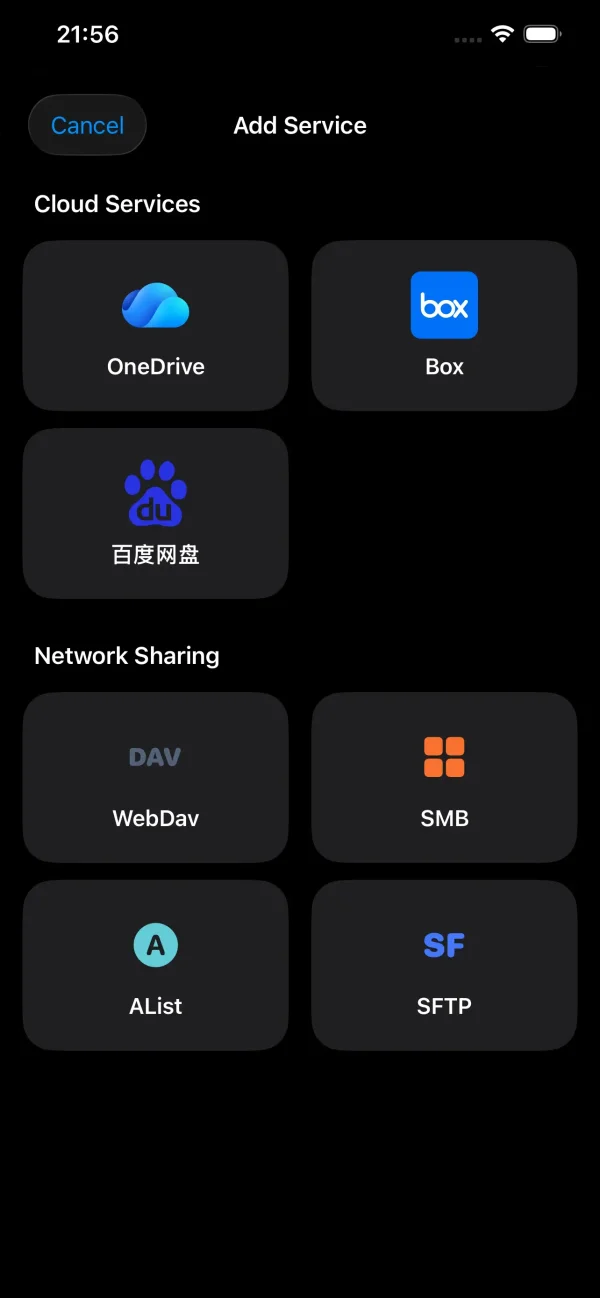
FileZen is an iOS file management app designed for high-frequency file handling, helping you organize, view, transfer, and use files more efficiently on your iPhone. Whether it's local documents, external directories, or content from remote servers like Box, OneDrive, AList, WebDAV, SFTP, SMB (with additional protocol support via AList and OpenList servers, e.g., Baidu Cloud, Aliyun Drive, Tianyi Cloud, and other mainstream cloud services), you can access and manage everything in a single app, reducing the need to switch between multiple tools.
Key Features & Highlights
Multi-Protocol Cloud Access: Connect to Box, OneDrive, AList, WebDAV, SFTP, SMB, and expand to more cloud services through server extensions.
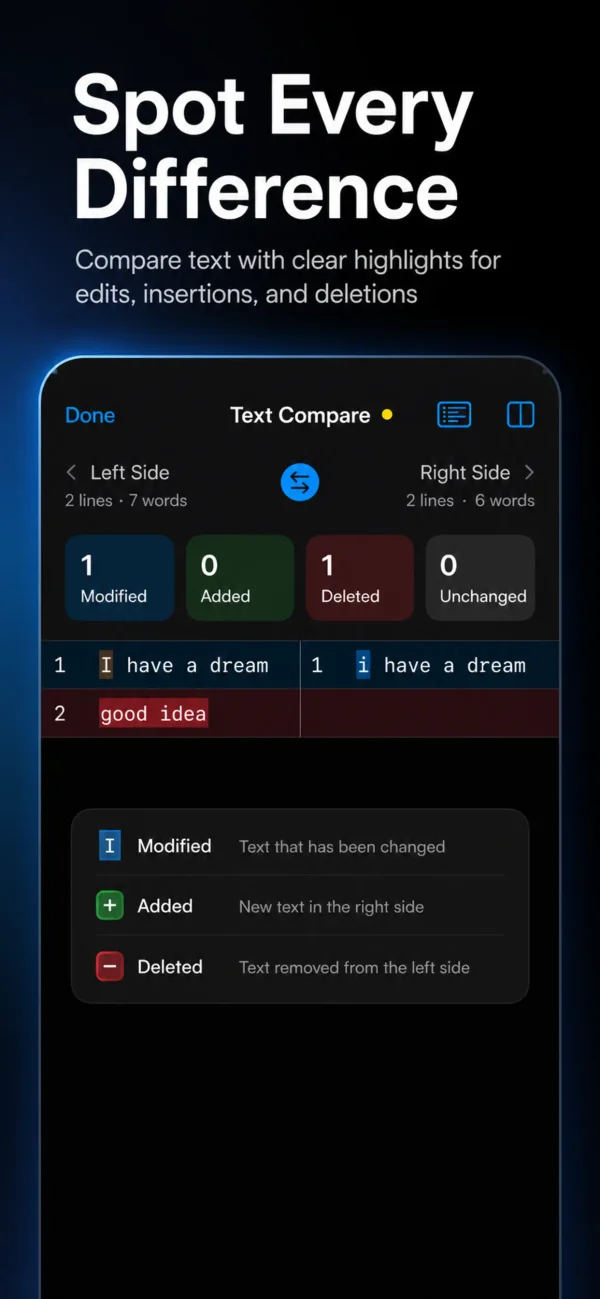
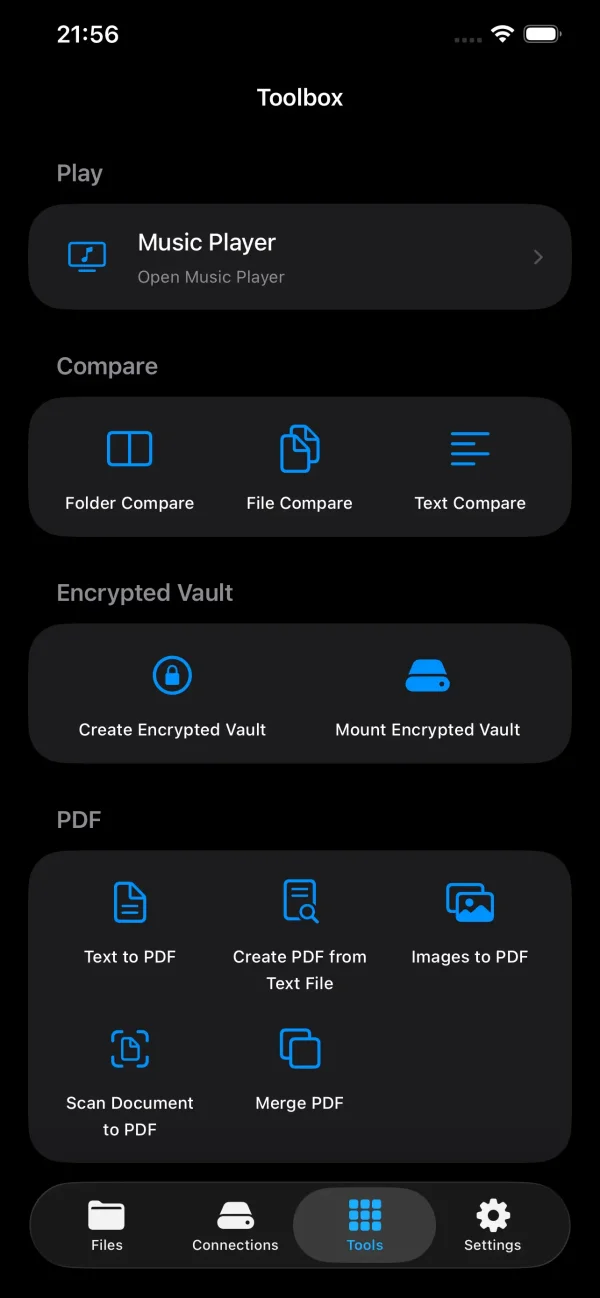
File & Text Comparison: Compare text files or entire folders in a Git-like diff mode, with customizable parameters to easily spot changes.
PDF Editing & Processing: Create multi-image PDFs, merge/split PDFs, convert PDFs to images, convert text to PDF, insert images/text pages, annotate, and sign PDFs.
Compressed File Management: Preview and edit ZIP files, add or delete contents, create encrypted ZIPs, and extract files.
Encrypted Containers: Create or load encrypted containers; preview images, videos, audio, and text files directly by entering a password without downloading or decrypting. Supports file editing.
File Preview: Comprehensive support for text, images, video, audio, PDF, compressed files, and various document formats.
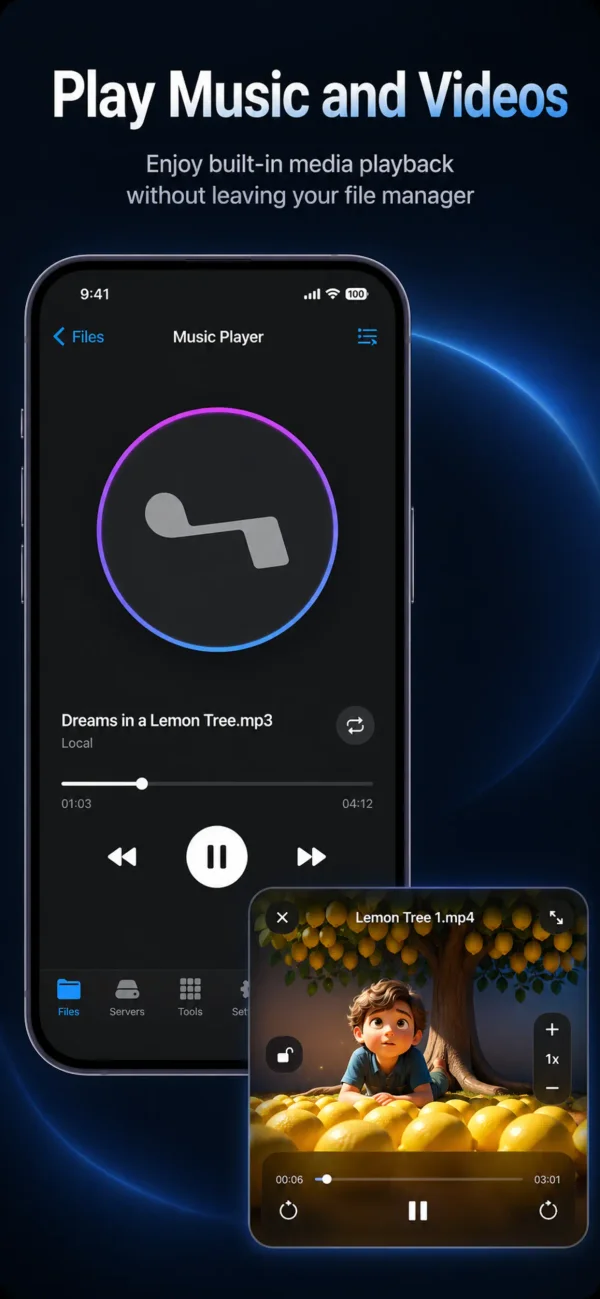
Media Playback: HDR video and Dolby audio preview (device dependent), audio playback, and playlist management.
Efficient File Operations: Quickly upload, download, copy, move, rename, delete, or create new folders.
Collaboration & Upload: Supports LAN-based Web uploads, enabling fast file transfer across multiple devices.
Download & Task Management: Unified download center to track task progress in real-time.
Additional Tools: Built-in utilities continuously updated, expanding the app’s capabilities.
Use Cases
Ideal for users needing cross-device file organization, remote storage access, media playback, document viewing, and light editing. FileZen focuses not only on "opening files" but also on "managing them efficiently," delivering a complete, stable, and productive mobile file workflow experience.
Privacy Policy: https://toutoumu.github.io/filezenweb
Terms of Use: https://www.apple.com/legal/internet-services/itunes/dev/stdeula/
What’s new
Version 2.16 · Oct 11, 2026
A major update for backup and file management:
- Added incremental photo backup for new photos and videos, with optional year and month folders.
- Added folder sync and mirror backup with change previews, conflict handling, progress, and run history.
- Added duplicate file and storage analysis for finding large files, empty folders, and duplicate content.
- Added recursive search, recently opened history, and file extension display.
- Improved cross-server transfers and upload management with grouping, filters, batch actions, pause, resume, and retry.
- FileZen can now open and edit PDF documents shared from other apps.
- Improved video player gestures, zooming, seeking, and playback controls.
- Improved remote service reliability and strengthened credential and SFTP connection security.
- Fixed multiple issues and improved performance for large files, directories, and batch operations.
App privacy
What 斌 刘 declares on the App Store about how this app handles data.
-
Data not linked to you
May be collected but is not linked to your identity.
- Location
- Identifiers
- Usage data
- Diagnostics
Privacy practices may vary, for example with the features you use or your age.
Information
- Seller
- 斌 刘
- Category
- Productivity
- Version
- 2.16
- Updated
- Oct 11, 2026
- Released
- May 5, 2026
- Size
- 111.4 MB
- Requires
- iOS 17.0 or later
- Age rating
- 4+
- Price
- Free
- Languages
- English, Simplified Chinese
- Copyright
- © bin liu
You might also like
-
 NC File ManagerPDF, ZIP, RAR & Document Tools
-
 ZFilesLocal and remote file browser
-
 File Manager - File OrganizerSecure File Manager - Explorer
-
 File Manager: Files & VaultManage & Secure Your Files
-
 DocumentHub: File ManagerPDF, Video Player & Downloads
-
 FSharing - Files, File ManagerFile explorer, downloader, zip
-
 Phone Drive: File ManagerWi-Fi Transfer to PC & Mac
-
 Filebar - media playerProductivity
-
 FileBrowserGO: File ManagerDocuments, Media Player, Cloud
-
 Owlfiles - File ManagerAccess SMB WebDAV FTP and S3