Filmlog Analog
Film camera log & light meter
Designed for iPhone, iPod touch
$2.99
- Age rating4+
- CategoryPhoto & Video
- DeveloperMarco Krenz
- LanguagesEnglish+ 5 more
- Size5.1 MB
Links to the official App Store page
Download.org hosts no file of Filmlog Analog. The button opens its official App Store page, published by Marco Krenz. Listing last checked on Nov 18, 2026.
Screenshots


About
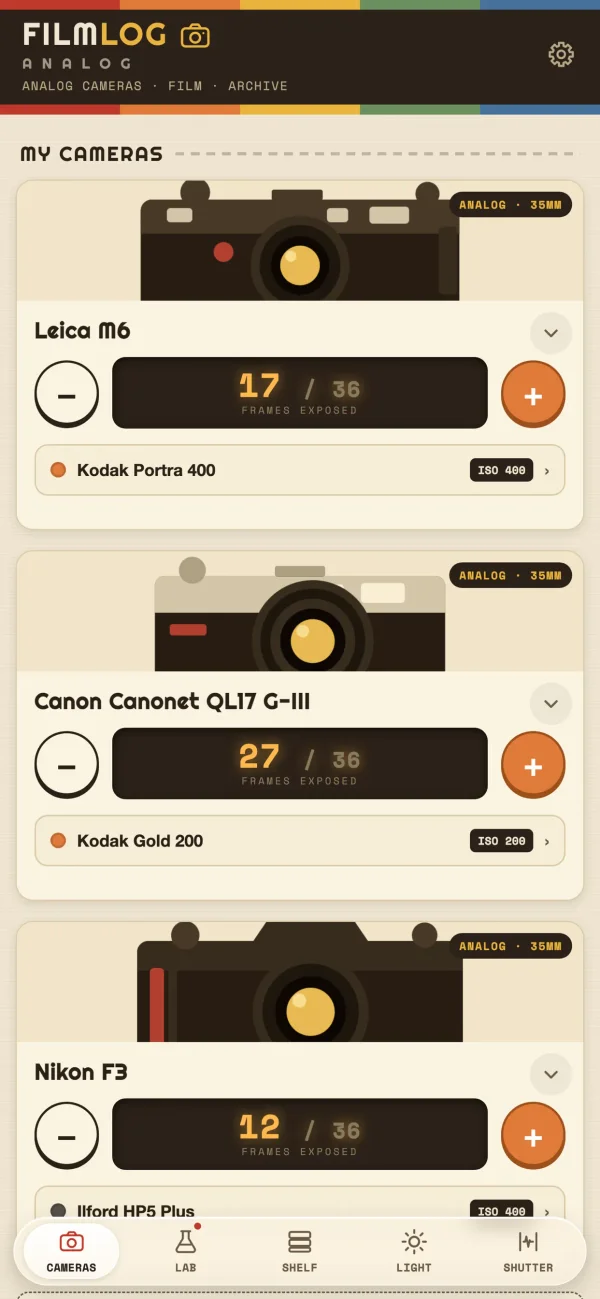
Filmlog Analog is a notebook for analogue photography. It answers the questions that come up between loading a film and getting the scans back: which film is in that camera, which frame are you on, and where did that roll go?
CAMERAS
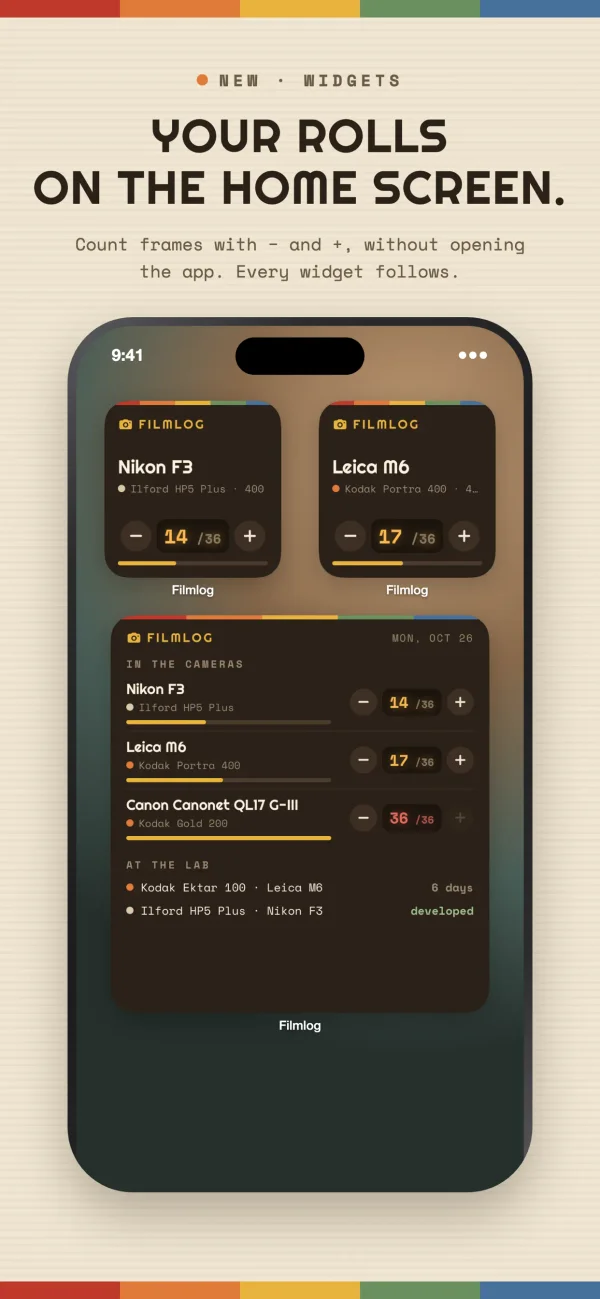
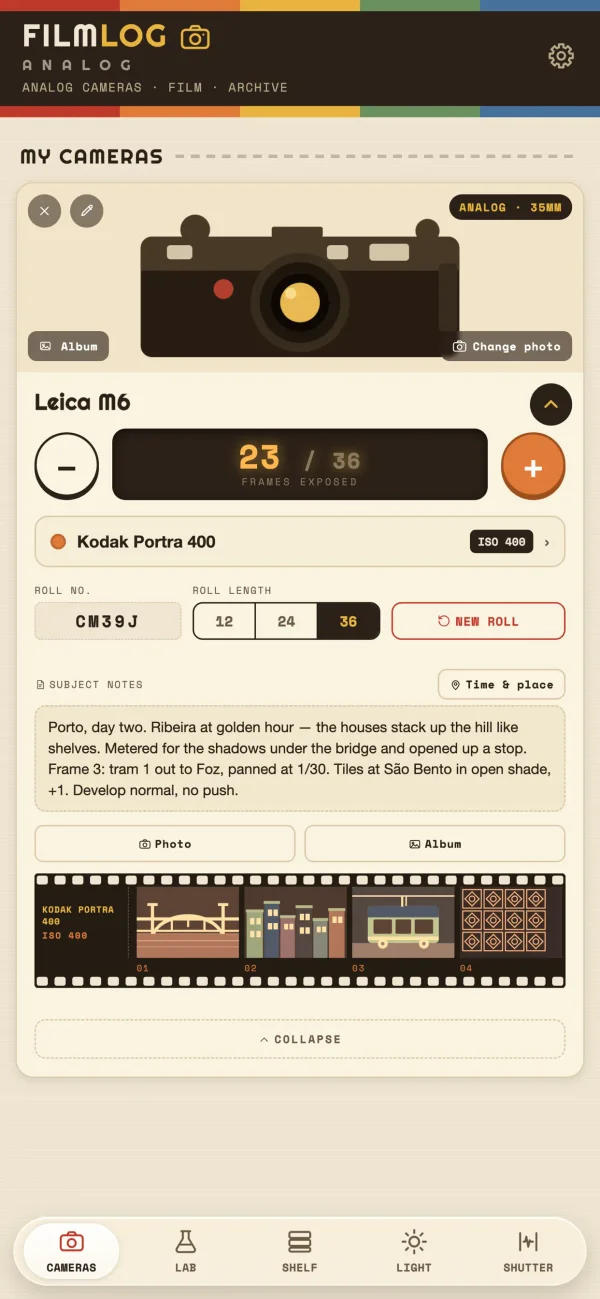
Add your cameras, load a film, count the frames. Each camera shows what is loaded and how far along you are. Every roll gets a five-character number when you load it — write it on the canister, and a scan that comes back weeks later still finds its entry. Subject notes with time and place, and a film strip of the shots you took — photographed in the app or picked from your album.
LIGHT METER
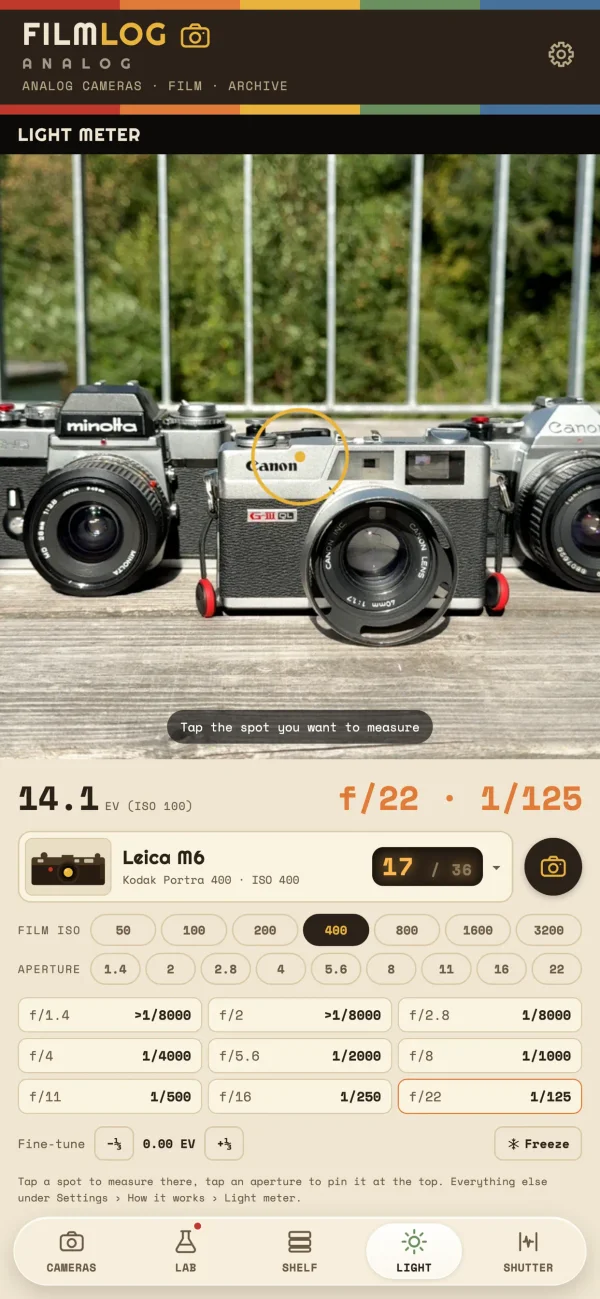
Reads the camera's real exposure values: ISO, time and aperture. Tap the spot you want to measure, then tap an aperture to pin that combination. It tells you when you need a tripod, and says nothing at all when there is too little light for a useful reading.
SHUTTER
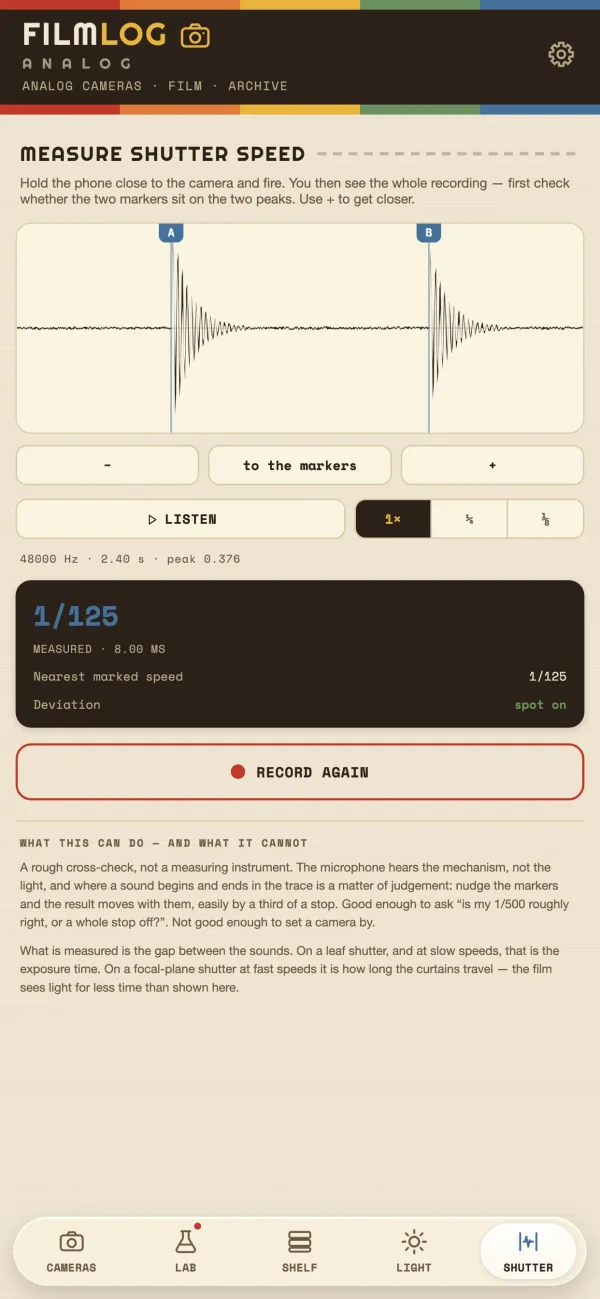
Measure a shutter speed by ear. Hold the phone close to the camera and fire: the microphone hears the shutter, the waveform shows it, and two markers span the time between the two sounds. Underneath stands the measured time, the nearest speed on the dial, and how far off it is in stops. Listen back at a quarter or an eighth speed to hear the two sounds apart — at 1/500 they are two milliseconds apart, and at full speed your ear fuses them into a single click.
A rough cross-check, not a measuring instrument. The microphone hears the mechanism, not the light. And what it measures is the gap between the two sounds: on a leaf shutter, and at slow speeds, that is the exposure time, but on a focal-plane shutter at fast speeds it is how long the curtains travel — a narrow slit crosses the film, and any one spot sees light for far less time. A measured 1/60 there can be a perfectly correct 1/1000.
LAB AND ARCHIVE
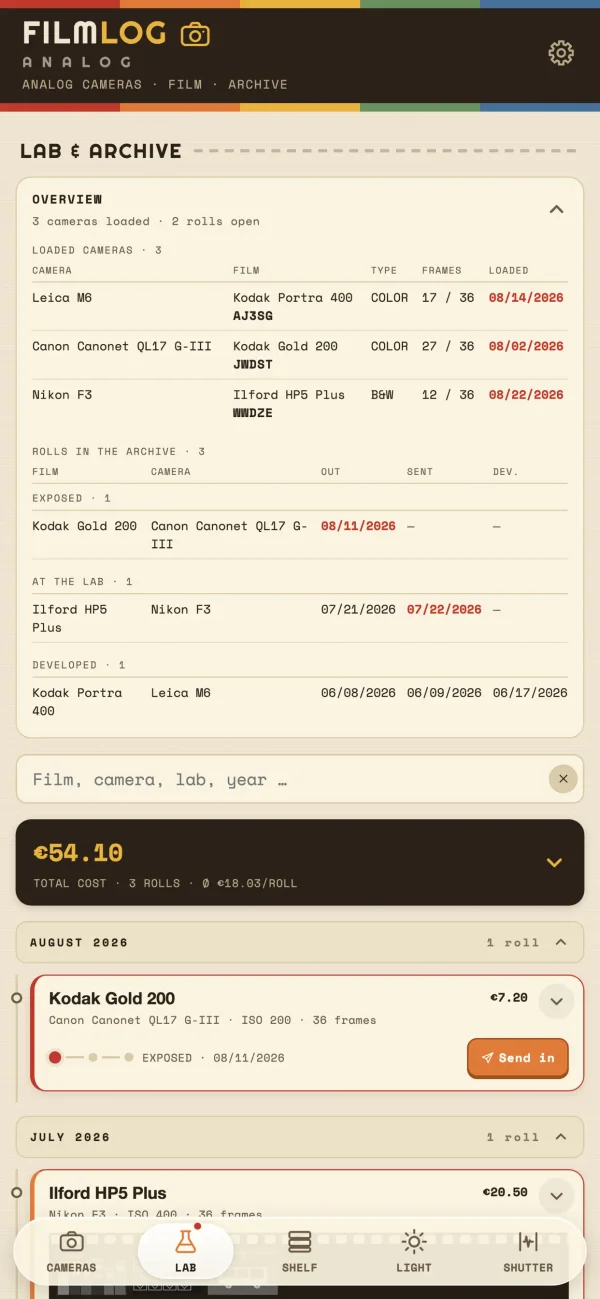
An overview sits at the top of the page: which film is in which camera, with the frame count and the day it was loaded, and where every roll in the archive stands — taken out, sent in, developed. Dates that are getting old are shown in red, so a roll that has been sitting somewhere for weeks catches your eye.
Every roll you take out lands in the archive: which camera, what was on it, when and where it was developed, what it cost. Rolls sit on a timeline in the order things happened, each showing where it stands and the photos that are on it. Search by film, camera, lab or year — or by state: waiting, sent, developed. Export a single roll or a whole year as a PDF, with your notes and film strips.
SHELF
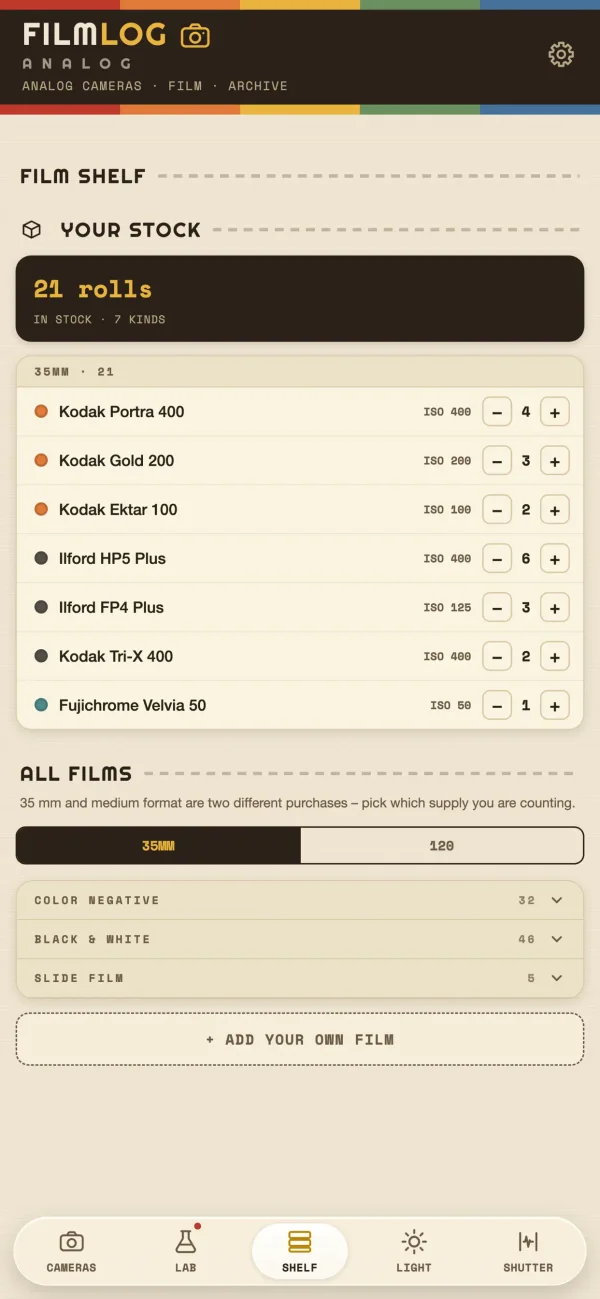
What is left in the fridge, by format. Loading a film into a camera counts it down by itself.
ON THE CAMERA
Meant for a phone clamped to the camera: turn it sideways and the meter puts the viewfinder on one side and the readings on the other, while the lab shows the list beside the roll you picked. Off by default, switched on in the settings — portrait stays the way the app works.
NO ACCOUNT, NO SERVER
Filmlog Analog is designed as a data-minimising offline app. There is no user account, no registration and no server of our own. Everything you enter is stored solely on your device.
One exception, and only when you ask for it: tapping "Time & place" on a note sends the coordinates to OpenStreetMap (Nominatim) to turn them into a place name. Nothing else is transmitted.
YOUR BACKUP IS YOURS
Because nothing lives on a server, nobody can restore your data for you. The app writes a backup file you keep — on your device, in iCloud, wherever you want it. Please do make one. If the phone is lost and there is no backup, the notes are gone.
A short manual sits in the settings: eight chapters, one per page, including the things that are easy to miss.
Available in English, German, Japanese and Korean.
The app works entirely offline.
What’s new
Version 1.10.0 · Nov 17, 2026
Filmlog now speaks Spanish and Portuguese. It follows your phone's language, or pick one under Settings › Language.
Quick guide on the Light page: tap TIPS at the top for typical light – snow, full sun, overcast, sunset, night – with aperture and shutter speed worked out for your film's ISO. Tap a row to take its aperture.
Text size: under Settings you can now switch to larger text. Only the type grows – buttons, spacing and layout stay where they are.
New look: the bar at the bottom is now a floating pane of clear glass, in portrait and landscape. The marker glides with your finger as you swipe between pages.
Smoother: camera cards open and close in one gentle movement, and an open card stays put. Rolls in the lab fold away just as softly. On the film strip, the sprocket holes now move in step with the pictures.
Light meter: the viewfinder no longer jumps when you open the page, and the live picture is there sooner – the camera starts as you head for the page and stays ready for a few seconds after you leave.
Fixed: a camera card no longer folds shut when your phone asks for location access, so the note you were about to write stays in view. Editing a roll in the lab now shows its roll number at the top.
Export: while your archive is still empty, Settings now says when the PDF button will appear, instead of showing a section without one.
App privacy
What Marco Krenz declares on the App Store about how this app handles data.
-
Data not linked to you
May be collected but is not linked to your identity.
- Location
Privacy practices may vary, for example with the features you use or your age.
Information
- Seller
- Marco Krenz
- Category
- Photo & Video
- Version
- 1.10.0
- Updated
- Nov 17, 2026
- Released
- Sep 4, 2026
- Size
- 5.1 MB
- Requires
- iOS 15.0 or later
- Age rating
- 4+
- Price
- $2.99
- Languages
- English, German, Japanese, Korean, Portuguese, Spanish
- Copyright
- © 2026 Marco Krenz
You might also like
-
 metalignLogbook for film photography
-
 FilmStashAnalog Film Tracker
-
 SilverlogFilm Photography Logbook
-
 myDarkroom: Film DevelopmentFilm & Paper Development
-
 Silverlog ReciprocityFilm Long Exposure Calculator
-
 Agitate: Film Dev TimerDarkroom timer, B&W to E-6
-
 Silverlog TimerDarkroom Development Timer
-
 FilmLog - Shot & Roll TrackerAnalog film logbook & meter
-
 FilmDev: Darkroom TimerFilm develop timer & recipes
-
 SpiraleDevelop B&W film at home