- Age rating4+
- CategoryMusic
- DeveloperPatrick Q. Kelly
- LanguagesEnglish
- Size119.6 MB
Links to the official App Store page
Download.org hosts no file of Fingering Brass •. The button opens its official App Store page, published by Patrick Q. Kelly. Listing last checked on Nov 14, 2026.
Screenshots


About
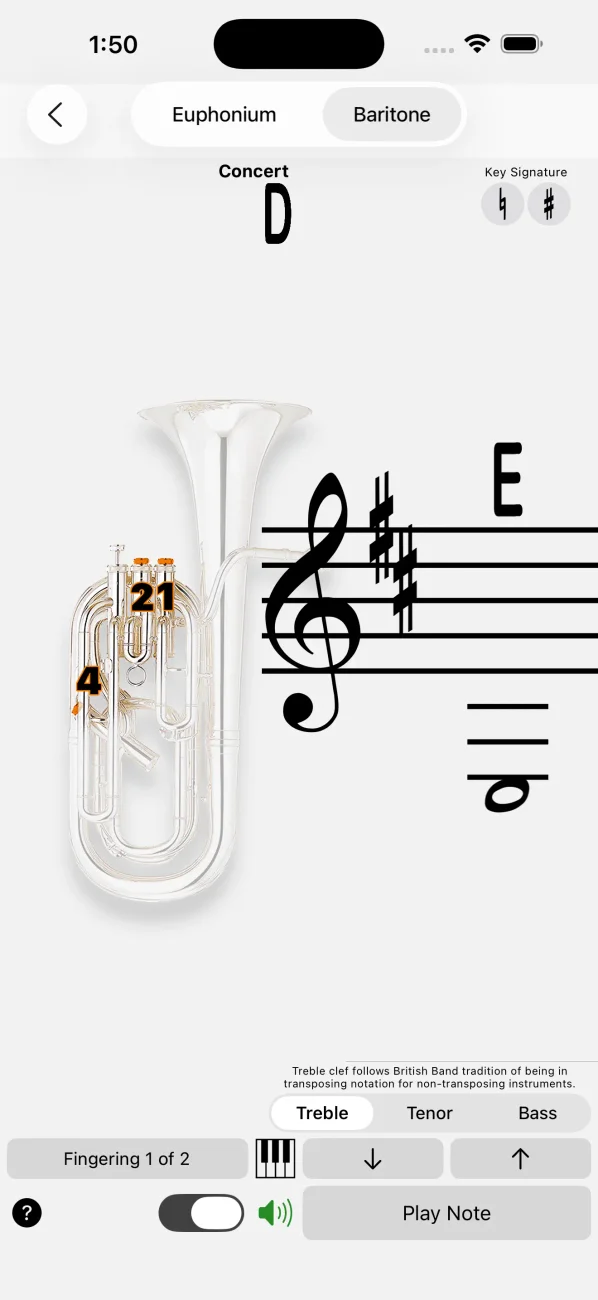
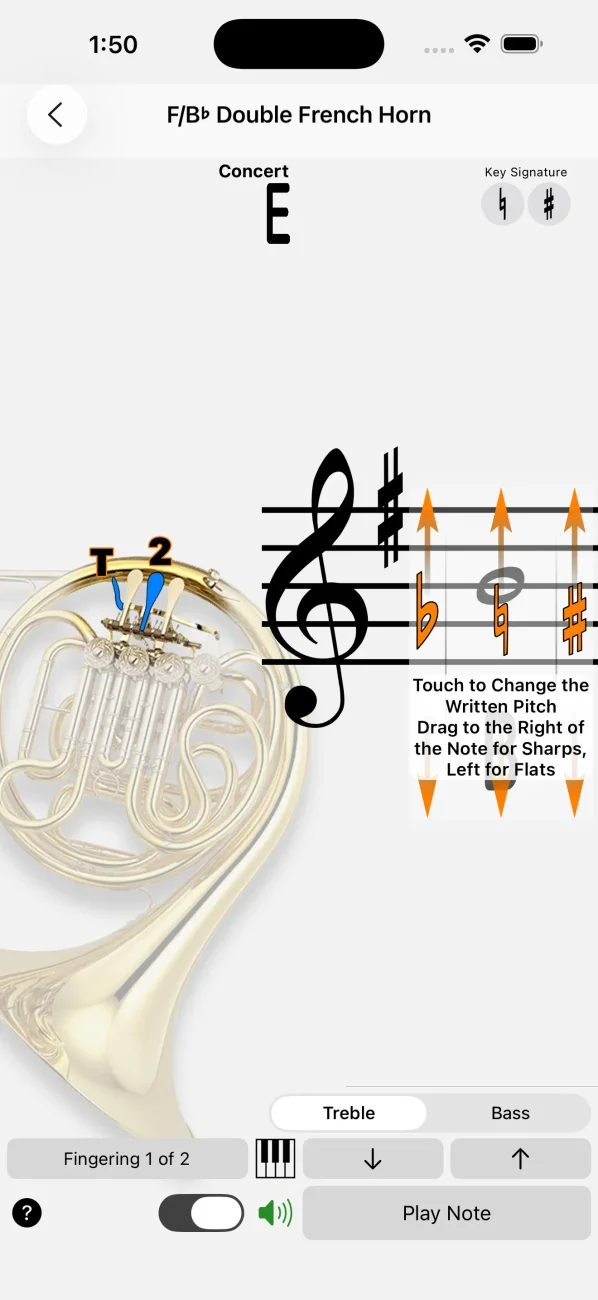
Immediate access to fingerings (with alternates) for each instrument’s entire playable range. Get fingerings from the written or concert pitch.
Support for Key Signatures to more easily find a fingering in the music you're working on.
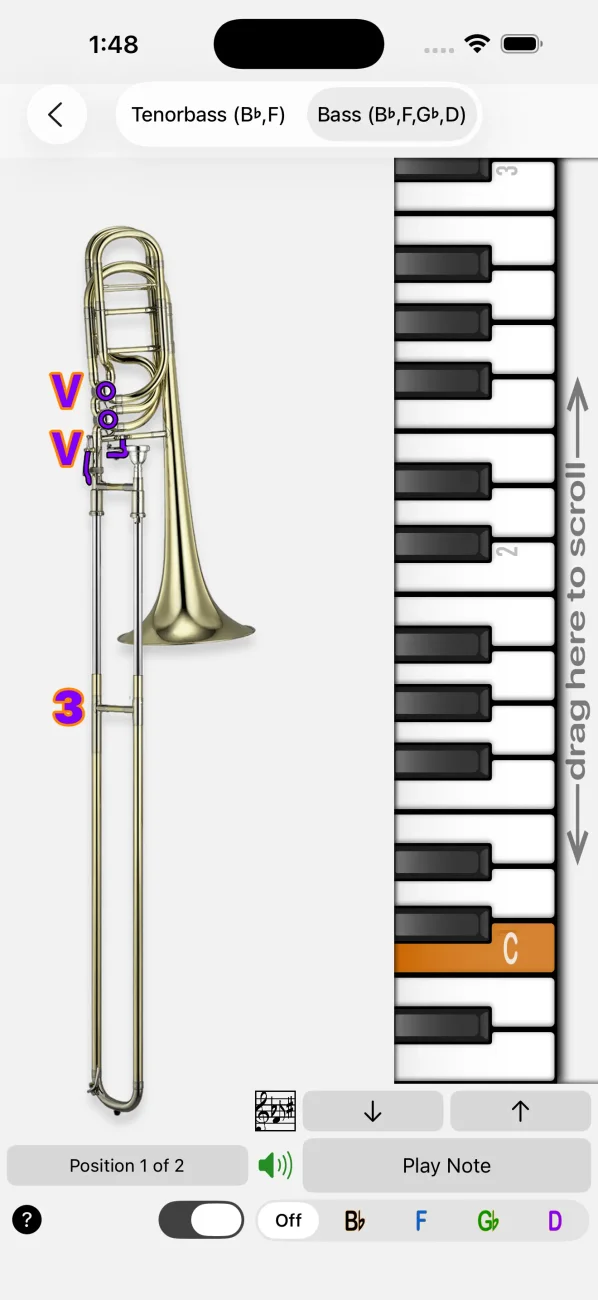
Instruments: F/Bb Double French Horn, A, Bb, C and D Trumpets (Cornet, Flugelhorn), Bb/F Tenorbass and Bb/F/Gb/D Bass Trombones, Euphonium and Baritone, BBb, CC, Eb and F Tubas
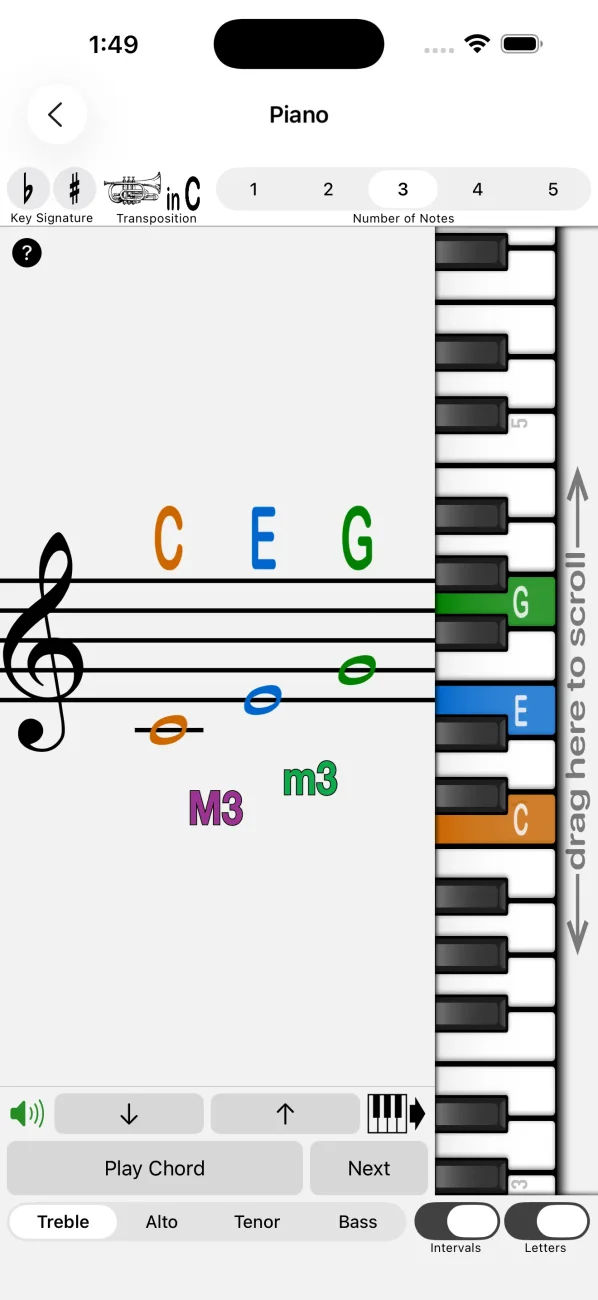
The 'Piano' instrument simultaneously displays the note names, the locations on the piano, and the musical notations of up to 5 pitches in either Treble, Alto, Tenor or Bass clef. The Notation can be transposed for most all instrumental transpositions.
• Trombones include position guides for the different valve combinations.
Common Clefs for Select Instruments:
• Bb/F Tenorbass Trombone, Bb/F/Gb/D Bass Trombone, Euphonium and Baritone include Treble, Tenor and Bass clefs.
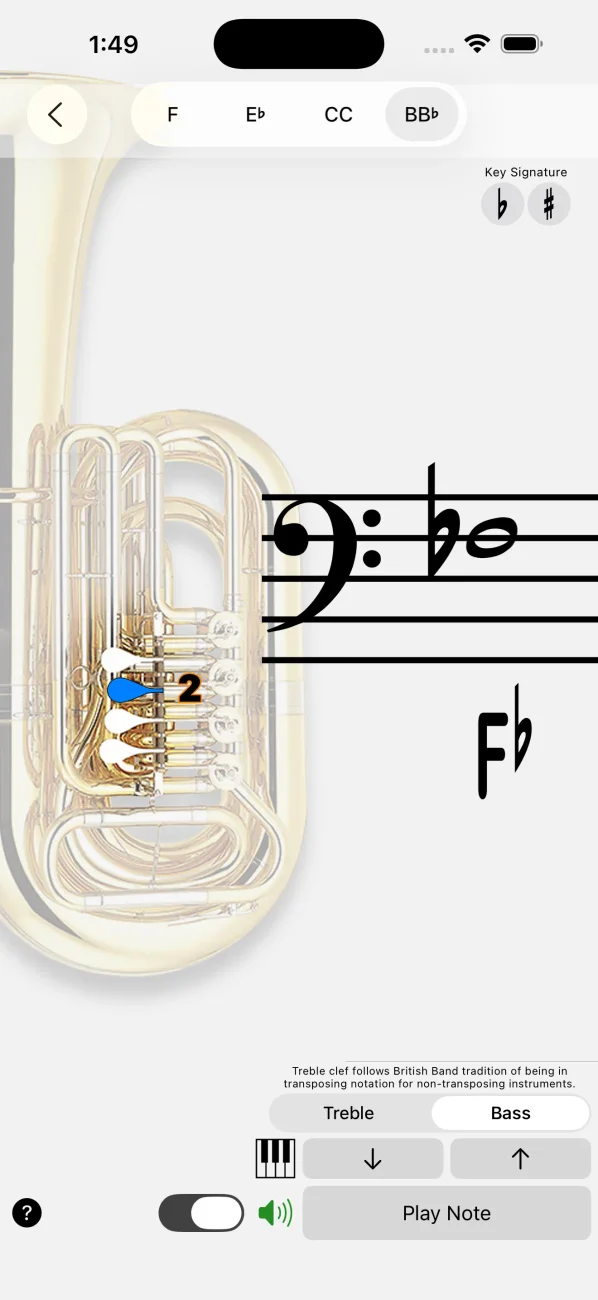
• F/Bb Double French Horn, BBb Tuba, CC Tuba, Eb Tuba, and F Tuba include Treble and Bass clefs.
Treble clef on the brass instruments follow British Band tradition of being in transposing notation for non-transposing instruments. Affects Bb/F Tenorbass and Bb/F/Gb/D Bass Trombones, Euphonium, Baritone, and BBb, Eb and F Tubas.
How to Use:
Pick a written note (touch the staff) and have the fingering displayed and concert pitch played. Touch a button and reveal the note on the piano.
Play a concert pitch on the piano, and have that pitch's fingering displayed. Touch a button and reveal the transposed note written on the staff.
• If there are alternate fingerings available for a note, a button will allow you to navigate through them.
• Use the 'Play Note' button to repeatedly hear what's being displayed.
• Use the mute button to access the fingerings without hearing the pitches.
Selecting a Pitch:
Using the Staff (transposed for the current instrument): Simply touch and slide up and down on the staff to select the note, slide to the right or left of the note for sharps and flats.
Using the Piano (concert pitch): drag in the area below the keyboard to move the keyboard, touch to play notes, touch & slide to change the pitch. When you glissando up the keyboard, notes will be notated as a raised value (sharps), when you glissando down, notes will be notated as lowered values (flats).
Use the up and down arrows to move chromatically up and down without touching the music staff or piano keyboard.
What’s new
Version 8.0 · Jun 18, 2026
Support for Key Signatures to more easily find a fingering in the music you're working on.
Minor updates and stability improvements.
App privacy
What Patrick Q. Kelly declares on the App Store about how this app handles data.
-
Data not collected
The developer does not collect any data from this app.
Privacy practices may vary, for example with the features you use or your age.
Information
- Seller
- Patrick Kelly
- Category
- Music
- Version
- 8.0
- Updated
- Jun 18, 2026
- Released
- Jun 4, 2010
- Size
- 119.6 MB
- Requires
- iOS 26.0 or later
- Age rating
- 4+
- Price
- $1.99
- Languages
- English
- Copyright
- © 2010 - 2026 Patrick Q. Kelly. All Rights Reserved.
You might also like
-
 Trombone Slide Position ChartLearn Notes, Tuner & Songs
-
 Brass Up!Music
-
 TonalEnergy Tuner & MetronomePowerful Music Practice Tools
-
 iReal ProMusic Book & Backing Tracks
-
 SibeliusMusic Notation and Scoring App
-
 Sheet Music Reader HalbestundeScan & Learn to Read Notes
-
 Music Tutor (Sight-reading)Improve your sight-reading
-
 forScoreTurbocharge your sheet music
-
 Newzik: Sheet Music ReaderYour scores anytime, anywhere
-
 Sheet Music ScannerScore Note Finder & Reader