FireStick Universal TV Remote
Remote for Smart TV, Stick
Designed for iPhone, iPad, iPod touch
Free · In-app purchases
- Age rating4+
- CategoryUtilities
- DeveloperPIRON APPS
- LanguagesEnglish
- Size33.0 MB
Links to the official App Store page
Download.org hosts no file of FireStick Universal TV Remote. The button opens its official App Store page, published by PIRON APPS. Listing last checked on Nov 13, 2026.
Screenshots
About
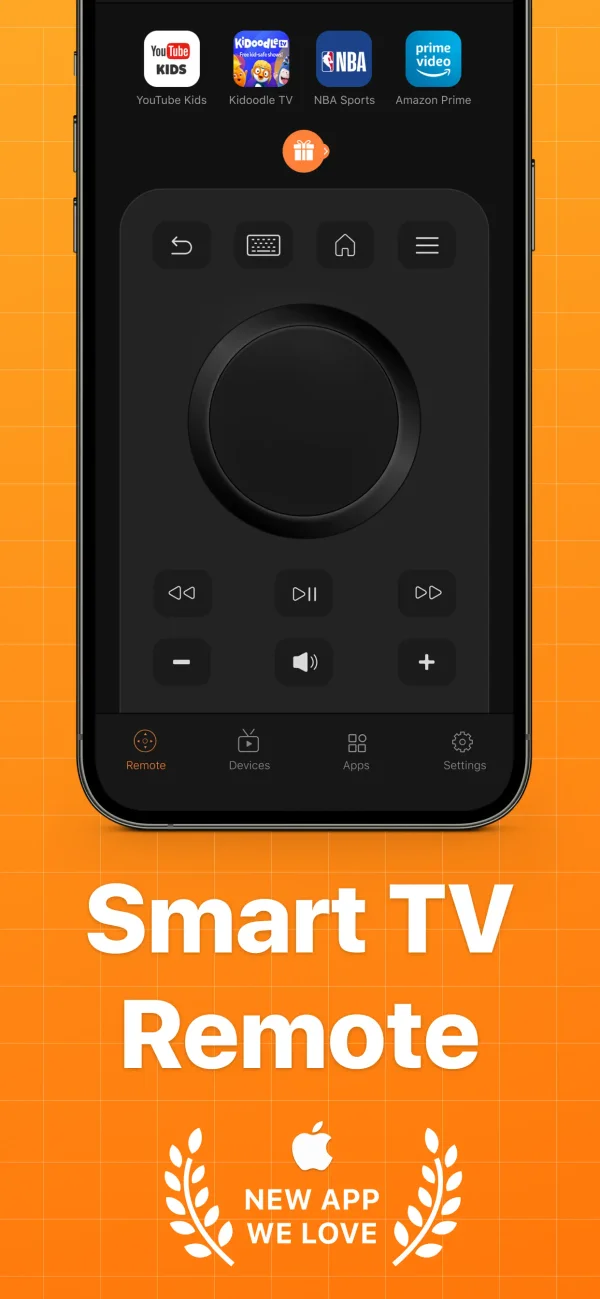
Smart TV Remote Control is specifically designed to bring an easy remote to control your TV. Just connect your remote control app to your TV and start controlling it..
Smart TV Remote control provides you with many useful features such as:
Fully Functional TV Remote Control
Stable Device Connection Mechanism
Fast Keyboard for Quick Search
Channel Shortcuts for easy access
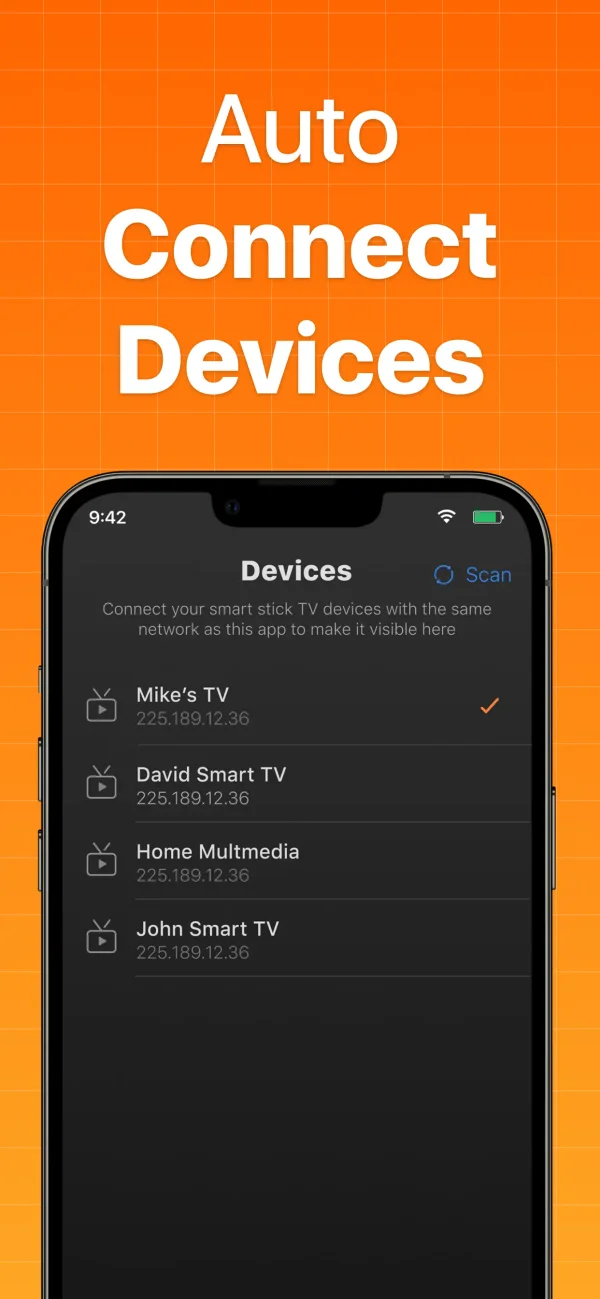
Automatic Connection to Devices
Please make sure that your phone is connected to the same Wi-Fi network as your TV. Here is how the app works with your TV:
Install this app on your phone.
Launch and tap on the device connection screen.
Wait for a few seconds for the app to find and connect with your TV.
Start using the remote control.It is that simple.
Premium Screen:
You can be a premium user through an auto-renewing subscription:
1-Month Plan, first 3 days free and then $1.99/Month-
Payment will be charged to iTunes Account at confirmation of purchase- Subscription automatically renews unless auto-renew is turned off at least 24-hours before the end of the current period-
Account will be charged for renewal within 24-hours prior to the end of the current period, and identify the cost of the renewal
– Subscriptions may be managed by the user and auto-renewal may be turned off by going to the user’s Account Settings after purchase
- You may cancel a subscription during its free trial period via the subscription setting through your iTunes account. This must be done 24 hours before the end of the subscription period to avoid being charged. Please visit http://support.apple.com/kb/ht4098 for more information
- You may turn off the auto-renewal of your subscription via your iTunes Account Settings. However, you are not able to cancel the current subscription during its active period- Any unused portion of a free-trial period, will be forfeited when the user purchases a subscription
Privacy Policy: https://1drv.ms/t/s!AhFqsfV6n6ePbZ-D1y5mhg_VWxg
Terms of Usage: https://1drv.ms/t/s!AhFqsfV6n6ePblD397_rLo_cfV4?e=BauqUz
If you have any query, feel free to contact us at contactus@pironapps.com
What’s new
Version 1.6 · Aug 30, 2026
-Minor Bug Fixes
-UI Improvements
-Functionality Improvements
App privacy
What PIRON APPS declares on the App Store about how this app handles data.
-
Data not collected
The developer does not collect any data from this app.
Privacy practices may vary, for example with the features you use or your age.
Information
- Seller
- PIRON APPS
- Category
- Utilities
- Version
- 1.6
- Updated
- Aug 30, 2026
- Released
- Mar 25, 2022
- Size
- 33.0 MB
- Requires
- iOS 14.5 or later
- Age rating
- 4+
- Price
- Free
- In-app purchases
- Yes
- Languages
- English
- Copyright
- © M. Waleed 2022
You might also like
-
 Fire TV Remote - Fire StickFirestick TV Remote Control
-
 Remote control for FireAppSmart TV Remote
-
 Smart Remote - Fire TV StickRemote Control Firestick TV
-
 Fyro : tv remote & stick tvControl your tv
-
 Remote Control for FireStickSmart Controller for TV Stick
-
 FireApp - TV Remote Control#1 Universal Smart Controller
-
 Remote for FireStick and TVTV Control to Smart TV
-
 Fire Remote: TV Stick RemoteCast & Remote: Fire Device TV
-
 Fire Remote for TVRemote+ Mirror to Large TV
-
 Remote for Fire TV: FiretySmart Control for Firestick