
FireUsage: AI Usage & Limits
Limits, resets & widgets
Designed for iPhone, iPad, iPod touch
Free
- Age rating4+
- CategoryUtilities
- DeveloperJinho Park
- LanguagesEnglish+ 30 more
- Size27.8 MB
Links to the official App Store page
Download.org hosts no file of FireUsage: AI Usage & Limits. The button opens its official App Store page, published by Jinho Park. Listing last checked on Nov 12, 2026.
Screenshots

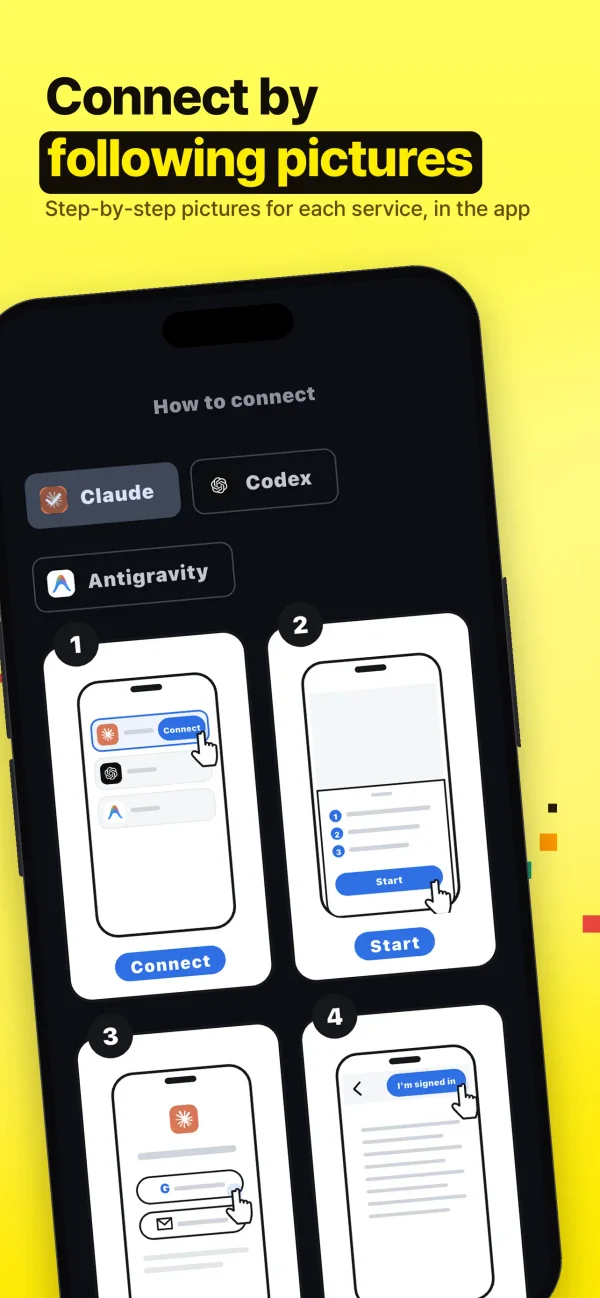
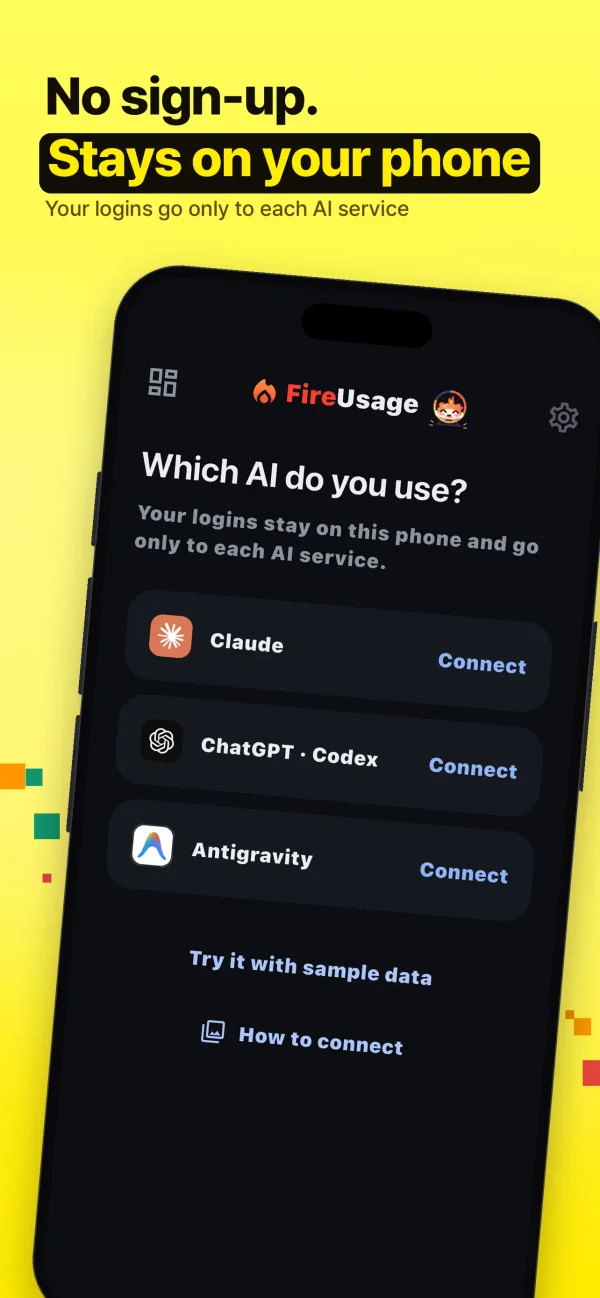
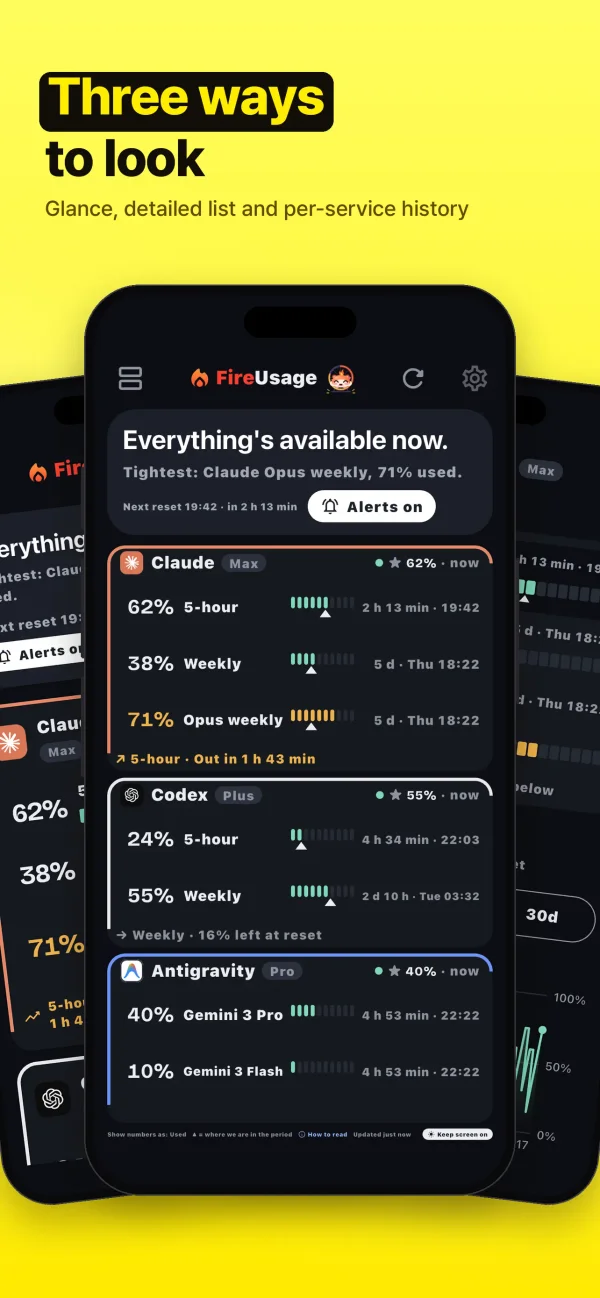
About
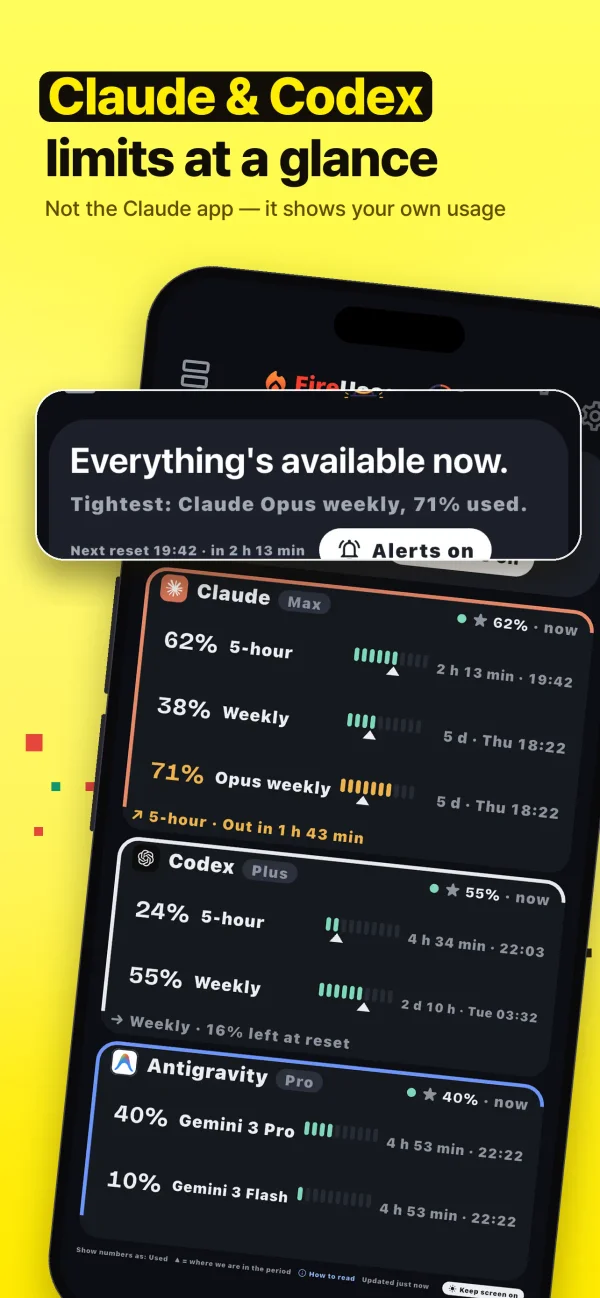
When can I use my AI again? AI Usage answers in one sentence.
Look for the FireUsage logo — that's us.
Connect Claude, ChatGPT (Codex) and Antigravity, and see how much of each limit is left and when it refills.
One-sentence answer
The top line tells you right away: everything is available, or which service frees up next and in how long.
Glance view
Every limit on one screen, with no scrolling. While it is open, the screen stays on and refreshes every 3 minutes. Great propped up on your desk, or on iPad in landscape.
Choose what you see
Pick which limits each card shows, and set the main limit used for the big number, widgets and alerts.
Used or remaining, your choice
Bars show what you have used by default, or switch to what you have left. Every window is covered, from the 5-hour window and the weekly window to per-model limits, with a countdown to each reset.
Will you run out?
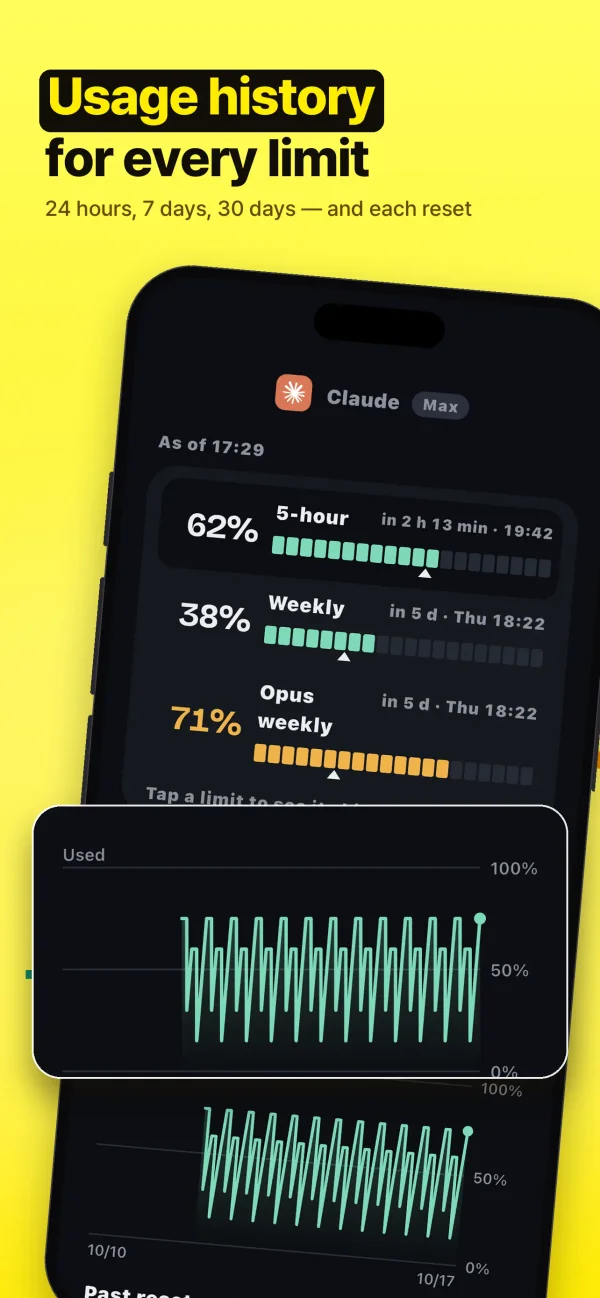
The ▲ marker under each bar shows an even pace, and a forecast tells you whether you will run out before the reset at your current pace. Tap a service for a 24-hour, 7-day or 30-day history chart.
Widgets
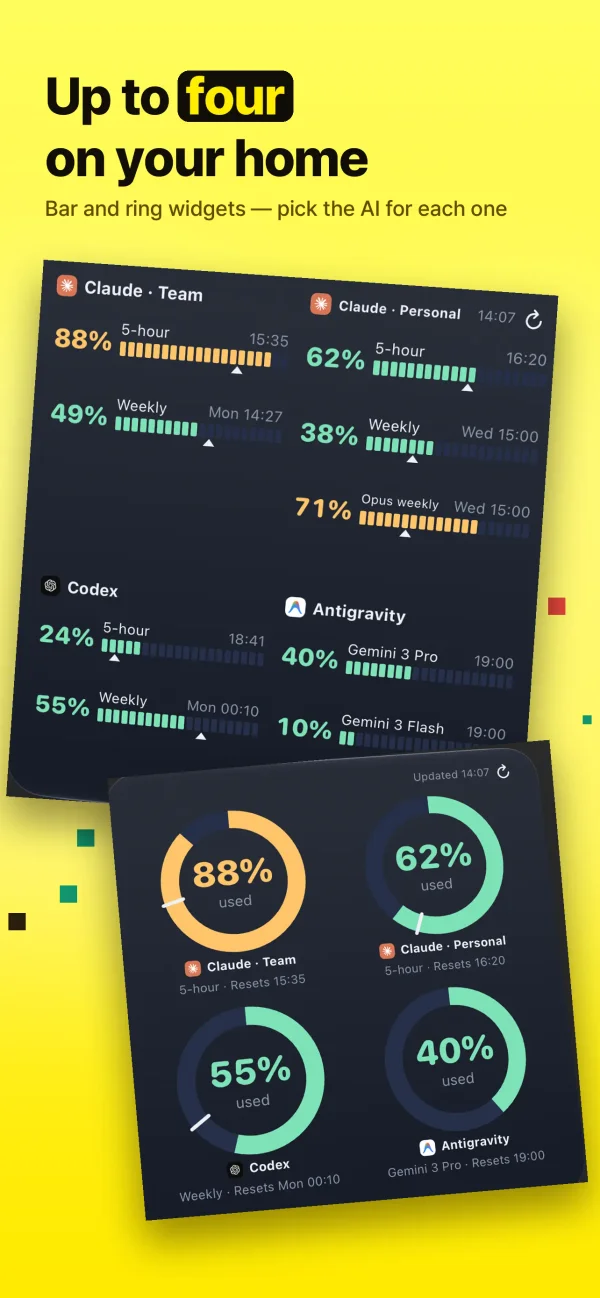
Bar and ring widgets for the home screen, plus a circular Lock Screen gauge. Widgets follow your device's light or dark appearance. Bars are segmented, and bars and rings carry the same ▲ pace marker. The large widget shows up to four and can list every limit of each card, and a small widget can show the AI you pick.
Alerts
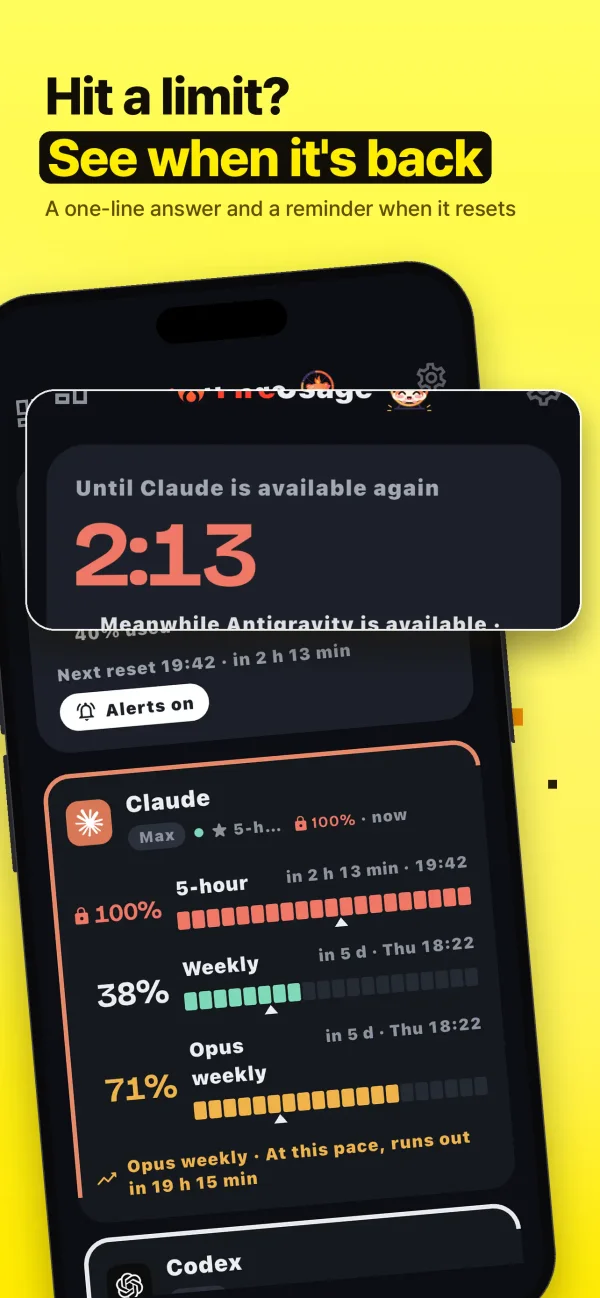
Get one heads-up when a limit drops to your level (20% by default), and a reminder when a limit you hit is expected to reset.
Lock screen countdown
When an AI hits its limit, the Lock Screen and Dynamic Island count down to when it is back. You can turn this off in Settings.
Siri & shortcuts
Ask Siri, or use the “Check AI usage” action in Shortcuts.
iPad
Works on iPad, with the glance view in landscape.
Keeps up with each service
Shows every limit group the service itself shows, including Antigravity's Gemini 4 Argon. Rename any limit, get one note when a new limit appears, and see your reset credits. When a service changes how it reports usage, the app follows along without waiting for an update.
Private by design
No sign-up. Your logins and usage history stay on your phone, and your logins are sent only to the AI service itself. Apart from routine checks for app updates and service settings and a note when it meets a new usage-item layout (no numbers or account details), the app sends us no information about you. No ads, no analytics, no tracking.
Try it first
Not sure yet? Preview the app with sample data before connecting anything.
AI Usage is an independent app and is not affiliated with, endorsed by, or sponsored by Anthropic, OpenAI, or Google. Claude, ChatGPT, Codex, Gemini and Antigravity are trademarks of their respective owners.
App privacy
What Jinho Park declares on the App Store about how this app handles data.
-
Data not linked to you
May be collected but is not linked to your identity.
- Diagnostics
Privacy practices may vary, for example with the features you use or your age.
Information
- Seller
- Jinho Park
- Category
- Utilities
- Version
- 1.0.19
- Updated
- Nov 6, 2026
- Released
- Nov 5, 2026
- Size
- 27.8 MB
- Requires
- iOS 15.0 or later
- Age rating
- 4+
- Price
- Free
- Languages
- English, Arabic, Bengali, Danish, Dutch, Finnish, French, German, Hebrew, Hindi, Indonesian, Italian + 19 more
- Copyright
- © 2026 nlap
You might also like
-
 iPlant - Bạn của nhà nôngUtilities
-
 Kitty AI UsageUsage limits in a cat widget
-
 NSVN WarrantyUtilities
-
 NZ Passport Photo AppPassport Size Photo Maker
-
 NFC Pro Tools: Scan & WriteRead, Write, Encrypt NFC Tags
-
 Unraid Deck - Server ManagerUnraid NAS Monitor & Control
-
 Watch Tuner TimegrapherUtilities
-
 iFTxMobile FT8 and FT4
-
 iPerfmanAn iPerf3 tool
-
 HamAlertUtilities