Unraid Deck - Server Manager
Unraid NAS Monitor & Control
Designed for iPhone, iPad
Free · In-app purchases
- Age rating4+
- CategoryUtilities
- Developer祥瑞 谢
- LanguagesEnglish+ 16 more
- Size85.2 MB
Links to the official App Store page
Download.org hosts no file of Unraid Deck - Server Manager. The button opens its official App Store page, published by 祥瑞 谢. Listing last checked on Nov 23, 2026.
Screenshots




About
Securely control your Unraid server from your iPhone and iPad.
Unraid Deck is a native iOS client for monitoring dashboards, managing files, Docker containers and Compose stacks, controlling VMs, receiving server alerts, streaming Docker logs, and accessing your server through a built-in SSH terminal.
Built for direct server connections, privacy-first workflows, and a fast native iOS experience.
Key Features:
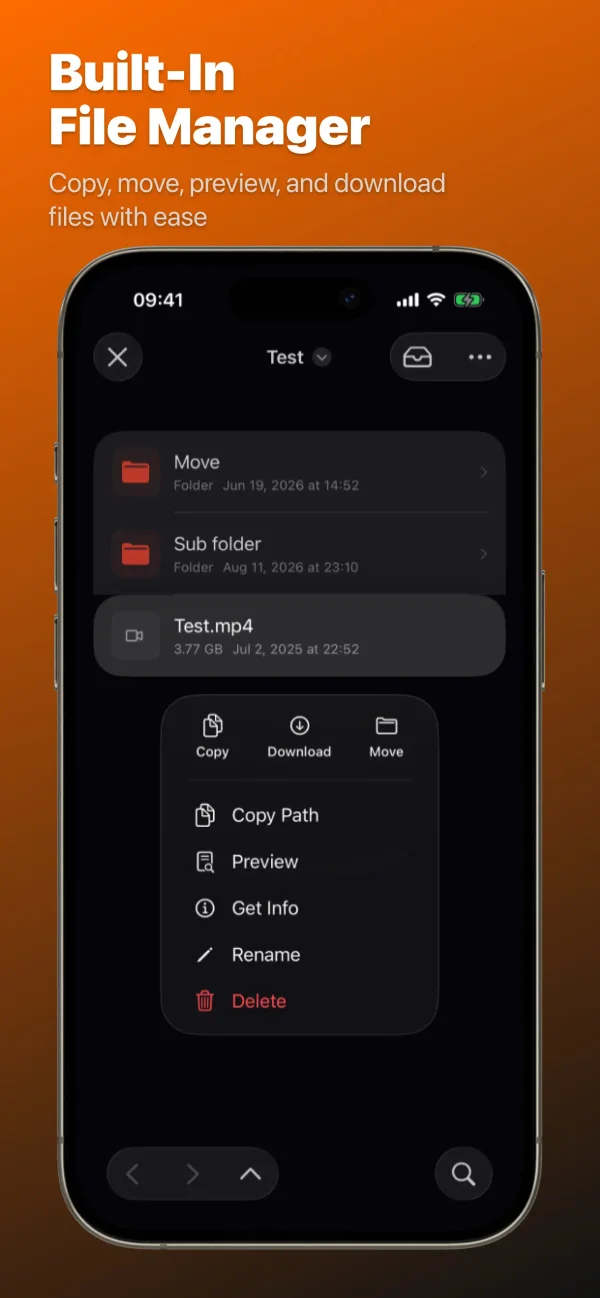
Built-In File Manager
• Browse, upload, download, move, rename, preview, copy paths, view details, and delete files.
• Secure direct access over SSH/SFTP.
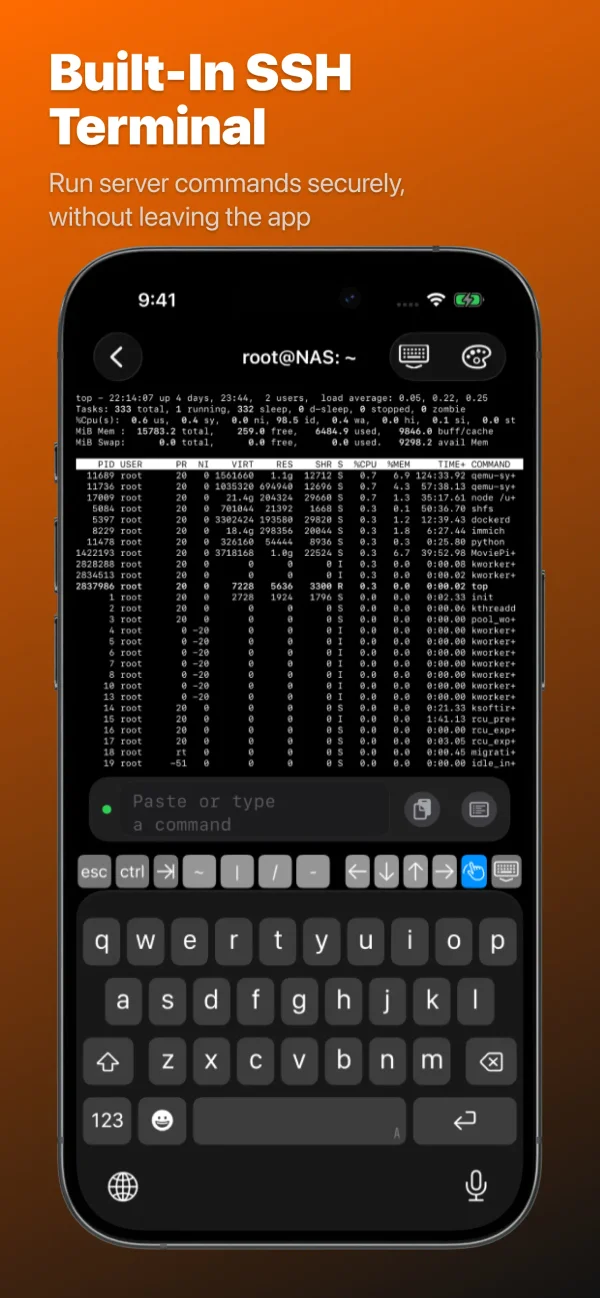
SSH Terminal
• Open an SSH terminal in the app for remote access and command-line workflows.
• Run Docker log shortcuts with one tap when SSH is configured.
Real-Time Push Notifications
• Receive critical Unraid server notifications through Apple APNs.
• Archive, restore unread, and manage notifications in batches.
Smart Connect & Built-In Tailscale
• Automatically select Local, Public, or Tailnet routes for your current network.
• Use built-in Tailscale for secure remote access through your Tailnet.
CA App Store
• Browse and search Docker apps and plugins in Community Applications.
• Configure and install Docker apps using CA store templates.
• Install supported plugins, and view and uninstall installed plugins. Check for updates, update plugins individually or in batches, and view progress and logs.
BT Download Manager
• Manage qBittorrent and Transmission tasks, including status and common actions.
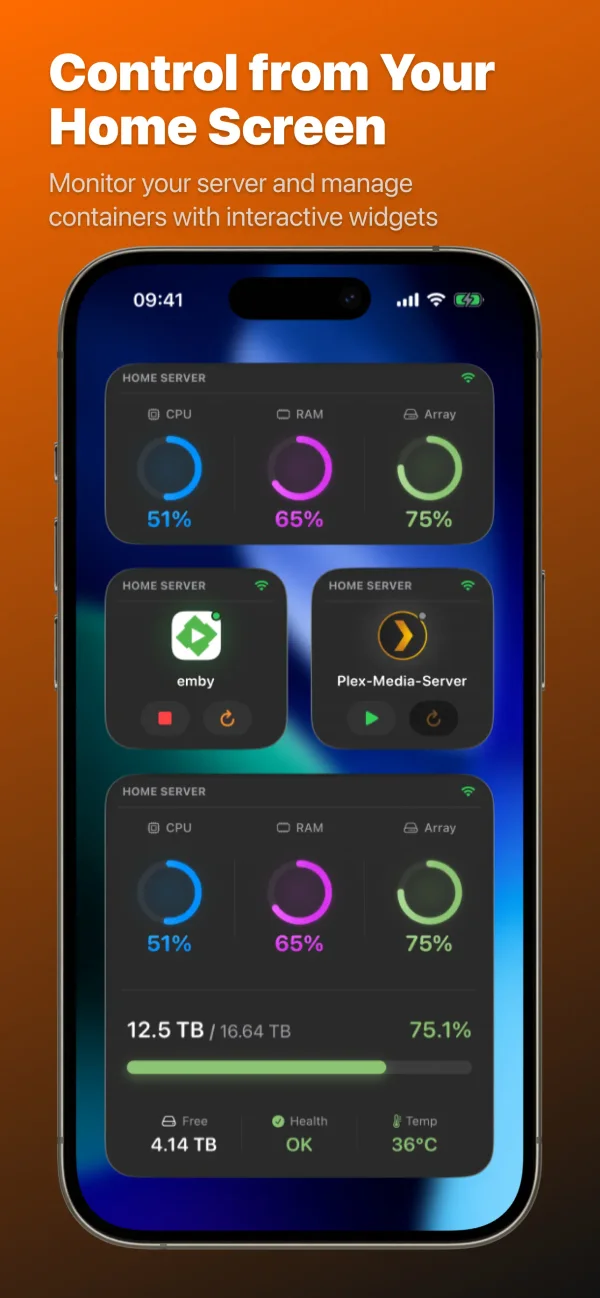
Home Screen Widgets
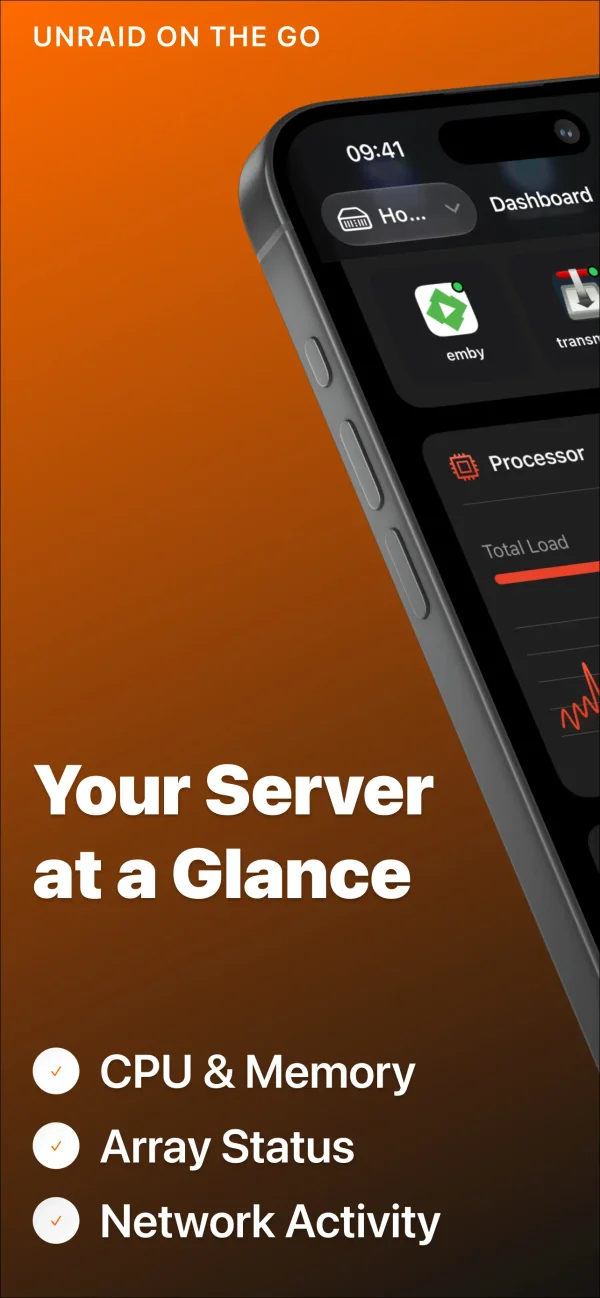
• Monitor CPU, memory, and array usage at a glance.
• Start, stop, and restart Docker containers from your Home Screen.
Dashboard
• Monitor CPU, memory, network traffic, and storage array usage in real time.
• View CPU temperature, power telemetry, network throughput, array health, parity status, and disk temperatures.
Storage Management
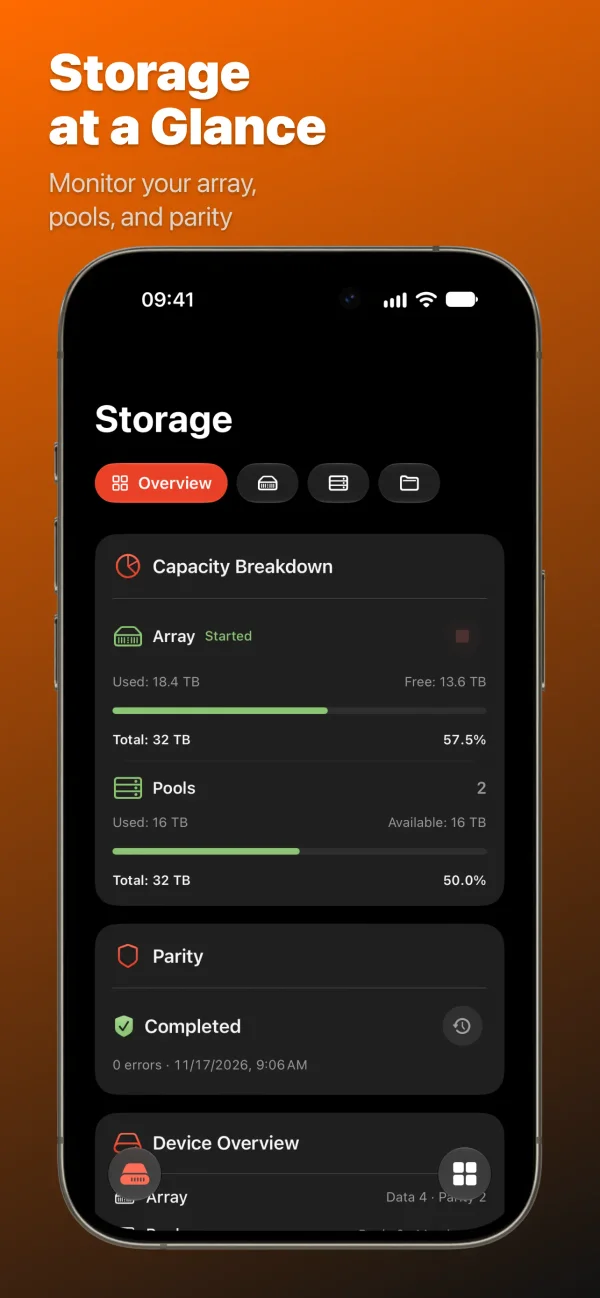
• View arrays, disks, and shares.
• View storage pool capacity and member disks.
• Start and stop the array.
• View parity check status and history, choose check modes, and control checks.
Server Power Controls
• Shut down or reboot your server remotely.
Docker Management
• Create, edit, and delete containers using Unraid and CA store templates.
• Control containers individually or in batches, including start, stop, and restart; view container status and live logs.
• Update Docker containers in batches.
• Use Compose groups and custom icons.
Virtual Machine Control
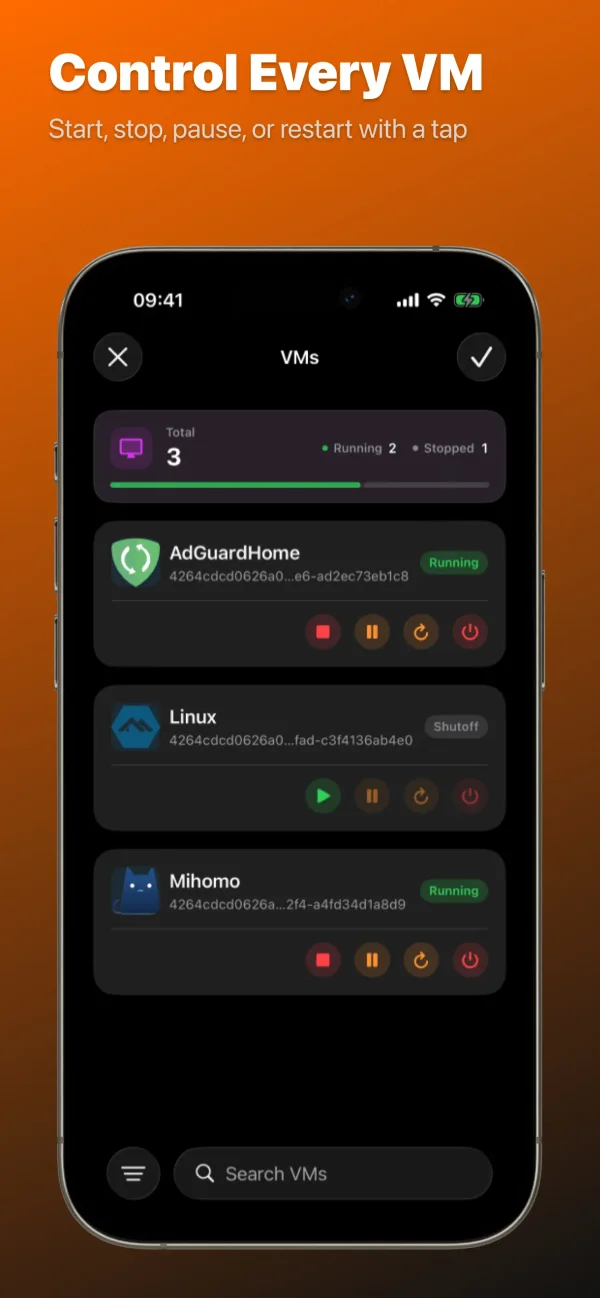
• Search, start, pause, resume, and force stop VMs.
• Run batch operations across multiple VMs.
• Monitor VM status instantly.
Security & Privacy
• The app connects directly to your Unraid server and does not route traffic through its own servers.
• API keys are encrypted and stored in the iOS Keychain.
• Protect access with Face ID or Touch ID.
• Access servers behind authenticated reverse proxies such as Authelia.
• Securely sync configuration across your Apple devices with iCloud.
API Key Access Control
• Create API keys with custom permission groups.
• Use the Unraid Deck preset to fill required permissions.
• View and copy API key details in the app.
REQUIREMENTS
• Unraid OS v6.12 or later; v7.2+ recommended
• Unraid API enabled on your server
• Valid API key for authentication
• Network access to your Unraid server
• SSH access for Terminal, Docker log shortcuts, and File Manager features
• The Unraid Deck Bridge companion plugin is required for Docker creation, editing and image updates, server power controls, array start/stop, and plugin uninstallation. Checking for and applying plugin updates requires a Bridge version that supports this feature.
• Docker creation, editing and image updates, plus installation and uninstallation of regular plugins, require Unraid Deck Pro.
Terms of Use (EULA): https://www.apple.com/legal/internet-services/itunes/dev/stdeula/
Privacy Policy: https://unraid.mccray.app/privacy/
What’s new
Version 2.5.2 · Nov 17, 2026
New Features:
• The CA marketplace now supports checking for plugin updates, updating plugins individually or in batches, and viewing progress and logs.
• When creating or editing a Docker container, you can browse and select the host directory for a bind mount.
Improvements:
• Docker container cards show progress and errors when you start, stop, or restart a container. Scrolling is also smoother when the list reorders.
• Manage biometric protection for each server in Privacy & Security. iCloud Sync has its own settings page, and UPS settings are now in the Dashboard.
• Improved search and filtering for full-screen notifications on iOS 26, along with loading and display in the CA marketplace. File Manager and Dashboard now use the same server icon.
App privacy
What 祥瑞 谢 declares on the App Store about how this app handles data.
-
Data not linked to you
May be collected but is not linked to your identity.
- Purchases
Privacy practices may vary, for example with the features you use or your age.
Information
- Seller
- 祥瑞 谢
- Category
- Utilities
- Version
- 2.5.2
- Updated
- Nov 17, 2026
- Released
- Jan 5, 2026
- Size
- 85.2 MB
- Requires
- iOS 18.1 or later
- Age rating
- 4+
- Price
- Free
- In-app purchases
- Yes
- Languages
- English, Czech, Dutch, French, German, Italian, Japanese, Korean, Polish, Portuguese, Russian, Simplified Chinese + 5 more
- Copyright
- © mccray
You might also like
-
 Unraid ManagerManage your unraid server
-
 Quartermaster: Homelab StackQuartermaster
-
 DashboarrUtilities
-
 Parity: Unraid ClientMonitor & Manage Your Server
-
 HelmarrOne app to rule them all
-
 Icarus - Media ManagerMedia Management, Elevated
-
 U-Manager for UnraidServer monitor, Docker & VMs
-
 TracearrPlex, Emby, & Jellyfin Monitor
-
 Sable.Mobile File Manager
-
 DiskDealUtilities