
Fish Pocket: DSH Agent
Your personal AI assistant
Designed for iPhone, iPad
Free · In-app purchases
- Age rating17+
- CategoryDeveloper Tools
- Developer士浩 王
- LanguagesEnglish+ 5 more
- Size611.7 MB
Links to the official App Store page
Download.org hosts no file of Fish Pocket: DSH Agent. The button opens its official App Store page, published by 士浩 王. Listing last checked on Nov 30, 2026.
Screenshots
About
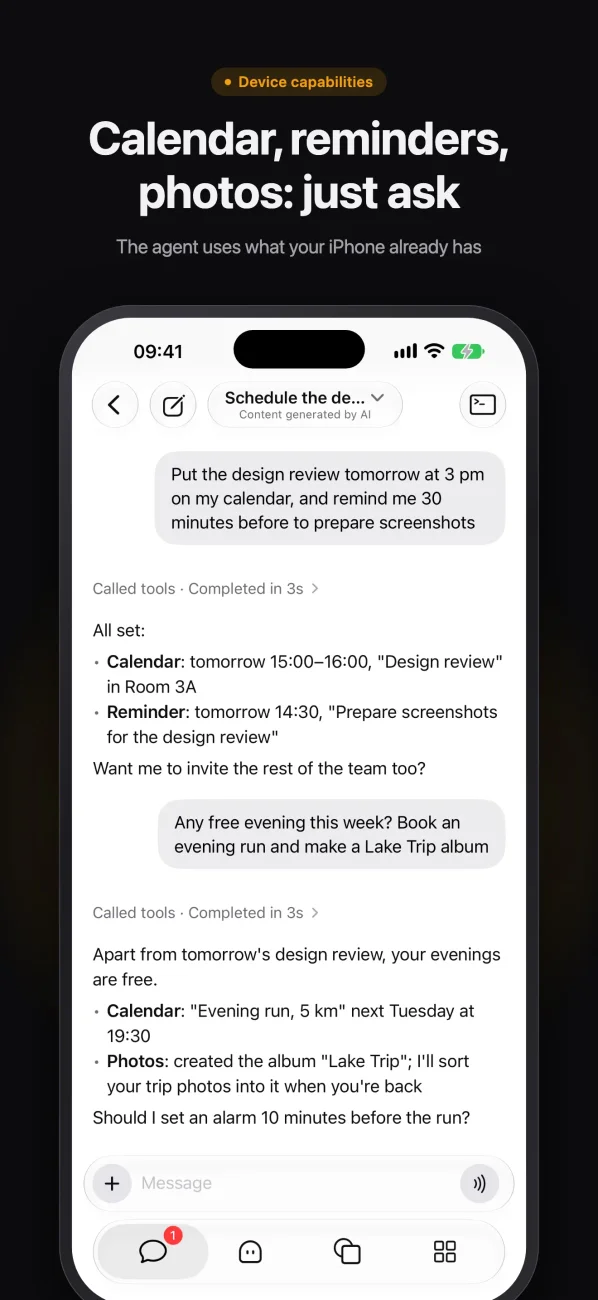
Fish Pocket is a personal AI assistant that lives on your iPhone. The agent engine runs inside the app: it chats, writes code, runs commands, uses your Calendar, Reminders and Photos, works your phone for you, builds Mini Apps on request, and brings a team of Bots. No computer or server needed.
IT WORKS YOUR IPHONE FOR YOU
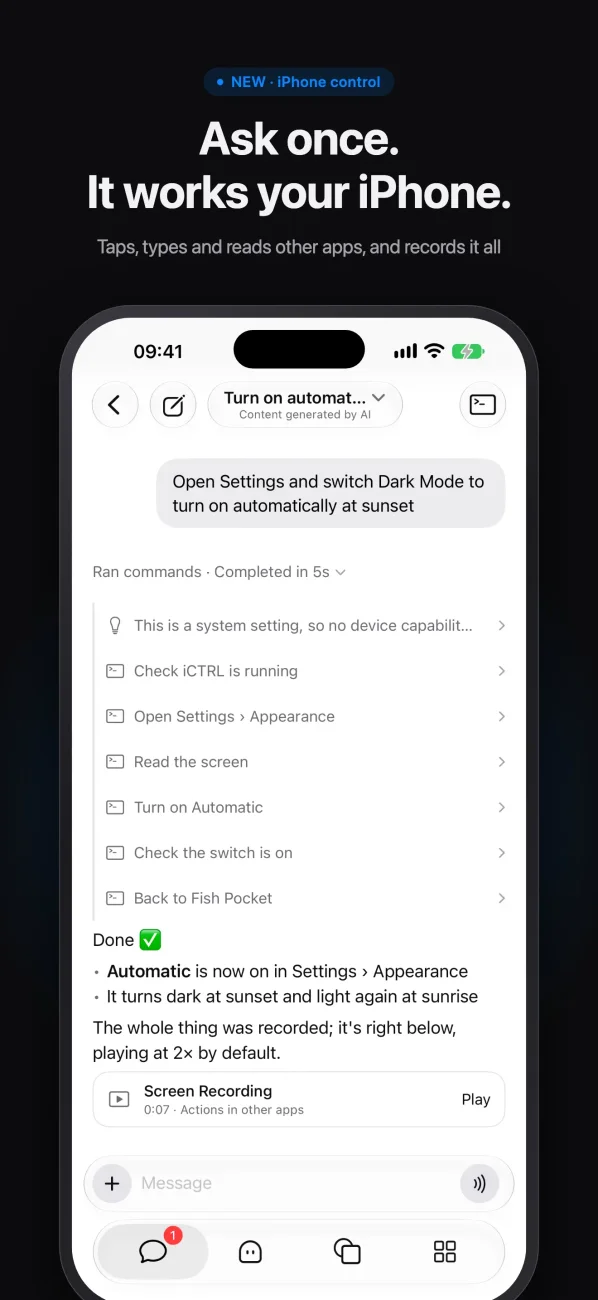
With the open-source iCTRL app, the agent taps, types and reads the screen just like you, getting things done across apps. Every run is recorded and plays back at 2×.
MINI APPS, MADE ON REQUEST
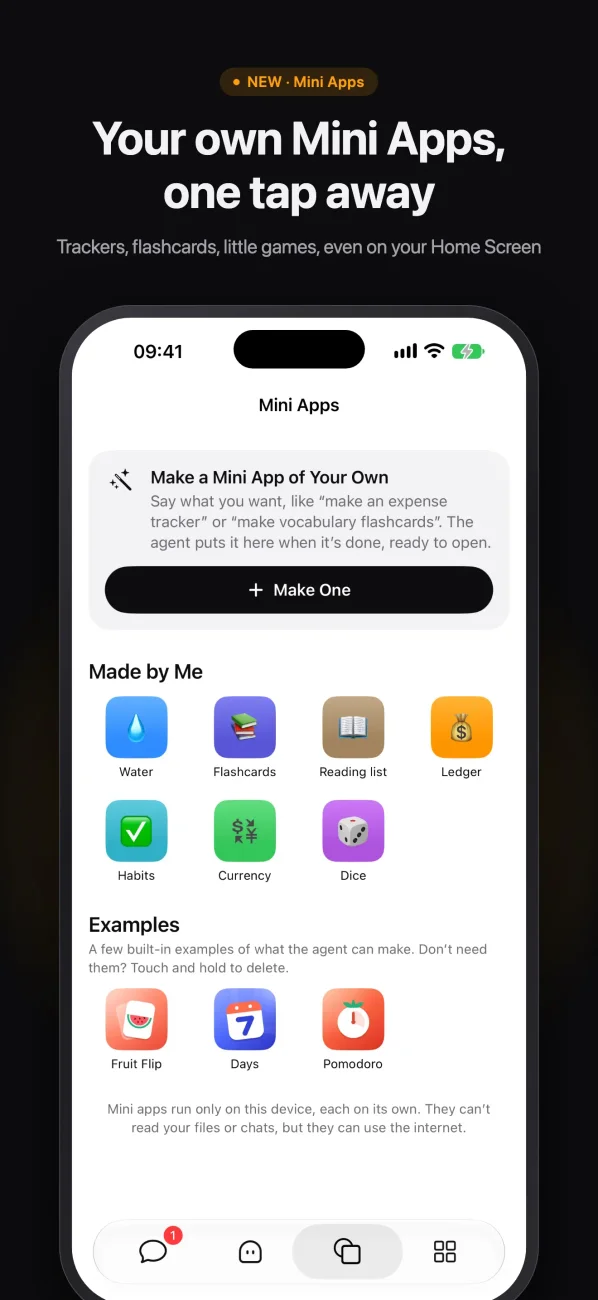
Say what you need in a chat: a budget, flashcards, a habit tracker, a little game. The agent builds it, puts it in Mini Apps, and it opens with a tap. You can add it to your Home Screen too.
BRING OVER YOUR DEEPSEEK CHATS
Export them on the DeepSeek website and import them in one go, reasoning and images included, ready to pick up where you left off.
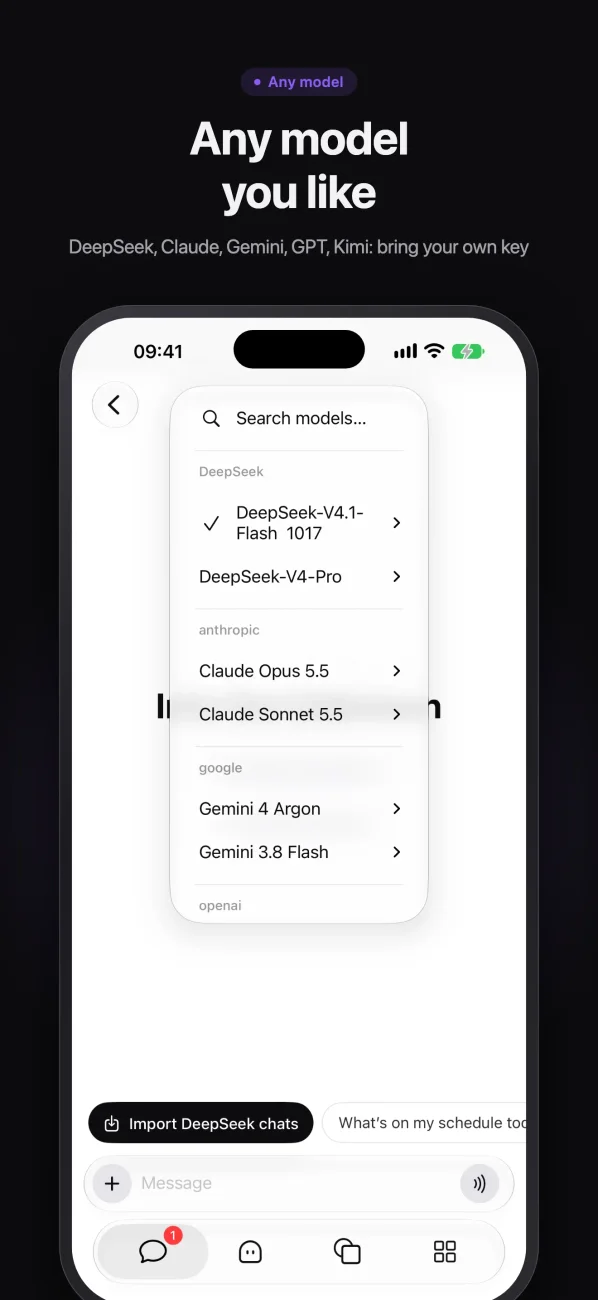
ANY MODEL YOU LIKE
Dozens of providers are built in, including DeepSeek, OpenAI, Anthropic, Google Gemini, xAI, Kimi, Qwen, Zhipu, MiniMax, Mistral and OpenRouter: add your own API key and go. Relays and self-hosted services work too, as long as they speak the OpenAI, Anthropic or Gemini protocol. Each session and each Bot can use its own model.
YOUR BOT TEAM
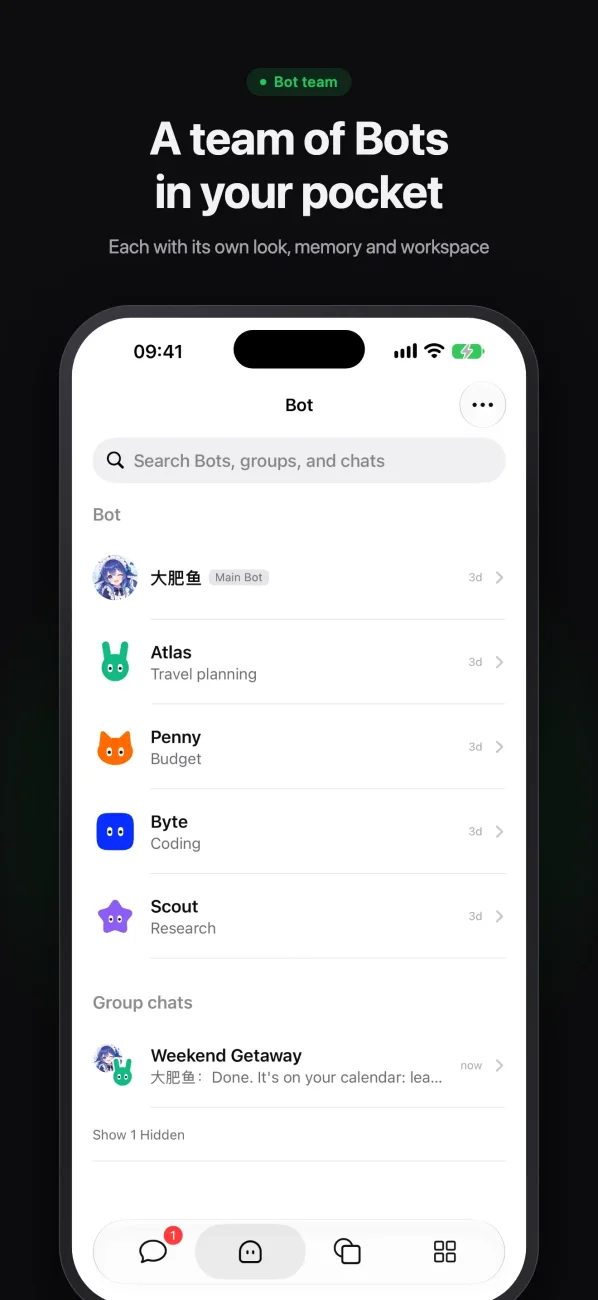
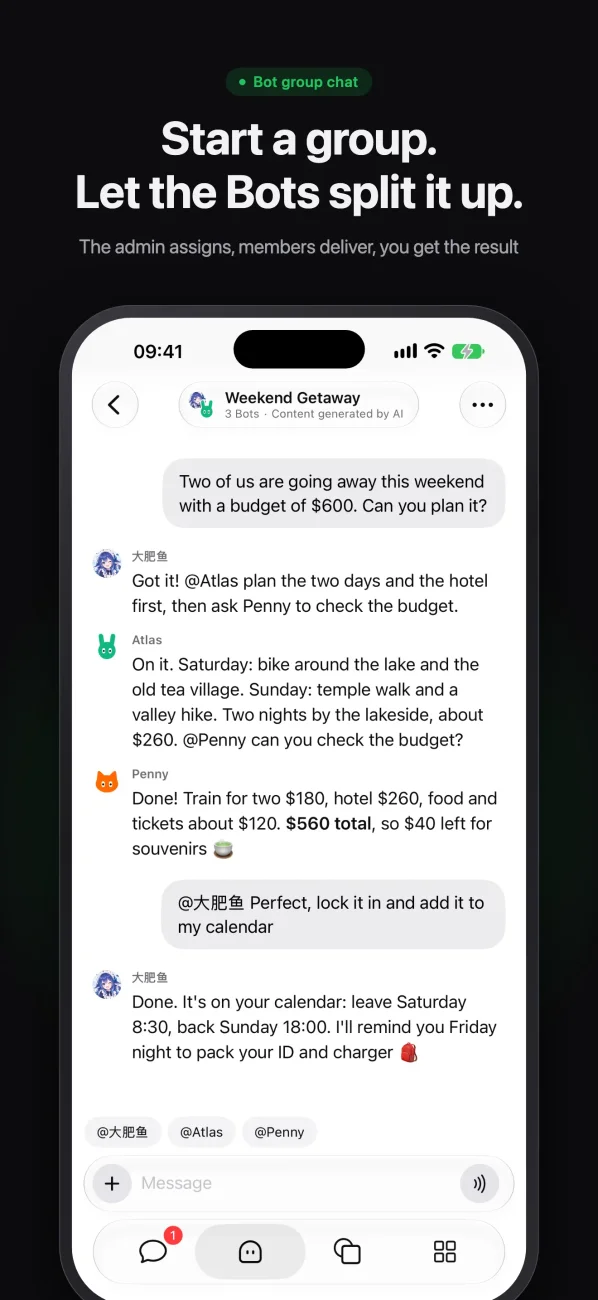
Create Bots with their own jobs: research, budgeting, travel planning, coding. Message them one-on-one or in a group chat, where the admin calls on members and the result comes back to you. Schedule tasks and they start on their own.
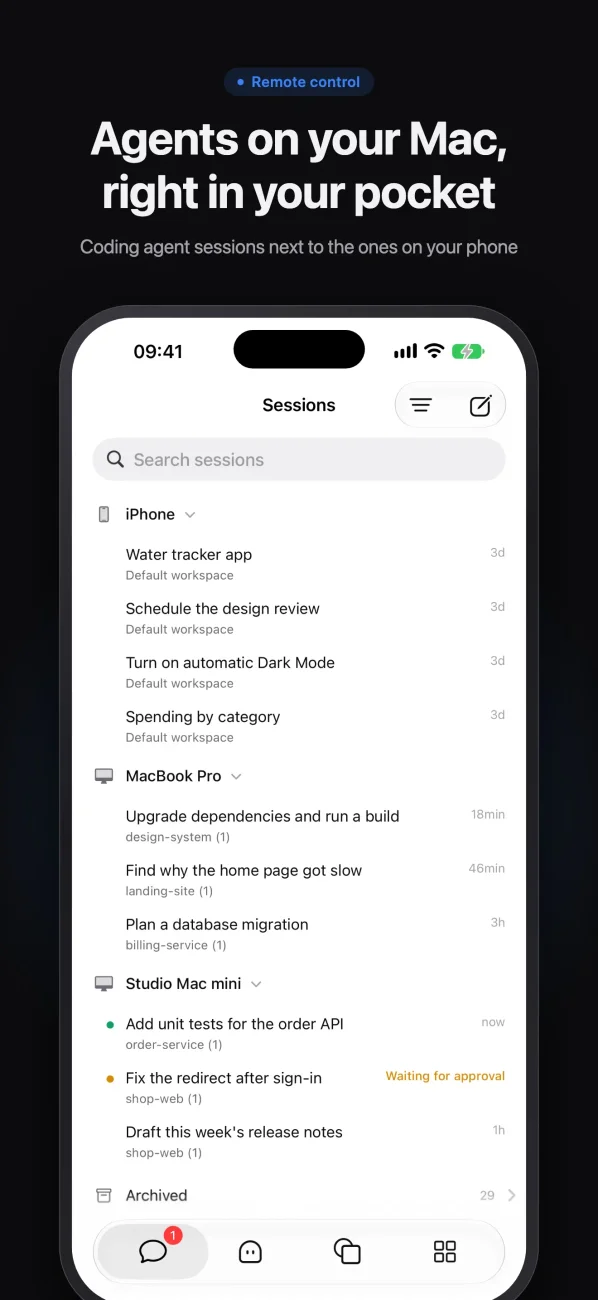
REMOTE CONTROL FOR THE AGENTS ON YOUR COMPUTER
Sign in to Agents Anywhere and the Codex, Claude Code and DeepSeek Harness sessions on your computer or server join your session list, grouped by device, project or time. Follow along, keep chatting, answer approvals or interrupt from your phone, also from the Lock Screen, Dynamic Island and widgets.
USE WHAT YOUR IPHONE CAN DO
Check your schedule, add reminders, set alarms, look up contacts, organize albums, or read steps and sleep from the Health app, just by asking. You turn on each capability yourself under Device capabilities and can turn it off at any time. Fish Pocket integrates with the Health app to read data only; it never writes to it.
CONNECTORS AND PLUGINS
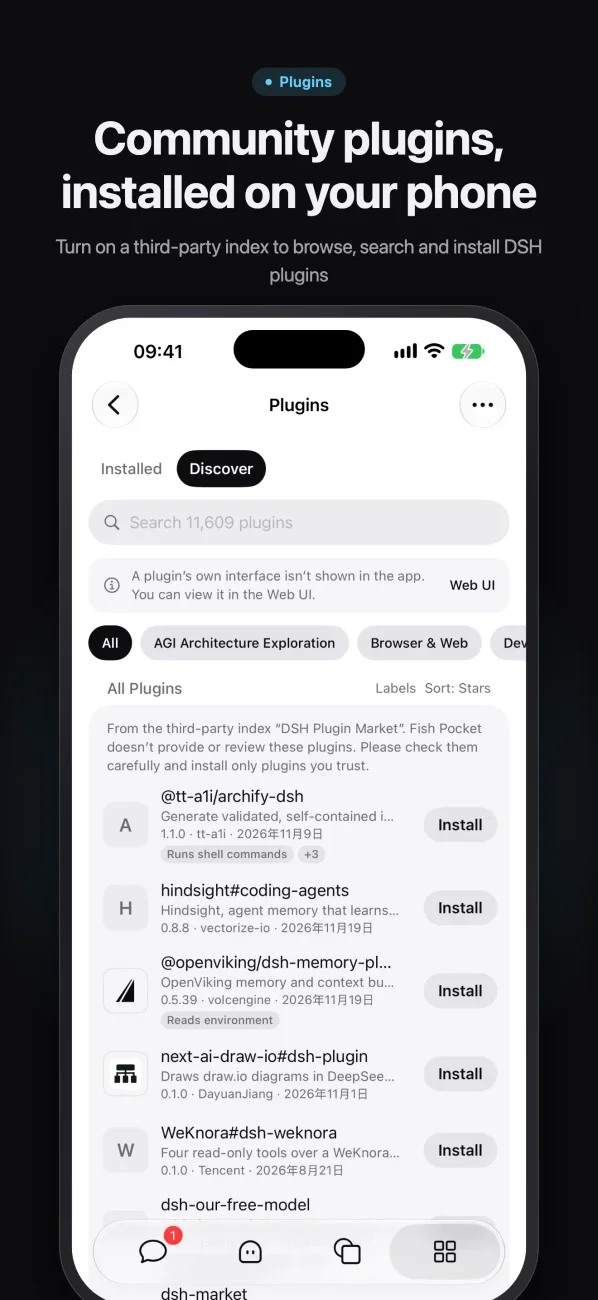
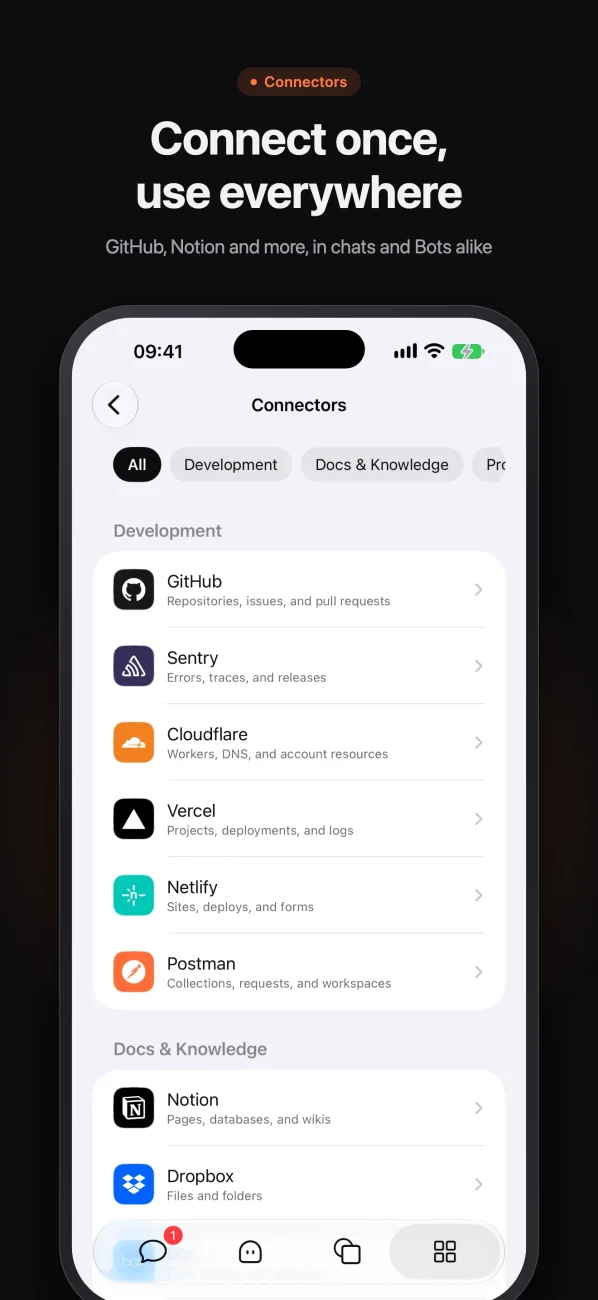
Connect GitHub, Notion and other services once, and use them in both conversations and Bots. Browse, search and install DSH plugins from the plugin market, or switch to Creator mode and have the agent write one for you.
A COMPLETE AGENT AND TERMINAL
Chat, tool calls, file editing, plan mode and command approvals, every step open for inspection. bash, Python, Node, git, ffmpeg and other common commands all run on the device.
BUILT FOR APPLE DEVICES
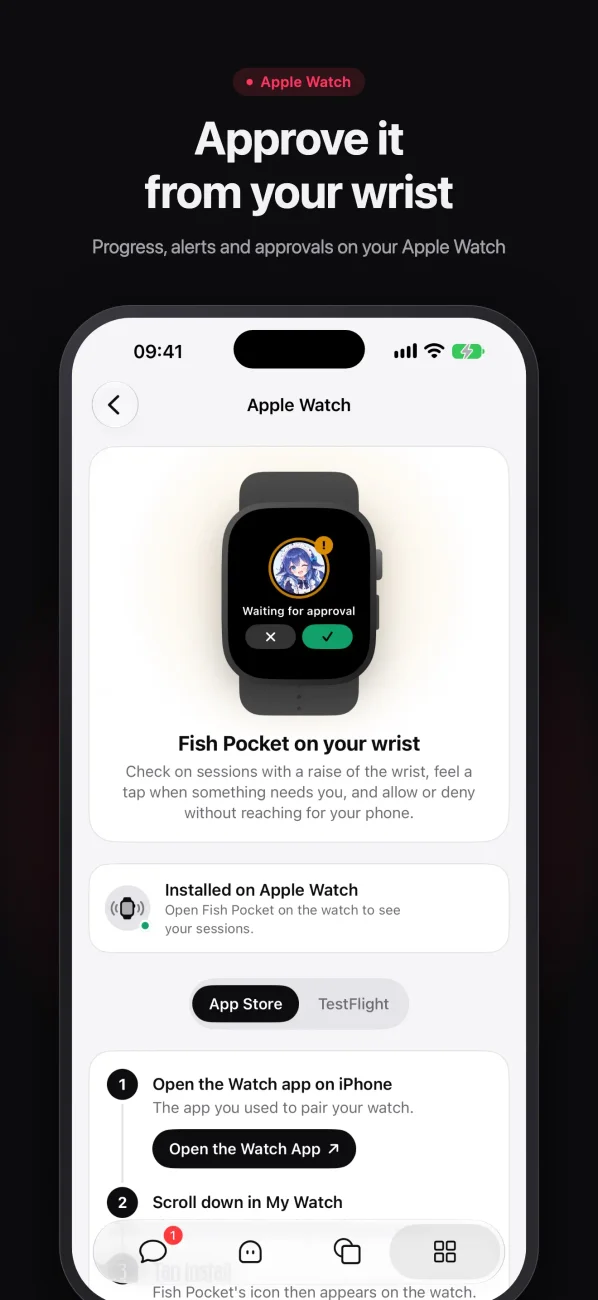
A native SwiftUI interface for iPhone, iPad and iPhone Duo, with the Dynamic Island, Live Activities, Home Screen widgets, Control Center, Siri and Shortcuts. On Apple Watch, follow progress, get alerts, and allow or deny with a tap.
YOUR DATA
Sessions and workspaces stay on your device. Unless you sign in to a Fish Pocket account, we collect none of your data. Once you sign in, your account details, purchases and usage go to the Fish Pocket server for billing; conversations pass through it to the model provider, and the server does not store them. What you send to a model, including on-device data read to answer you, goes to the model provider you choose. When you use remote control or connectors, the related content goes to the service you signed in to.
Before you start:
- Using a model requires an internet connection. Sign in to a Fish Pocket account and buy credits, use your own DeepSeek account, or bring your own API key for any provider.
- Remote control requires Agents Anywhere running on your computer or server.
- Working your phone requires the separate open-source app iCTRL.
Fish Pocket is an independent open-source community project built on the open-source DeepSeek Harness engine. It is not affiliated with, authorized by or endorsed by DeepSeek.
What’s new
Version 1.2.1 · Nov 22, 2026
• iPhone and iPad control: with the open-source iCTRL, the agent taps, types and reads the screen across apps for you, and records what it did, played back at 2×
• Make your own Mini Apps: ask for a little tool or game in a chat; it lands in Mini Apps, opens with a tap, and can go on your Home Screen. Try the built-in Days, Pomodoro and Fruit Flip
• Bring over your DeepSeek chats: export them on the DeepSeek website and import them in one go, reasoning and images included, ready to pick up
• Agent Teamwork: big tasks are split across several agents working from a shared task board
• Creator mode: have the agent write plugins for you, adding tools, connecting services or bundling your own mode
• Reasoning translation: turn on the official plugin and the model's reasoning is translated as it streams
• Fish Pocket Account: no DeepSeek account or API key needed. Sign in with Apple or a phone number, pay as you go, and credits never expire
• A new tab bar: Sessions, Bot, Mini Apps and Explore, one tap each, with Settings at the top right of Explore; on iPad and iPhone Duo it moves to the top or the side
• Smoother sending and replies: your message shows the moment you send it, typing stays fast in long sessions, and images start uploading as soon as you add them
• When the agent uses the browser, the session shows the page live
• Pasting long text or a file turns it into an attachment
• If the engine can't start, fix it on the spot: go back to the last settings that worked, reset them, or edit them by hand
• Share a conversation as one long image, with keys masked
• Quote a message in your question, paste images straight in, pick a new app icon, and use the app in Traditional Chinese
• Share from WeChat, Photos or Safari into a chat, a Bot or a group
App privacy
What 士浩 王 declares on the App Store about how this app handles data.
-
Data linked to you
May be collected and linked to your identity.
- Purchases
- Contact info
- User content
- Identifiers
- Usage data
Privacy practices may vary, for example with the features you use or your age.
Information
- Seller
- 士浩 王
- Category
- Developer Tools
- Version
- 1.2.1
- Updated
- Nov 22, 2026
- Released
- Nov 6, 2026
- Size
- 611.7 MB
- Requires
- iOS 17.0 or later
- Age rating
- 17+
- Price
- Free
- In-app purchases
- Yes
- Languages
- English, Japanese, Korean, Simplified Chinese, Spanish, Traditional Chinese
- Copyright
- © 2026 imsai-sh
You might also like
-
 DSH Mobile: Agent RemoteDeveloper Tools
-
 Pocket for DSHYour coding agent, on the go
-
 掌中鲸Control your computer's AI
-
 Agents AnywhereRemote computer control
-
 AI-HUB DesktopYour desktop AI workspace
-
 LL Pair: Developer ModeDeveloper Mode & Pairing
-
 Python Coding: IDE Editor AppRun Code Offline, Learn & Play
-
 Termini - SSH ClientRemote Terminal Server Manage
-
 LocationLabLocation Testing & GPX Routes
-
 CodeSSH - Code EditorAI,LLM,Coding,SFTP,GIT,SSH,MLX