
- Age rating4+
- CategoryUtilities
- DeveloperMichael Price
- LanguagesEnglish
- Size1.6 MB
Links to the official App Store page
Download.org hosts no file of FLConvert. The button opens its official App Store page, published by Michael Price. Listing last checked on Nov 20, 2026.
Screenshots
About
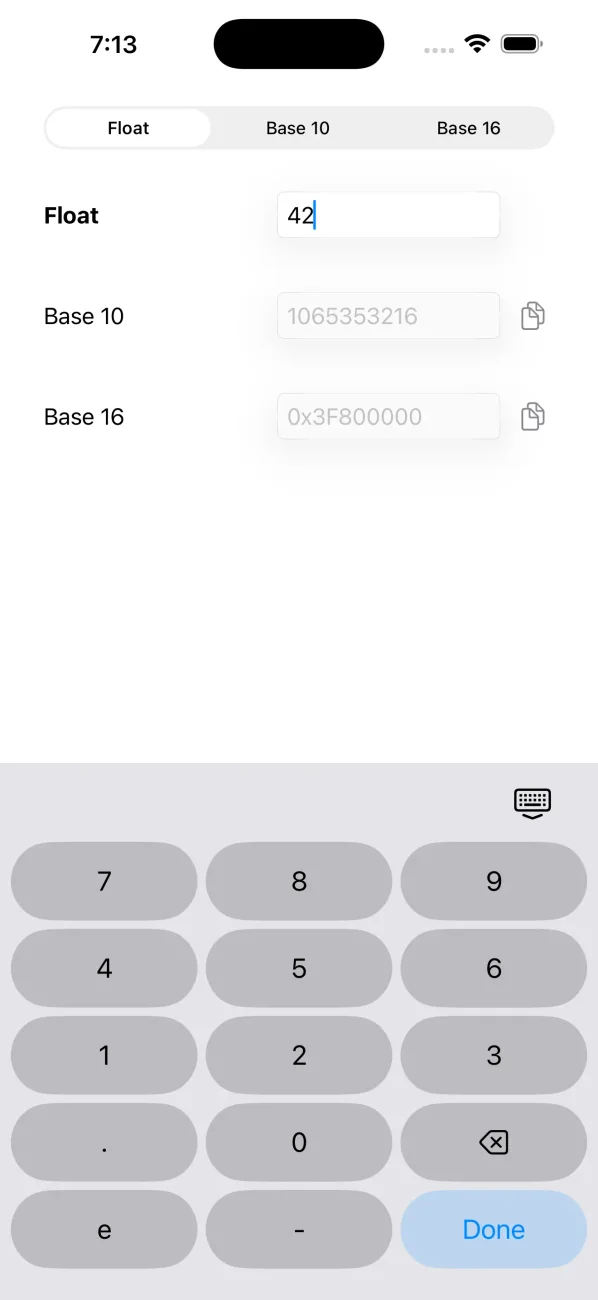
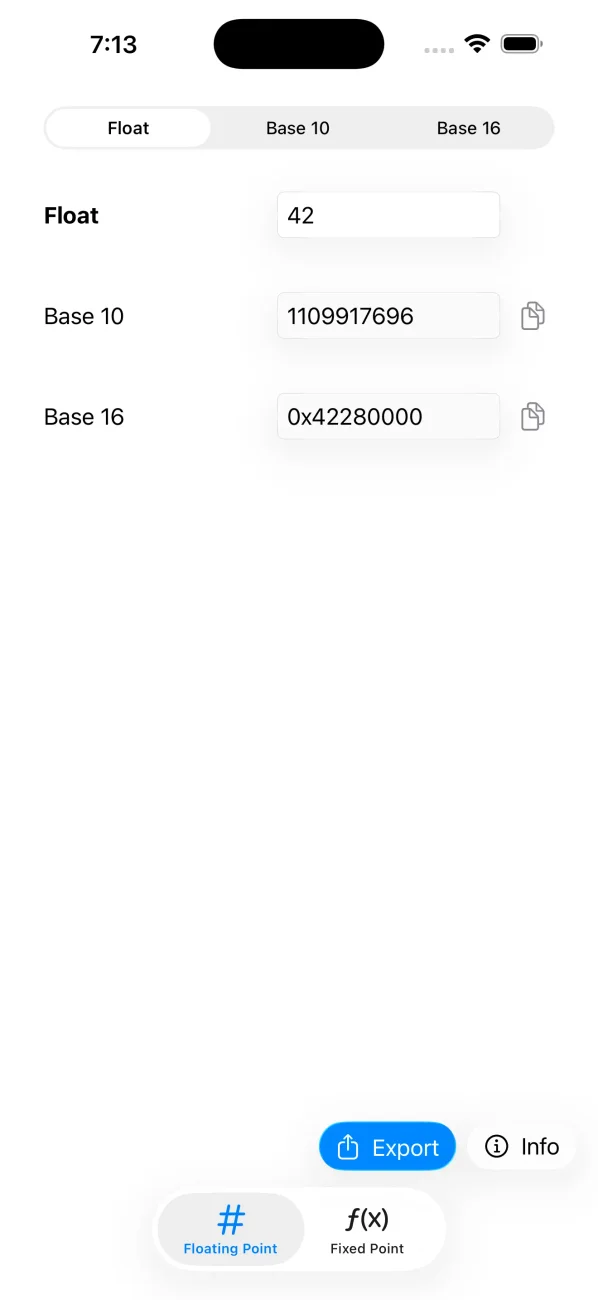
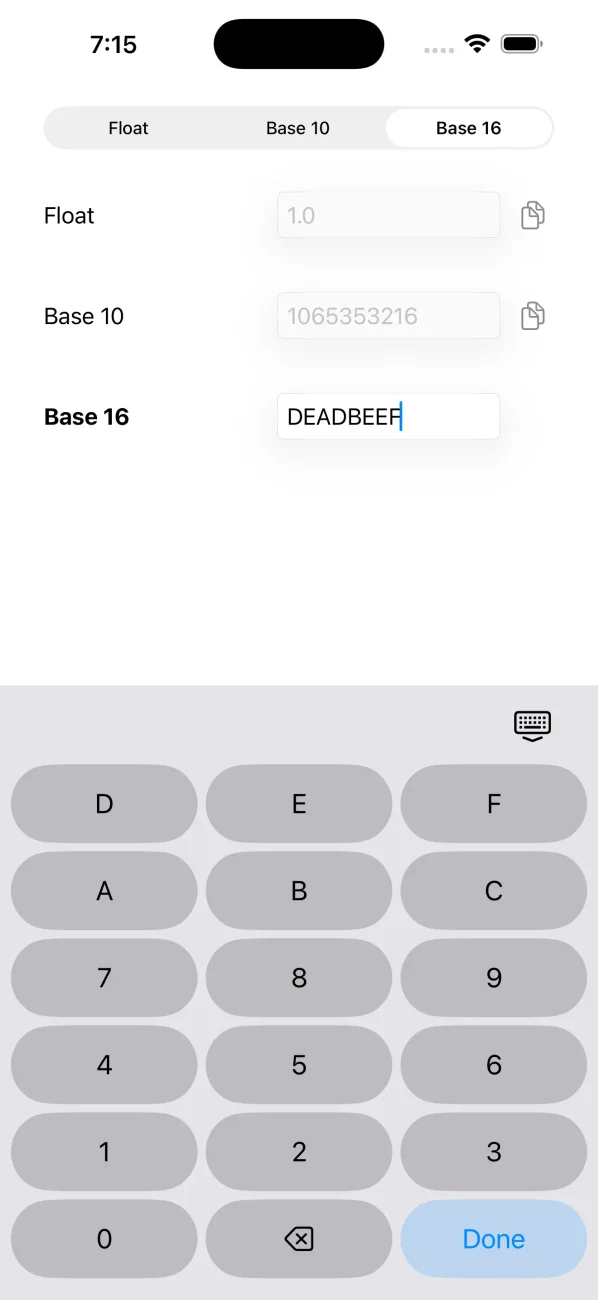
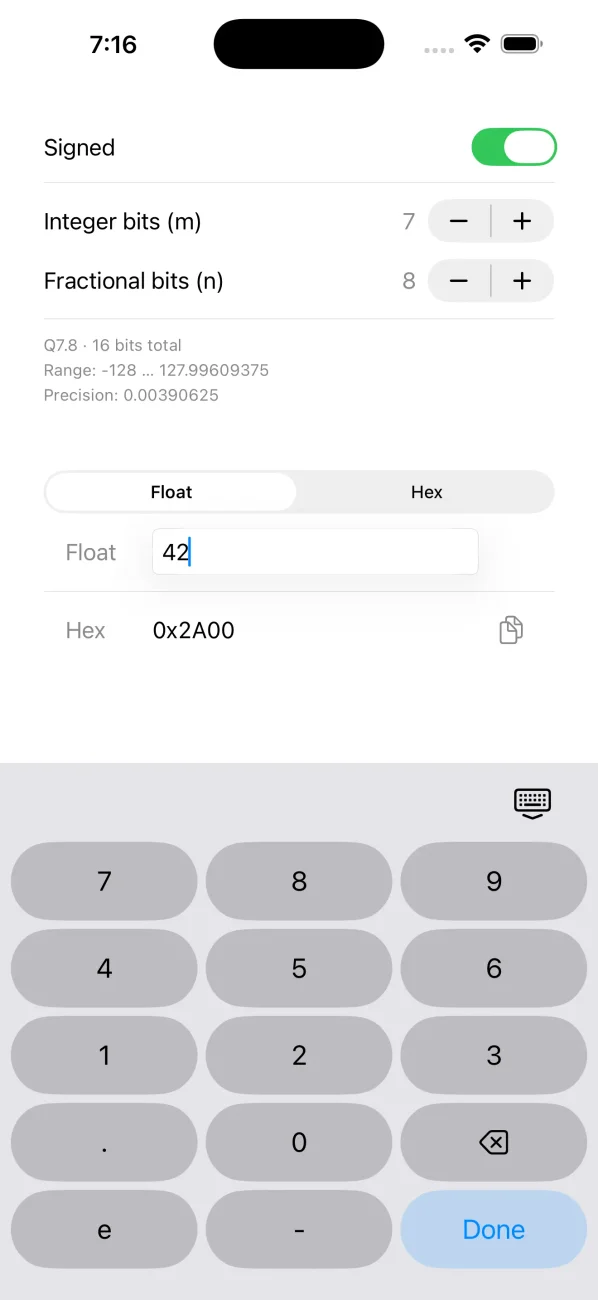
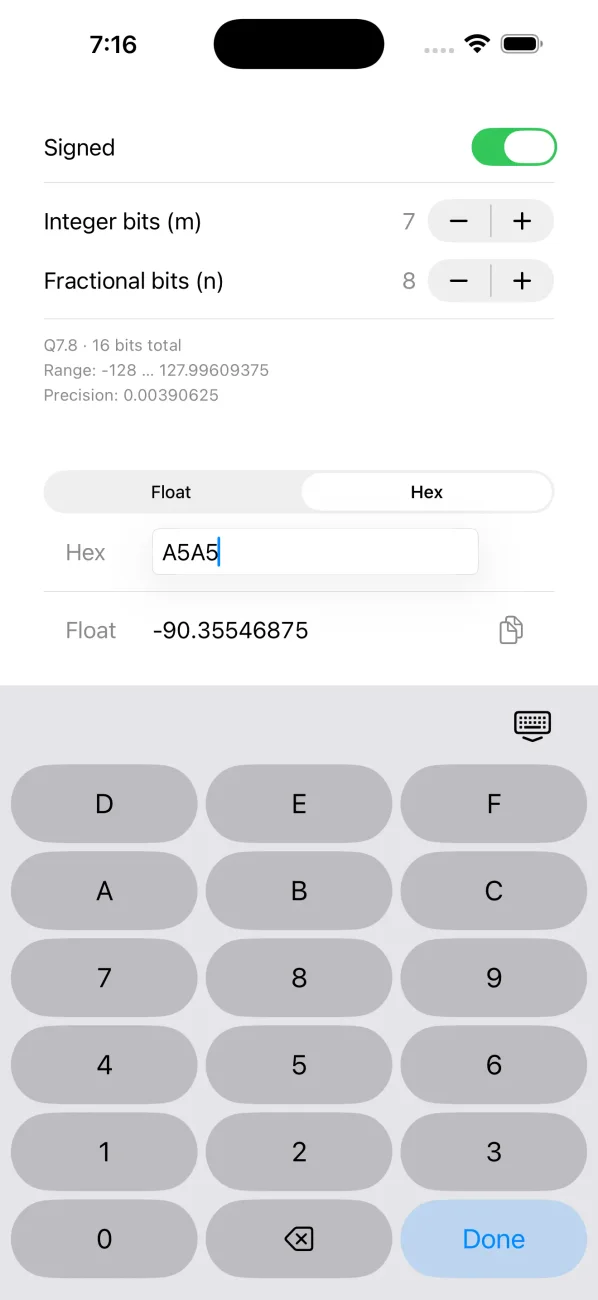
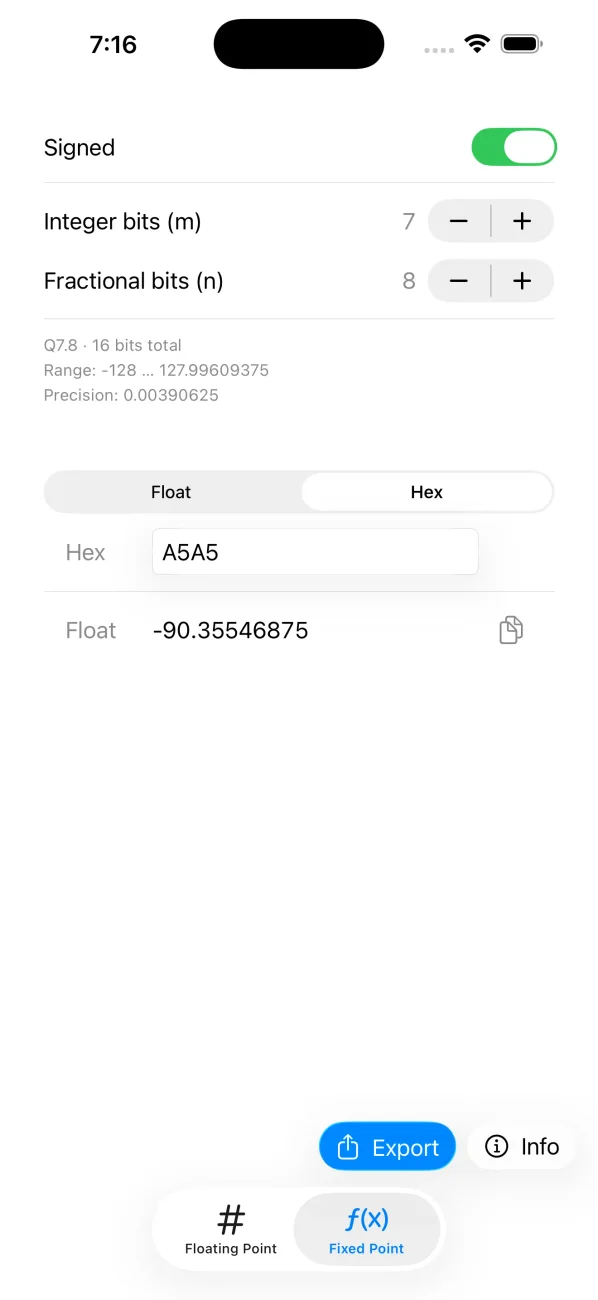
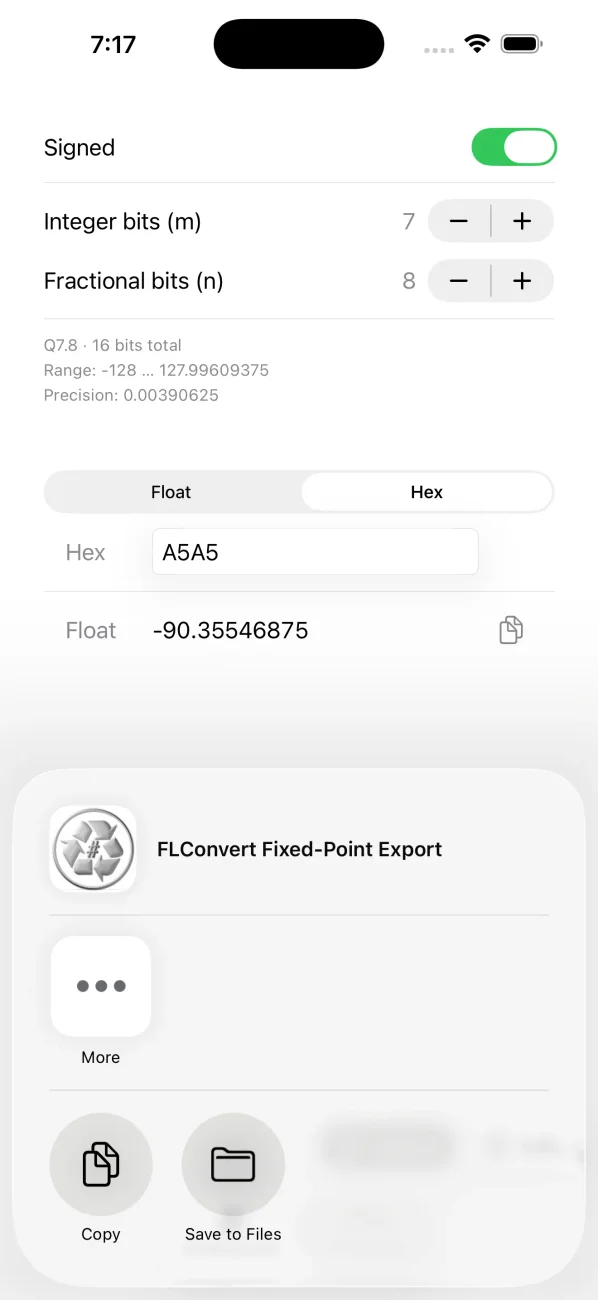
FLConvert performs IEEE-754 conversions of 32-bit numeric values and Fixed-Point (Qm.n/UQm.n) conversions.
What’s new
Version 1.5 (202606111253) · Jun 14, 2026
FLConvert Release Notes — v1.5
What's New
Fixed-Point Conversion
Floating-point getting all the glory? Not anymore. FLConvert now supports fixed-point number conversion, because sometimes you need your binary fractions to know exactly where they stand. Configure your integer and fractional bit widths, get your Q-format values, and feel that warm precision-engineering glow.
Shortcuts & Siri Support
You can now ask Siri to do your number conversions. Whether this is genuinely useful or just a great party trick is left as an exercise to the reader. Either way, FLConvert is now a full citizen of the Apple automation ecosystem — Shortcuts, App Intents, the works.
Other Improvements
Per-Field Copy Buttons Copying individual conversion results is now a one-tap affair.
IEEE754 Input & Persistence You can now type values directly into the IEEE754 section. And thanks to persistence, your values will survive an app restart — unlike your sanity after staring at binary representations too long.
Return Key Behavior The Return key on a hardware keyboard now correctly dismisses the keyboard. It only took the entire history of human-computer interaction to establish what "Return" should do, but here we are.
macOS: Save to Files No Longer Explodes On macOS 26, exporting via "Save to Files" would crash the app due to Apple quietly removing NSCalendarDate from the universe while forgetting to tell ShareKit. We've worked around this with a more civilized file exporter. No dates were harmed in the making of this fix.
IEEE-754 Improvements
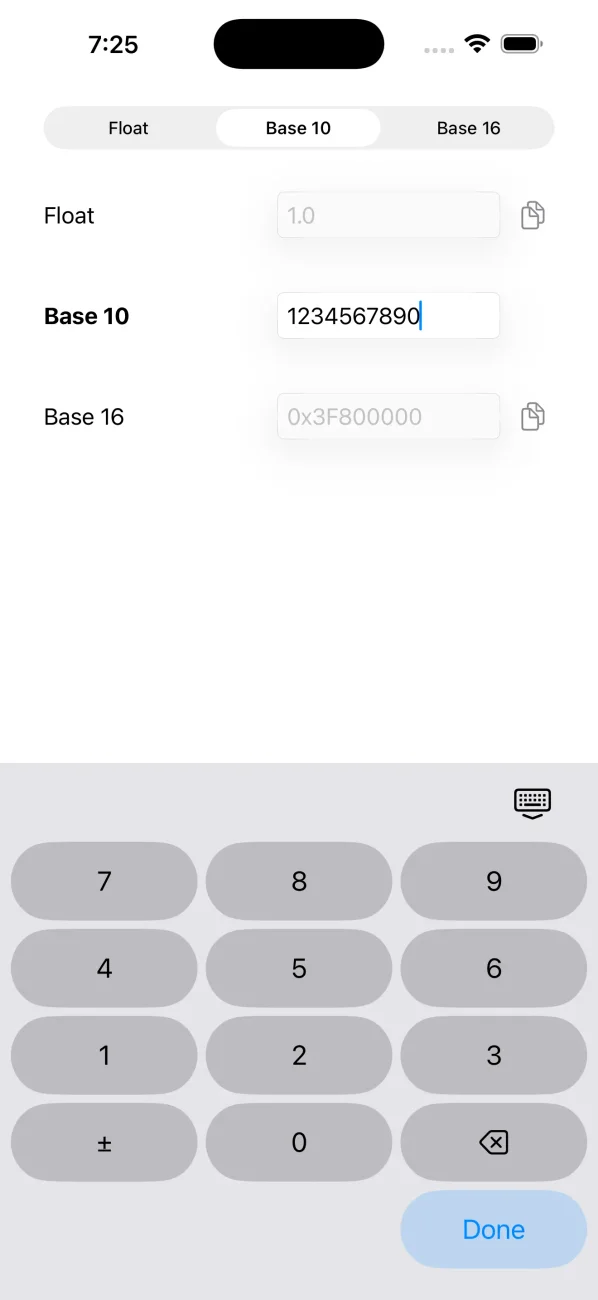
Clearer Mode Names: Base 10 and Base 16 The IEEE-754 conversion modes are now labelled Base 10 and Base 16 instead of "Signed Integer" and "Unsigned Integer (hex)". These names describe how you write the number, not how the hardware stores it — a distinction that mattered to at least one person filing this commit message.
Full Unsigned Range Accepted in Base-10 Mode Base-10 input now accepts the full unsigned 32-bit range — up to 4,294,967,295. Values in the upper half (2,147,483,648–4,294,967,295) are automatically reinterpreted as the equivalent signed two's-complement value before conversion.
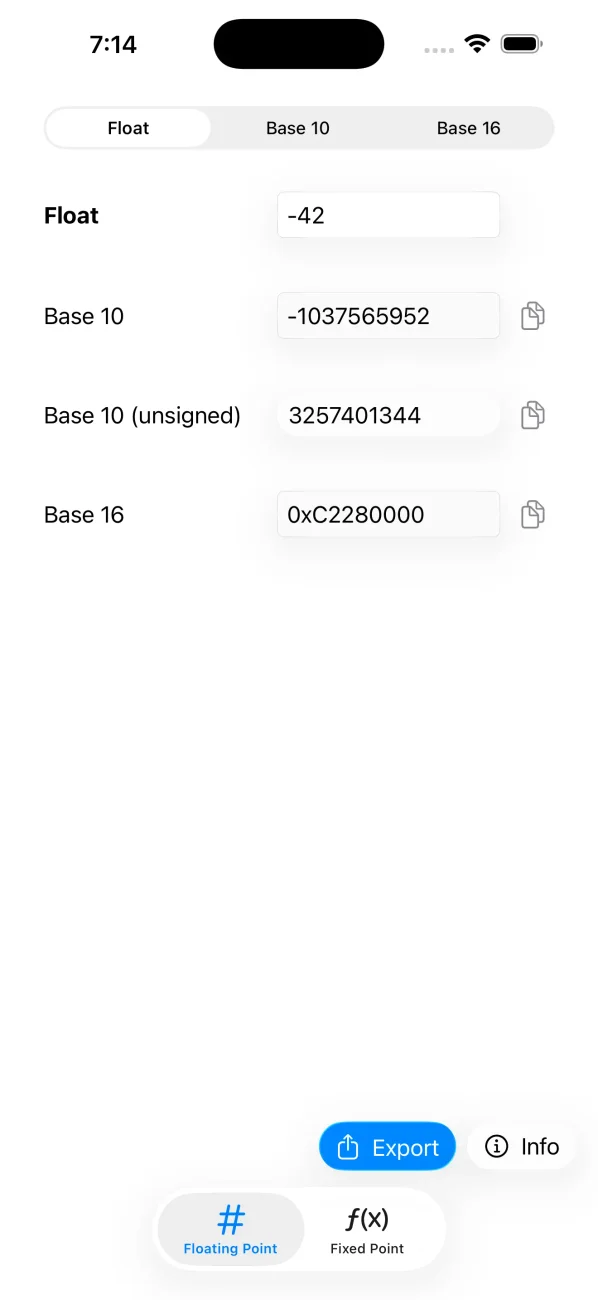
Base 10 (unsigned) Display Field When a conversion produces a negative Base-10 result (i.e. the bit pattern's signed value is in the range −2,147,483,648 to −1), a new read-only row — Base 10 (unsigned) — appears between the Base-10 and Base-16 rows. It shows the same 32-bit pattern interpreted as an unsigned integer, which is handy when you need both signed and unsigned readings. The row has its own copy button and disappears automatically when the result is non-negative.
App privacy
What Michael Price declares on the App Store about how this app handles data.
-
Data not collected
The developer does not collect any data from this app.
Privacy practices may vary, for example with the features you use or your age.
Information
- Seller
- Michael Price
- Category
- Utilities
- Version
- 1.5 (202606111253)
- Updated
- Jun 14, 2026
- Released
- Nov 10, 2024
- Size
- 1.6 MB
- Requires
- iOS 26.0 or later
- Age rating
- 4+
- Price
- Free
- Languages
- English
- Copyright
- © 2026 Michael Price
You might also like
-
 Bit Scope - ConverterBit calculator for developers
-
 Shady EncodingFun message encoder
-
 Media Cleaner: Storage CleanerFree Up Space, Clean Junk File
-
 MsgSecretClassic Ciphers & Text Puzzles
-
 Elapsed Time AdderAdds & subtracts elapsed time
-
 USD to BRL - Dollar to RealInstant & accurate conversions
-
 Talk MorseEncode, Decode, Learn & Morse
-
 RelayPony: Fast File TransferPrivate, encrypted, no cloud
-
 QR Code Reader & QR Code MakerQR Code Scanner and Generator
-
 SecureGuard CloudUtilities