
- Age rating4+
- CategoryProductivity
- DeveloperPaperplane D (Pty) Ltd
- LanguagesEnglish
- Size3.5 MB
Links to the official App Store page
Download.org hosts no file of Flight Card. The button opens its official App Store page, published by Paperplane D (Pty) Ltd. Listing last checked on Nov 21, 2026.
Screenshots

About
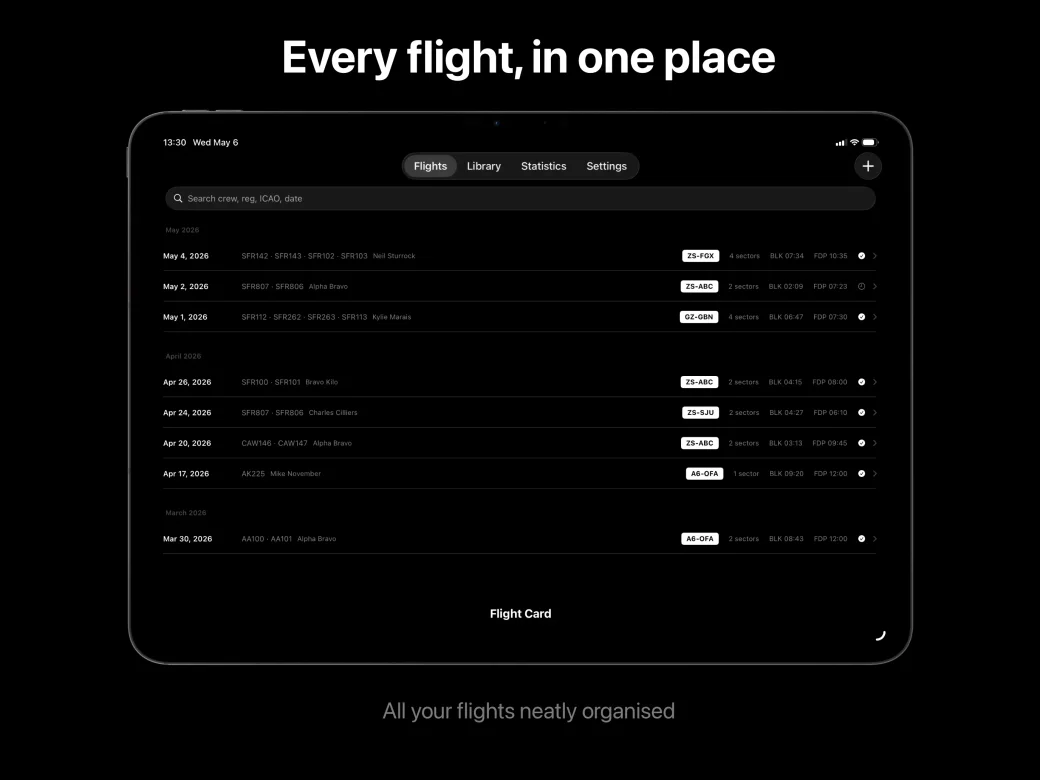
Flight Card is a flight operations companion for airline and corporate pilots — built to support your full workflow from pre-flight to post-flight on a single iPad.
Briefing, weather, NOTAMs, MEL items, crew, fuel, times, and logbook export — all in one place, all in your hands.
Built by a line pilot, for line pilots.
PRE-FLIGHT
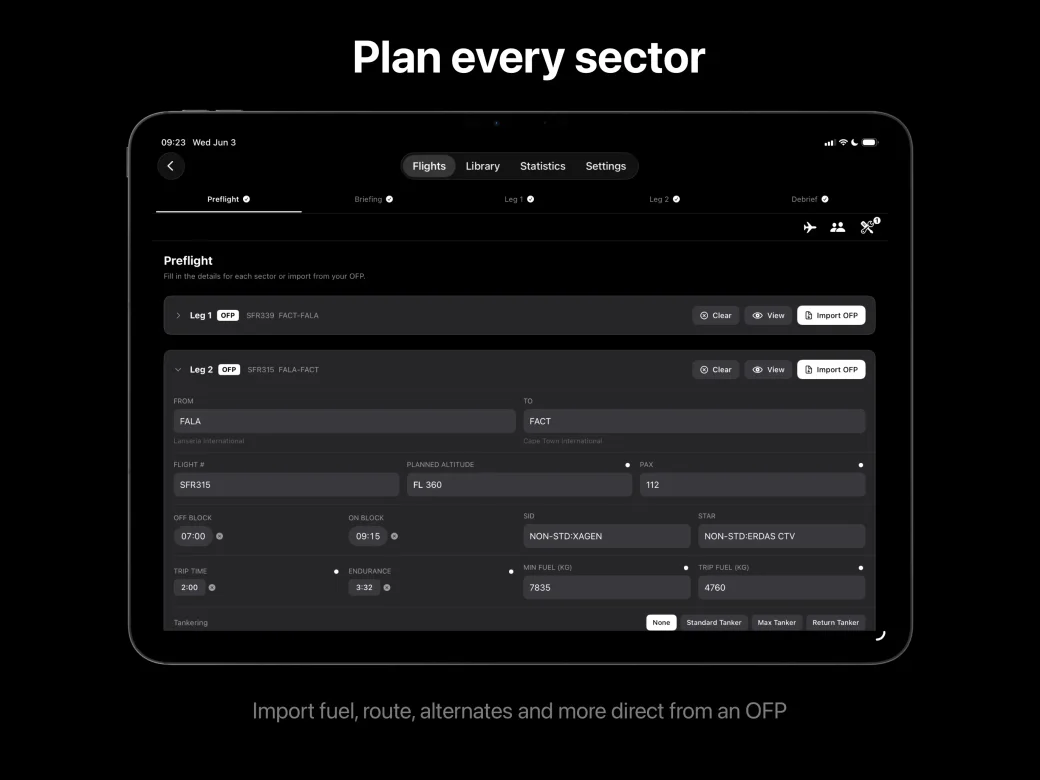
- Multi-sector flight days with departure, arrival, and alternate aerodromes
- OFP parsing — paste your operational flight plan and Flight Card extracts the routing
- Crew assignment from your personal crew library, with role-aware ordering
- MEL items with descriptions, expiry tracking, and an at-a-glance overlay
- Fuel planning with tankering support and a TNK indicator
- METAR and TAF for departure, arrival, and alternates (Pro)
- NOTAM entry — paste raw NOTAMs and filter by relevant ICAO blocks
- Briefing reference card with registration, bay, weather, and NOTAMs in one view
- Standardised time pickers for ETD, ETA, off-blocks, and on-blocks
IN-FLIGHT
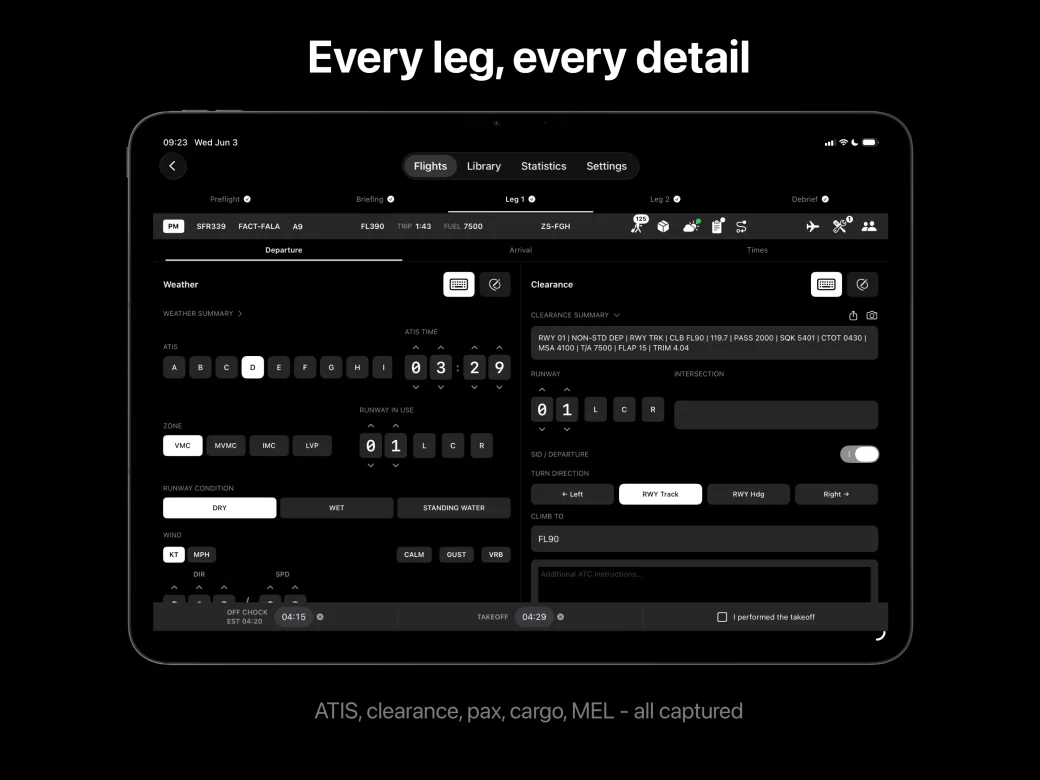
- Sector-by-sector layout — every leg has its own card with weather, fuel, times, and notes
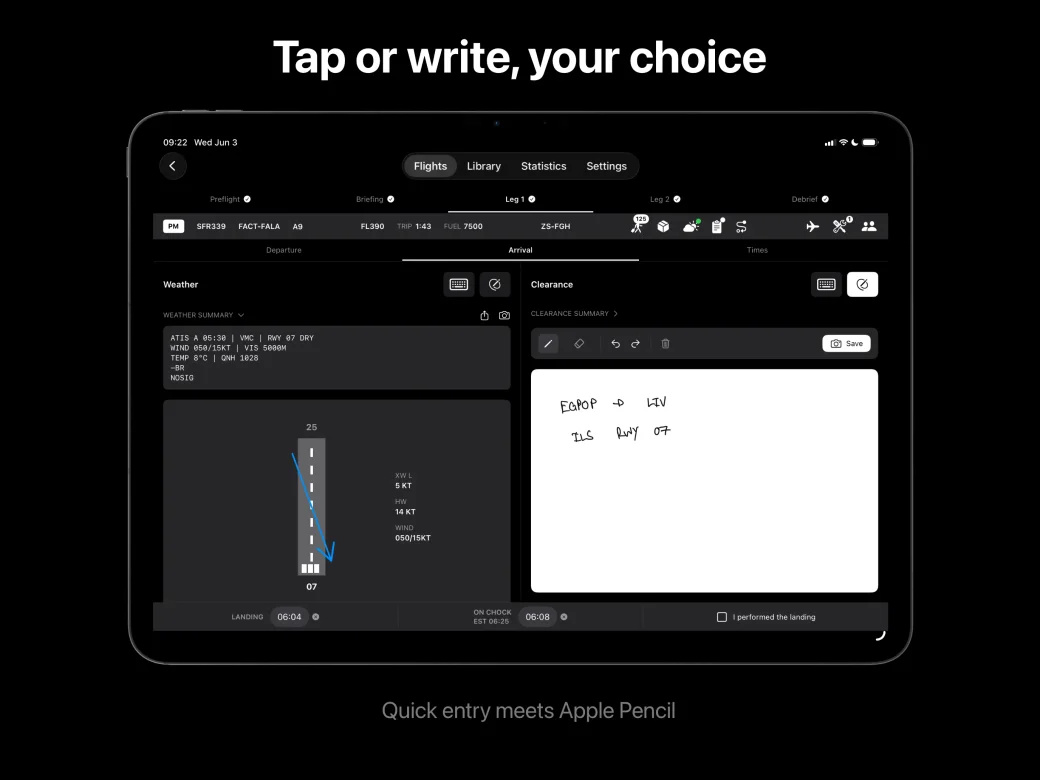
- Quick weather entry for fast METAR/TAF input on the line
- PencilKit scratchpad for handwritten weather, clearances, and ad-hoc workings
- Editable fuel popover with tankering awareness
- ATC instructions, SID/STAR, enroute waypoints — all force-uppercase ICAO formatting
- Cargo entry up to 9,999 pieces with K-notation badges for heavy loads
- Pax counts and crew composition that scale to widebody operations
- Jumpseater tracking and SPATS summary
STATISTICS
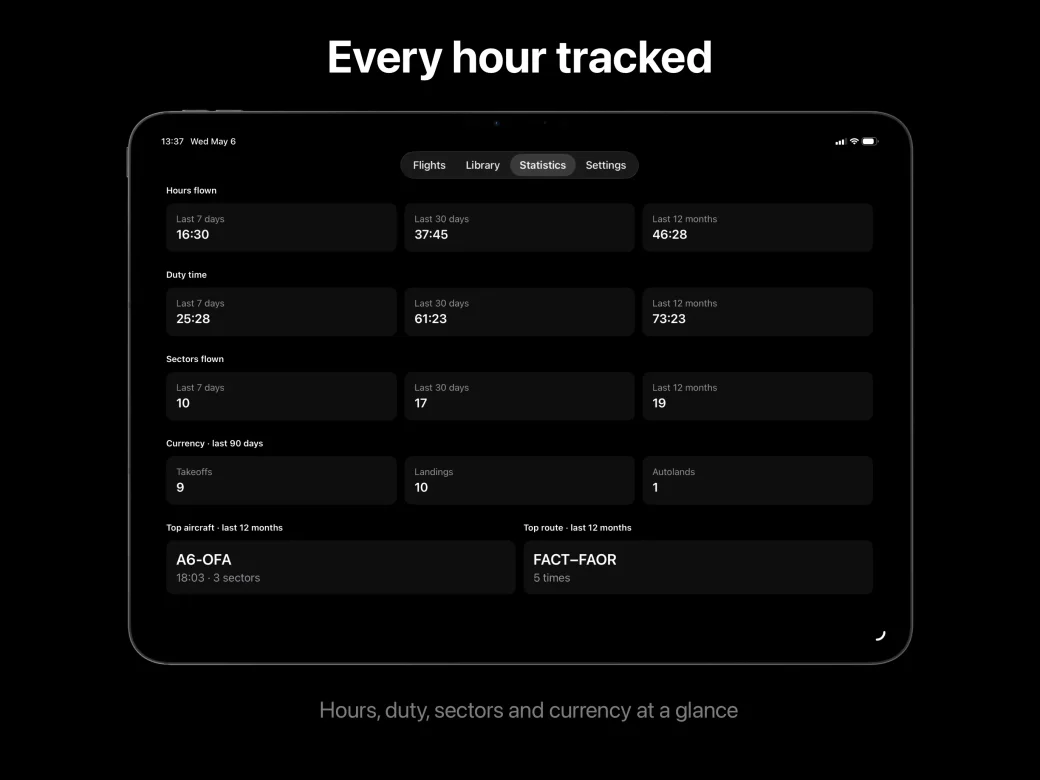
- Hours flown across the last 7 days, 30 days, and 12 months
- Duty time tracked across the same windows
- Sector counts at a glance
- 90-day currency view — takeoffs, landings, and autolands
- Top aircraft you've flown in the last 12 months
- Top route, ranked by frequency
- Free for every user — your data, your numbers
POST-FLIGHT
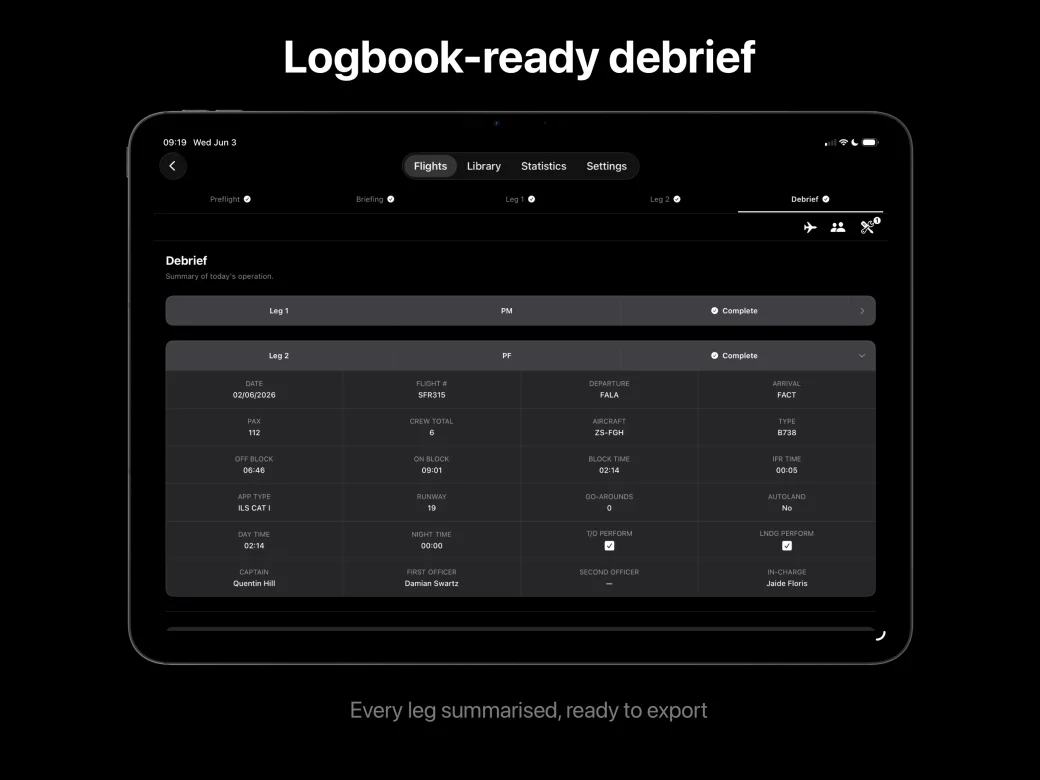
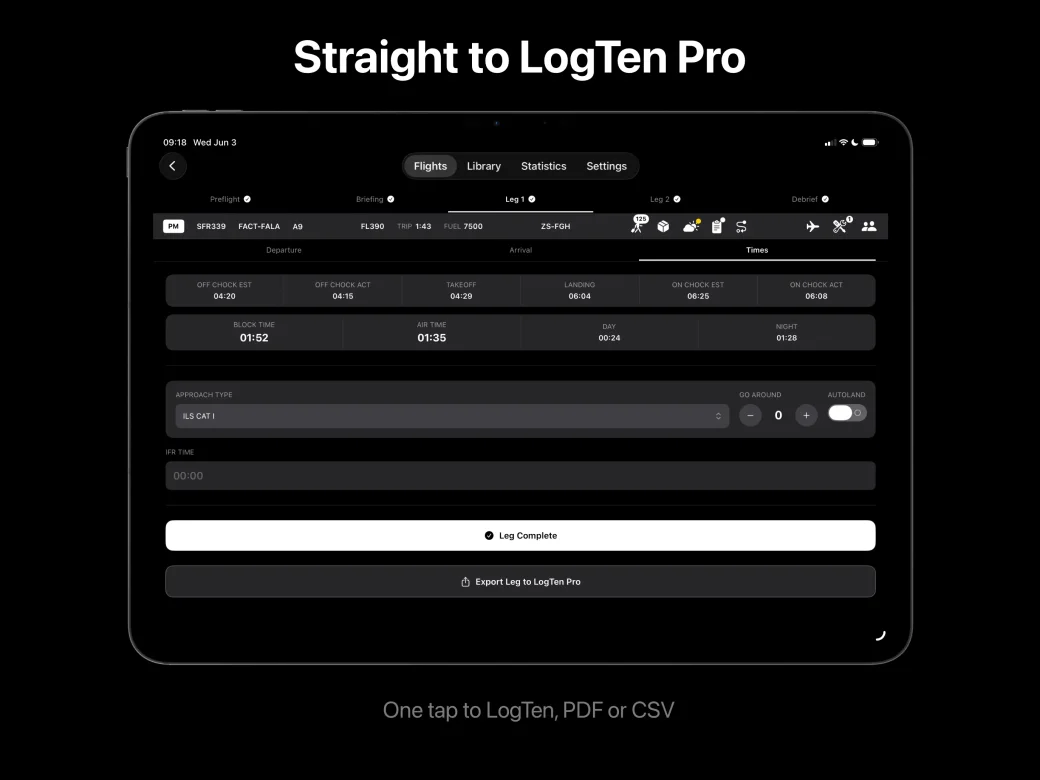
- Off-blocks, takeoff, landing, and on-blocks captured per sector
- Approach type, day/night gating, and FDP tracking
- PIC and SIC time auto-routed by your role
- Night time auto-fill from sunrise/sunset calculation
- PDF export of the complete flight card for your records
- CSV export for personal logbook reconciliation
- LogTen Pro export to Coradine API v2.0.2 (Pro)
WHAT'S FREE / WHAT'S PRO
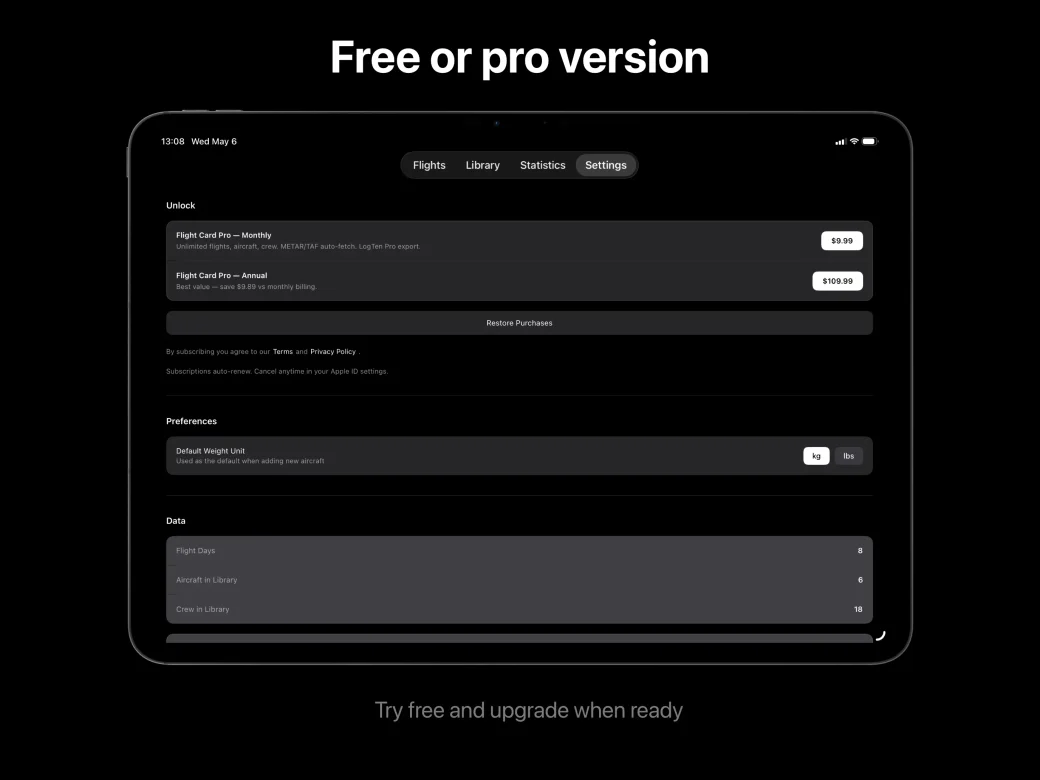
Flight Card is free to use. The free tier includes:
- 4 flight days
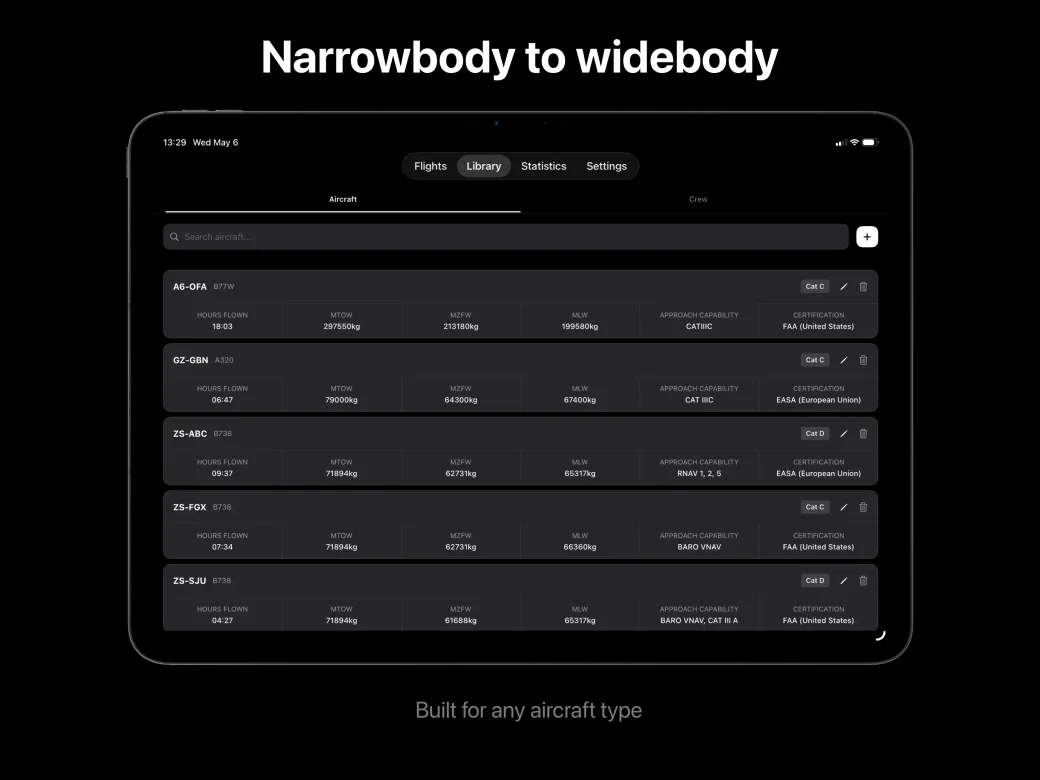
- 2 aircraft
- 6 crew members
- PDF and CSV export
- Manual NOTAM entry
- iCloud sync across your devices
- Full statistics dashboard
Flight Card Pro unlocks:
- Unlimited flight days, aircraft, and crew
- METAR and TAF auto-fetch
- LogTen Pro export
Pro is $9.99 per month or $109.99 per year. Subscriptions auto-renew unless cancelled. Manage or cancel any time in your Apple ID settings.
PRIVACY
Flight Card collects no personal data. Your flights, crew, aircraft, and notes stay on your device and your private iCloud. Weather data is fetched from public aviation sources. Nothing is sent to us.
Terms of Use: https://theflightcard.com/terms
Privacy Policy: https://theflightcard.com/privacy
REQUIREMENTS
- iPad running iPadOS 26 or later
- Landscape orientation
- Apple ID for iCloud sync (optional)
Made in South Africa by a working line pilot.
Feedback welcome — Flight Card grows with the pilots who use it.
theflightcard.com
What’s new
Version 1.2 · Jul 24, 2026
Version 1.2
New in this release:
- Customisable statistics — set your own time windows for hours, duty, and sectors. Choose from day and month presets to match how you track your flying.
- Basic Mode — a streamlined, distraction-free layout for departure and arrival when you want just the essentials.
- Larger Text option — scale text across the app from Settings for easier reading in the flight deck.
- METAR/TAF improvements — decoded weather with per-station cards and one-tap apply to departure or arrival.
- Enhanced NOTAM view — mark items read, flag important ones, and mark whole groups at once. Cleaner grouping and collapsed raw text by default.
- Runway wind diagram now shows variable wind ranges.
- Cargo & dangerous goods — quicker UN code search and ERG code reference cards.
- Numerous layout refinements and fixes across weather, weight warnings, and flight briefing screens.
Thank you for flying with Flight Card.
App privacy
What Paperplane D (Pty) Ltd declares on the App Store about how this app handles data.
-
Data not collected
The developer does not collect any data from this app.
Privacy practices may vary, for example with the features you use or your age.
Information
- Seller
- Paperplane D Pty Ltd
- Category
- Productivity
- Version
- 1.2
- Updated
- Jul 24, 2026
- Released
- May 14, 2026
- Size
- 3.5 MB
- Requires
- iOS 26.0 or later
- Age rating
- 4+
- In-app purchases
- Yes
- Languages
- English
- Copyright
- © 2026 Paperplane D Pty Ltd
You might also like
-
 CrewTapProductivity
-
 AerisLog : Pilot Logbook EASAFlight Log & Validity Tracker
-
 Use Before FlightInteractive Pilot Training
-
 PDF it All Document ConverterCompress PDF Photos,Files,Word
-
 Mononote: One NoteOne note at a time
-
 HyNote: AI Note Taker, SummaryAI Notebook, AI Meeting Notes
-
 AI Notebook: Smart Note TakerRecord, Summarize & AI Chat
-
 Spark Mail: AI Email AssistantStreamline your email inbox
-
 WordPress – Website BuilderDesign a site, build a blog