
- Age rating4+
- CategoryBusiness
- DeveloperCAE Inc.
- Size137.9 MB
Links to the official App Store page
Download.org hosts no file of Flightscape eFlight Manager. The button opens its official App Store page, published by CAE Inc. Listing last checked on Nov 15, 2026.
Screenshots
About
Flightscape eFlight Manager is a Flight Plan Manager add-on to expand the connected flight to the cockpit.
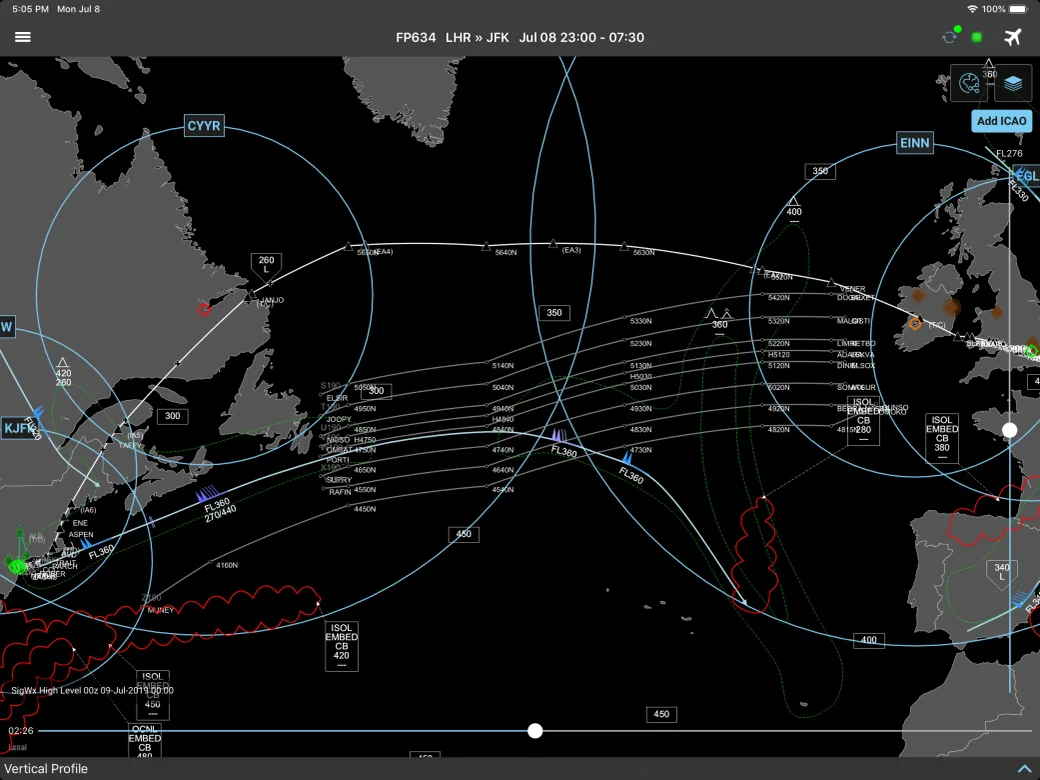
The application automates the process of collecting all the information for your trip by ingesting flight plans from your flight planning system of choice. A comprehensive and complete package is then generated containing all the latest information required for a trip such as MET, NOTAM, Upper Wind and Temperature / Significant Weather charts and documentation.
As well as being a system for delivering data for a trip, eFlight Manager has the ability to capture information from the flight crew. Information such as fuel records, actual flight times, and actual Fuel On board (FOB) are uploaded to the ground server for immediate analysis and reporting.
Major features include:
- ARINC 633-2 flight plan ingestion.
Pre-flight Briefing:
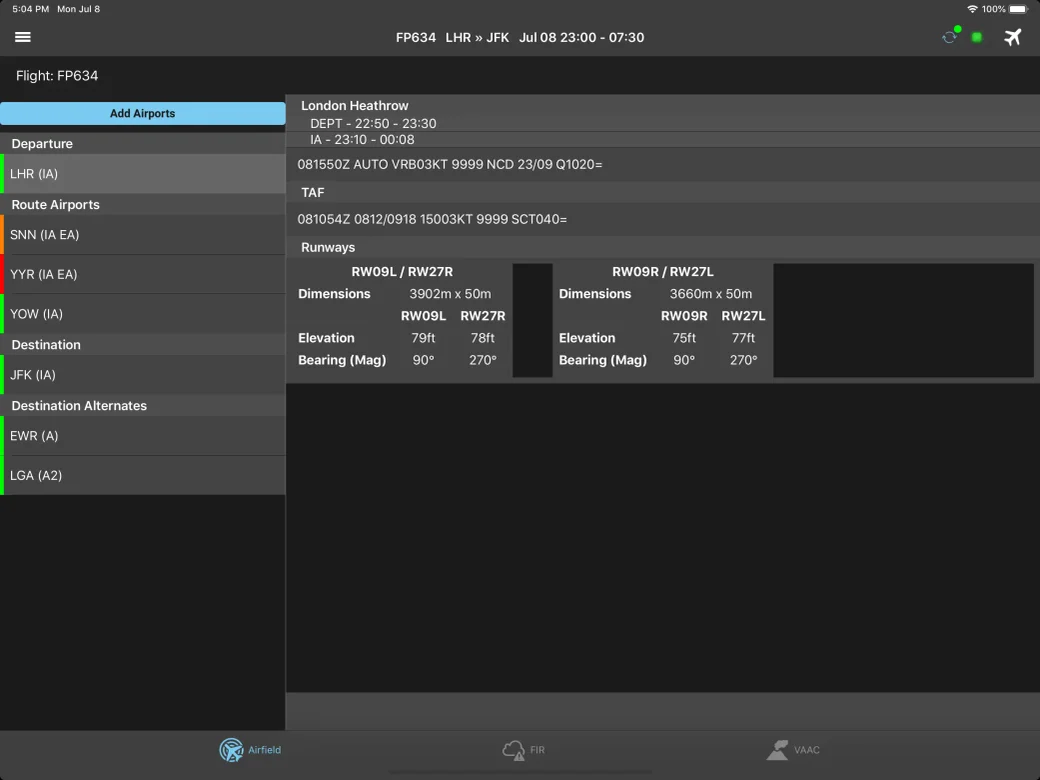
- METAR data with green, amber, red coloring based on configurable minima.
- TAF for each airfield.
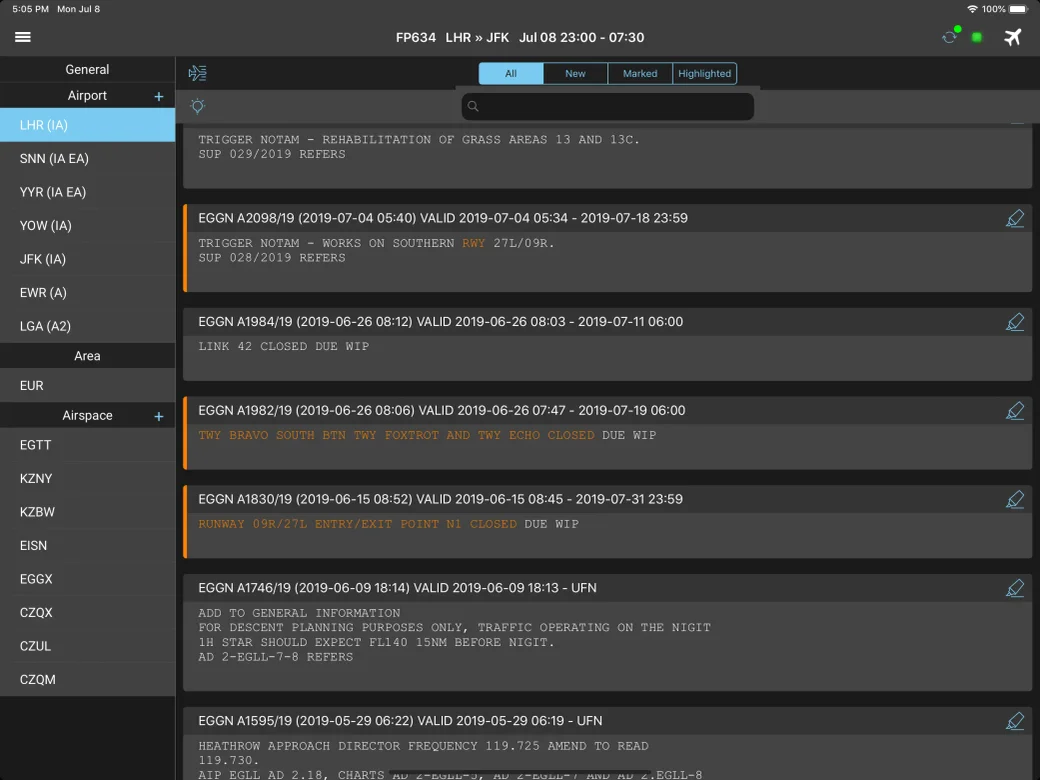
- NOTAM for each airfield.
- SNOWTAM for each airfield.
- Update facility to receive the latest data for your trip.
- FIR NOTAM, ASHTAM and SIGMETS.
- Operational notices.
- PDF Briefing Package.
- Flight Recalculation
- Sign Off.
Trip:
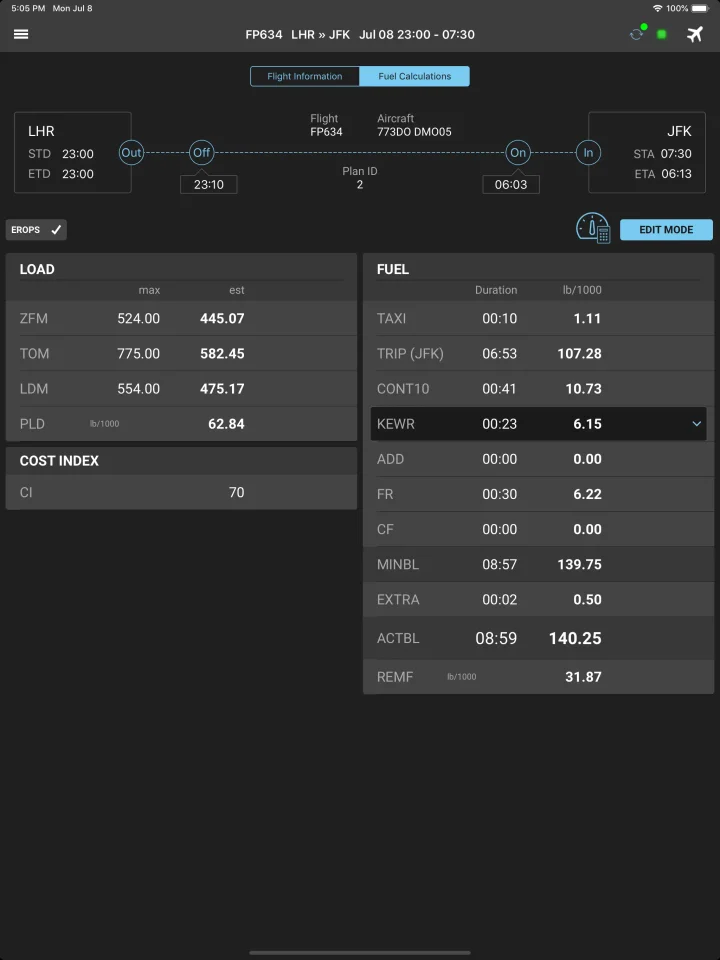
- Flight Summary showing weight and fuel information with offline recalculations.
- Delay records.
- Trip Log for capturing actual flight times, fuel on board, etc.
Scratch Pad
- Captures text notes.
- Captures drawings.
Device Sync
- Allows crews to “push” or “share” the data that has been entered into eFM from their device to another device
What’s new
Version 7.14.0 · Sep 8, 2026
Mandatory Fields – Archival Validation (New Feature)
• Airline-configurable mandatory fields and sections in Trip Log (Departure & Arrival tabs) and Sign Off modules (Crew Fitness, Flight Acceptance, Weight & Balance) are now enforced before Archive & Close.
• When mandatory data is missing, a validation popup lists incomplete sections; orange highlighting appears on affected tabs, containers, and individual input fields.
• Highlighting clears automatically when the user fills in the missing data.
• Pilot Override: if enabled by the configuration, pilots can override the mandatory check by providing a reason. The override reason is recorded in post-flight data and displayed in Trip Log Summary.
• Unarchived flights with partial data entry now show a visual indicator on the Flight Management screen when past the reminder period.
Device Sync – Master Document (New Feature)
• New configurable "Master Document" status: a pilot can designate their device as the master document via a button.
• Master status can be transferred to another device during Device Sync.
• Only the master device can archive the flight (unless overridden with a reason, integrated with the Mandatory Fields override flow).
• Feature is disabled by default; existing behavior preserved when off.
Flight Details Load Table Column Configuration
• Added the ability to swap the columns on the Flight Details load table. If desired, please contact for configuration
PDF File Naming (iOS)
• Removed problematic characters (:) from PDF file names when saving briefing documents to the iOS Files app.
• City pair (DEP-DEST IATA codes) now included in briefing PDF file names.
Map
• Fixed a memory leak that could cause the app to be forcibly shutdown
• Fixed multiple deadlocks that could cause the app to hang or not render properly in various situations
Trip Log
• Fixed issue where RCF at DP in eFM was not correct when there was no alternate
Weight & Balance
• Fixed missing pilot printed name in Weight & Balance Document Sign Off popup
• Fixed Weight & Balance statement (allow empty value)
SSO & Authentication
• Fixed SSO re-authentication when the server is unreachable — app now stays in offline mode and allows retry
• Fixed MQTT connection status indicator not updating immediately when going offline via SSO
UI Fixes
• Fixed Trip Log "Show Details" panel overlapping input fields after keyboard dismissal on iOS
Performance & Responsiveness
• Fixed app unresponsiveness during background flight downloads
• Fixed deadlock when opening a flight while background sector cleanup was in progress
Other
• Fixed incorrect region migration prompt appearing for US-region operators after logout/login
• Several crash fixes & stability improvements
App privacy
What CAE Inc. declares on the App Store about how this app handles data.
-
Data linked to you
May be collected and linked to your identity.
- Identifiers
-
Data not linked to you
May be collected but is not linked to your identity.
- Location
- Identifiers
- Usage data
- Diagnostics
Privacy practices may vary, for example with the features you use or your age.
Information
- Seller
- CAE Inc.
- Category
- Business
- Version
- 7.14.0
- Updated
- Sep 8, 2026
- Released
- May 9, 2014
- Size
- 137.9 MB
- Requires
- iOS 16.0 or later
- Age rating
- 4+
- Price
- Free
- Copyright
- © Copyright (c) 2026 Flightscape All rights reserved
You might also like
-
 Flysmart+ InFlightBusiness
-
 Flysmart+ ManagerBusiness
-
 AQDSafety incident reporting
-
 Flysmart+ LandingBusiness
-
 SMS MobileOffline incident reporting
-
 Flysmart+ TakeOffBusiness
-
 Flysmart+ Ops LibBusiness
-
 Flysmart+ LoadsheetBusiness
-
 Onboard Performance ToolBusiness
-
 Crew Hub - Roster & SocialView & export your roster