- 対象年齢4+
- カテゴリビジネス
- 開発元CAE Inc.
- サイズ137.9 MB
App Storeの公式ページにリンクしています
Download.orgはFlightscape eFlight Managerのファイルを一切ホストしていません。ボタンを押すと、CAE Inc.が公開しているApp Storeのアプリページが開きます。ページの最終確認:2026/11/15。
スクリーンショット

概要
開発元はこのテキストをお使いの言語で提供していません。
Flightscape eFlight Manager is a Flight Plan Manager add-on to expand the connected flight to the cockpit.
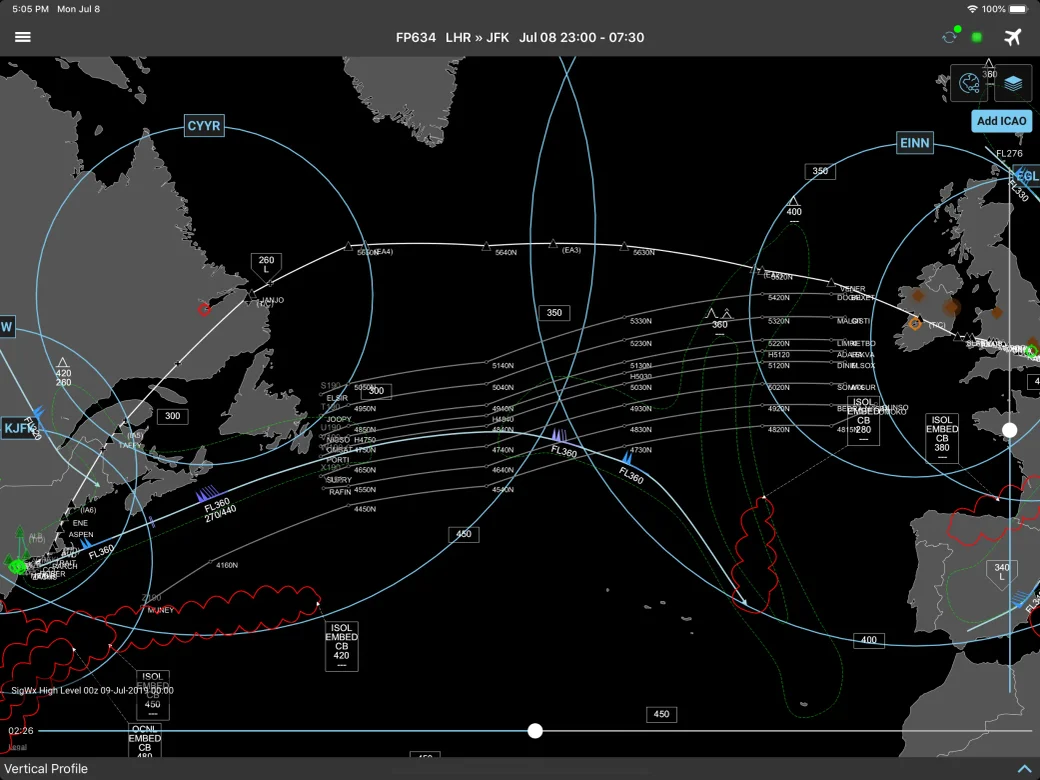
The application automates the process of collecting all the information for your trip by ingesting flight plans from your flight planning system of choice. A comprehensive and complete package is then generated containing all the latest information required for a trip such as MET, NOTAM, Upper Wind and Temperature / Significant Weather charts and documentation.
As well as being a system for delivering data for a trip, eFlight Manager has the ability to capture information from the flight crew. Information such as fuel records, actual flight times, and actual Fuel On board (FOB) are uploaded to the ground server for immediate analysis and reporting.
Major features include:
- ARINC 633-2 flight plan ingestion.
Pre-flight Briefing:
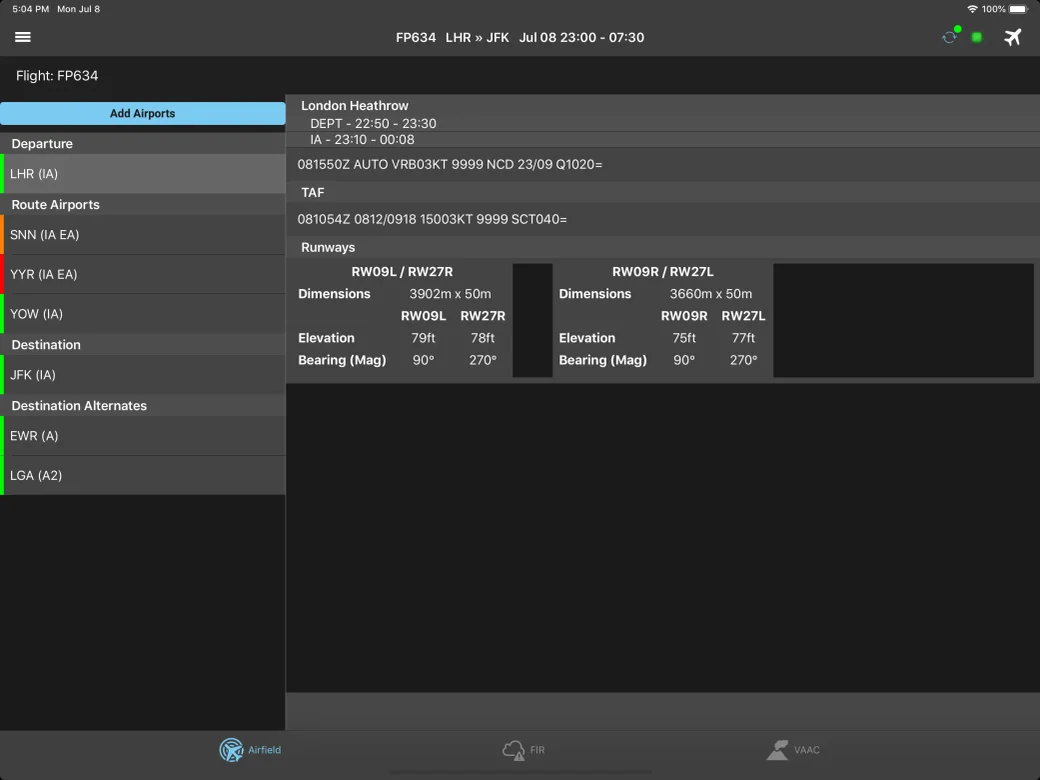
- METAR data with green, amber, red coloring based on configurable minima.
- TAF for each airfield.
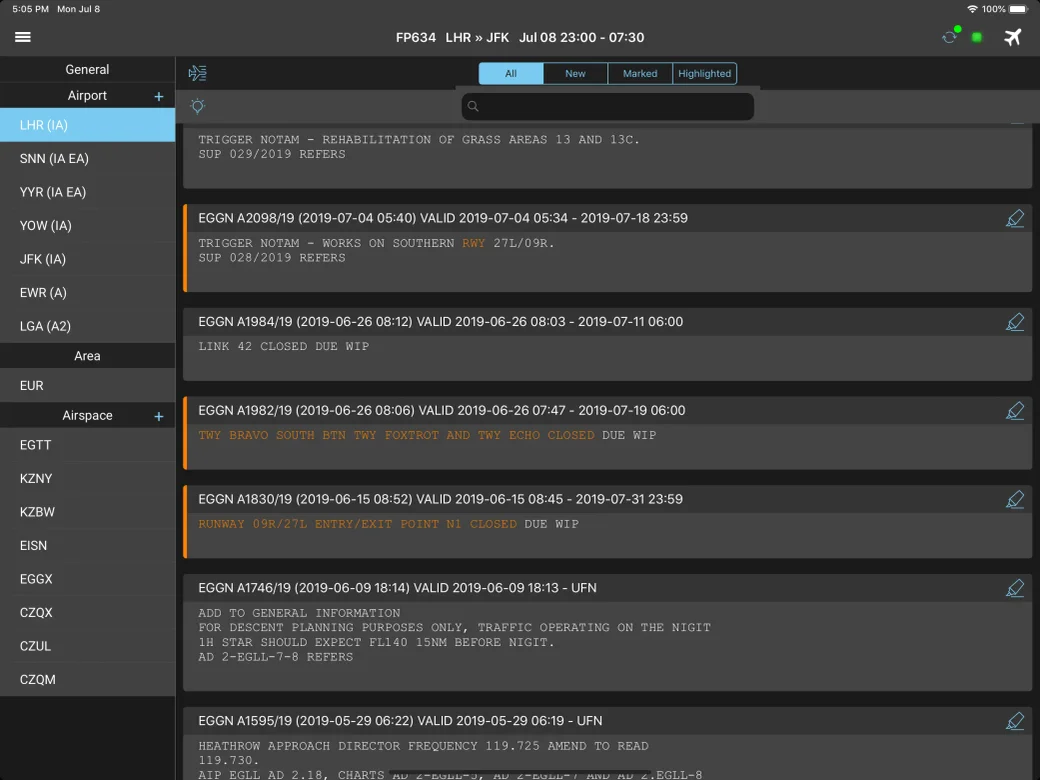
- NOTAM for each airfield.
- SNOWTAM for each airfield.
- Update facility to receive the latest data for your trip.
- FIR NOTAM, ASHTAM and SIGMETS.
- Operational notices.
- PDF Briefing Package.
- Flight Recalculation
- Sign Off.
Trip:
- Flight Summary showing weight and fuel information with offline recalculations.
- Delay records.
- Trip Log for capturing actual flight times, fuel on board, etc.
Scratch Pad
- Captures text notes.
- Captures drawings.
Device Sync
- Allows crews to “push” or “share” the data that has been entered into eFM from their device to another device
新機能
バージョン 7.14.0 · 2026/9/8
Mandatory Fields – Archival Validation (New Feature)
• Airline-configurable mandatory fields and sections in Trip Log (Departure & Arrival tabs) and Sign Off modules (Crew Fitness, Flight Acceptance, Weight & Balance) are now enforced before Archive & Close.
• When mandatory data is missing, a validation popup lists incomplete sections; orange highlighting appears on affected tabs, containers, and individual input fields.
• Highlighting clears automatically when the user fills in the missing data.
• Pilot Override: if enabled by the configuration, pilots can override the mandatory check by providing a reason. The override reason is recorded in post-flight data and displayed in Trip Log Summary.
• Unarchived flights with partial data entry now show a visual indicator on the Flight Management screen when past the reminder period.
Device Sync – Master Document (New Feature)
• New configurable "Master Document" status: a pilot can designate their device as the master document via a button.
• Master status can be transferred to another device during Device Sync.
• Only the master device can archive the flight (unless overridden with a reason, integrated with the Mandatory Fields override flow).
• Feature is disabled by default; existing behavior preserved when off.
Flight Details Load Table Column Configuration
• Added the ability to swap the columns on the Flight Details load table. If desired, please contact for configuration
PDF File Naming (iOS)
• Removed problematic characters (:) from PDF file names when saving briefing documents to the iOS Files app.
• City pair (DEP-DEST IATA codes) now included in briefing PDF file names.
Map
• Fixed a memory leak that could cause the app to be forcibly shutdown
• Fixed multiple deadlocks that could cause the app to hang or not render properly in various situations
Trip Log
• Fixed issue where RCF at DP in eFM was not correct when there was no alternate
Weight & Balance
• Fixed missing pilot printed name in Weight & Balance Document Sign Off popup
• Fixed Weight & Balance statement (allow empty value)
SSO & Authentication
• Fixed SSO re-authentication when the server is unreachable — app now stays in offline mode and allows retry
• Fixed MQTT connection status indicator not updating immediately when going offline via SSO
UI Fixes
• Fixed Trip Log "Show Details" panel overlapping input fields after keyboard dismissal on iOS
Performance & Responsiveness
• Fixed app unresponsiveness during background flight downloads
• Fixed deadlock when opening a flight while background sector cleanup was in progress
Other
• Fixed incorrect region migration prompt appearing for US-region operators after logout/login
• Several crash fixes & stability improvements
アプリのプライバシー
このアプリのデータの取り扱いについて、CAE Inc.がApp Storeで申告している内容です。
-
ユーザーに関連付けられたデータ
収集され、ユーザーの識別情報に関連付けられる場合があります。
- ID
-
ユーザーに関連付けられないデータ
収集される場合がありますが、ユーザーの識別情報には関連付けられません。
- 位置情報
- ID
- 使用状況データ
- 診断
プライバシーの取り扱いは、ご利用の機能やお客様の年齢などに応じて異なる場合があります。
情報
- 販売元
- CAE Inc.
- カテゴリ
- ビジネス
- バージョン
- 7.14.0
- 更新日
- 2026/9/8
- リリース
- 2014/5/9
- サイズ
- 137.9 MB
- 必要条件
- iOS 16.0以降
- 対象年齢
- 4+
- 価格
- 無料
- 著作権
- © Copyright (c) 2026 Flightscape All rights reserved