
Flipclock-Focus timer tracker
Flip clock & focus timer
Designed for iPhone, iPad
Free
- Age rating12+
- CategoryProductivity
- Developer微 韩
- LanguagesEnglish+ 1 more
- Size91.8 MB
Links to the official App Store page
Download.org hosts no file of Flipclock-Focus timer tracker. The button opens its official App Store page, published by 微 韩. Listing last checked on Nov 18, 2026.
Screenshots

About
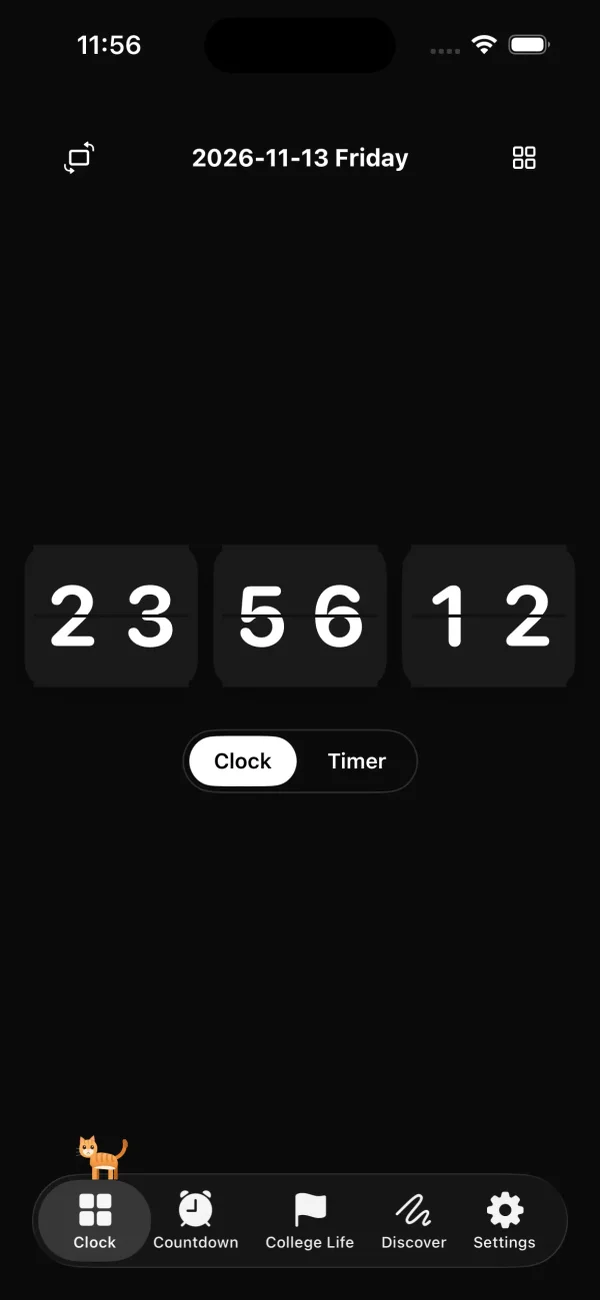
FlipClock — the flip clock you'll actually want to leave on screen.
Turn your iPhone or iPad into a beautiful, quiet full-screen flip clock. Big, sharp digits, a real page-flip animation every second, and just enough personality to make your desk or nightstand feel lived in. No clutter, just time, beautifully shown.
WHY PEOPLE KEEP IT OPEN
• A real flip animation, not a static number
• Instantly readable from across the room
• Works in portrait and landscape
• Looks great in the dark, and stays readable at night
MAKE IT YOURS
• Multiple font skins — from clean modern numerals to a classic mechanical look
• Several colour themes, from deep black to soft warm tones
• Adjustable digit size, so the clock fits your screen and your eyesight
• 12-hour or 24-hour, with date and weekday on display
• Swipe to adjust brightness, then lock the screen so nothing moves by accident
SMALL THINGS THAT MATTER EVERY DAY
• Nightstand mode: a dimmed, low-distraction clock for the bedside table
• Hourly chime: a gentle single note on the hour, if you want it
• Floating clock: keep time visible on top of other apps
• Touch lock: hand your phone to someone without them changing your settings
COUNTDOWN THAT ACTUALLY COUNTS
Track the days that matter — birthdays, holidays, exams, trips, anniversaries. Each countdown shows the days remaining, plus the hours and minutes when the date is close, and can repeat yearly, monthly or daily. Add a reminder and the app will tell you before the day arrives, not after.
COLLEGE LIFE — 100 SMALL THINGS WORTH DOING
A curated list of one hundred campus moments: staying in the library until closing, sitting in on another major's class, photographing sunrise over the main building. Work through the list chapter by chapter, mark items as to-do, in progress or done, attach photos and notes, and watch your own timeline fill up. It is part diary, part gentle nudge to go outside.
NOTES AND SCHEDULE, IN ONE PLACE
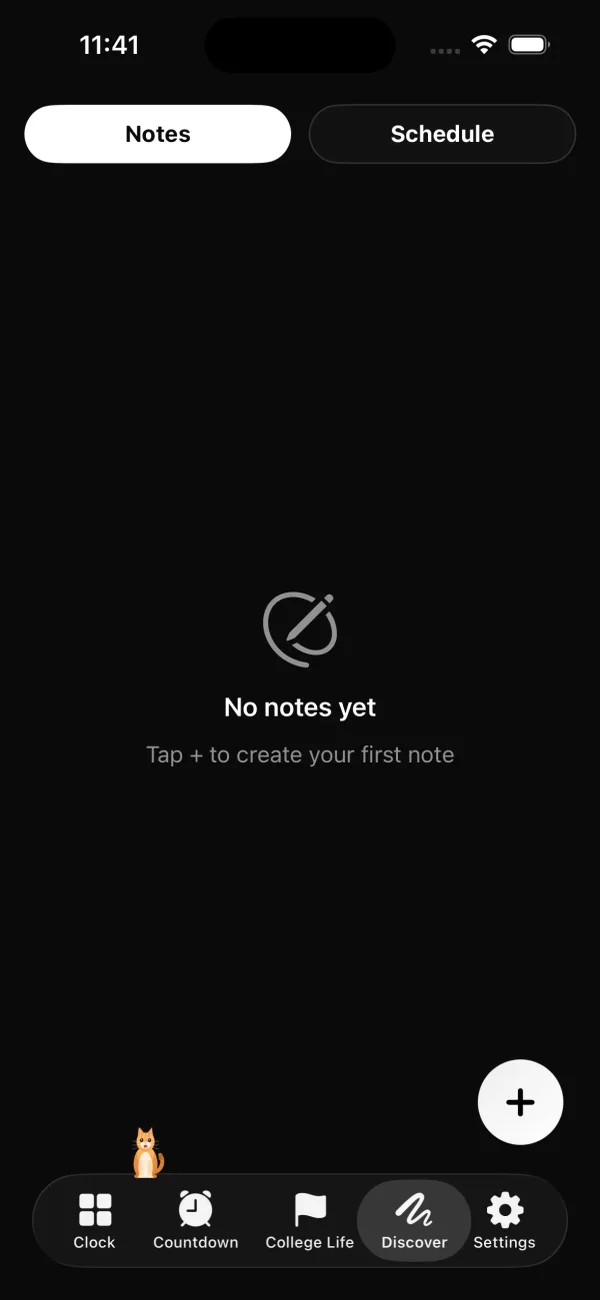
A handwriting-friendly board for quick notes and ideas, next to a simple weekly schedule for classes and routines. Both live inside the app, so the thing you use to check the time is also the thing you use to remember what the time is for.
FOCUS TOOLS
• Pomodoro timer for work and study sessions
• White noise to block out a noisy room
• Multiple time zones for travel and remote work
• Time correction, for clocks that drift a little
EVERYWHERE YOU LOOK
• Home Screen and Lock Screen widgets
• Apple Watch app, so the flip clock is on your wrist
• Backup and restore, so a new phone does not mean starting over
THE DETAILS WE FUSSED OVER
• Animation timing: quick enough to feel mechanical, never distracting
• Layout: every screen size is handled, in portrait and landscape
THREE WAYS PEOPLE USE IT
1. On a desk or shelf — landscape, large digits, a font skin that matches the room.
2. On a nightstand — dimmed, chime off, touch locked, the room quiet until morning.
3. As a study timer — flip clock on screen, Pomodoro running, white noise on, phone out of the way.
A NOTE ON ADS AND PRIVACY
FlipClock is free to use. It shows a small amount of advertising, and on first launch you decide whether personalised ads are allowed. Say no and you still get the full clock, countdown, College Life and notes experience. Basic Mode strips things down further for anyone who wants the least possible running in the background. No account is required, notes are not uploaded, and your countdowns and lists stay on your device.
20 LANGUAGES, BUILT IN
English, Chinese, Japanese, Korean, Spanish, French, German, Italian, Portuguese, Russian, Arabic, Thai, Vietnamese, Indonesian, Malay, Turkish, Hindi, Dutch and Polish — plus dark and light appearance, following the system or your choice.
FlipClock is made by a small independent studio: one app, done carefully. Put it on your desk, set it on your nightstand, and let time pass beautifully.
Questions or ideas? Write to us from Settings → Feedback. We read everything.
What’s new
Version 1.1.1 · Nov 13, 2026
This update focuses on the iPad experience and privacy authorization:
Fix the issue where adjusting the "countdown number size" does not take effect on the home screen clock/countdown
・The content width is narrowed and centered in full screen on iPad, making the layout of settings, countdown days, college trivia, and discovery page more harmonious
Fix the issue where the displayed year is incorrect in the countdown entries for New Year's Eve
・Fixed the issue where the tracking authorization pop-up may not appear during the first launch
・Optimize the display position of the bottom cat animation on iPad
App privacy
What 微 韩 declares on the App Store about how this app handles data.
-
Data used to track you
May be used to track you across apps and websites owned by other companies.
- Identifiers
- Diagnostics
-
Data linked to you
May be collected and linked to your identity.
- Identifiers
- Diagnostics
Privacy practices may vary, for example with the features you use or your age.
Information
- Seller
- 微 韩
- Category
- Productivity
- Version
- 1.1.1
- Updated
- Nov 13, 2026
- Released
- Aug 6, 2026
- Size
- 91.8 MB
- Requires
- iOS 16.0 or later
- Age rating
- 12+
- Price
- Free
- Languages
- English, Simplified Chinese
- Copyright
- © 2026 Shanghai Weiyu Rusu Network Design Co., Ltd.
You might also like
-
 SnapDocket: Snagging ListServe snags. Track every fix.
-
 Ariadne — share threadsMastodon threads, unrolled
-
 Universal Scanner - PDF ScansScan, crop and export PDFs
-
 Easy LockerProductivity
-
 Mind Reader+ | RPS vs AIRock Paper Scissors Mind Game
-
 Quad To-Do: Eisenhower MatrixFocus on What Truly Matters
-
 Floaty: Lock Screen EssentialsTo-Dos, Train & Flight Tickets
-
 iFieldSurveyOffline Forms, Kiosk & Raffle
-
 Remindly AIProductivity
-
 Yike: To-Do List, Task PlannerFocus Timer, Calendar & Alerts