iPhone · Utilities
Get Float Flip Clock-Digital Theme for iPhone
Float Flip Clock-Digital Theme is published by 玥 邓 on the App Store. The button opens the official listing.
Free · In-app purchases
Scan with your phone to open the App Store page.
Links to the official App Store page
Download.org hosts no file of Float Flip Clock-Digital Theme. The button opens its official App Store page, published by 玥 邓. Listing last checked on Nov 17, 2026.
How to install Float Flip Clock-Digital Theme
Three steps, all on App Store.
- Open App StoreUse the button above, or scan the code with your phone.
- Check the publisherThe page should show Float Flip Clock-Digital Theme by 玥 邓.
- Install from the storeTap the install button on App Store. The store handles the download and every update.
Information
- Seller
- 玥 邓
- Category
- Utilities
- Version
- 2.0.2
- Updated
- Jun 29, 2026
- Released
- Apr 14, 2021
- Size
- 85.5 MB
- Requires
- iOS 15.0 or later
- Age rating
- 4+
More for iPhone
See all: More for iPhone-
 ZenFlip - Full Screen ClockMinimal digital flip clock
-
 Small Clock - Beautiful ClockFull screen desktop clock
-
 FlipClock: Always On DisplayWatch, Timer, Pomodoro, Best!
-
 StandBy Clock: Custom WidgetsFlip, Bedside, Countdown & GIF
-
 Big Clock: Digital DisplayHuge Nightstand Clock & Timer
-
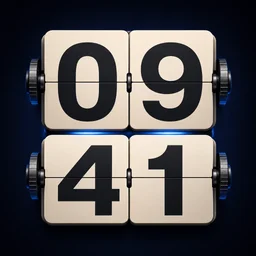 Flip Clock-DIGITAL CLOCKDigital clock&Digital widget
-
 Digits - Retro Flip Clock LCDRetro Clock Display LCD LED
-
 Floating Clock - ms levelRush Buy Helper/Net Speed Test
-
 FloClock - Flash Sale Clockpomodoro countdown stopwatch
-
 时间悬浮窗Utilities