
Flourish PDF: Editor & OCR
Annotate, Sign, Fill & Convert
Designed for iPhone, iPad, Mac
Free · In-app purchases
- Age rating4+
- CategoryProductivity
- DeveloperFenul LLC
- LanguagesEnglish
- Size35.9 MB
Links to the official App Store page
Download.org hosts no file of Flourish PDF: Editor & OCR. The button opens its official App Store page, published by Fenul LLC. Listing last checked on Nov 22, 2026.
Screenshots
About
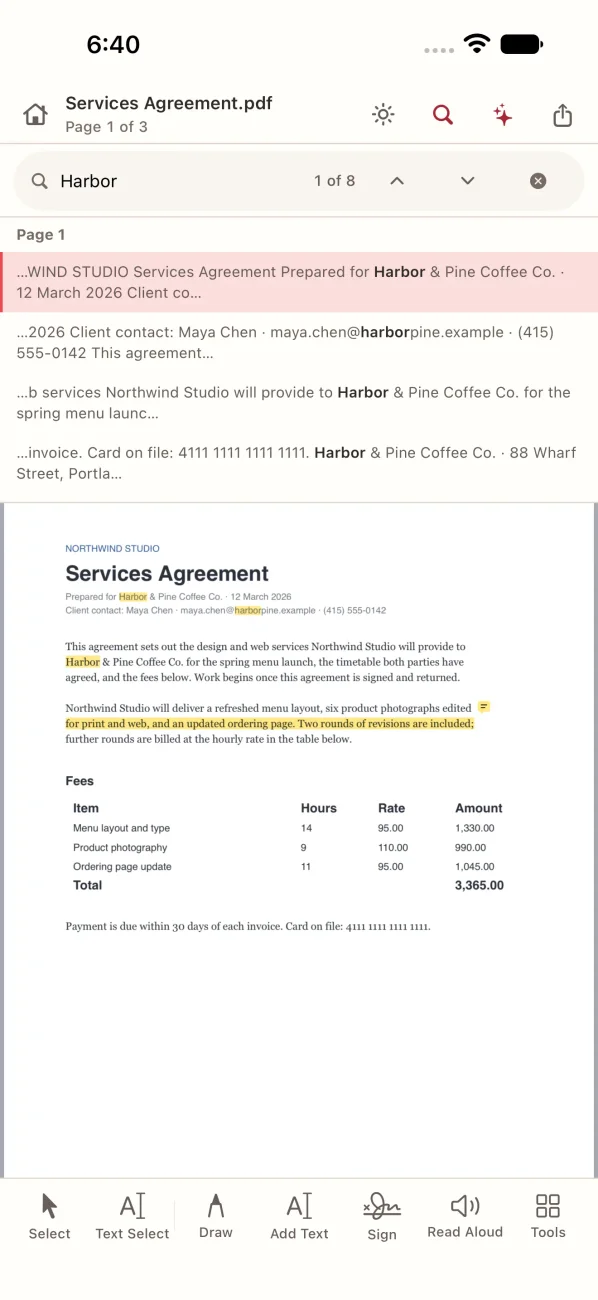
Flourish PDF is a private PDF editor and scanner for iPhone and iPad. Scan, edit, fill and sign, merge, compress, OCR, redact and password-protect PDFs — all on your device. There is no upload endpoint: your documents are never uploaded.
SCAN
• Scan paper with the camera, straight into a new or open document
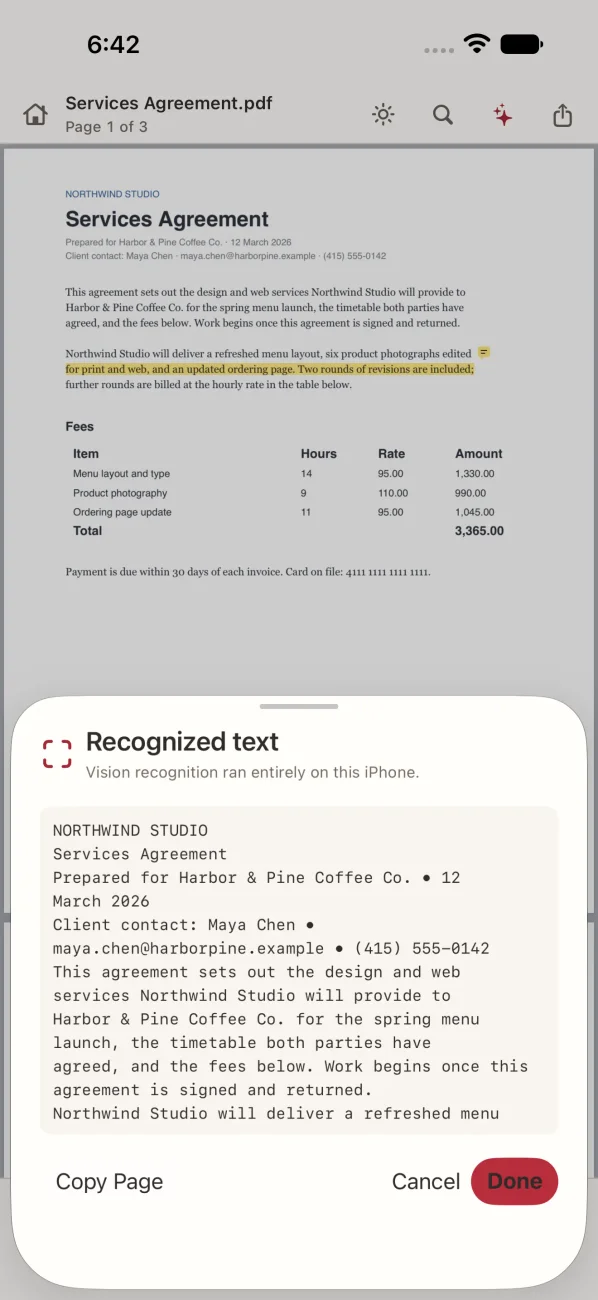
• Run OCR on the device and save a searchable PDF
• Camera scans are straightened for you; OCR reads rotated and sideways pages
• Make a scanned page editable: each line becomes real text in the closest font, size and colour (Pro)
• Open a PDF or make it searchable from any app's share sheet
EDIT PDF
• Edit existing text line by line, matched to its font (Pro)
• Rewrite a whole paragraph and it re-wraps; move, crop or replace pictures (Pro)
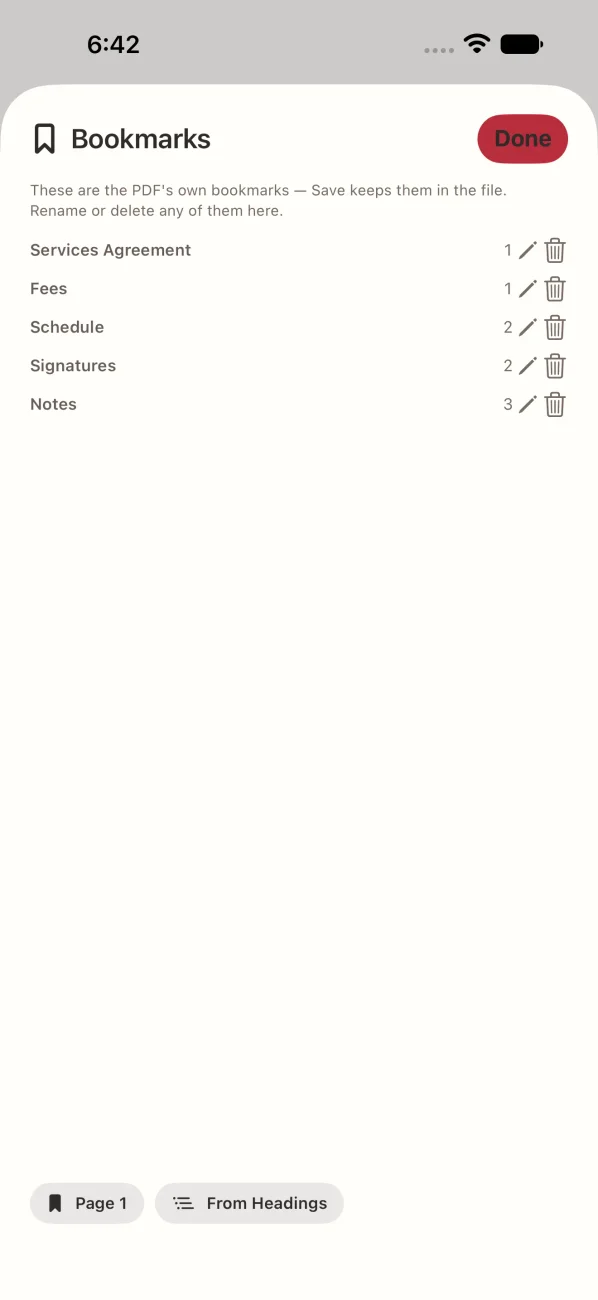
• Add text, notes, links, bookmarks and shapes; Apple Pencil works too
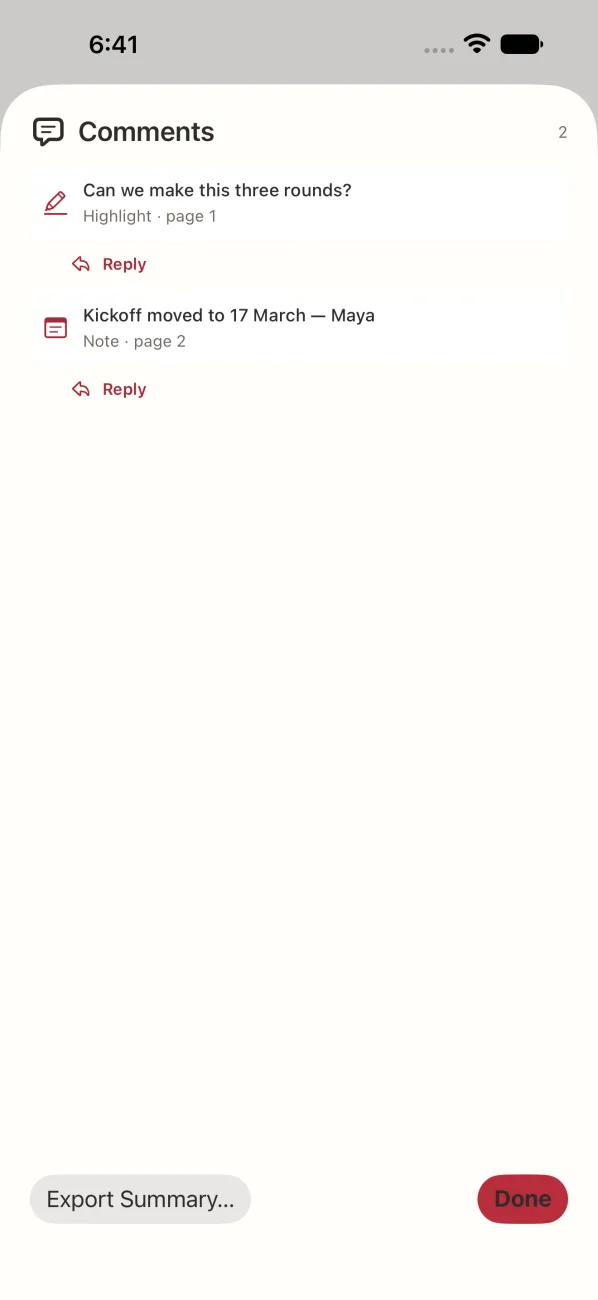
• Highlight, underline, squiggly and strike out; callouts and comment replies
• Stamp library, plus stamps you save yourself
FILL AND SIGN
• Fill forms right on the page: text, check boxes, radio buttons and dropdowns
• Autofill from My Details (Plus); certificate signatures: sign (Pro) and verify
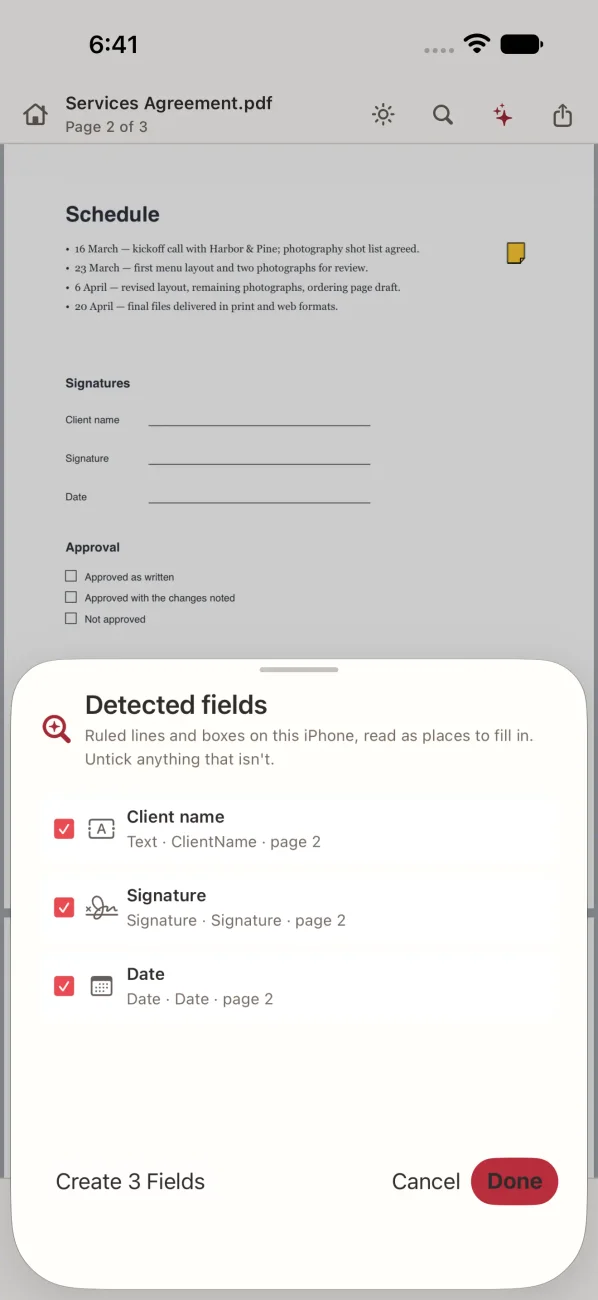
• Detect fields on a flat PDF and create new ones; flatten when done
• Sign with a signature you save once
ORGANIZE PAGES
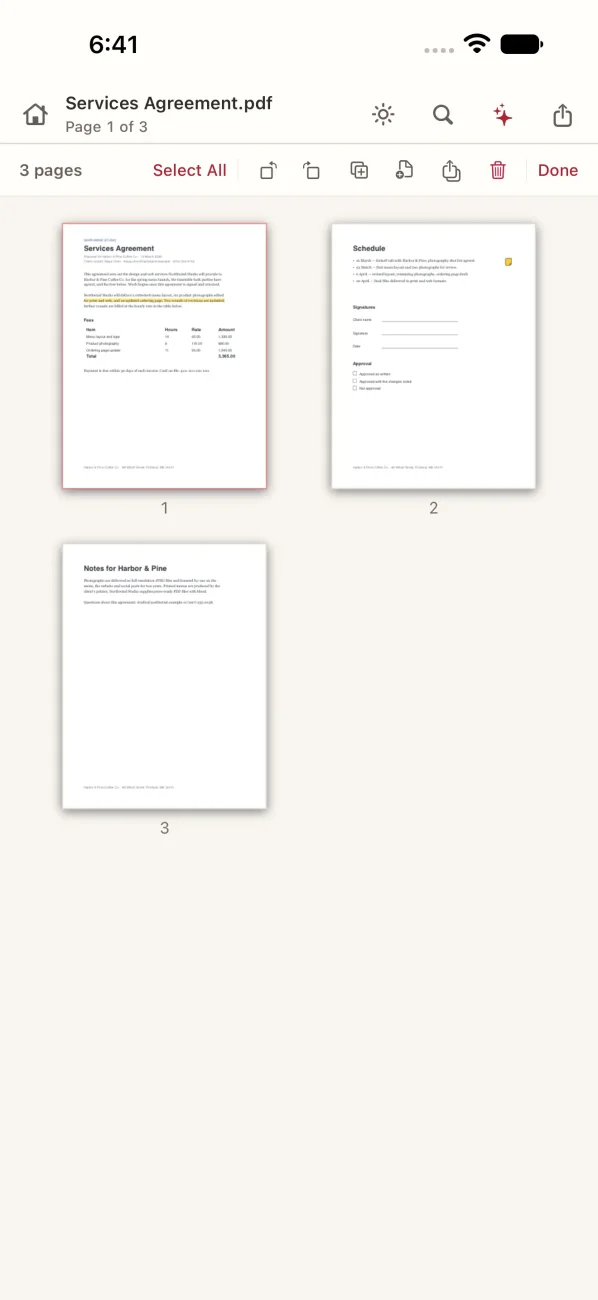
• Merge PDFs, split by page range, extract, insert, reorder, rotate and crop
• Page numbers, headers and footers, watermarks and Bates numbers
• Compress one file and see its size before and after, or a whole batch (Pro)
• Export pages as PNG, JPG or TIFF; create a PDF from images
• Export to Word, Excel and PowerPoint, on your device (Pro)
• Create a PDF from a Word, Excel or PowerPoint file or a web page (Plus)
PASSWORDS AND REDACTION
• Open password-protected PDFs; change or remove a password
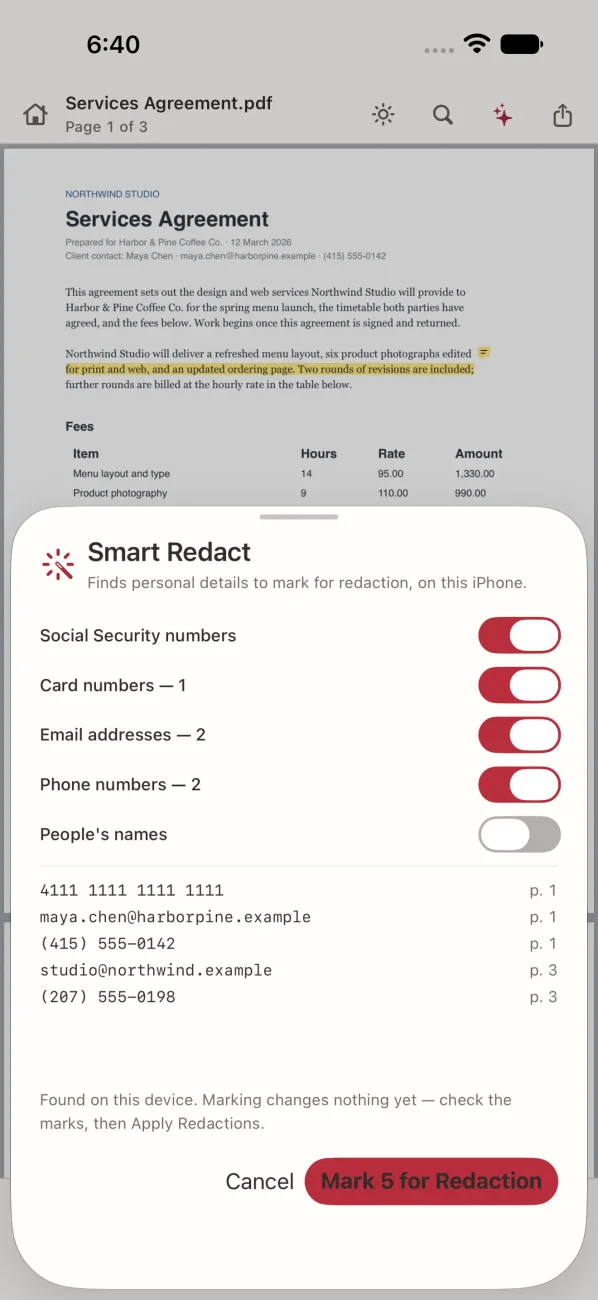
• Redact by text, area or search, or let Smart Redact find SSNs, card numbers, emails and phone numbers (Pro)
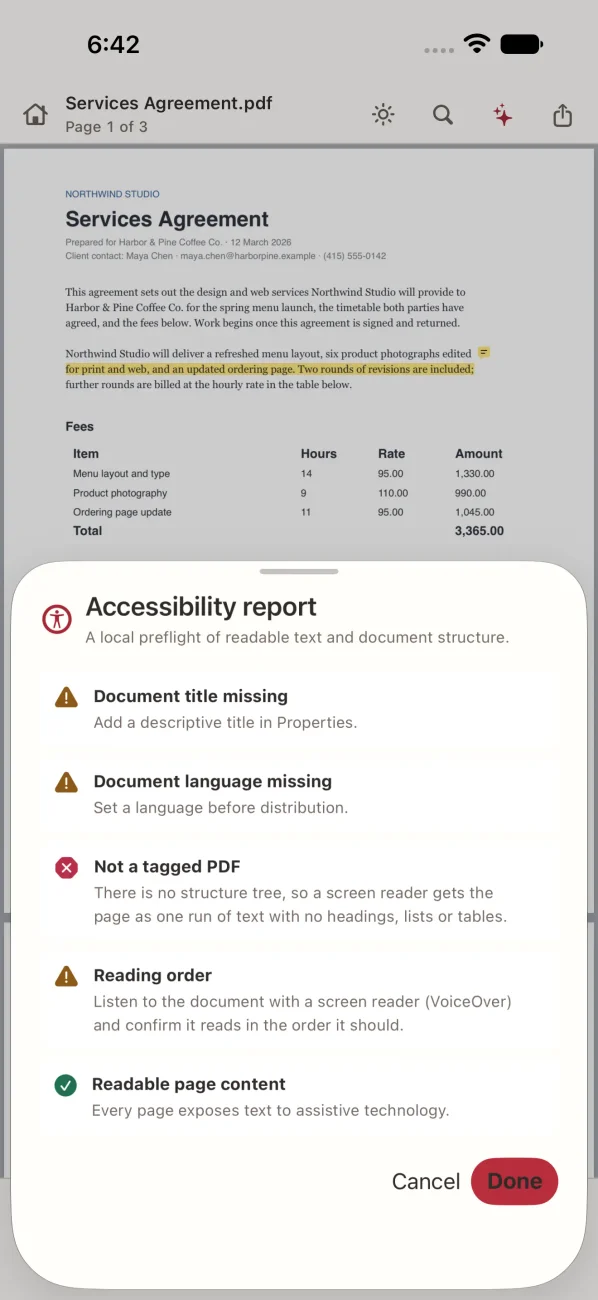
• Compare two versions, differences boxed in red; accessibility, PDF/A and preflight reports (Pro)
• Save a print-ready PDF/X-4 file and see anything that would fail (Pro)
ON-DEVICE AI (Pro, with Apple Intelligence)
• Summarize or translate the whole document
• Ask questions and get answers with page citations
• Rewrite, proofread and define
• Make bookmarks, chat across open PDFs and edit by asking
ALSO
Document tabs, saved workflows (Pro), Shortcuts, measure distance and area (Pro), draft LaTeX on iPad, version history, print, read aloud, reading themes and app lock.
PLANS
• Free — read, search, print, annotate, sign, scan, organize, merge and split, crop, page numbers, bookmarks, links and passwords; 5 OCR pages a month. The free version shows ads.
• Plus ($4.99/month or $39.99/year) — no ads, forms, compress, image export and PDF from images; 250 OCR pages a month.
• Pro ($9.99/month or $79.99/year) — everything unlimited, plus text editing, redaction, watermarks, Bates, batch, compare, accessibility, measuring and AI.
Plus and Pro each start with a 7-day free trial — the trial is for the plan you choose, so a Plus trial gives you Plus and a Pro trial gives you Pro. Your trial becomes a paid subscription at the price above when it ends, unless you cancel at least 24 hours before that.
Plus and Pro are auto-renewable subscriptions charged to your Apple ID at confirmation of purchase. A subscription renews automatically unless cancelled at least 24 hours before the end of the period. Manage or cancel anytime in Settings → Apple ID → Subscriptions.
By using Flourish PDF you agree to our Terms of Use at https://softflourish.com/flourishpdf/terms and Privacy Policy at https://softflourish.com/flourishpdf/privacy.
© 2026 Soft Flourish
What’s new
Version 1.12.0 · Nov 20, 2026
• Certificate encryption: protect a PDF so only the recipients whose certificates you choose can open it, and open PDFs protected this way.
• Split View: two panes of the same document, side by side on iPad or stacked on iPhone, each with its own page and zoom, with optional synced scrolling.
• Advanced Search: search a whole folder of PDFs, including comments, bookmarks and attachments. An index on your device makes repeat searches fast.
• Article threads: draw article boxes and read a story along them.
• Line Weights on or off, rulers and draggable guides, with Snap to Guides.
• Watermark, Header & Footer and Bates numbering: more date formats, a date format for each zone, Bates prefix and suffix, page lists such as 1-3, 7, and Update and Remove for marks other PDF apps added.
• Data Matrix barcodes in rectangular shapes. Barcode fields are saved in the standard paper-metadata form other PDF apps read.
• Shared review without a server: Send for Review, then Merge Comments from the returned PDFs, FDF or XFDF files, with replies and review states kept.
• Print to Flourish: from any app's Share sheet, send a PDF or up to 20 pictures to Flourish PDF. Pictures become one PDF, a page each.
• Settings → Identity: choose the name your comments and replies are signed with, and change the author of any comment.
• Reliability: comments, stamps and form fields are saved with standard fonts and appearances, so every PDF app shows them the same. Audio and video clips play again with a double tap. And more fixes.
App privacy
What Fenul LLC declares on the App Store about how this app handles data.
-
Data linked to you
May be collected and linked to your identity.
- Purchases
- Location
- Contact info
- Identifiers
- Usage data
-
Data not linked to you
May be collected but is not linked to your identity.
- Diagnostics
Privacy practices may vary, for example with the features you use or your age.
Information
- Seller
- Fenul LLC
- Category
- Productivity
- Version
- 1.12.0
- Updated
- Nov 20, 2026
- Released
- Jul 31, 2026
- Size
- 35.9 MB
- Requires
- iOS 17.0 or later
- Age rating
- 4+
- Price
- Free
- In-app purchases
- Yes
- Languages
- English
- Copyright
- © 2026 Soft Flourish
You might also like
-
 Headwayflow: ADHD PlannerSee time the way you feel it
-
 Pdf Studio: Reader & ListenerProductivity
-
 JustStart: ADHD PlannerFocus Timer & Body Doubling
-
 Crimson Pdf: Editor & ToolsConvert, scan, sign, merge
-
 Freelancer Hub: Job EarningsTrack Projects & Revisions
-
 OneTask - ADHD Daily PlannerOne Task Focus, Neurodivergent
-
 Folio PDF Reader & EditorEdit, annotate, sign & compare
-
 ADHD Cleaning Planner AppChores, Routines & Motivation
-
 Attentionly: ADHD Time AuditTime blindness check-in nudges
-
 Archive ThisProductivity