
Folio PDF Reader & Editor
Edit, annotate, sign & compare
Designed for iPad, Mac
Free
- Age rating4+
- CategoryProductivity
- DeveloperAdel Hashemi
- LanguagesEnglish
- Size107.6 MB
Links to the official App Store page
Download.org hosts no file of Folio PDF Reader & Editor. The button opens its official App Store page, published by Adel Hashemi. Listing last checked on Nov 23, 2026.
Screenshots


About
Folio brings PDF reading, editing and review into one workspace on your iPad. Mark up documents, correct text and images, fill forms and turn paper pages into searchable PDFs.
READ AND MARK UP
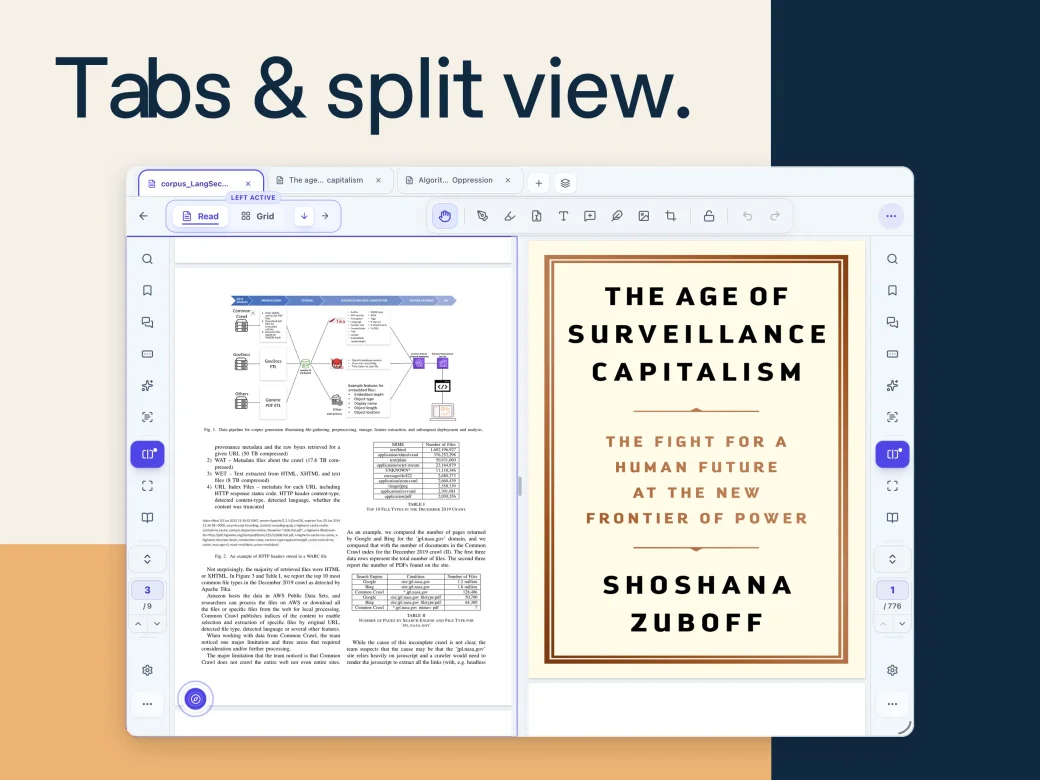
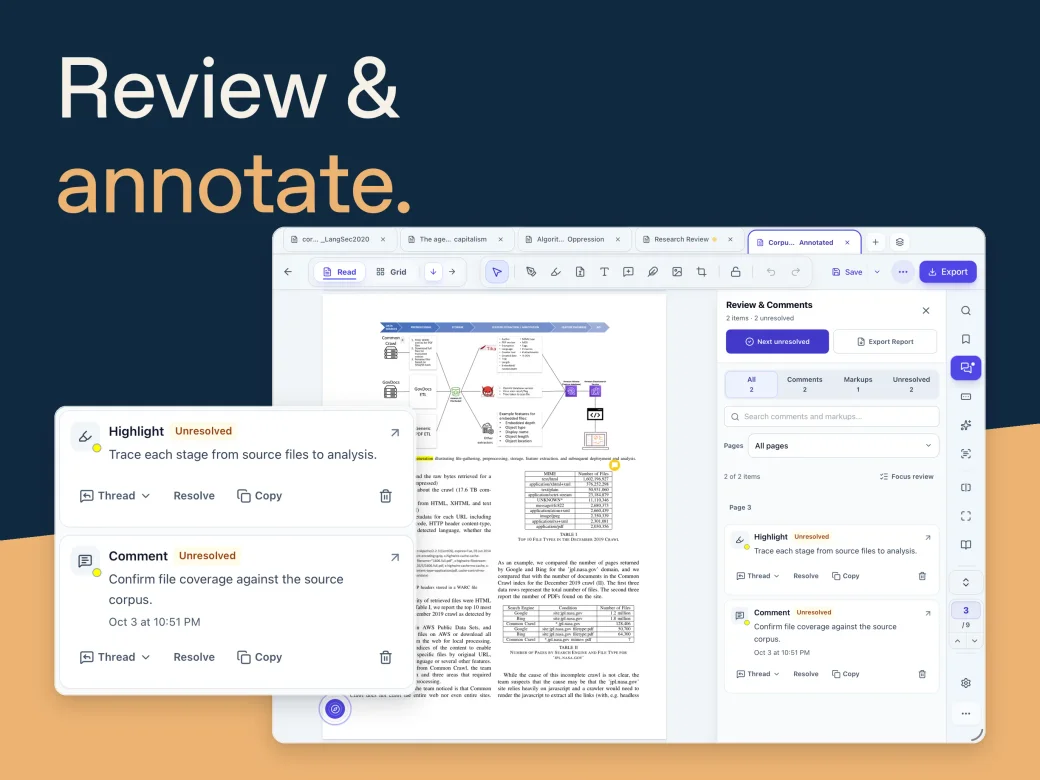
Highlight, underline, draw and add comments. Use bookmarks, search, Book View, horizontal or vertical reading and Zen Mode. Listen to selected text or pages with Read Aloud using installed device voices, and read documents side by side in Split View.
EDIT TEXT AND IMAGES
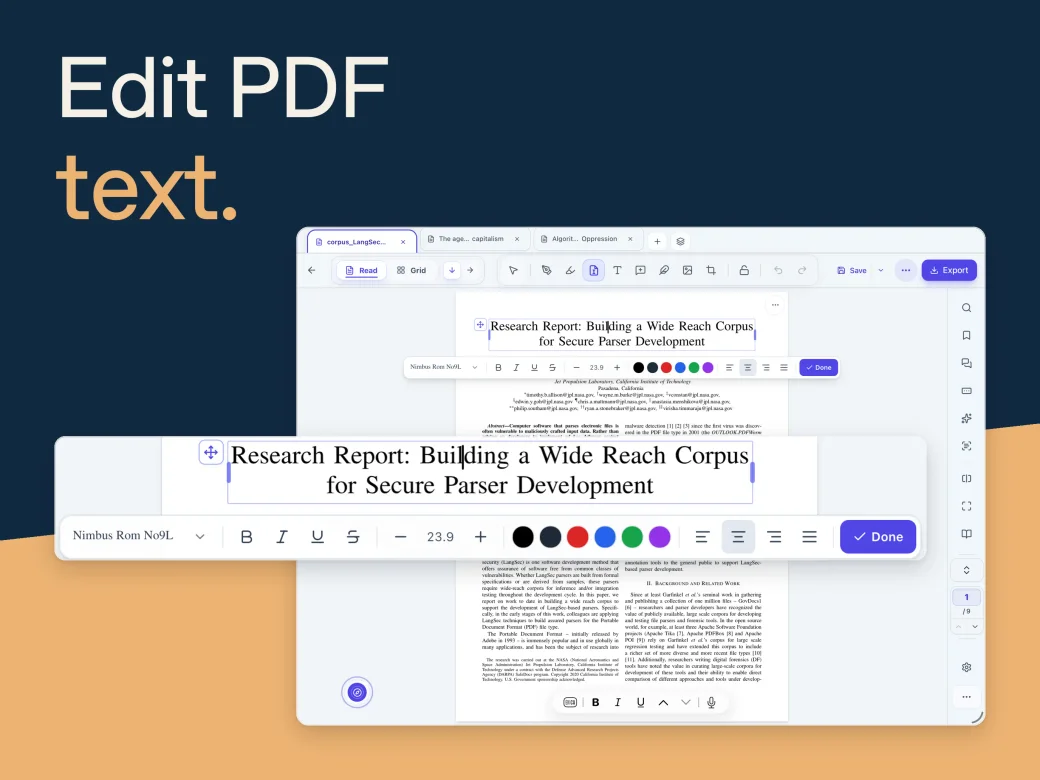
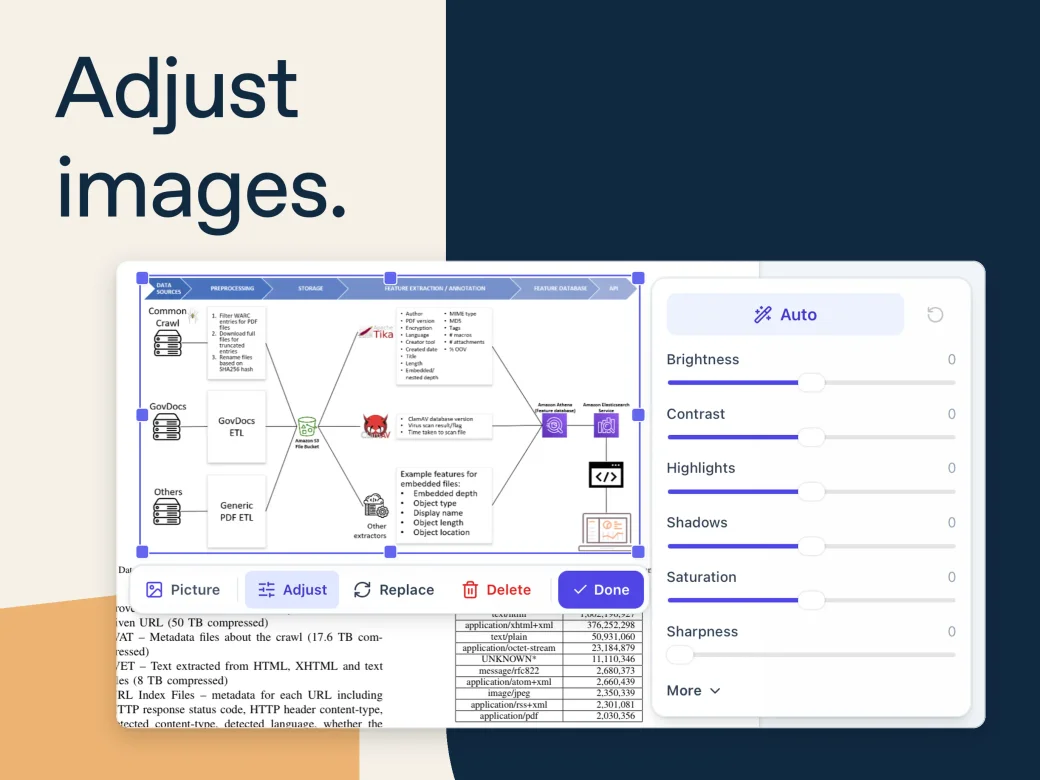
Edit existing PDF text and pictures. Move, resize, replace or adjust images; insert text, shapes and stamps. Crop inserted images, remove plain backgrounds and manage document links. Find tools quickly in the searchable Action Center.
SCAN AND SEARCH
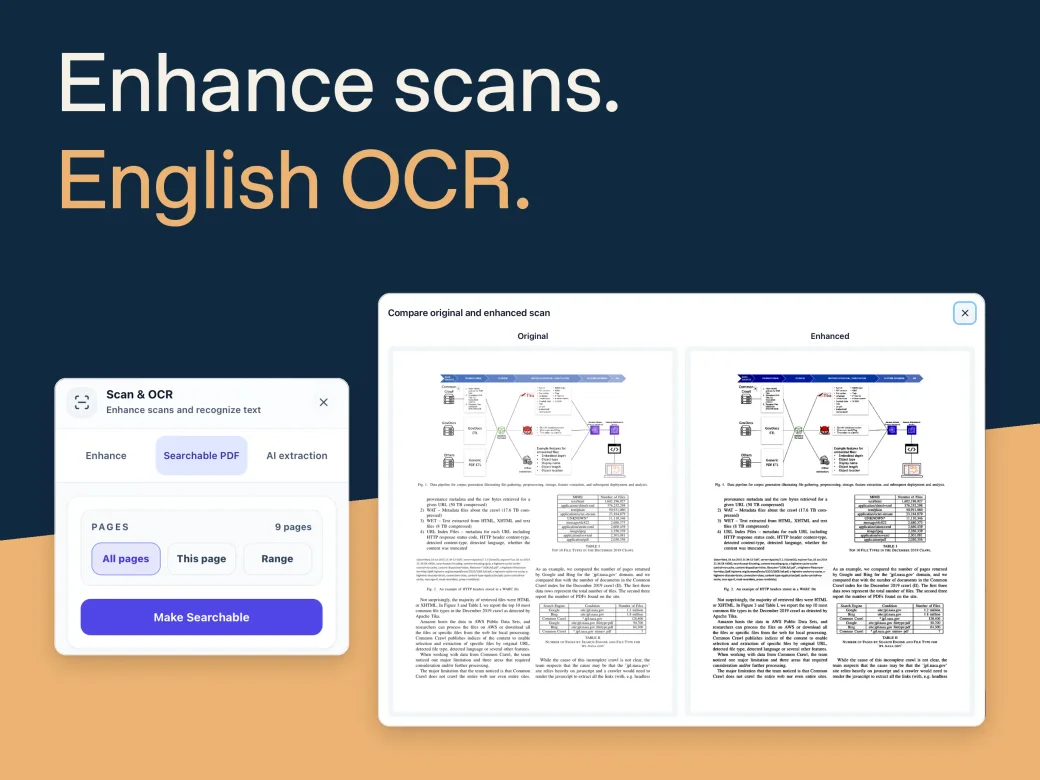
Scan paper documents with your iPad camera, clean up scanned pages and run local OCR in English, Spanish, French, German, Italian, Portuguese, Turkish, Korean, Arabic, Persian, Japanese and Simplified Chinese. Add searchable text without sending pages to an AI service.
FILL FORMS AND SIGN
Fill and create interactive forms with validation and calculations. Review suggested fields before adding them, reuse saved profile details, and import or export responses as CSV, JSON or XFDF.
Place reusable typed, drawn or image signatures, initials and dates. For certificate-based signing, use a signing identity and inspect digital signatures and their verification results.
ORGANIZE AND COMPARE
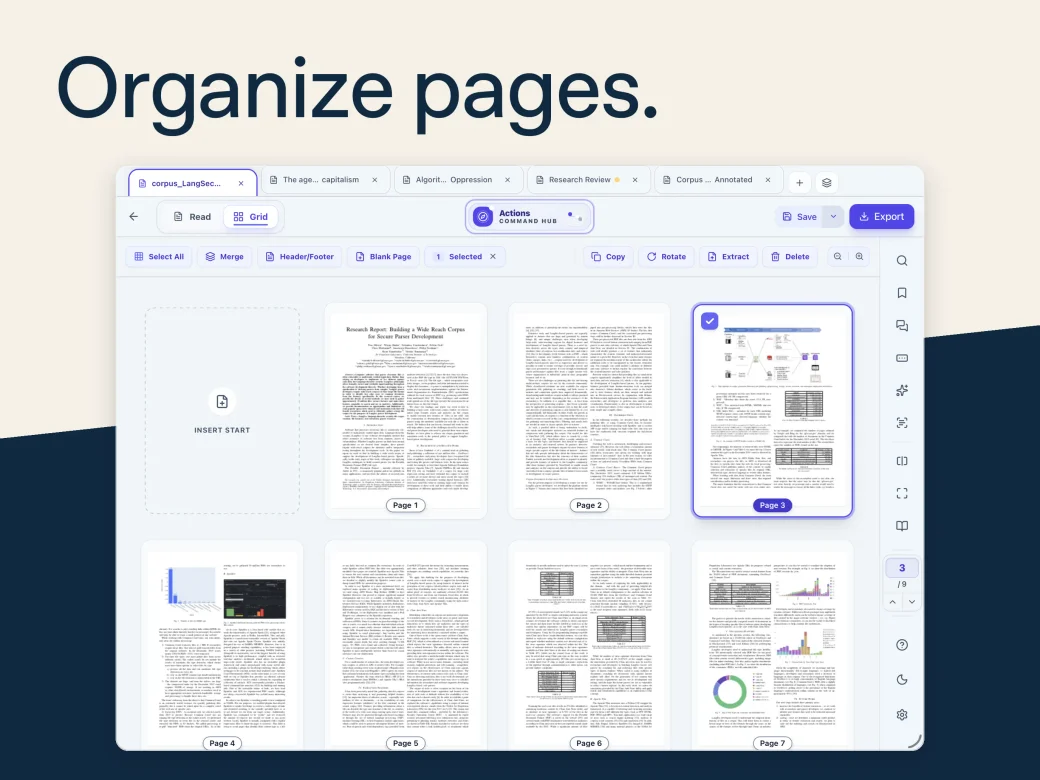
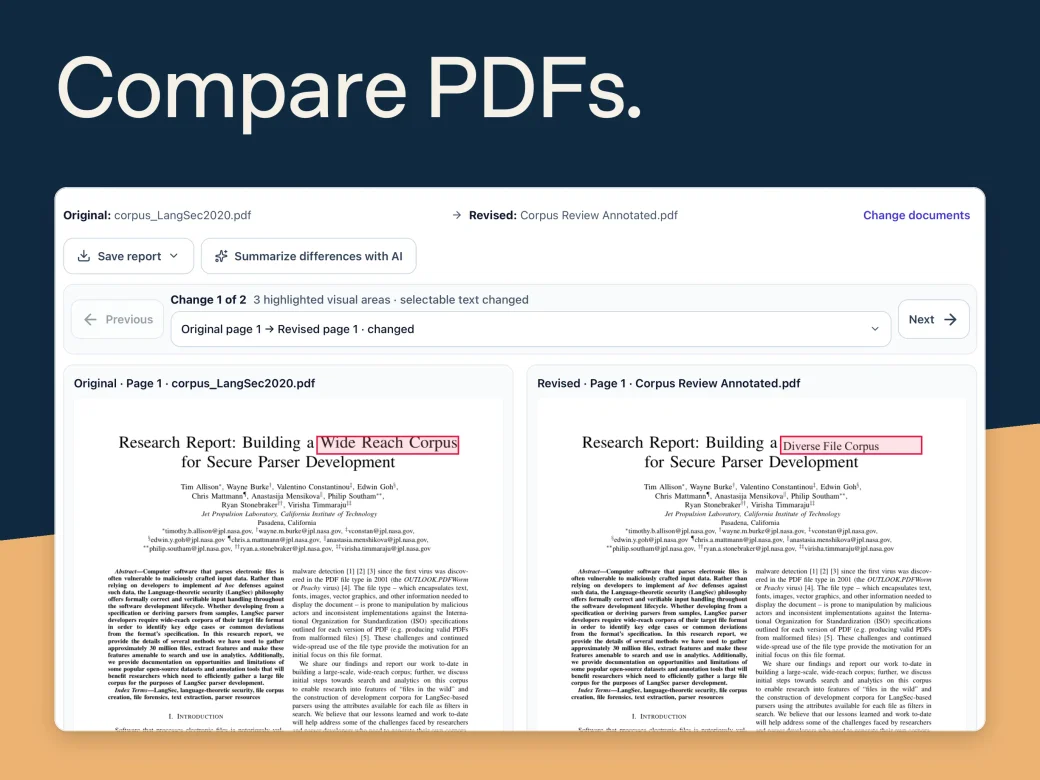
Reorder, rotate, duplicate, delete and extract pages in Grid View. Merge PDFs, copy pages between documents, add page backgrounds, open embedded PDFs and save attachments. Compare two saved PDFs locally, review highlighted changes and export a PDF or Word comparison report.
SAVE AND SHARE
Find text to redact, review the marked areas and use Apply & Save to permanently remove marked content from the saved PDF. Add watermarks, compress PDFs, apply password protection, export pages and share or print your work.
CHOOSE HOW TO USE AI
Optional AI can answer document questions, create summaries and source-linked mind maps, extract tables, translate text and export generated reports to Word.
On compatible iPads with iPadOS 26 or later and Apple Intelligence available, explain, summarize or rewrite selected passages on device. Other AI workflows use Folio's built-in online service or a compatible cloud or local model you configure. Built-in online AI needs an internet connection and no API key; other providers may charge. Online AI receives the document content supplied for each action. Check results against the original pages.
What’s new
Version 3.1.5 · Nov 21, 2026
This Folio release brings major improvements to editing, reviewing, and organizing PDFs, from correcting a single word to comparing two versions of a document.
• PDF text editing is more precise. Place the cursor between letters, insert line breaks, and choose fonts in the redesigned picker.
• On-device OCR supports 12 languages. Make scanned PDFs searchable with better preservation of accents and punctuation.
• Action Center is easier to search. Find tools, pages, and recent files using everyday language, with a new compact view.
• Redaction is easier to review. Preview marks as you make them, then apply them permanently. Unmarked text stays searchable on supported PDFs.
• Forms and signing have more options. Import CSV, JSON, or XFDF form data and prepare standard or certificate signature fields.
• Annotations and measurements are easier to adjust. Snap objects into alignment, edit shape labels in place, and apply one measurement scale across pages.
• PDF comparison shows changes word by word. Review both versions side by side with synchronized scrolling.
• Page organization is clearer. Select odd, even, portrait, or landscape pages, navigate linked tables of contents, and preview the file count before splitting.
• Reading is steadier. Read Aloud has compact playback controls and follows the text with fewer jumps. Fit zoom keeps your place when the view resizes.
• Exports give you more control. Keep annotations editable, flatten them, or leave them out. Export extracted tables as CSV and mind maps as PNG.
App privacy
What Adel Hashemi declares on the App Store about how this app handles data.
-
Data not collected
The developer does not collect any data from this app.
Privacy practices may vary, for example with the features you use or your age.
Information
- Seller
- Adel Hashemi
- Category
- Productivity
- Version
- 3.1.5
- Updated
- Nov 21, 2026
- Released
- Mar 24, 2026
- Size
- 107.6 MB
- Requires
- iOS 15.0 or later
- Age rating
- 4+
- Price
- Free
- Languages
- English
- Copyright
- © Adel Hashemi
You might also like
-
 PDF Reader - PDF PRO EditorRead & Edit PDF Files
-
 LoveSwap PDFPro File Editor & Converter
-
 SimpPDF ReaderPrivate local PDF reader
-
 InstaPDF ScannerPDF document scanner
-
 PDF EasyFlow: PDF Edit MergePage edit, merge, photo-PDF
-
 BunnikiLLM Powered Wiki System
-
 Nib - Private NotesPrivate, open-source writing
-
 PaperDesk PDF Editor & ScannerEdit, Sign, Scan & Convert
-
 Kuvald – Discipline TrackerDaily Life & Habit Tracker
-
 Your digital store: ClustrEverything in one place