FlowBudget: Expense Tracker
Budget Planner & Money Manager
Designed for iPhone, iPad, Mac
Free · In-app purchases
- Age rating4+
- CategoryFinance
- DeveloperRiccardo Nestola
- LanguagesEnglish+ 14 more
- Size28.4 MB
Links to the official App Store page
Download.org hosts no file of FlowBudget: Expense Tracker. The button opens its official App Store page, published by Riccardo Nestola. Listing last checked on Nov 26, 2026.
Screenshots
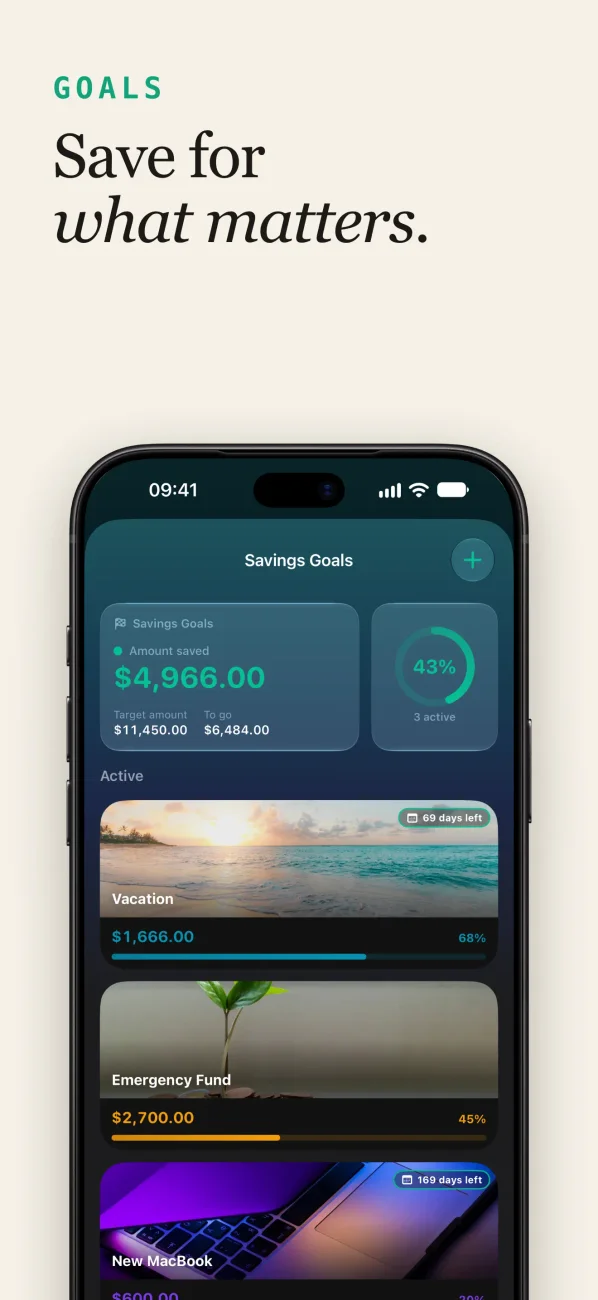
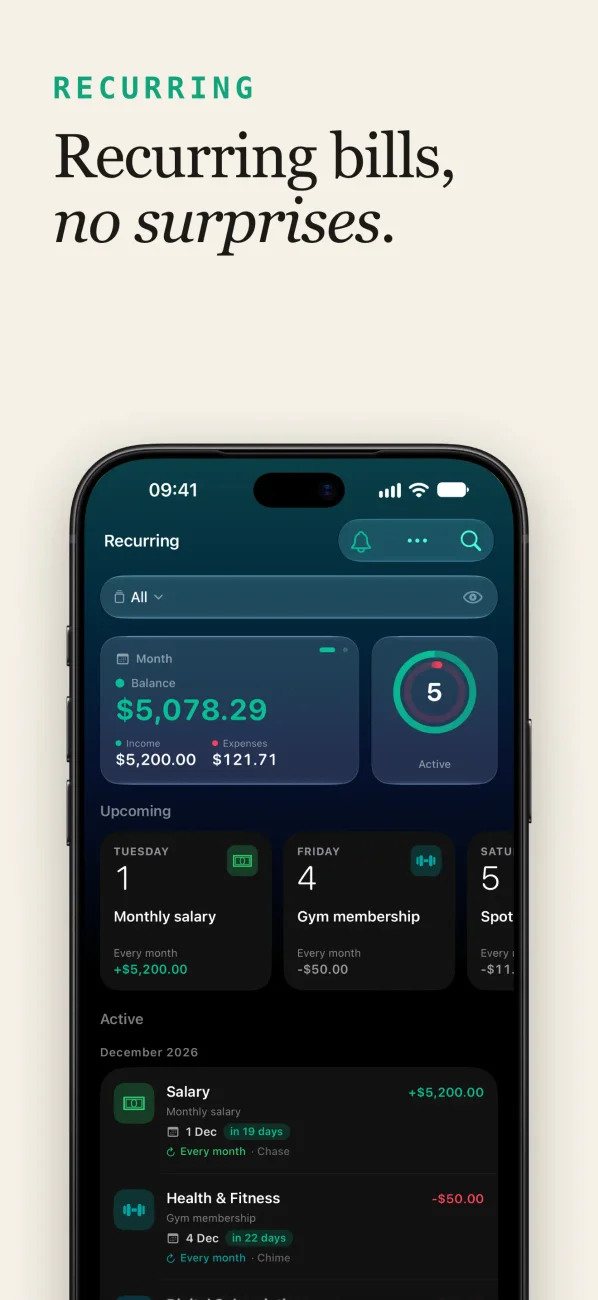
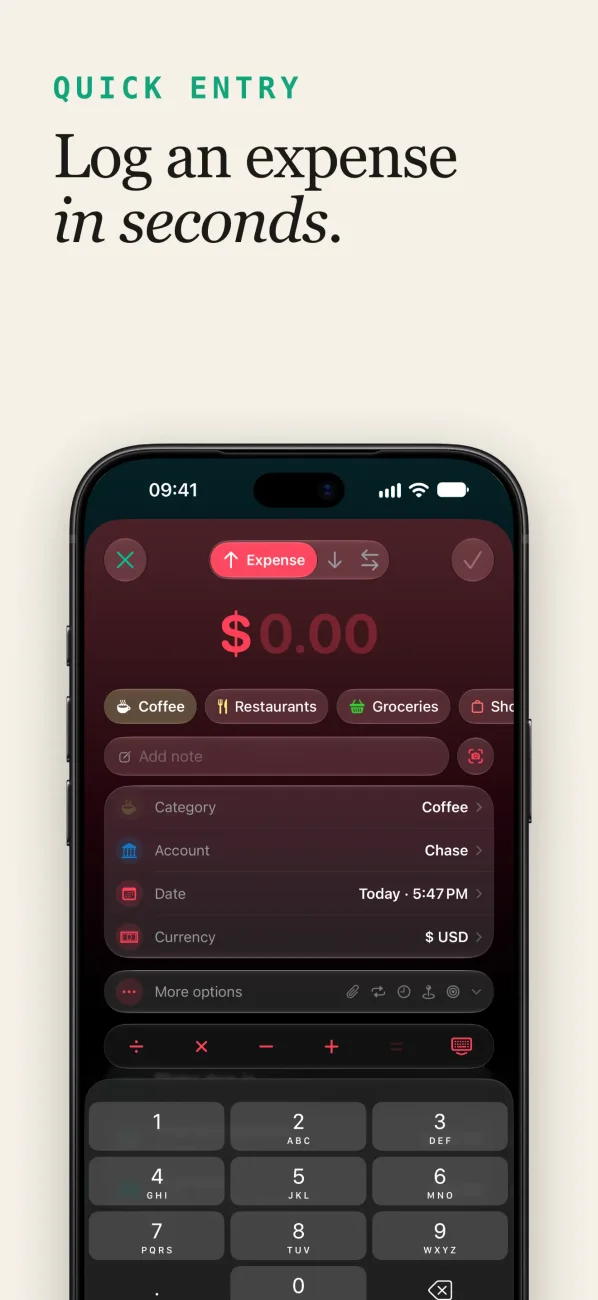
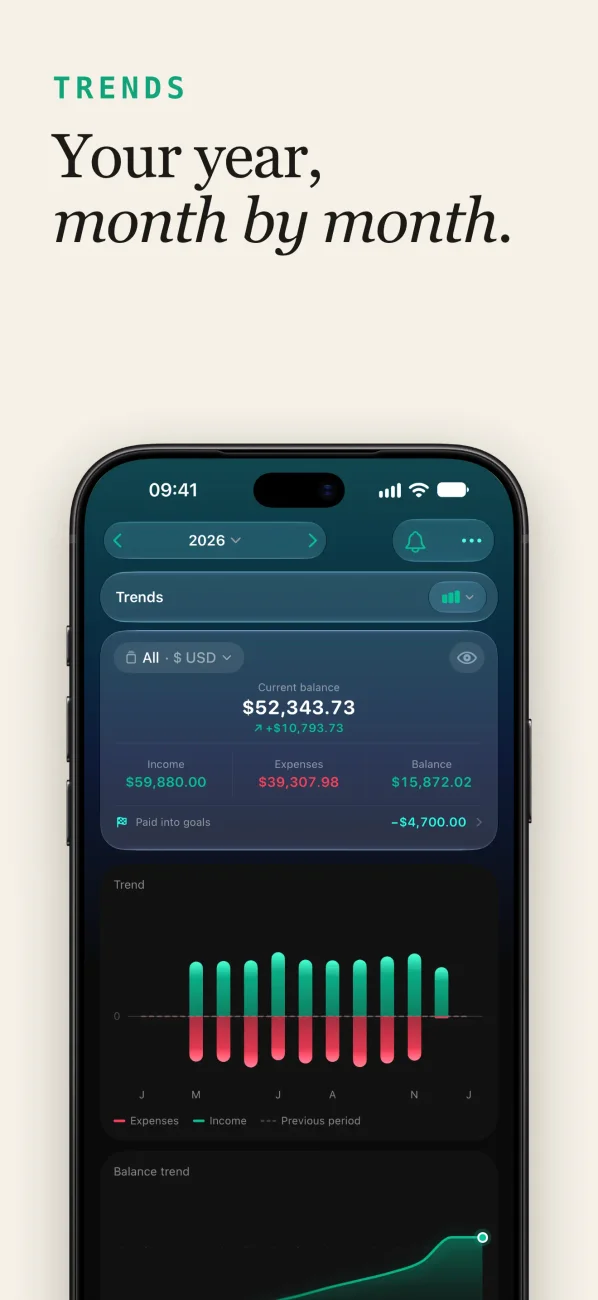

About
FlowBudget is the simple, intuitive app to track expenses, manage budgets, and take control of your personal finances.
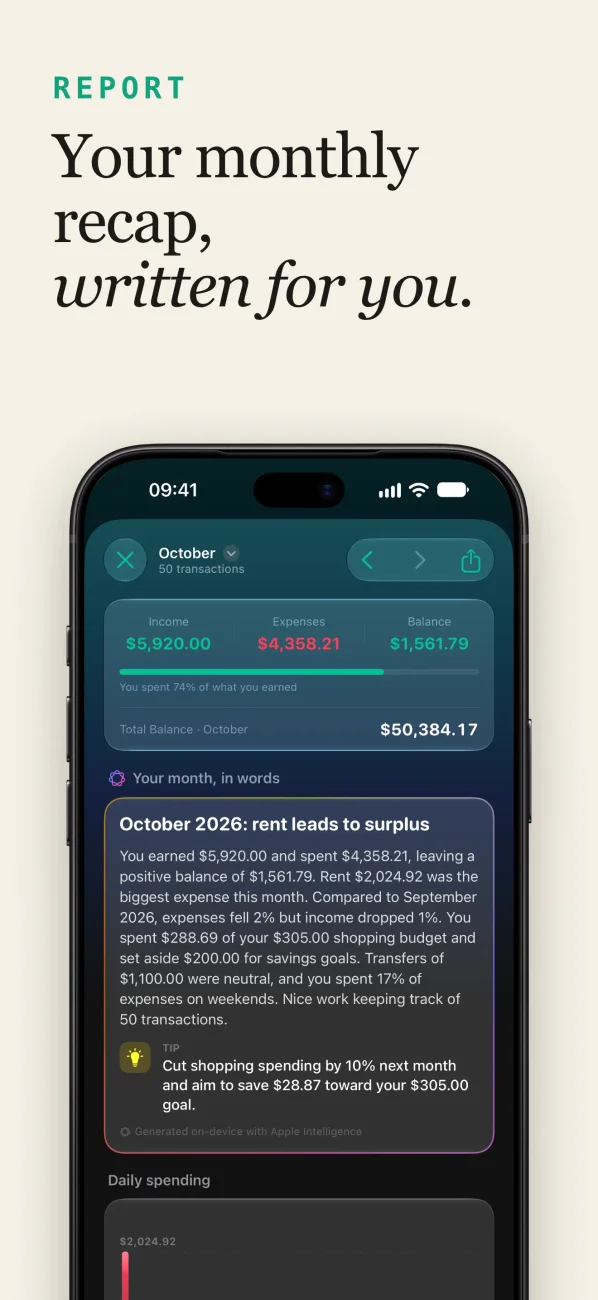
Add income and expenses in seconds, organize every transaction by category, and monitor your accounts in real time. Your Monthly Report tells the story of your money, month after month where it went, how much you saved, and what mattered most.
KEY FEATURES
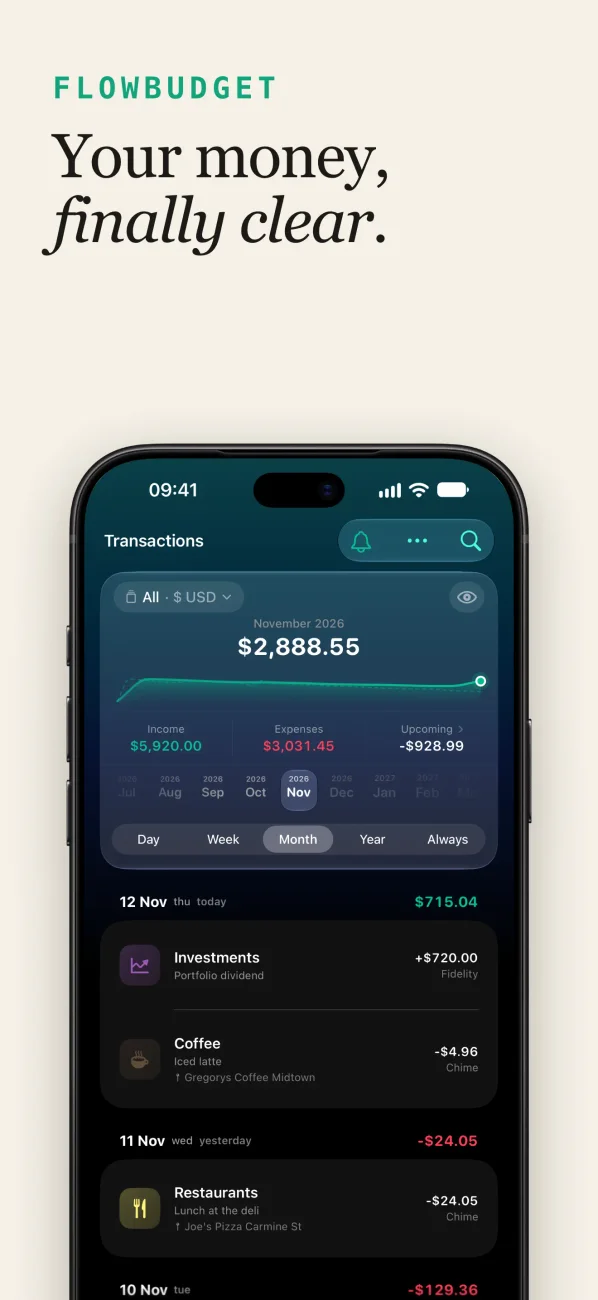
• Dashboard with total balance and recent transactions
• Multiple accounts (checking, cash, cards, savings)
• Custom categories with icons and colors
• Recurring transactions: subscriptions, rent, salary
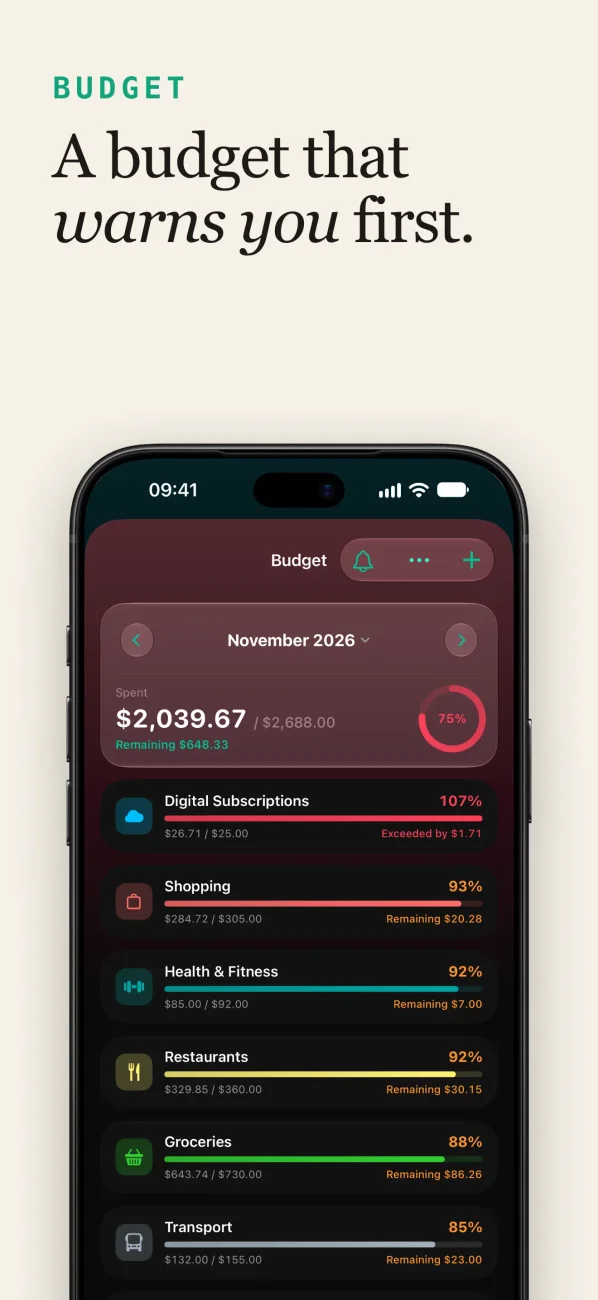
• Budget management with spending limits per category
• Monthly financial report: income, expenses and balance
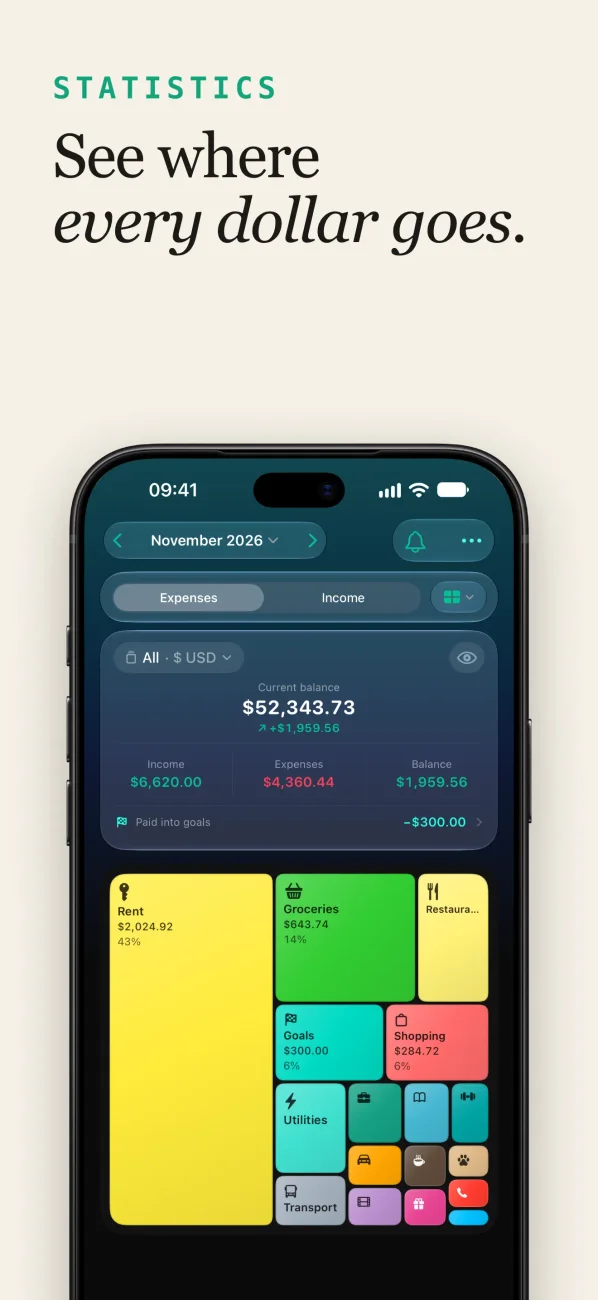
• Detailed statistics and charts by category and period
• Upcoming expenses: keep an eye on what's coming
• Attach PDF receipts and invoices to transactions
• Trash with restore option
• Home screen widget
FLOWBUDGET PRO
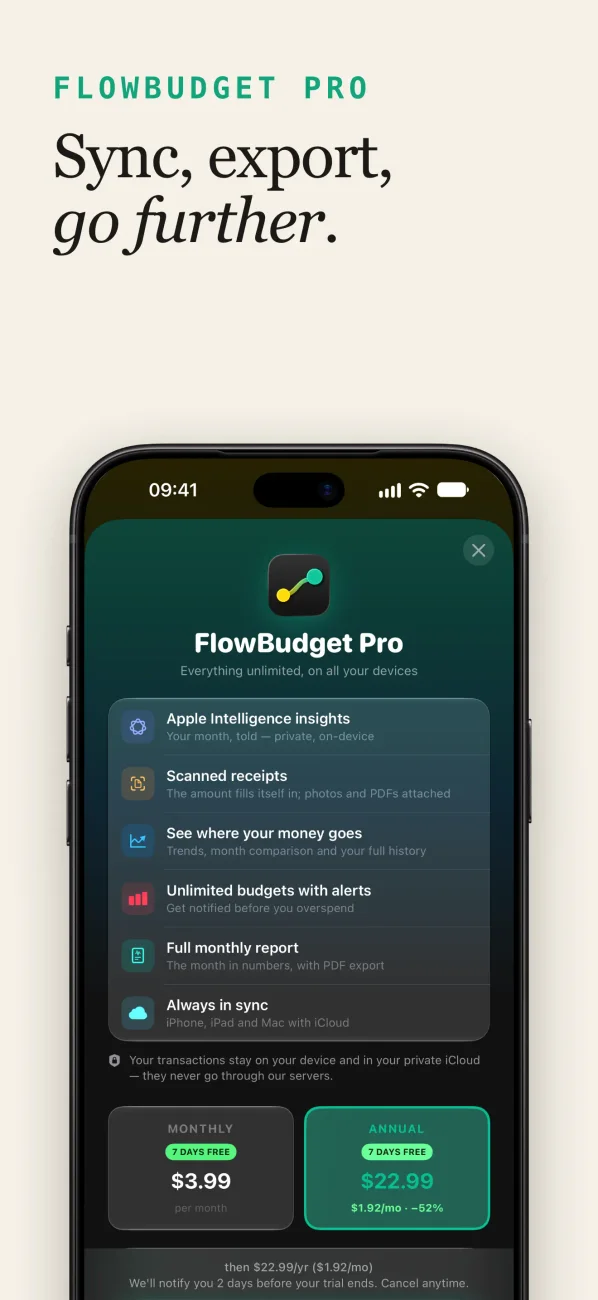
• Unlimited accounts, categories and budgets
• Unlimited recurring transactions
• Full statistics history, including Year and All-time views
• In-depth Monthly Report: savings rate, top categories, month-over-month comparison
• Push notifications for budget alerts and recurring transactions
• iCloud sync across iPhone, iPad and Mac
• Backup and CSV export
Try FlowBudget Pro free for 7 days.
Available as a monthly subscription, annual subscription, or one-time purchase.
Terms of Use: https://getflowbudget.com/terms
What’s new
Version 2.2 · Nov 25, 2026
FlowBudget now opens like a book: this version is built for iPhone Duo, and brings more order to iPhone and iPad too.
• iPhone Duo: unfolded, Transactions and Recurring sit on either side of the fold, Statistics use the whole screen and notifications arrive in a popover. Folded, everything is right where you left it.
• iPad: the same tab bar as iPhone, roomier columns in portrait, and the search X right next to the field.
• Smarter search: the magnifying glass is always at hand, with a year and month filter to find that March expense in two taps.
• Full-screen Map, with your places in a glass panel.
• "Left at month's end" now on iPad and Duo too.
• Amounts always show thousands separators (1,318.01), so columns read at a glance; and the currency symbol sits where your language puts it.
• Large text without cut-off amounts, and Statistics figures no longer freeze mid-animation.
• Sturdier iCloud sync when the app goes to sleep.
App privacy
What Riccardo Nestola declares on the App Store about how this app handles data.
-
Data not linked to you
May be collected but is not linked to your identity.
- Identifiers
- Usage data
Privacy practices may vary, for example with the features you use or your age.
Information
- Seller
- Riccardo Nestola
- Category
- Finance
- Version
- 2.2
- Updated
- Nov 25, 2026
- Released
- May 7, 2026
- Size
- 28.4 MB
- Requires
- iOS 26.0 or later
- Age rating
- 4+
- Price
- Free
- In-app purchases
- Yes
- Languages
- English, Dutch, French, German, Indonesian, Italian, Japanese, Polish, Portuguese, Russian, Simplified Chinese, Spanish + 3 more
- Copyright
- © 2026 Riccardo Nestola
You might also like
-
 Expensa: Expense TrackerBudget Planner & Money Manager
-
 Qalta AI: Expense TrackerBudget Planner, Voice & Scan
-
 Budget Tracker - BrimSpending, Bills & Savings
-
 Fin: Budget Planner AppMoney & Spending Tracker
-
 Cashew—Expense Budget TrackerSmart Spending & Money Manager
-
 Expenses: Spending TrackerBill & Subscription Manager
-
 Budget Flow | Expense TrackerMoney Manager, Bills & Savings
-
 MoneyCoach AI Budget PlannerSpending Manager, Bill Tracker
-
 Expense & Budget App: SpendeeMoney Tracker & Planner
-
 Wallet - Daily Budget & ProfitPersonal Expense Tracker