
FlowDo: Simple Order To-Do
Decide the order, act faster.
Designed for iPhone, iPad, iPod touch
In-app purchases
- Age rating4+
- CategoryProductivity
- DeveloperHaruka Yasuda
- LanguagesEnglish
- Size50.8 MB
Links to the official App Store page
Download.org hosts no file of FlowDo: Simple Order To-Do. The button opens its official App Store page, published by Haruka Yasuda. Listing last checked on Nov 12, 2026.
Screenshots
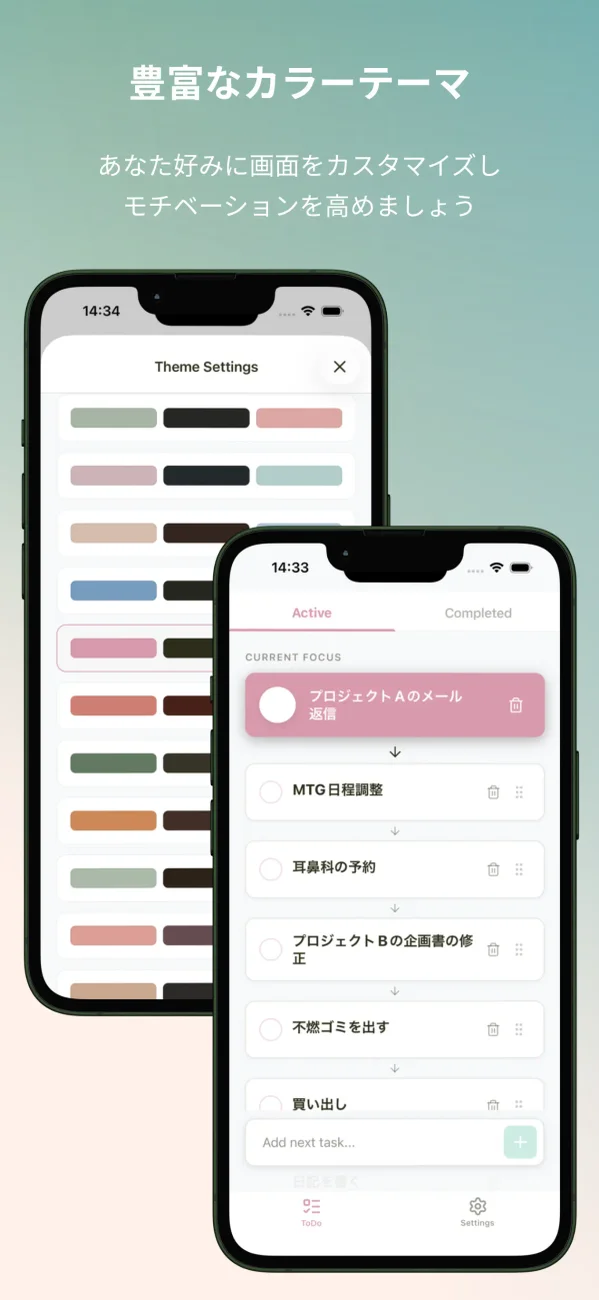
About
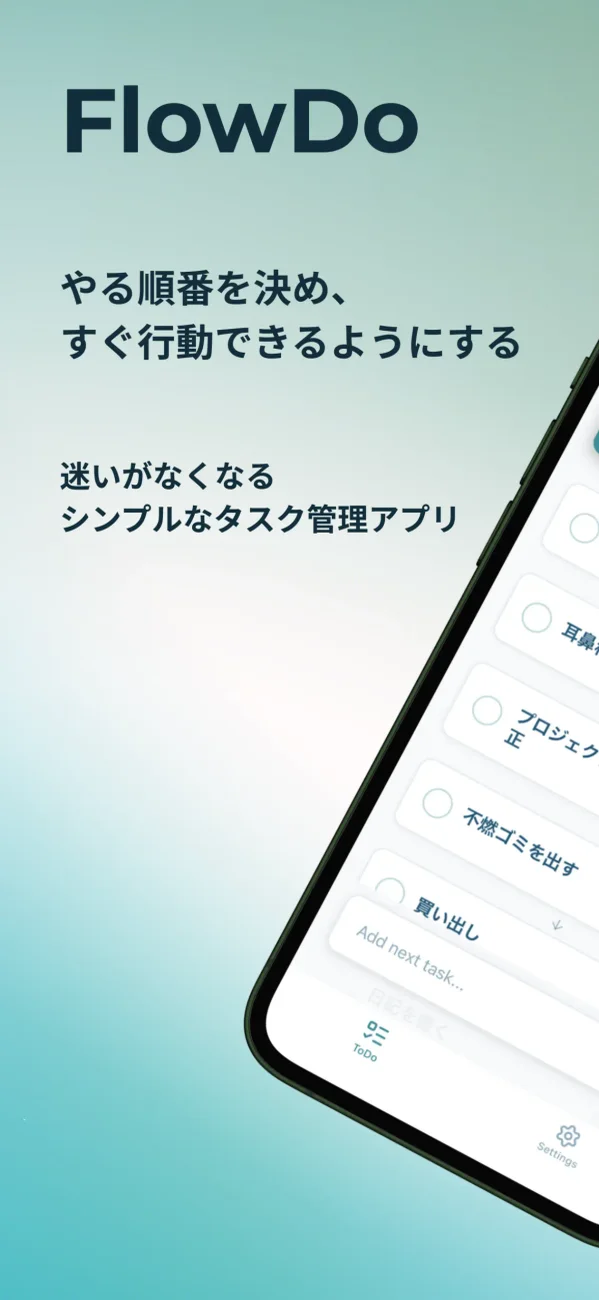
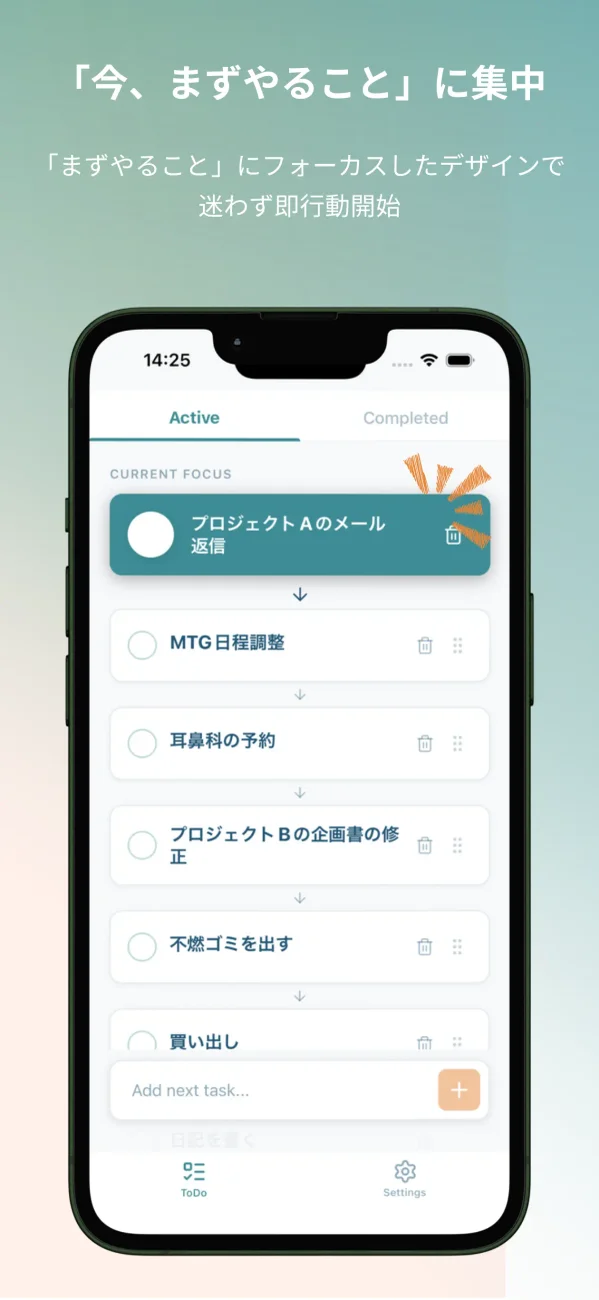
[Decide the order in which you do things and take immediate action]
FlowDo is a simple task management app that lets you organize and manage your tasks in the order you want them to be done.
Once you've decided on the order, all you have to do is follow FlowDo's simple steps.
FlowDo helps you focus your time on action and execution.
■ FlowDo Features
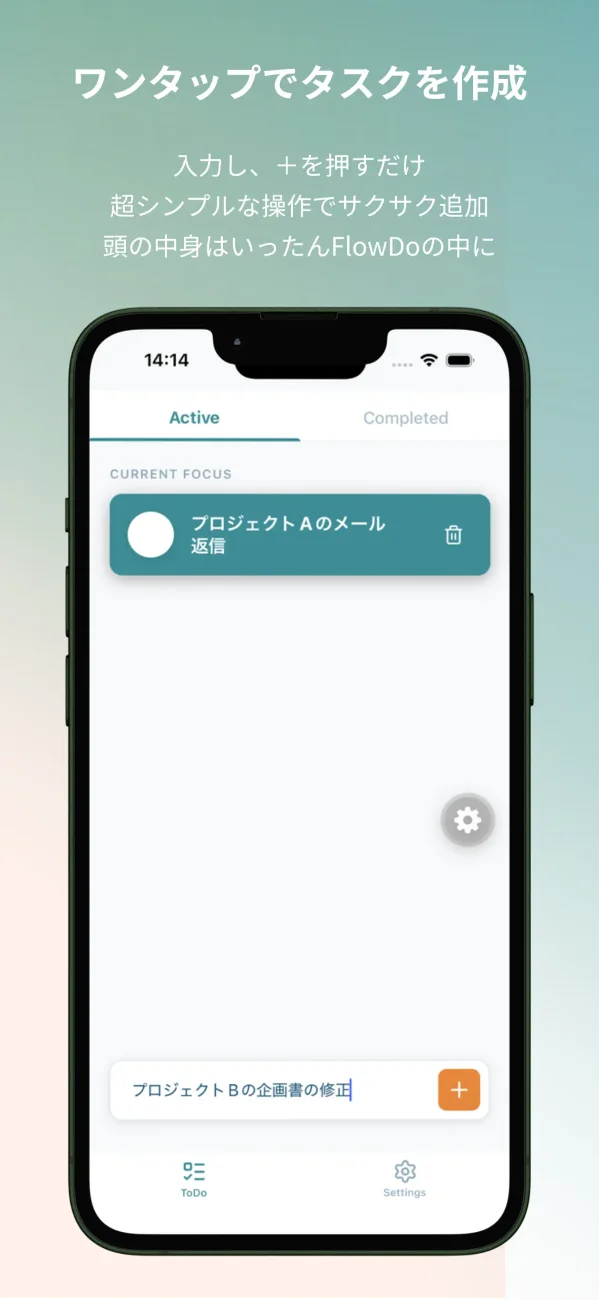
- Adding tasks is simple and easy with just one tap.
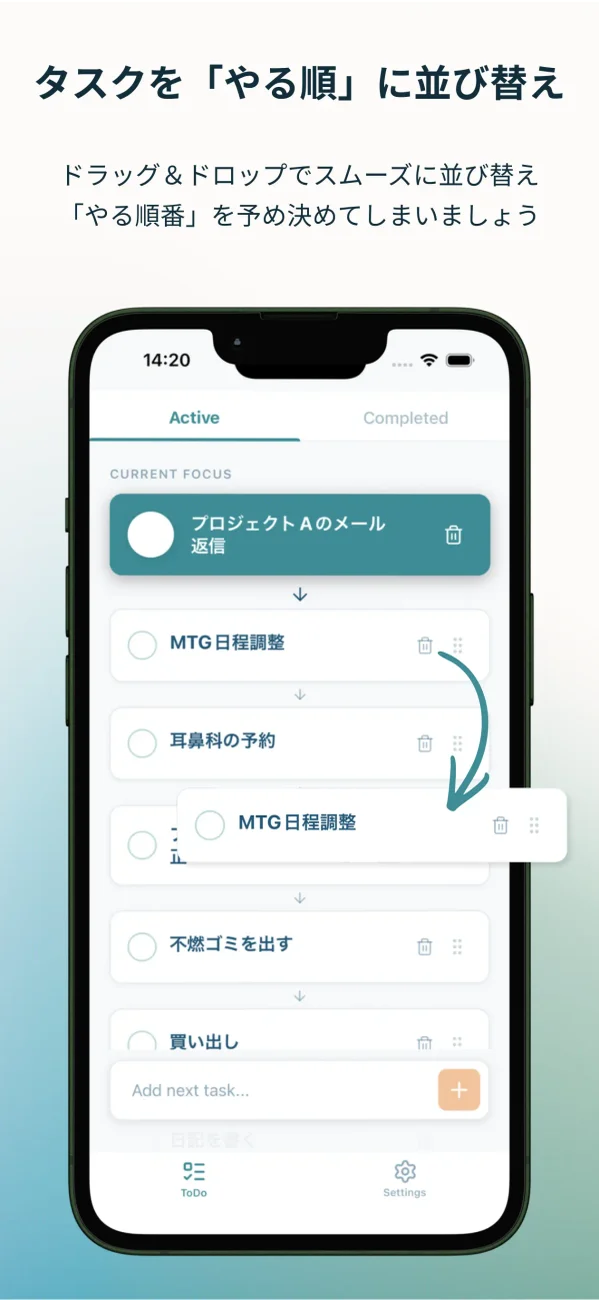
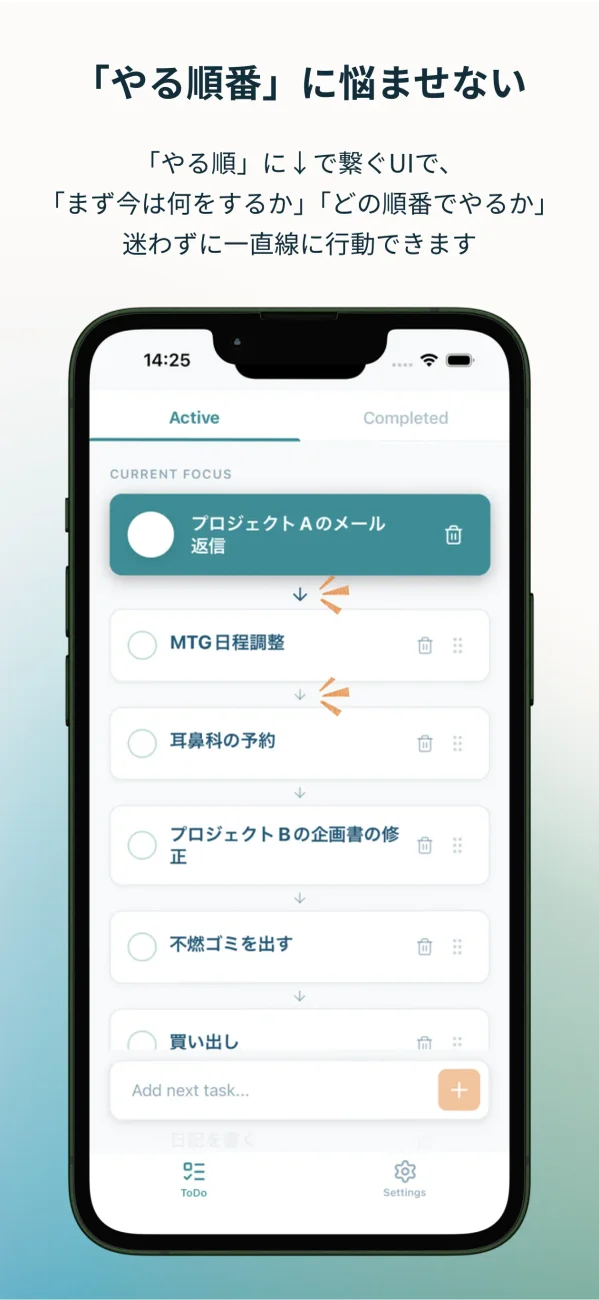
- Drag and drop tasks to rearrange them in the order you want them to be done.
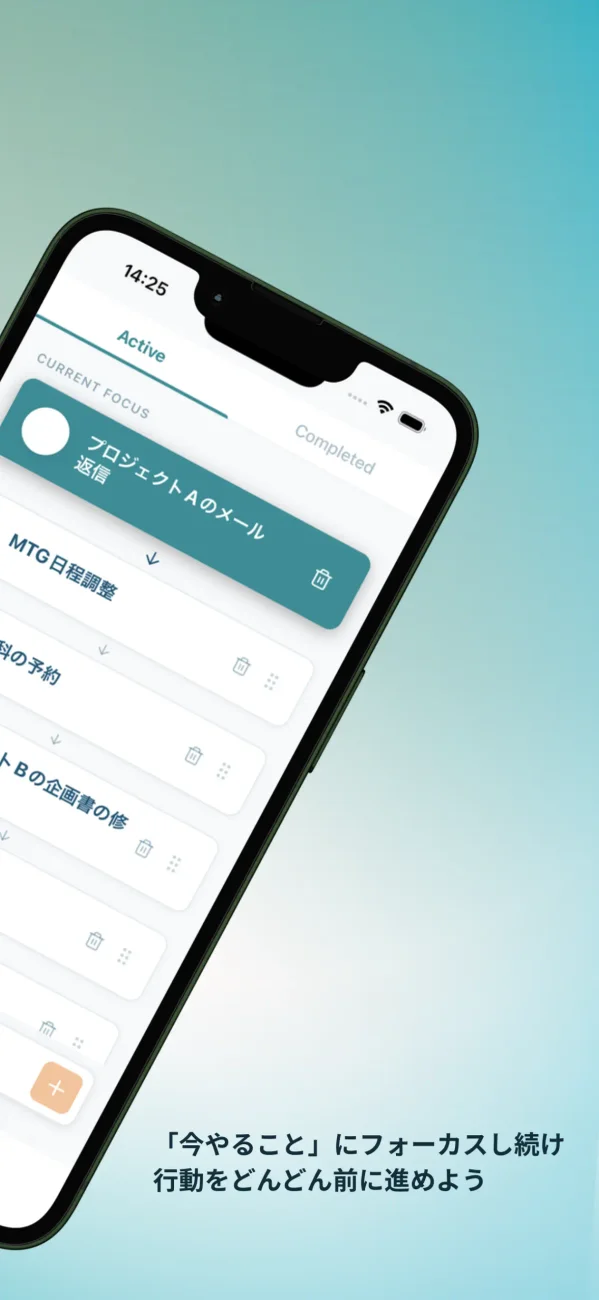
- The UI focuses on ""what to do first"" and uses arrows to connect the order,
allowing you to act in a straightforward manner without having to think about ""what to do first"" or ""in what order.""
■ The Benefits of Organizing Tasks in the Order You Do It
[Benefit 1] You can complete tasks in a straightforward manner without having to worry about each one.
When managing tasks by listing them in random order or throwing them into boxes,
do you find yourself wasting time and stressing out over having to think ""what to do next"" when trying to act?
Additionally, constantly thinking about and making decisions can gradually cause ""decision fatigue"" in your brain.
By using FlowDo for task management and sorting your tasks in advance and ""determining the order in which you'll do them,""
you can eliminate the need for thinking and making decisions before taking action, allowing you to work on tasks in a straightforward manner without worrying.
[Benefit 2] You can move forward with tasks without being overwhelmed by schedule changes or poor forecasts.
One way to manage your tasks is to decide when you'll do them in advance, put them on your calendar, and set aside time.
However, with this method, if something unexpected happens or a problem throws off your schedule, you have to reschedule, which can be a hassle.
Also, if you overestimate the required time, it can sometimes take much longer than planned.
Furthermore, it's a hassle to keep track of tasks that only take one or five minutes to complete on your calendar.
With simple task management that simply sorts your tasks in order, you can skip these issues and
continue to complete tasks flexibly based on your daily schedule and irregularities.
[Benefit 3] Manage work, housework, childcare, and hobbies all in one place.
Even if you categorize your tasks by project, you can only do one thing at a time.
With simple task management without categorization, focusing on what you're doing now and what you'll do next,
you can clearly see your daily to-do list and move forward.
■ Recommended for:
* Those who look at their to-do list and find themselves momentarily thinking, ""What should I start with?""
* Those who take a long time to get started
* Those who struggle with detailed task management
* Those looking for a simple, intuitive task management tool
* Those looking for a task management tool without time or date restrictions
terms of service(EULA):https://www.apple.com/legal/internet-services/itunes/dev/stdeula/
What’s new
Version 1.01 · Mar 30, 2026
- Corrected the app name displayed on the home screen.
App privacy
What Haruka Yasuda declares on the App Store about how this app handles data.
-
Data used to track you
May be used to track you across apps and websites owned by other companies.
- Purchases
- Identifiers
- Usage data
-
Data not linked to you
May be collected but is not linked to your identity.
- Purchases
- Identifiers
- Usage data
- Diagnostics
Privacy practices may vary, for example with the features you use or your age.
Information
- Seller
- Haruka Yasuda
- Category
- Productivity
- Version
- 1.01
- Updated
- Mar 30, 2026
- Released
- Mar 19, 2026
- Size
- 50.8 MB
- Requires
- iOS 15.1 or later
- Age rating
- 4+
- In-app purchases
- Yes
- Languages
- English
- Copyright
- © 2026 Haruka Yasuda
You might also like
-
 task-count-down大切な期限を、残り日数でスッキリ管理
-
 Waku Todo: Overdue Task ListProcrastinate, roaches move in
-
 PasoPaso: Goal & Task PlannerBig goals. One step today.
-
 Portside - Inbox Notes & TodoWrite first. Organize later.
-
 ToDoリスト - かんたんに使えるシンプルなToDoリストProductivity
-
 HabiDone: Habits, Tasks, DiaryOne list for your daily life.
-
 Chigiri — Tear-off NotesScribble fast. Tear it off.
-
 Done Log - Routine Trackerルーティンを1タップで確認
-
 Tasmo:ToDoリスト・タスク管理メモ、期限通知、繰り返しタスク対応
-
 Marui TimetableDaily Planner & Task Checklist