
Flower: Budget & Expenses
Spending Tracker, Map & Recap
Designed for iPhone
In-app purchases
- Age rating4+
- CategoryFinance
- DeveloperZhiwen Huang
- LanguagesJapanese+ 12 more
- Size144.8 MB
Links to the official App Store page
Download.org hosts no file of Flower: Budget & Expenses. The button opens its official App Store page, published by Zhiwen Huang. Listing last checked on Nov 21, 2026.
Screenshots


About
Flower brings your expenses, budgets, and wallets together in a personal space. Keep everyday records clear, then revisit the places and moments behind the numbers.
RECORD YOUR WAY
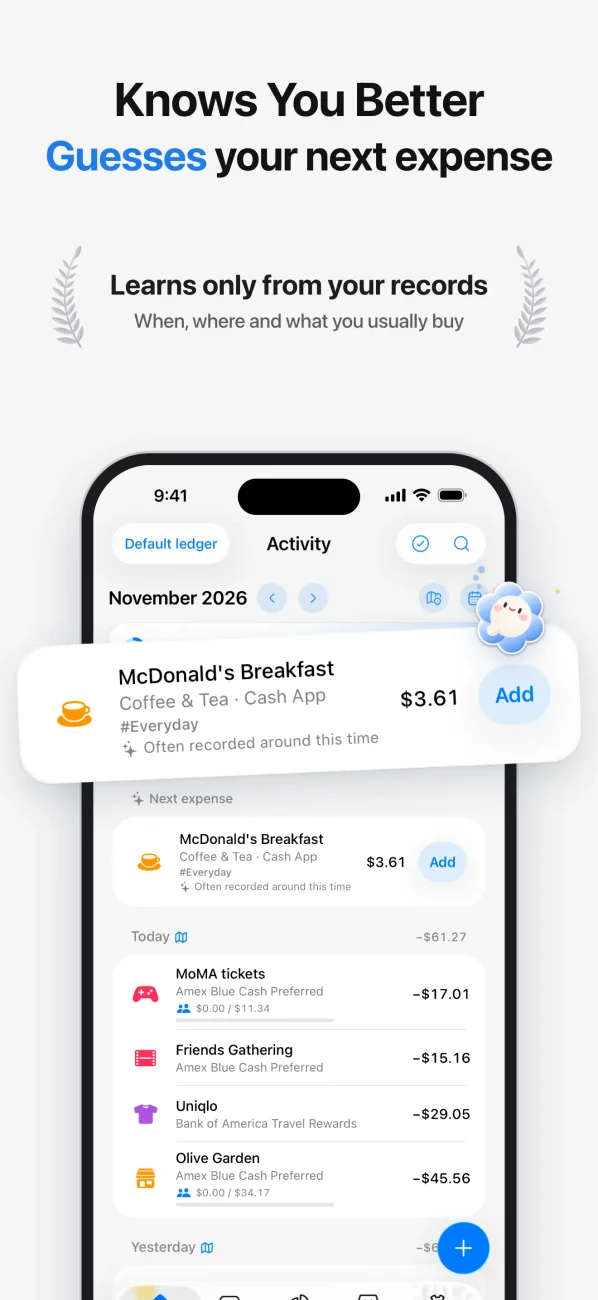
Add expenses and income, organise categories and subcategories, and attach photos or places. Review CSV/XLSX records before importing them; with Flower Plus you can also scan receipts, read payment screenshots, or record by voice. Suggestions based on your own history help with familiar purchases.
MULTIPLE LEDGERS, A CLEARER VIEW
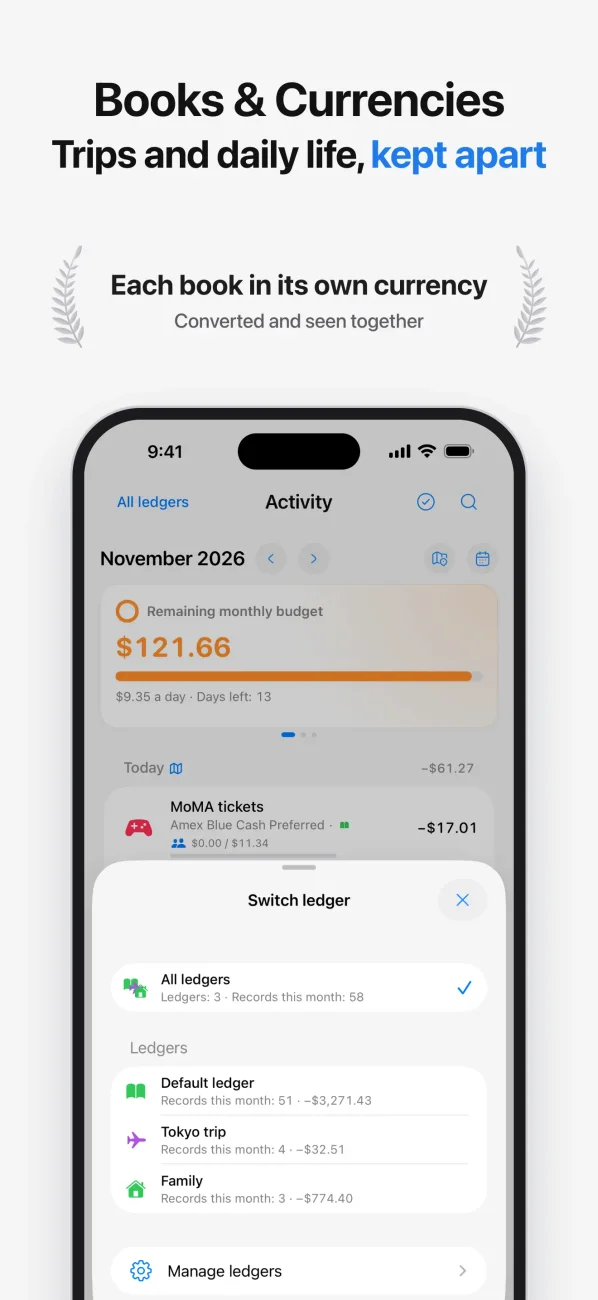
Flower Plus lets you create additional ledgers for different purposes, each with a name and a Flower library icon. Switch between one ledger and all ledgers; records, maps, statistics, and recaps follow your selection. Wallet and account balances belong to you across all ledgers.
SEE WHERE YOU SPENT
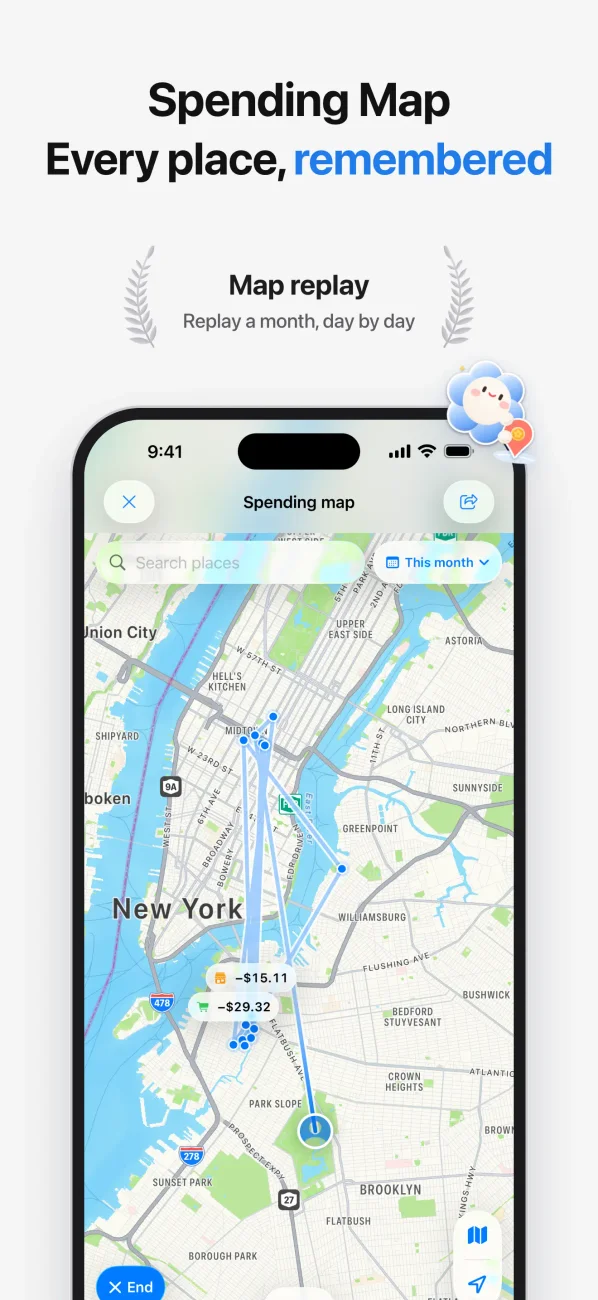
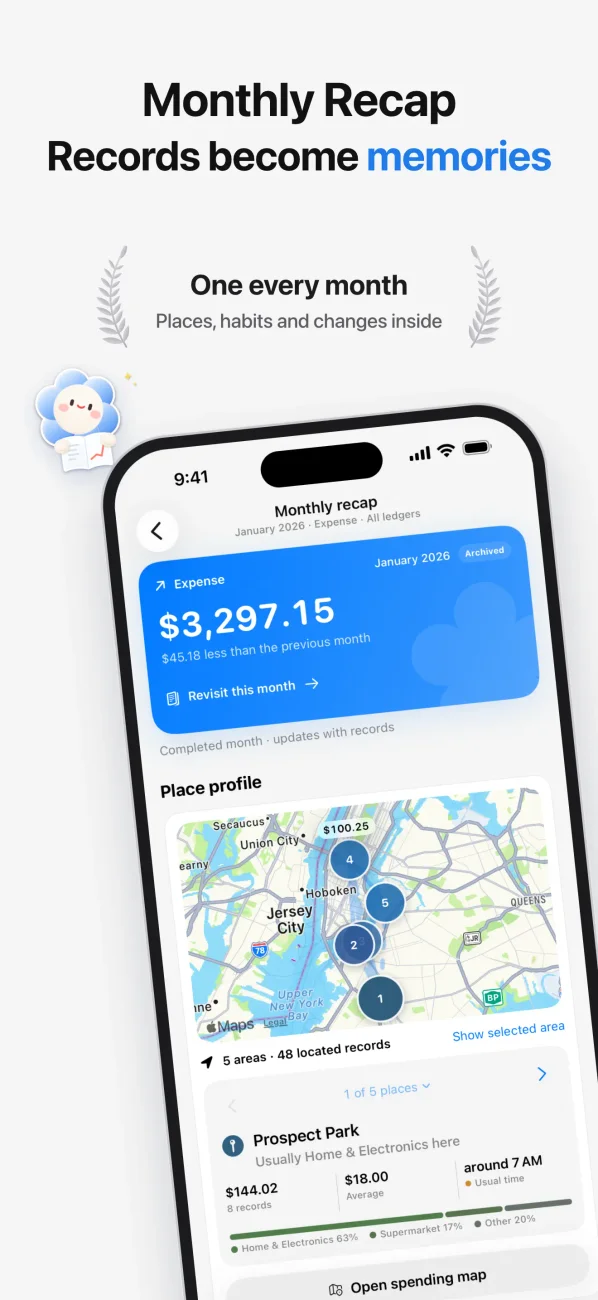
Explore saved locations on your Spending Map, from familiar streets to places visited further afield. Search for a place and look through records nearby. Photos and locations are free to add, and this week’s map is free to view.
REMEMBER YOUR MONTH
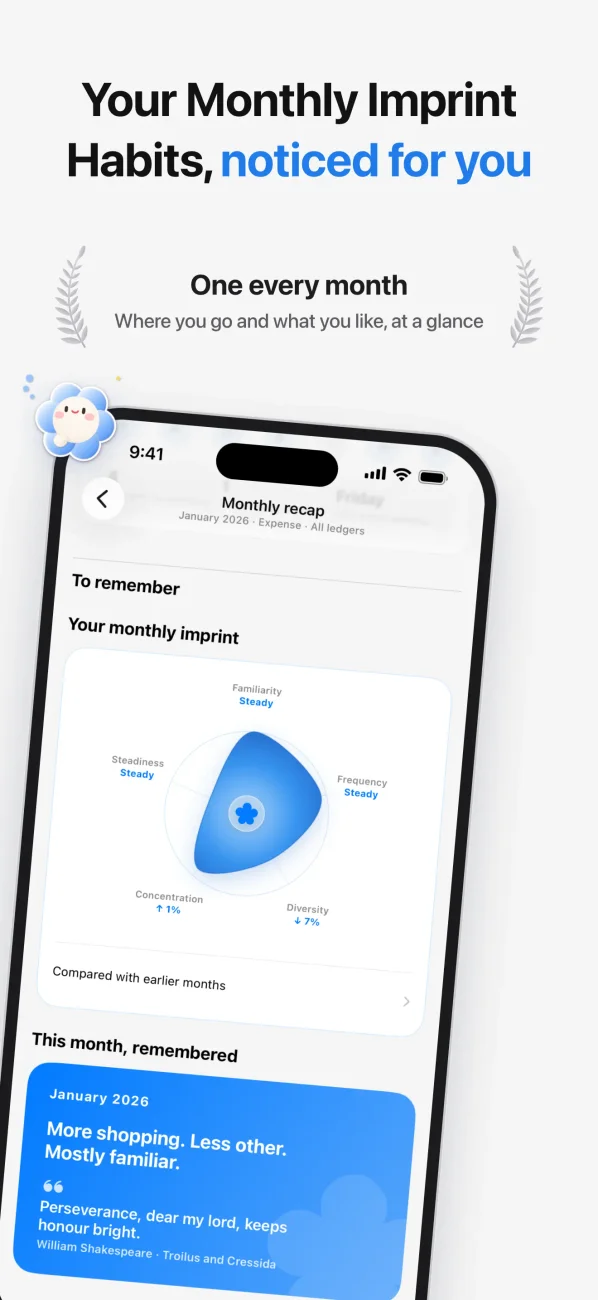
A completed month becomes a Monthly recap with photos, places, spending patterns, and changes. Explore your monthly imprint and revisit a Story with a few words to remember the month by.
Every finished month also becomes a page in your Flower yearbook. Turn through the year like a book: each day’s photos sit on a calendar, days without photos are shaded by what you spent, and a map marks the new and familiar areas you visited.
When something you buy becomes a habit, Flower notices. Your profile shows each spending habit’s rhythm, its usual places, and about how much it costs in a usual month. Records with similar names can be merged into one.
Your first month’s recap and yearbook page are free, and basic weekly, monthly, and yearly statistics remain free.
ORGANISE YOUR MONEY
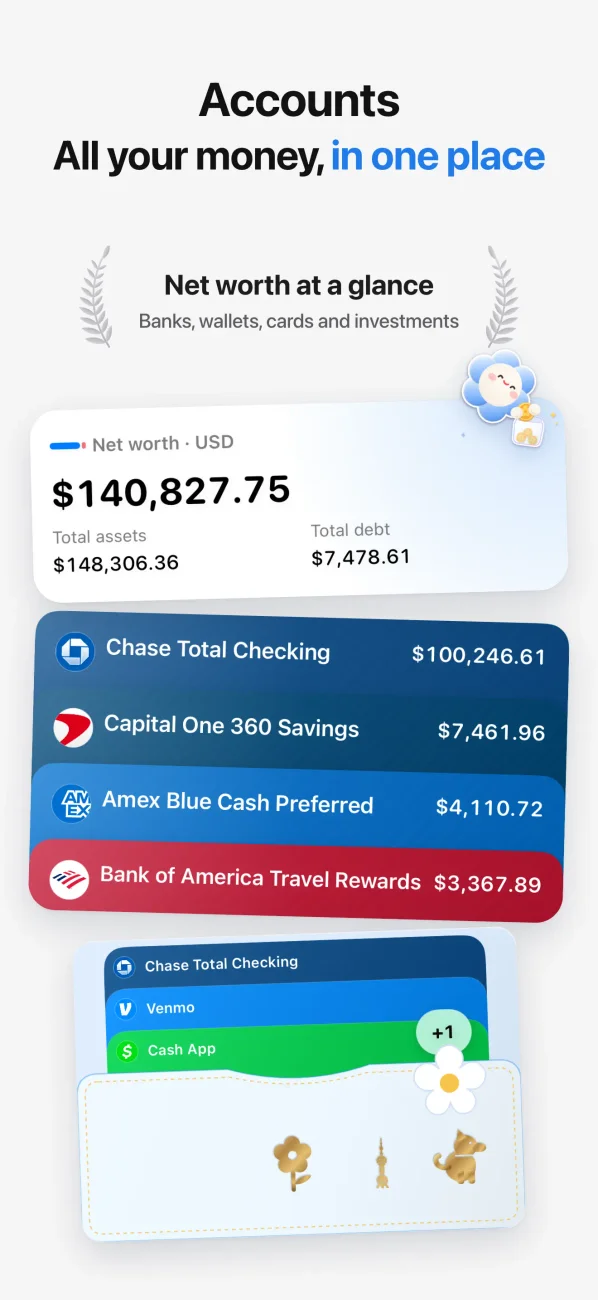
Bring cash, bank accounts, credit accounts, and multi-currency wallets together. Track transfers, recurring items, split expenses, and repayment records. Investment accounts are for keeping your own records.
PLAN AND PERSONALISE
Set an overall budget or a separate budget for each saved ledger and see what remains. Choose Card Holder styles, arrange embossings, and give categories a little personality with miniature, felt, and other icon collections.
FLOWER PLUS
Flower Plus lets you create additional ledgers; add reimbursement details, installment schedules, or discounts to records; record refunds; add transfer fees; and create or extend shared credit accounts. Shared credit groups cards under one limit while keeping each card’s debt separate. Other benefits include receipt and screenshot scanning, voice entry, split and multi-currency records, private iCloud sync, full-ledger PDF/CSV export, historical Spending Maps, every month’s recap and yearbook page, spending habits and places, hidden balances, account archiving, and expanded asset and Card Holder capacity. Some appearances are sold separately. See the in-app offer for current plans and included features.
If a subscription expires, your saved data stays. You can keep using saved ledgers, record in active ones, rename or archive them, correct or remove saved premium details, receive reimbursements, and stop existing installment plans. Due installments from existing plans continue to create records. You can correct saved transfer fees and shared limits, remove cards from a shared group, or record repayments. Recorded refunds and archived accounts stay, and balance hiding can be turned off at any time. Creating new paid configurations requires Flower Plus.
Settings → Feature display controls which tools are shown. It does not unlock paid features. A locked action opens Flower Plus; a verified purchase or restore returns you to that action. Cancelling keeps your draft.
Terms of Use (EULA): https://www.apple.com/legal/internet-services/itunes/dev/stdeula/
What’s new
Version 1.6.1 · Nov 19, 2026
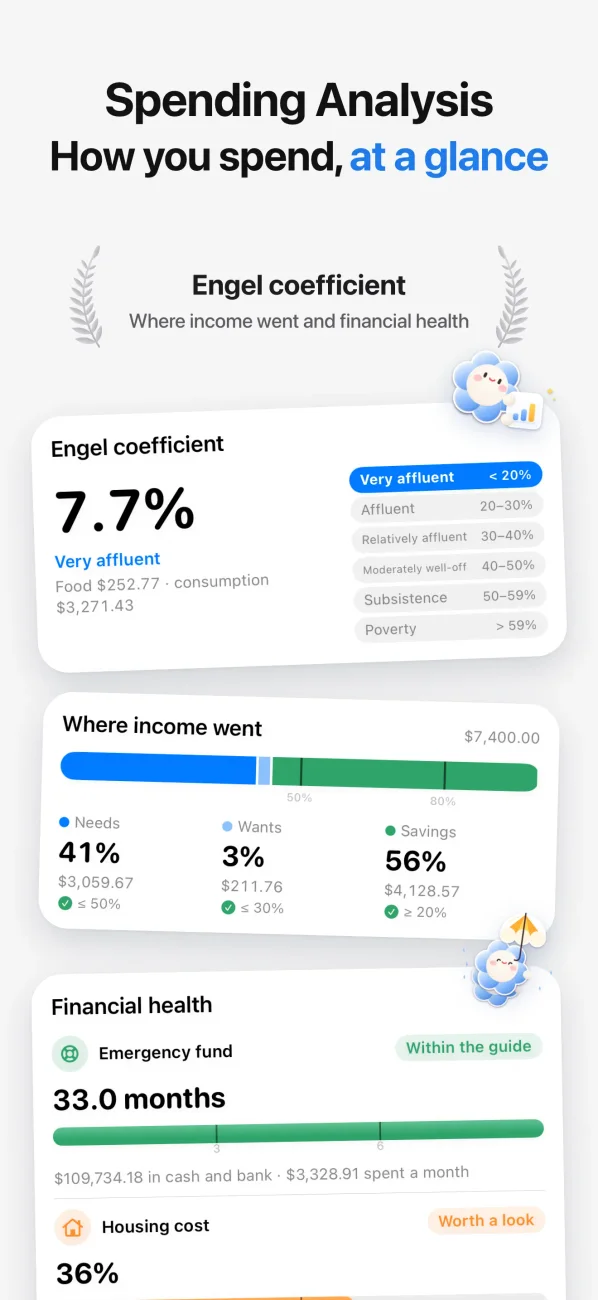
• Spending analysis for every month and year: your Engel coefficient, where your income goes and how healthy your finances look. Find it in Statistics, just above the spending map
• Huahua holding a coin is the new logo
• Easier first steps for new users
App privacy
What Zhiwen Huang declares on the App Store about how this app handles data.
-
Data linked to you
May be collected and linked to your identity.
- Financial info
- Search history
- Identifiers
- Usage data
- Diagnostics
- Other data
-
Data not linked to you
May be collected but is not linked to your identity.
- Purchases
- Location
- Usage data
Privacy practices may vary, for example with the features you use or your age.
Information
- Seller
- Zhiwen Huang
- Category
- Finance
- Version
- 1.6.1
- Updated
- Nov 19, 2026
- Released
- Sep 1, 2026
- Size
- 144.8 MB
- Requires
- iOS 18.0 or later
- Age rating
- 4+
- In-app purchases
- Yes
- Languages
- Japanese, Italian, Indonesian, Spanish, Thai, German, French, Vietnamese, Portuguese, Simplified Chinese, Traditional Chinese, English + 1 more
- Copyright
- © 2026 Zhiwen Huang
You might also like
-
 Orvia: Smart Money TrackerBudget, Assets & Insights
-
 Smart Ledger: One-Line BudgetFast, private expense tracking
-
 LightLedger: AI Chat NoAd MoodMinimal AutoLog,Secure Offline
-
 PiggyLedger - Money ManagerVisual Money Tracker
-
 Budgetree - Expense TrackerReceipt scan & bill import
-
 ezBookLedgerSelf-Hosted ezBookkeeping
-
 手账本Finance
-
 YueYu: Budget & SavingsMake room for what matters
-
 Simple Bookkeeping: ShortcutsSnap a receipt, log in one tap
-
 Allowie: Daily Budget TrackerSafe to Spend Today & No-Spend