
FluidNotes – Your Notebook
Handwritten Notes & PDFs
Designed for iPhone, iPad, Mac
Free
- Age rating4+
- CategoryEducation
- DeveloperJuan Gomez Fernandez
- LanguagesEnglish+ 7 more
- Size29.5 MB
Links to the official App Store page
Download.org hosts no file of FluidNotes – Your Notebook. The button opens its official App Store page, published by Juan Gomez Fernandez. Listing last checked on Nov 24, 2026.
Screenshots


About
FluidNotes is a notebook for iPad and iPhone that feels like paper: write with Apple Pencil on iPad or with your finger on iPhone – and find everything again with search that reads your handwriting.
WRITING THAT FEELS RIGHT
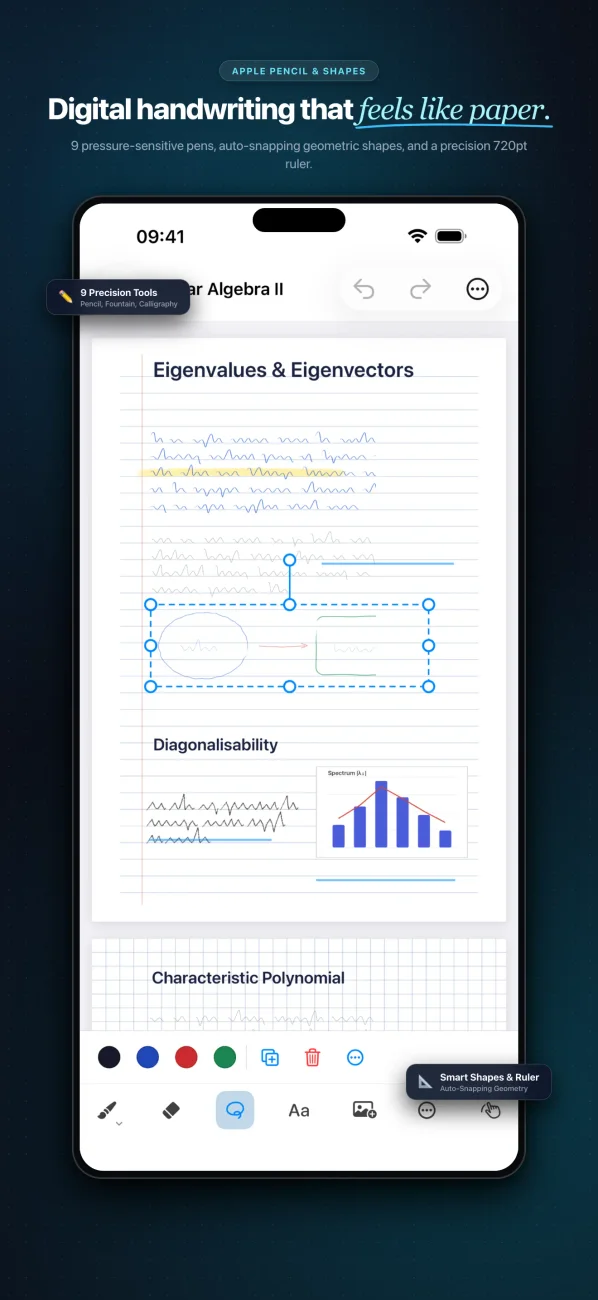
• Ballpoint, fineliner, fountain pen, pencil, felt-tip, watercolour, highlighter and more, all pressure-sensitive
• Ruler, colour picker and custom colours on all your devices
• Hand-drawn shapes become clean circles, rectangles, lines and arrows
• Convert handwriting to typed text, with word suggestions as you write – on the device
• Cross out typed words to delete them
• Lasso: cut out exactly, colour, move, duplicate
• Zoom window: write large at the bottom, and it appears small on the page
ORGANISATION THAT GROWS WITH YOU
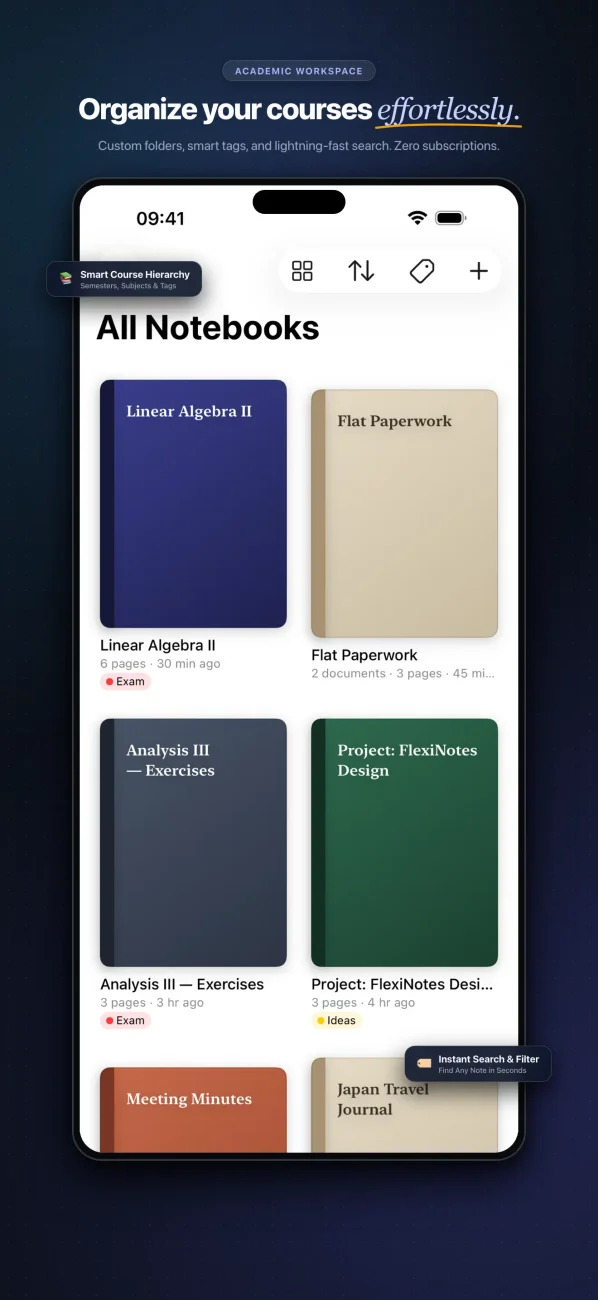
• Folders and subfolders, tags, favourites and bookmarks
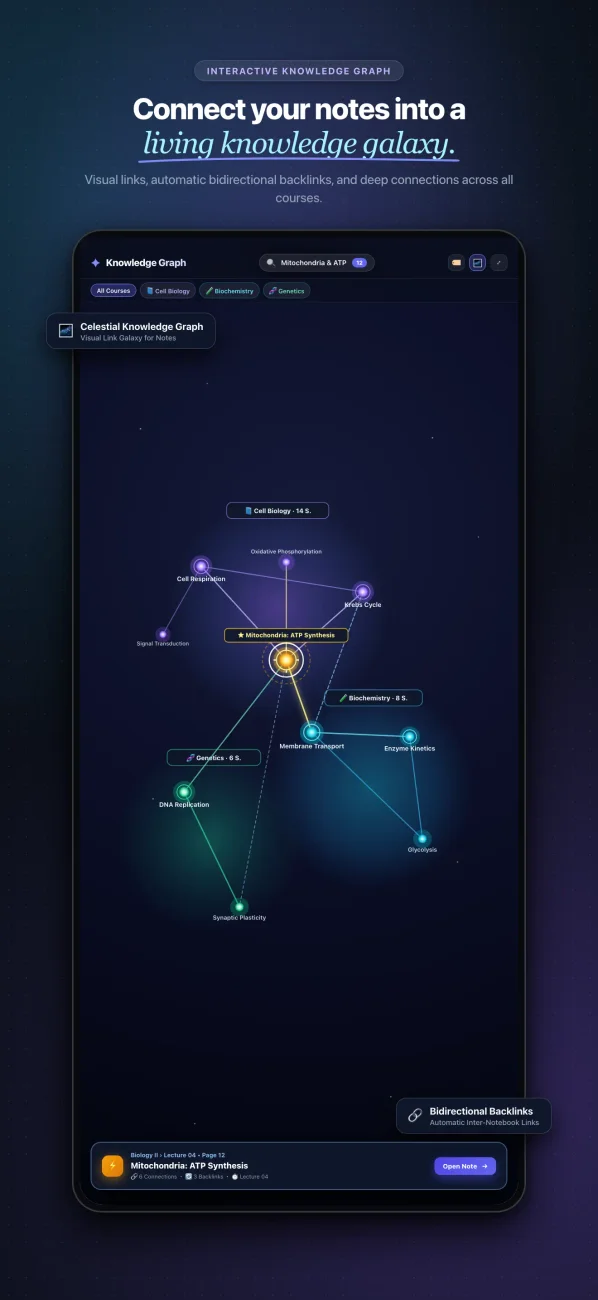
• Headings automatically build an outline; links connect pages and notebooks, and a knowledge network shows topics and connections – in 3D too
• Search handwriting, typed text, PDFs, photos and recordings – through Spotlight too
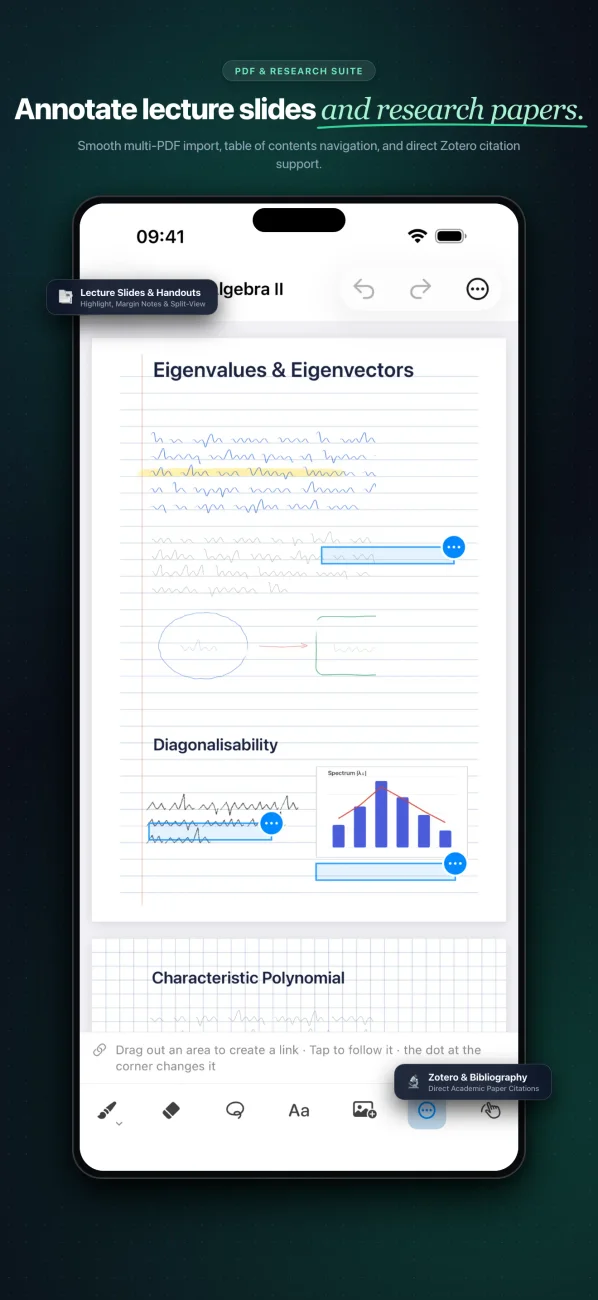
• Collect the highlights of a PDF into an excerpt, with links back to the passage
• Lock notebooks with Face ID or a passcode
THE PAPER YOU WANT
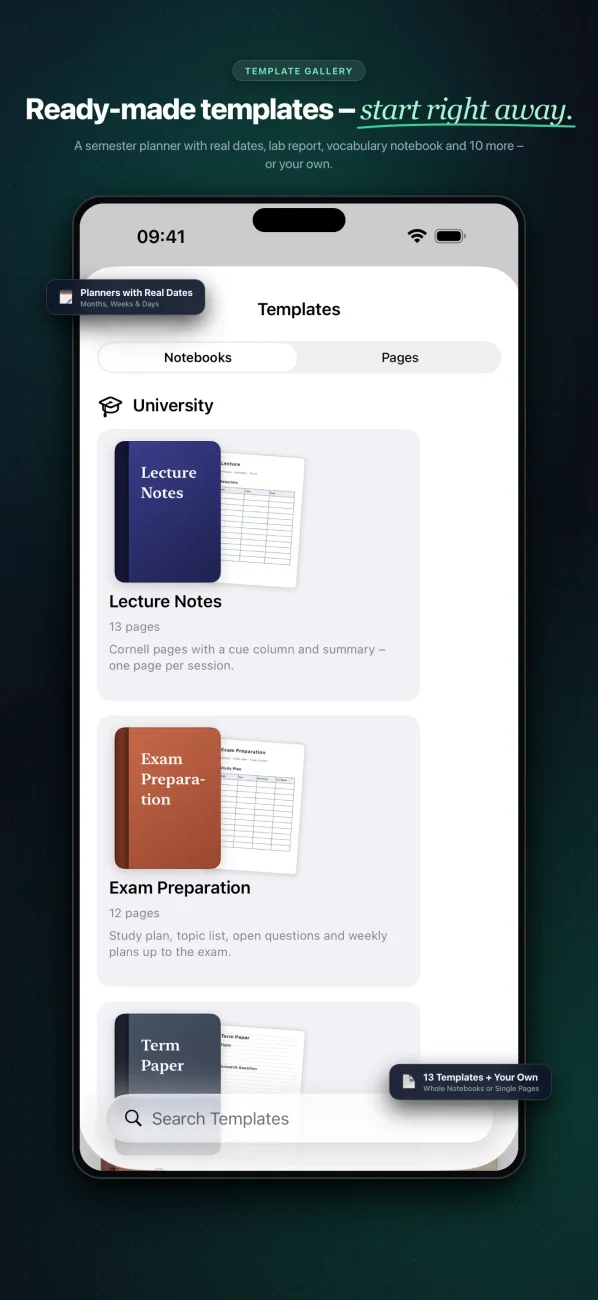
• Lined, squared, dotted, planners, sheet music and more – in colour too; plus a whiteboard that grows
• Save your own pages as templates; import PDFs, Word, PowerPoint and Goodnotes
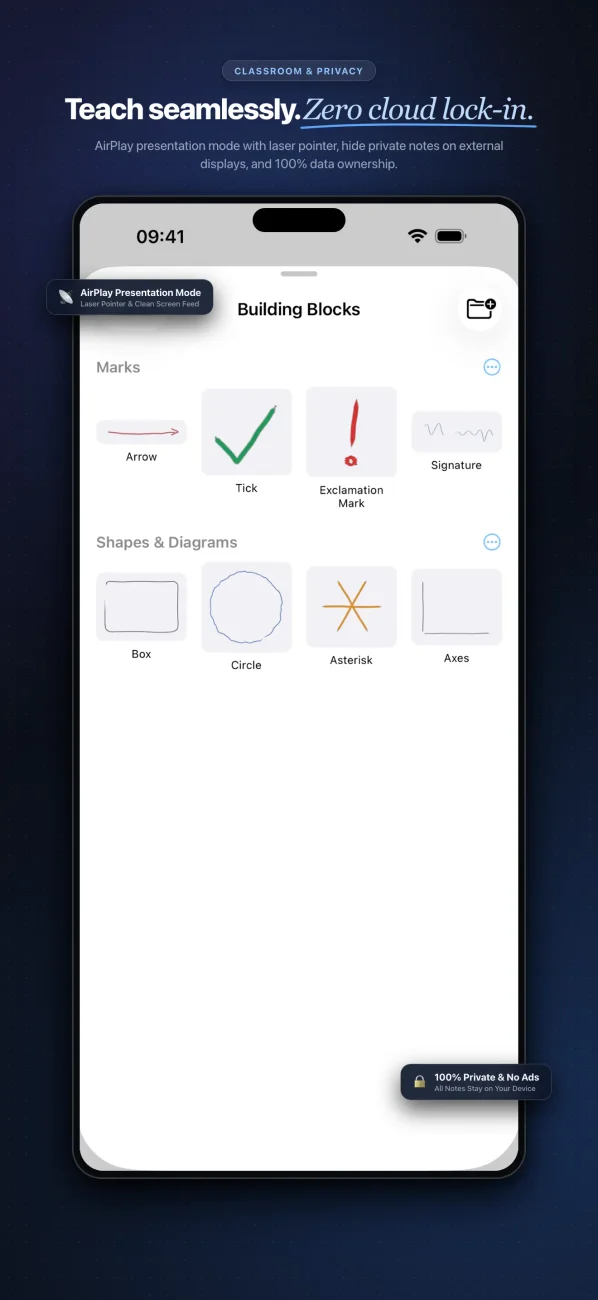
• Photos, document scans, GIFs, tables, mind maps and reusable building blocks
STUDY
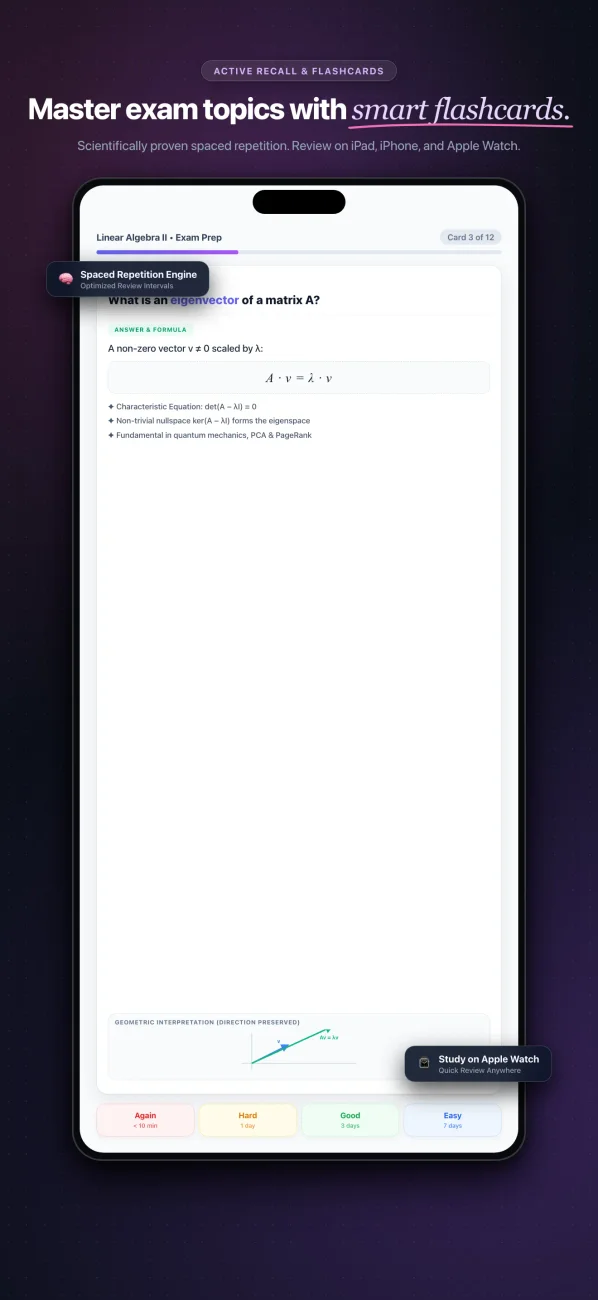
• Flashcards with spaced repetition and a study plan across all notebooks, with a daily reminder if you like
• An exam date per deck, also as a proposal to the group; import and export decks as Anki packages or text files
• Flashcards from your handwriting: circle a question or sketch and turn it into a card
• Apple Watch: review due flashcards on your wrist, with a complication for the watch face
• Study time with breaks, on iPhone also on the Lock Screen
• Study tape: cover passages and test yourself
• With Apple Intelligence: flashcards, cloze exercises from A1 to C2, summaries and mind maps from your notes – and answers to questions about them
• The AI runs on the device only – no internet, no third-party AI service
STUDY GROUPS AND SHARING
• Study groups: join once and get every notebook of the group, including later ones
• Invite others to a notebook with a link or QR code – to write along or just to view
• Colour each person’s contributions and see what others have changed since your last visit
• Send a copy of a notebook or of single pages, with the recordings if you like – through a link that expires by itself
• Comments with replies; everyone shares the flashcards, each person keeps their own progress
RECORD AND PRESENT
• Record sound while you write; on playback, your note reappears stroke by stroke
• Transcripts on the device: search finds spoken words too
• Present on a projector or TV: only the current page, with a laser pointer
HANDY
• Quick Note from the app icon, as a widget, in Control Centre, with Siri or Shortcuts
• Widgets for recently opened notebooks and cards due
• Sync through your own iCloud and Handoff between iPhone, iPad and Mac
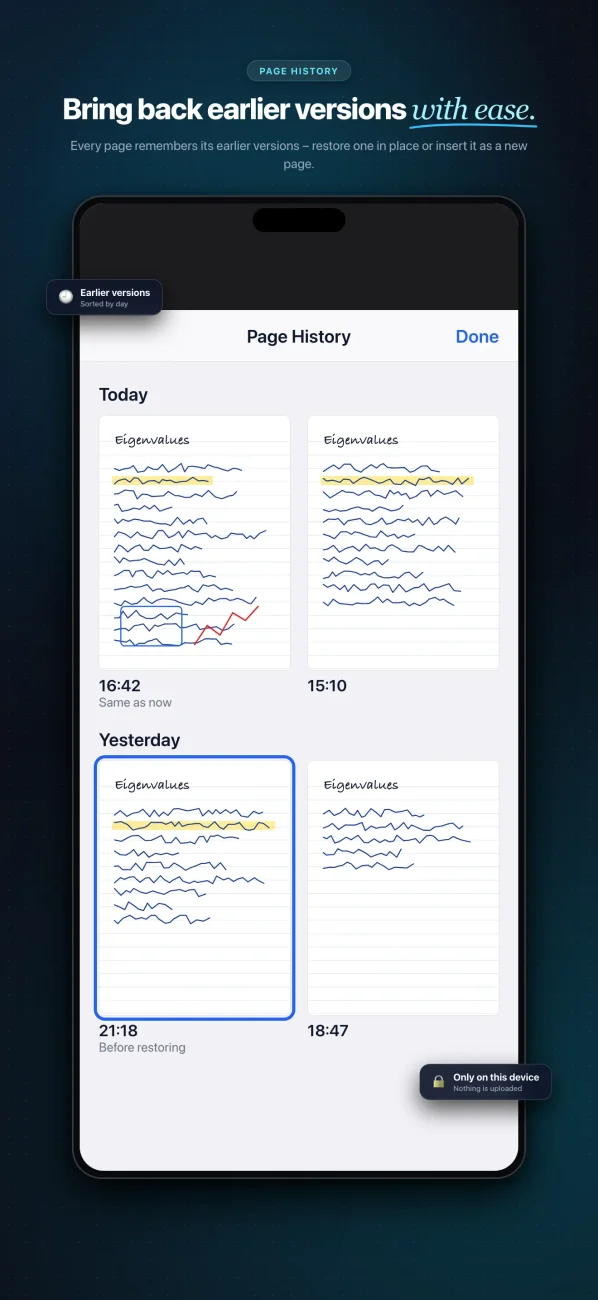
• Automatic backups to iCloud Drive; export as PDF, Markdown or FlexiNote package
• Select text in a PDF and translate it
• Optional: Zotero for PDFs, citations and the bibliography
• Getting started in five short exercises; help mode explains every button
YOUR NOTES BELONG TO YOU
FluidNotes has no server of its own and no account. No ads, no tracking, no analytics, no in-app purchases. Your notebooks live on your device and, if you like, in your own iCloud.
FluidNotes is a personal project, built with care. Questions and ideas: j.gomez@web.de
What’s new
Version 3.13 · Nov 23, 2026
• Lock band: locked notebooks now wear an elastic band with a padlock – after Face ID or Touch ID it swings open, then the notebook opens. Photo covers too
• Always readable: typed text and handwriting adapt to the paper – white ink shows dark on light paper and on PDFs, dark ink shows light on black paper
• PDFs stay easy to read with ‘Dark Paper in Dark Mode’
• Switching to light makes the paper white again, and ‘Dark Paper in Dark Mode’ takes effect at once
App privacy
What Juan Gomez Fernandez declares on the App Store about how this app handles data.
-
Data not collected
The developer does not collect any data from this app.
Privacy practices may vary, for example with the features you use or your age.
Information
- Seller
- Juan Gomez Fernandez
- Category
- Education
- Version
- 3.13
- Updated
- Nov 23, 2026
- Released
- Oct 4, 2026
- Size
- 29.5 MB
- Requires
- iOS 18.0 or later
- Age rating
- 4+
- Price
- Free
- Languages
- English, Arabic, French, German, Hindi, Marathi, Polish, Spanish
- Copyright
- © Juan Gómez Fernández
You might also like
-
 Actually: Discover & LearnDaily Facts & Trivia Questions
-
 Free Wiki Explorer: RabbitrailRead & Discover Wiki Articles
-
 OmniDex: Field GuidesWildlife, dinosaurs and space
-
 Word Flip: Vocabulary BuilderFlashcards in 30+ Languages
-
 PalChat CommunicatorTalk with pictures and words
-
 Acolo: Point Me ThereA 4D compass in space & time
-
 Plant Identifier · PlantKeyFlower & Tree ID, Care Guide
-
 Branch: Mind Map & Draw NotesBrainstorm Ideas & Plan Goals
-
 Piano Lessons · KlaviLearn to Play & Read Music
-
 AI Homework Helper: Tutor AIAsk, Scan & Solve All Subjects