
FluidNotes – Your Notebook
Handwritten Notes & PDFs
Projetado para iPhone, iPad, Mac
- Classificação etária4+
- CategoriaEducação
- DesenvolvedorJuan Gomez Fernandez
- IdiomasInglêse mais 7
- Tamanho29,5 MB
FluidNotes – Your Notebook pode não estar disponível na App Store no momento
Não foi possível acessar a página da loja na nossa última verificação. O link continua levando à página oficial na App Store.
Capturas de tela
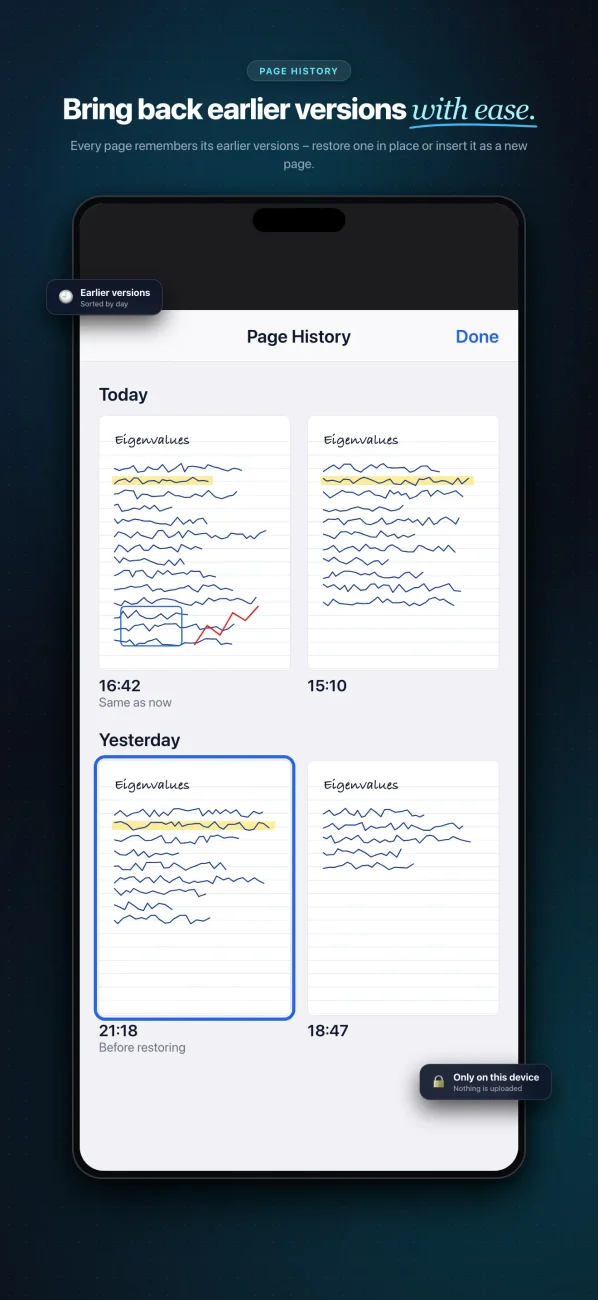

Sobre
O desenvolvedor não forneceu este texto no seu idioma.
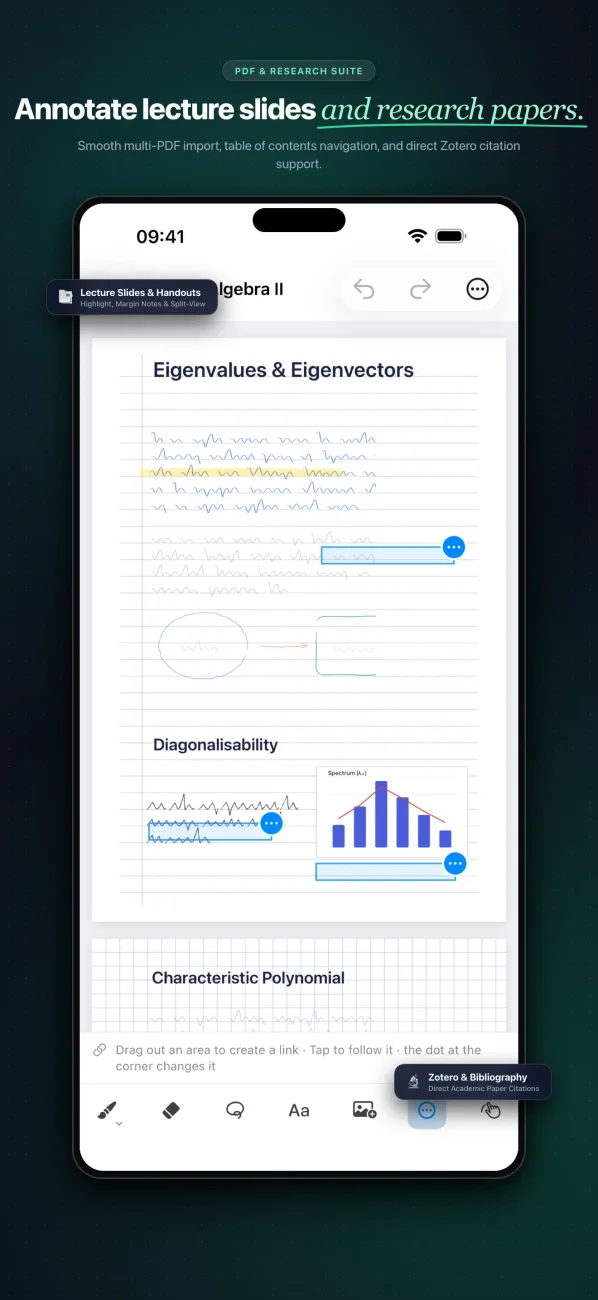
FluidNotes is a notebook for iPad and iPhone that feels like paper: write with Apple Pencil on iPad or with your finger on iPhone – and find everything again with search that reads your handwriting.
WRITING THAT FEELS RIGHT
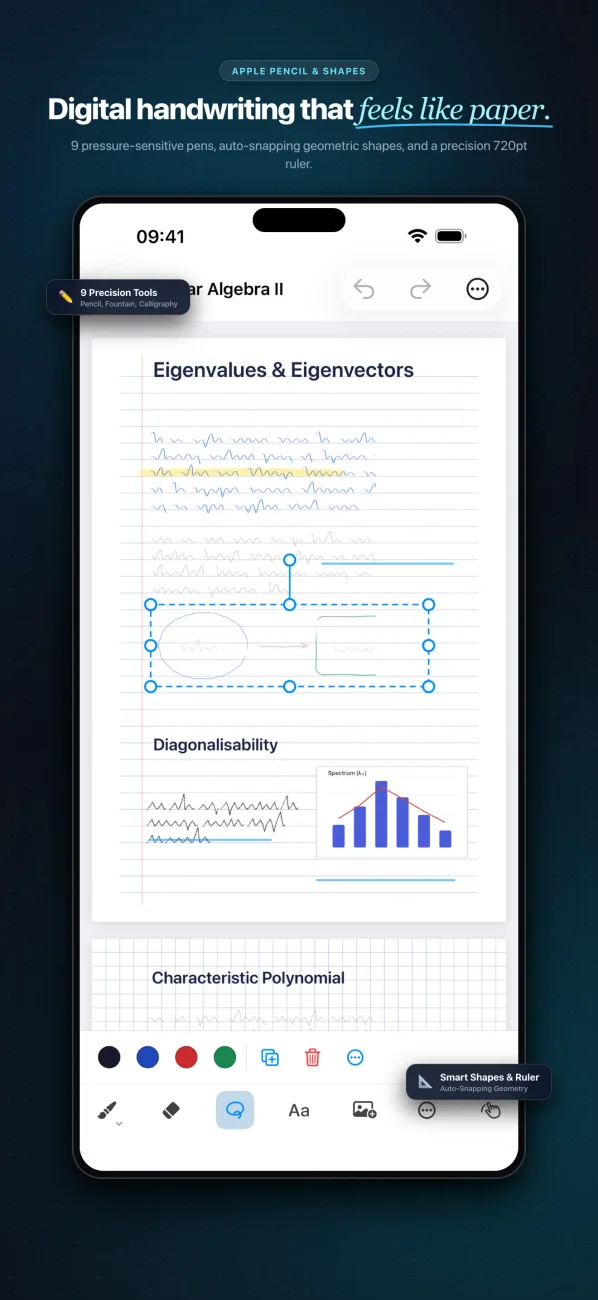
• Ballpoint, fineliner, fountain pen, pencil, felt-tip, watercolour, highlighter and more, all pressure-sensitive
• Ruler, colour picker and custom colours on all your devices
• Hand-drawn shapes become clean circles, rectangles, lines and arrows
• Convert handwriting to typed text, with word suggestions as you write – on the device
• Cross out typed words to delete them
• Lasso: cut out exactly, colour, move, duplicate
• Zoom window: write large at the bottom, and it appears small on the page
ORGANISATION THAT GROWS WITH YOU
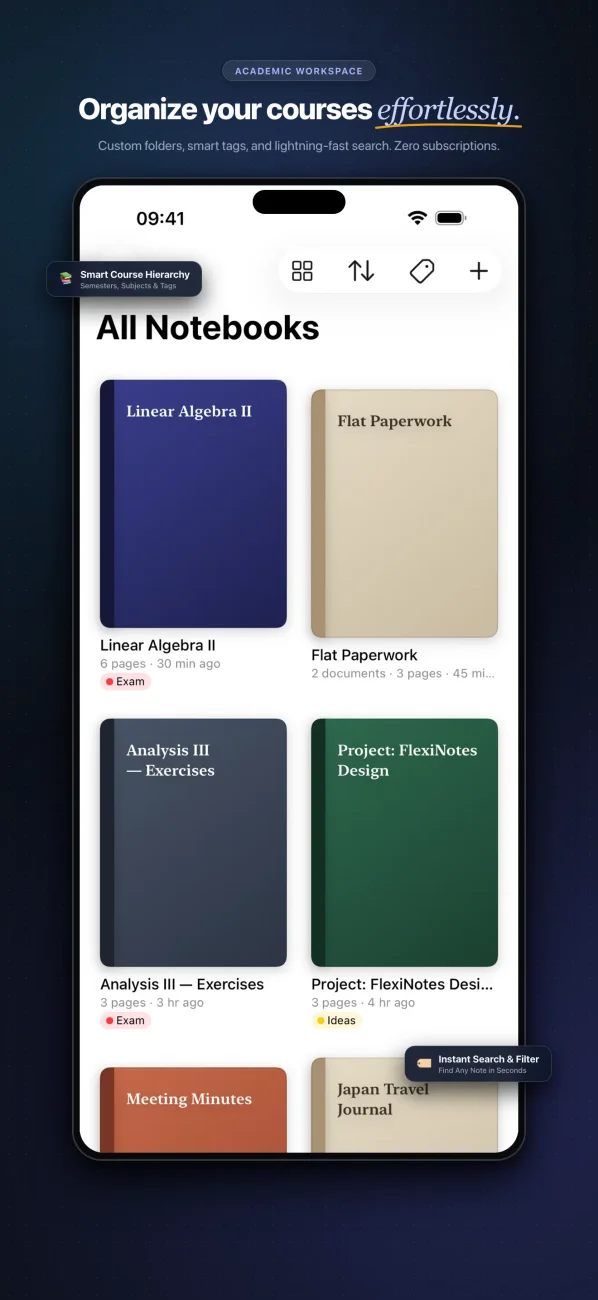
• Folders and subfolders, tags, favourites and bookmarks
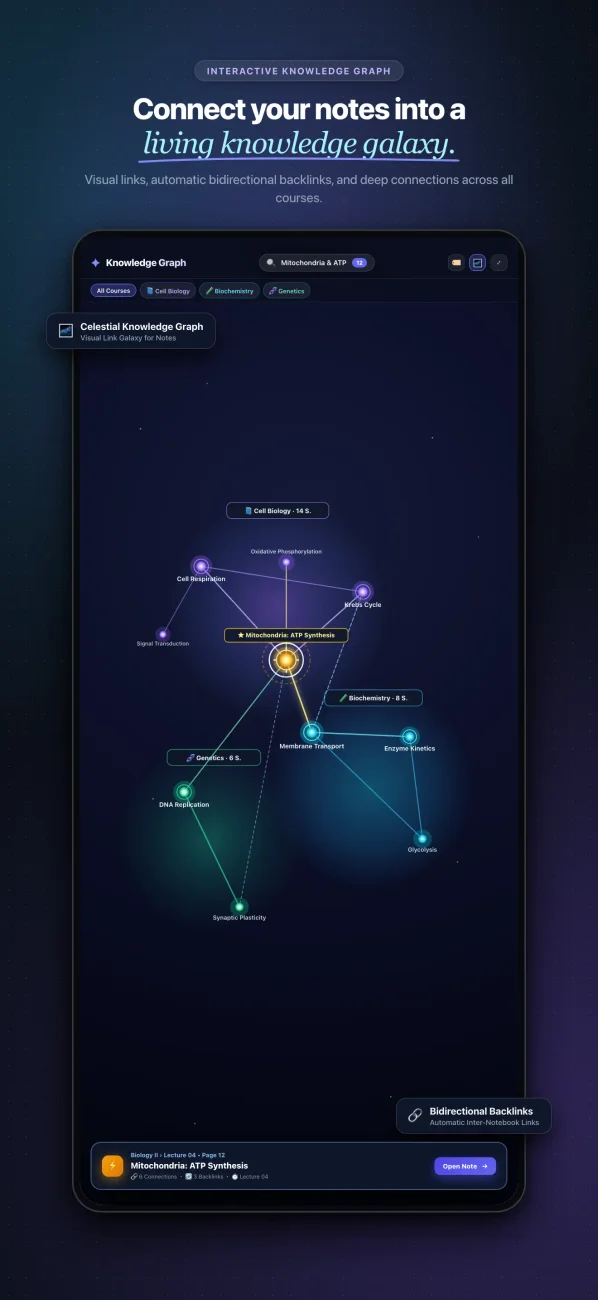
• Headings automatically build an outline; links connect pages and notebooks, and a knowledge network shows topics and connections – in 3D too
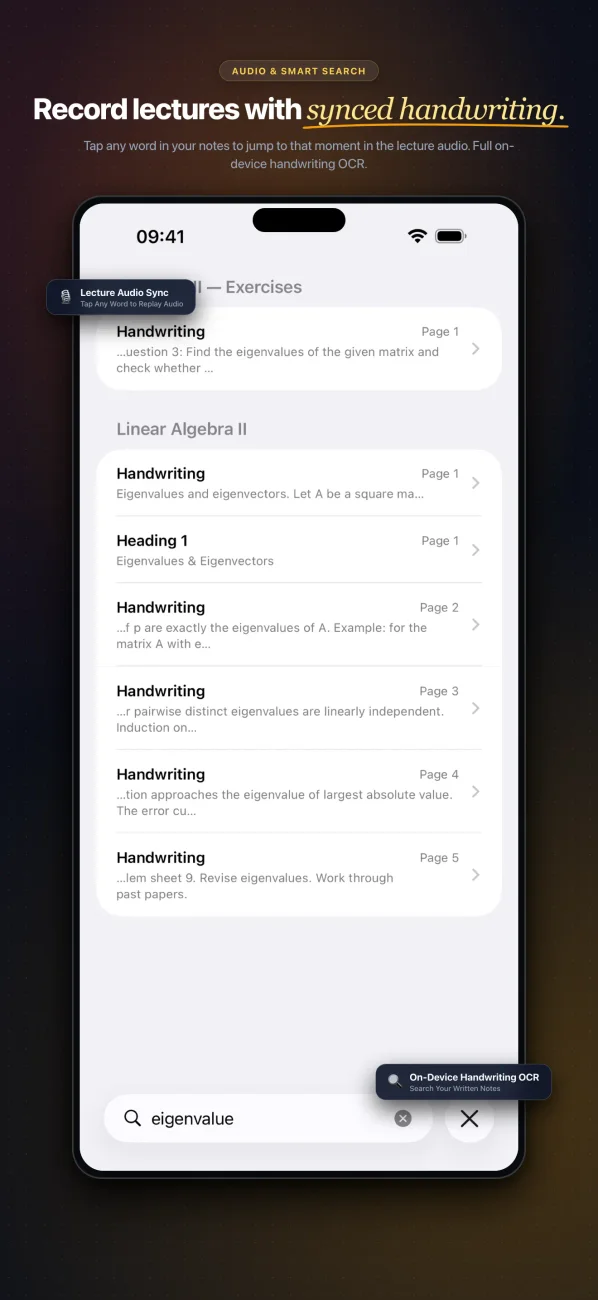
• Search handwriting, typed text, PDFs, photos and recordings – through Spotlight too
• Collect the highlights of a PDF into an excerpt, with links back to the passage
• Lock notebooks with Face ID or a passcode
THE PAPER YOU WANT
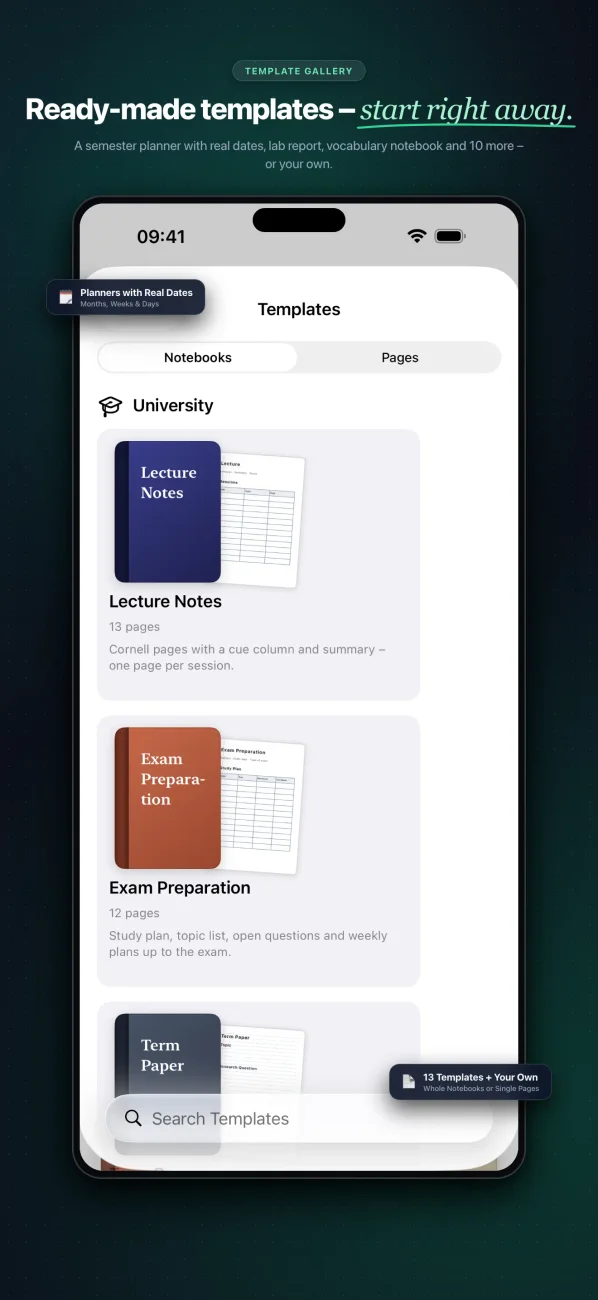
• Lined, squared, dotted, planners, sheet music and more – in colour too; plus a whiteboard that grows
• Save your own pages as templates; import PDFs, Word, PowerPoint and Goodnotes
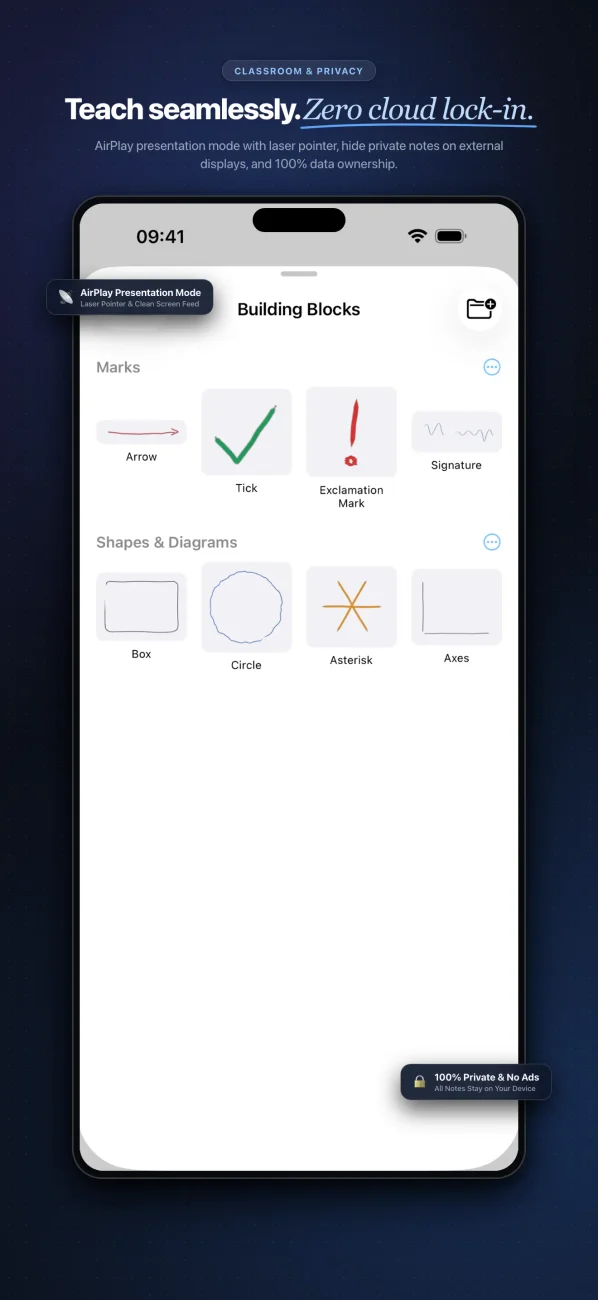
• Photos, document scans, GIFs, tables, mind maps and reusable building blocks
STUDY
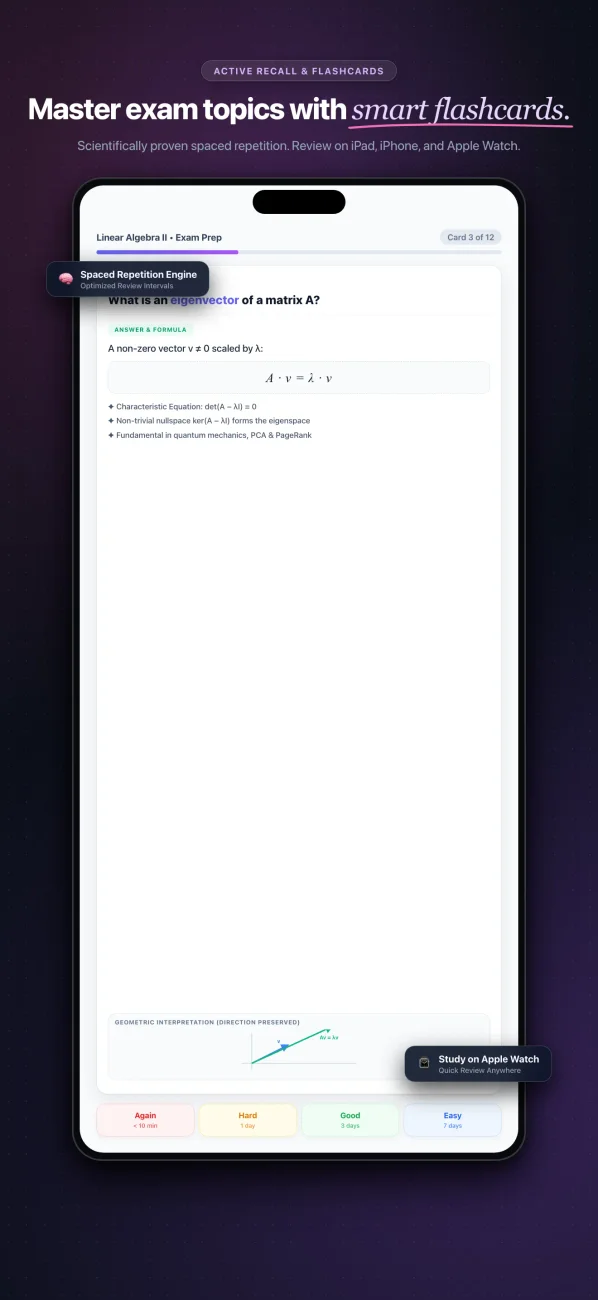
• Flashcards with spaced repetition and a study plan across all notebooks, with a daily reminder if you like
• An exam date per deck, also as a proposal to the group; import and export decks as Anki packages or text files
• Flashcards from your handwriting: circle a question or sketch and turn it into a card
• Apple Watch: review due flashcards on your wrist, with a complication for the watch face
• Study time with breaks, on iPhone also on the Lock Screen
• Study tape: cover passages and test yourself
• With Apple Intelligence: flashcards, cloze exercises from A1 to C2, summaries and mind maps from your notes – and answers to questions about them
• The AI runs on the device only – no internet, no third-party AI service
STUDY GROUPS AND SHARING
• Study groups: join once and get every notebook of the group, including later ones
• Invite others to a notebook with a link or QR code – to write along or just to view
• Colour each person’s contributions and see what others have changed since your last visit
• Send a copy of a notebook or of single pages, with the recordings if you like – through a link that expires by itself
• Comments with replies; everyone shares the flashcards, each person keeps their own progress
RECORD AND PRESENT
• Record sound while you write; on playback, your note reappears stroke by stroke
• Transcripts on the device: search finds spoken words too
• Present on a projector or TV: only the current page, with a laser pointer
HANDY
• Quick Note from the app icon, as a widget, in Control Centre, with Siri or Shortcuts
• Widgets for recently opened notebooks and cards due
• Sync through your own iCloud and Handoff between iPhone, iPad and Mac
• Automatic backups to iCloud Drive; export as PDF, Markdown or FlexiNote package
• Select text in a PDF and translate it
• Optional: Zotero for PDFs, citations and the bibliography
• Getting started in five short exercises; help mode explains every button
YOUR NOTES BELONG TO YOU
FluidNotes has no server of its own and no account. No ads, no tracking, no analytics, no in-app purchases. Your notebooks live on your device and, if you like, in your own iCloud.
FluidNotes is a personal project, built with care. Questions and ideas: j.gomez@web.de
Novidades
Versão 3.13 · 23/11/2026
• Lock band: locked notebooks now wear an elastic band with a padlock – after Face ID or Touch ID it swings open, then the notebook opens. Photo covers too
• Always readable: typed text and handwriting adapt to the paper – white ink shows dark on light paper and on PDFs, dark ink shows light on black paper
• PDFs stay easy to read with ‘Dark Paper in Dark Mode’
• Switching to light makes the paper white again, and ‘Dark Paper in Dark Mode’ takes effect at once
Privacidade do app
O que Juan Gomez Fernandez declara na App Store sobre como este app lida com os dados.
-
Dados não coletados
O desenvolvedor não coleta nenhum dado deste app.
As práticas de privacidade podem variar, por exemplo, com base nos recursos que você usa ou na sua idade.
Informações
- Vendedor
- Juan Gomez Fernandez
- Categoria
- Educação
- Versão
- 3.13
- Atualizado
- 23/11/2026
- Lançamento
- 04/10/2026
- Tamanho
- 29,5 MB
- Requer
- iOS 18.0 ou posterior
- Classificação etária
- 4+
- Idiomas
- Inglês, Árabe, Francês, Alemão, Hindi, Marata, Polonês, Espanhol
- Copyright
- © Juan Gómez Fernández
Você também pode gostar
-
 Actually: Discover & LearnEducação
-
 Free Wiki Explorer: RabbitrailEducação
-
 OmniDex: Field GuidesEducação
-
 Word Flip: VocabulárioFlashcards em 30+ idiomas
-
 PalChat CommunicatorEducação
-
 Acolo: Point Me ThereEducação
-
 Identificar Plantas · PlantKeyFlores, Árvores, Jardim e Rega
-
 Branch: Mind Map & Draw NotesProdutividade
-
 Aulas de Piano · KlaviAprender Teclado e Partitura
-
 AI Homework Helper: Tutor AIEducação