
Focal Point Productivity
Planner, Tasks, Trips & Notes
Designed for iPhone, iPad, Mac
Free · In-app purchases
- Age rating4+
- CategoryProductivity
- DeveloperMile High Software Solutions
- LanguagesEnglish
- Size84.6 MB
Links to the official App Store page
Download.org hosts no file of Focal Point Productivity. The button opens its official App Store page, published by Mile High Software Solutions. Listing last checked on Nov 21, 2026.
Screenshots
About
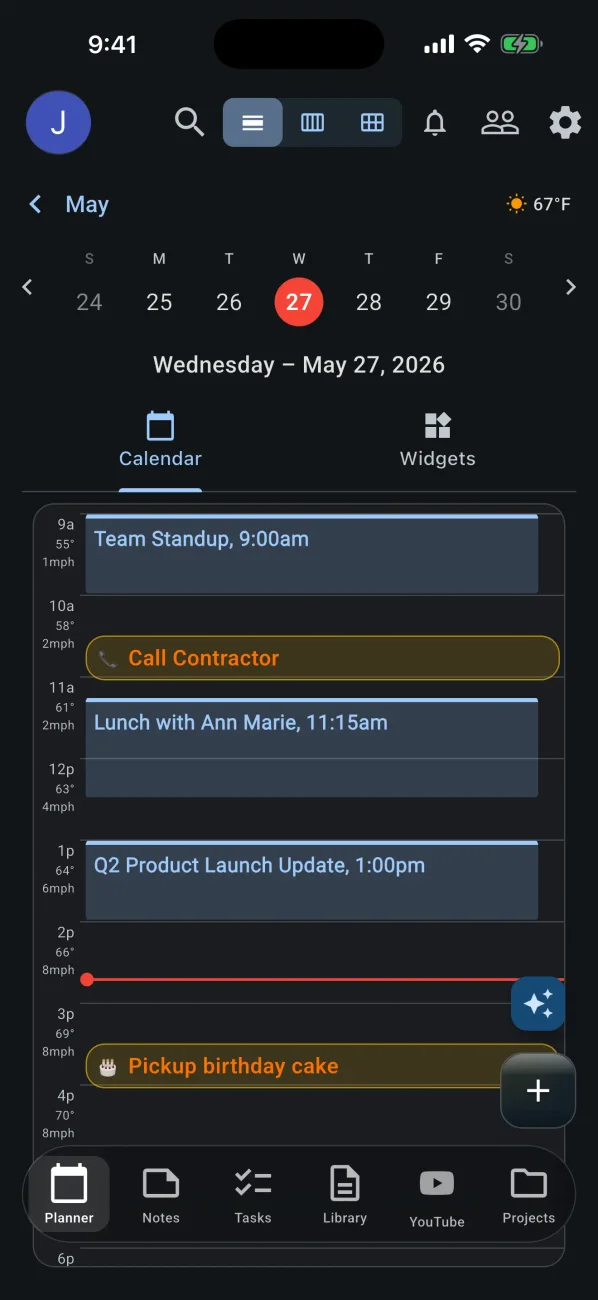
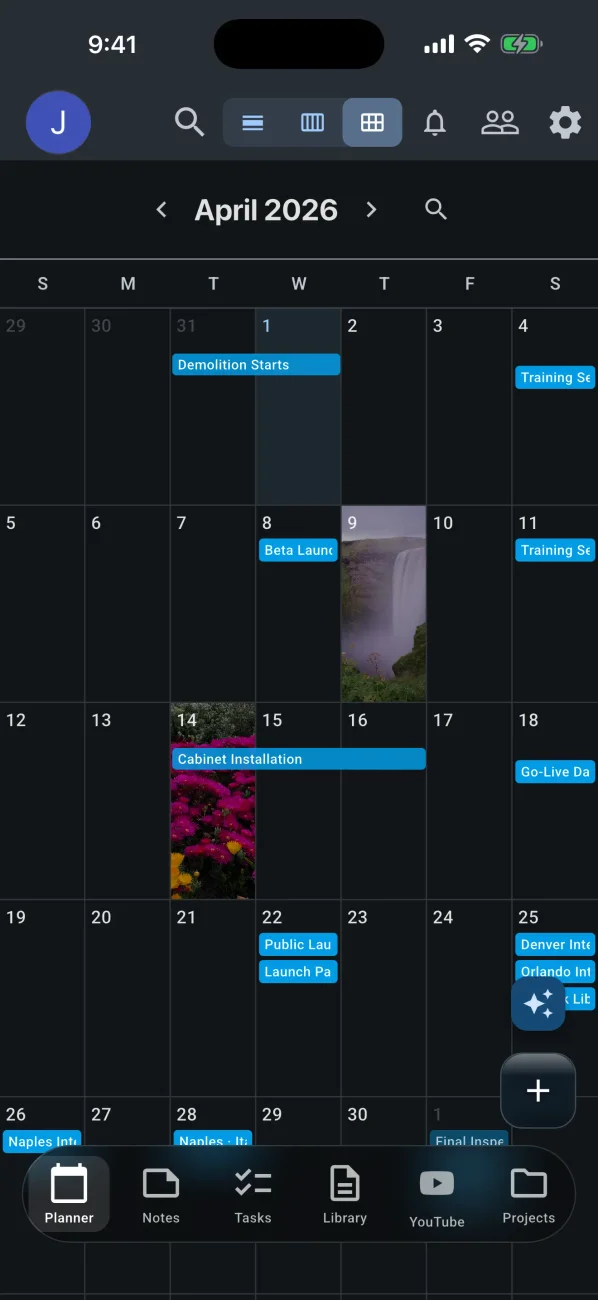
Focal Point combines a stylish daily planner with real project management — plus trip planning, whiteboards, and a built-in AI assistant.
PLAN YOUR DAY
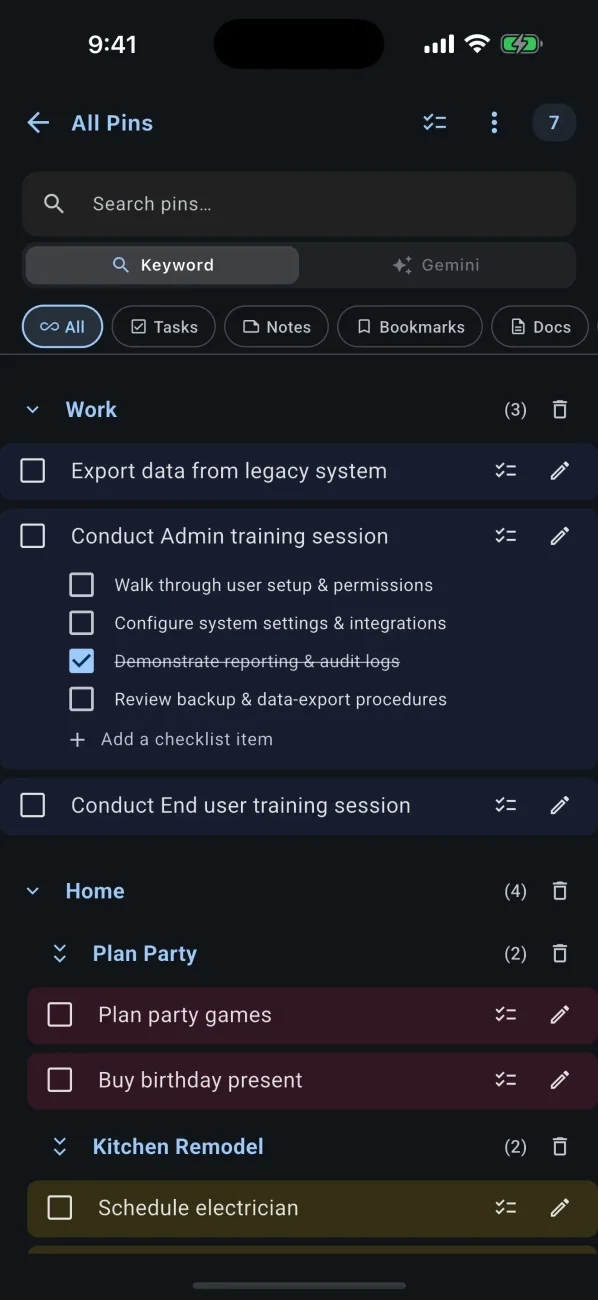
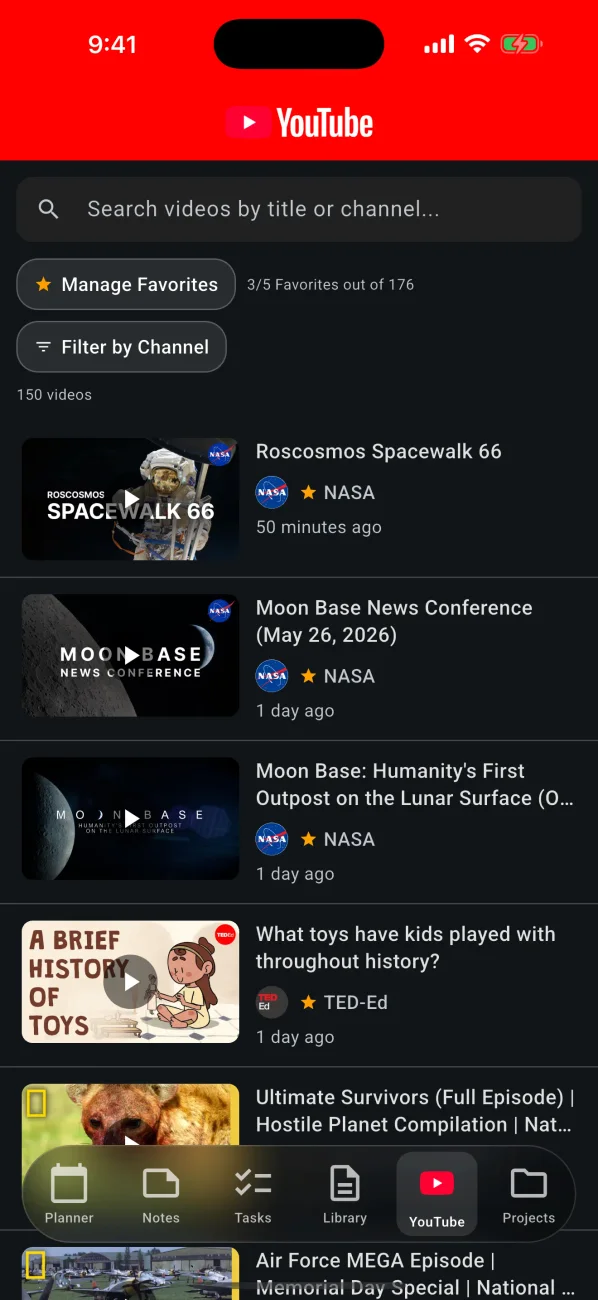
Stay on top of your routine with a streamlined view that brings your tasks, reminders, and events together in one place. Pin the tasks, notes, trip ideas, and documents you reach for most so they're always a tap away, and connect YouTube* to see the day's new videos from the channels you follow. Add the Home Screen widget to see today at a glance without opening the app.
SIMPLE TO START, POWERFUL WHEN NEEDED
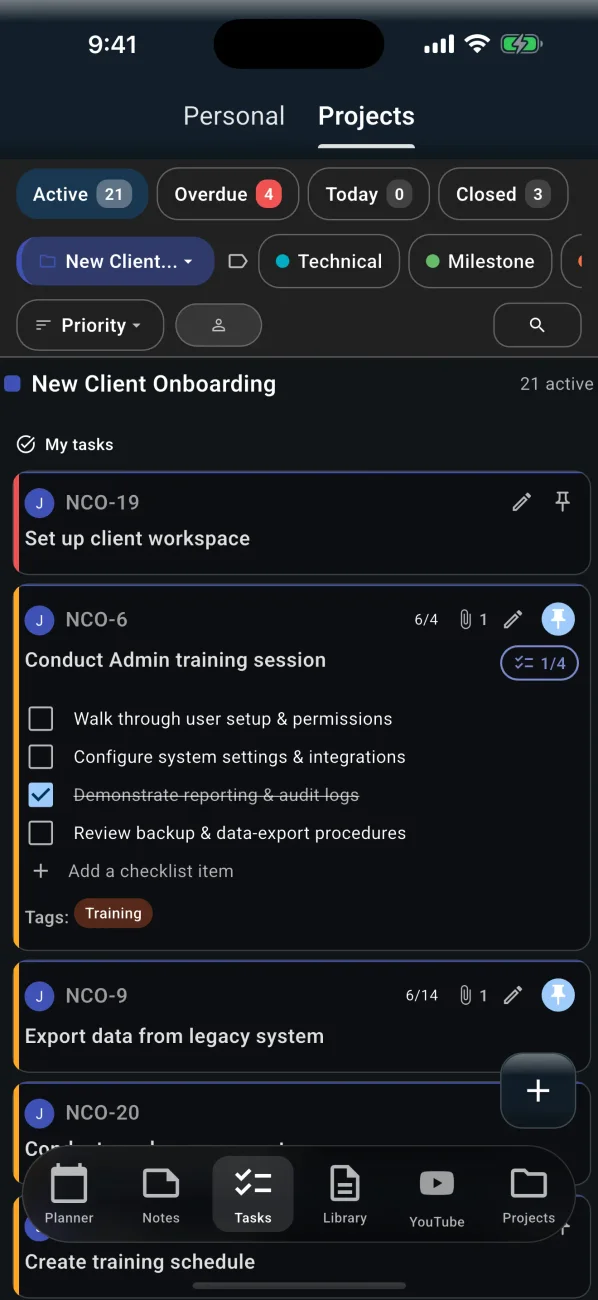
Create one-line tasks in seconds, then add detail later. Break bigger work down with checklists, custom fields, and tags. Build your own reusable templates*.
GET ORGANIZED WITH PROJECTS
When simple to-dos aren't enough, Projects bring everything together. Each project is a hub for related tasks, notes, documents, bookmarks, calendar events, and YouTube links*. Renovating your home? Managing a work initiative? It all lives in one place. Organize documents into folders, track revisions, and make each project yours with custom colors and backgrounds. Running something more formal? Switch on Requirements to capture what a project must deliver, link each one to the tasks that satisfy it and to the steps in your process diagrams, and track coverage in a traceability matrix.
PLAN YOUR TRIPS
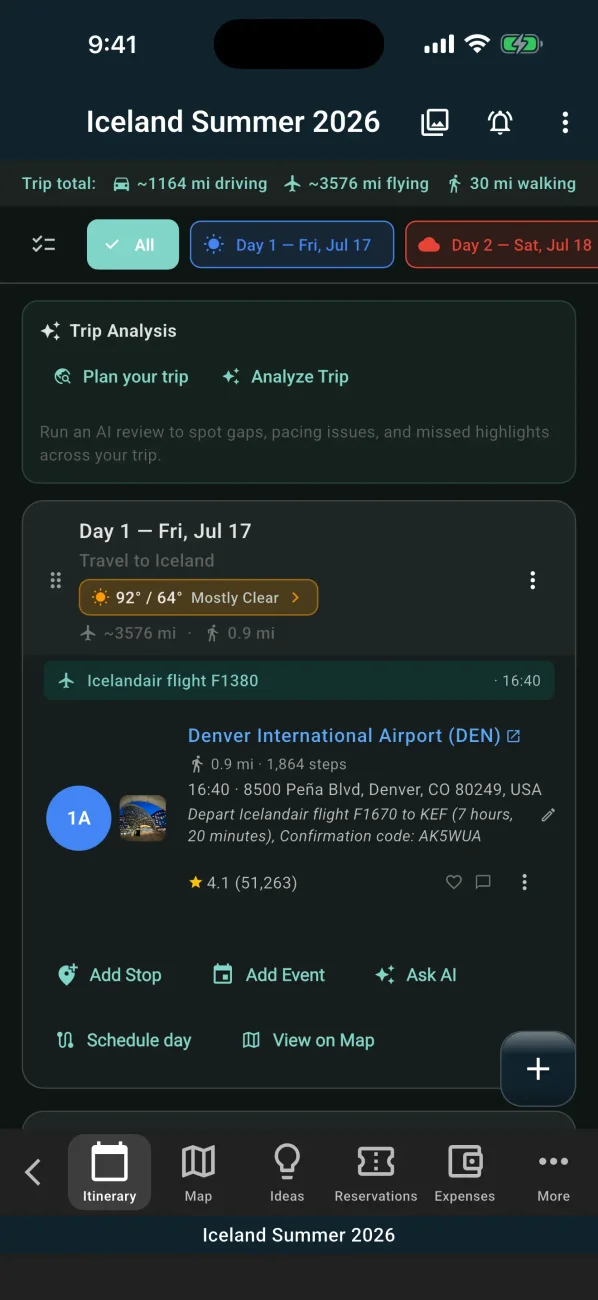
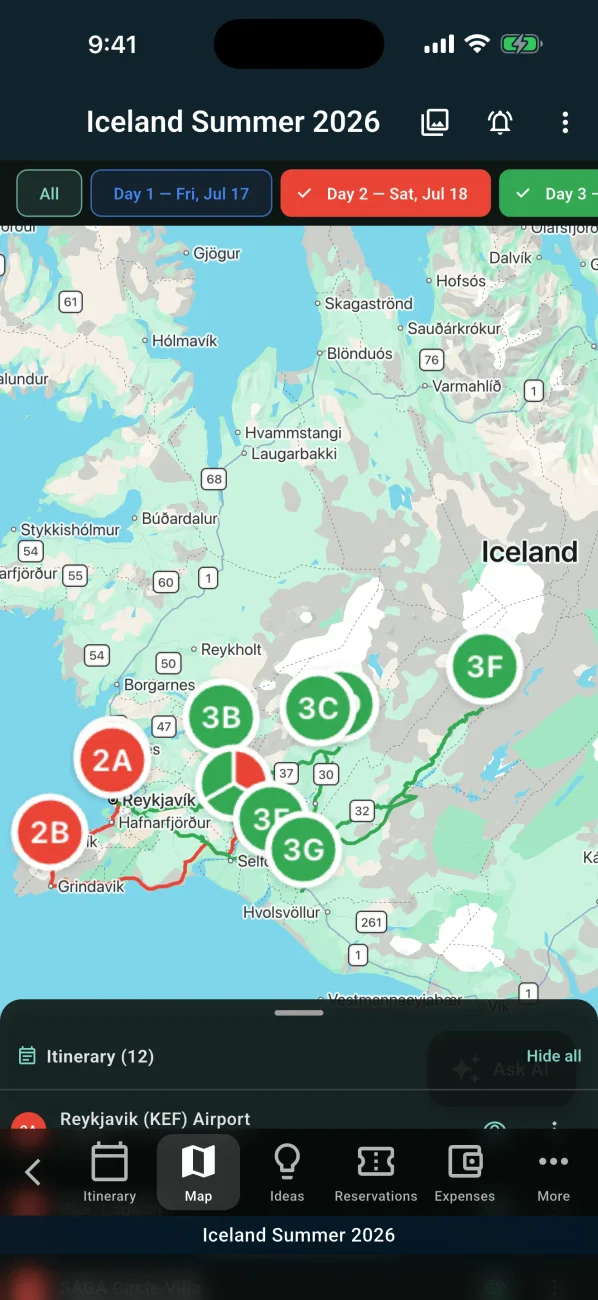
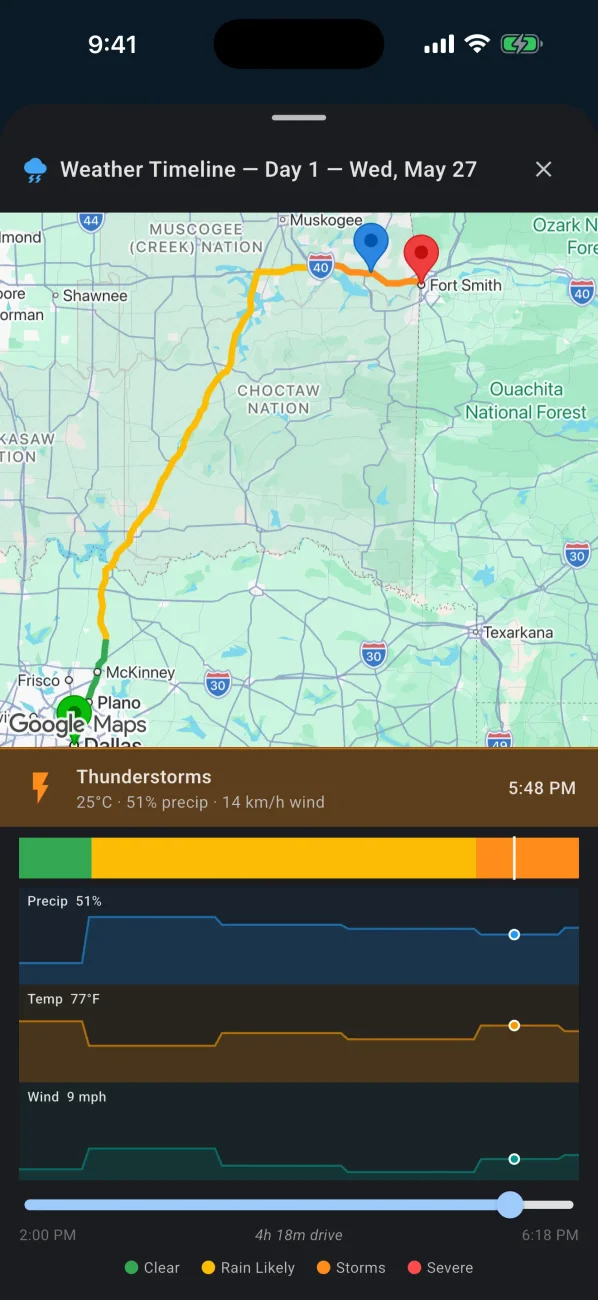
Turn travel into a breeze with dedicated Trip projects. Import an existing itinerary or build one from scratch — map stops with interactive maps and place search, and keep flights, hotels, and car rentals together. Let AI research each stop* and surface what's worth your time. Planning a road trip? See predicted weather at every stop* and time your route around the conditions. Traveling with others? Split shared expenses automatically, scan receipts with AI*, and collaborate with Focal Point friends*. Afterwards, your photos become an AI-organized trip album* you can lay out as a photo book.
WHITEBOARDS AND VISUAL THINKING
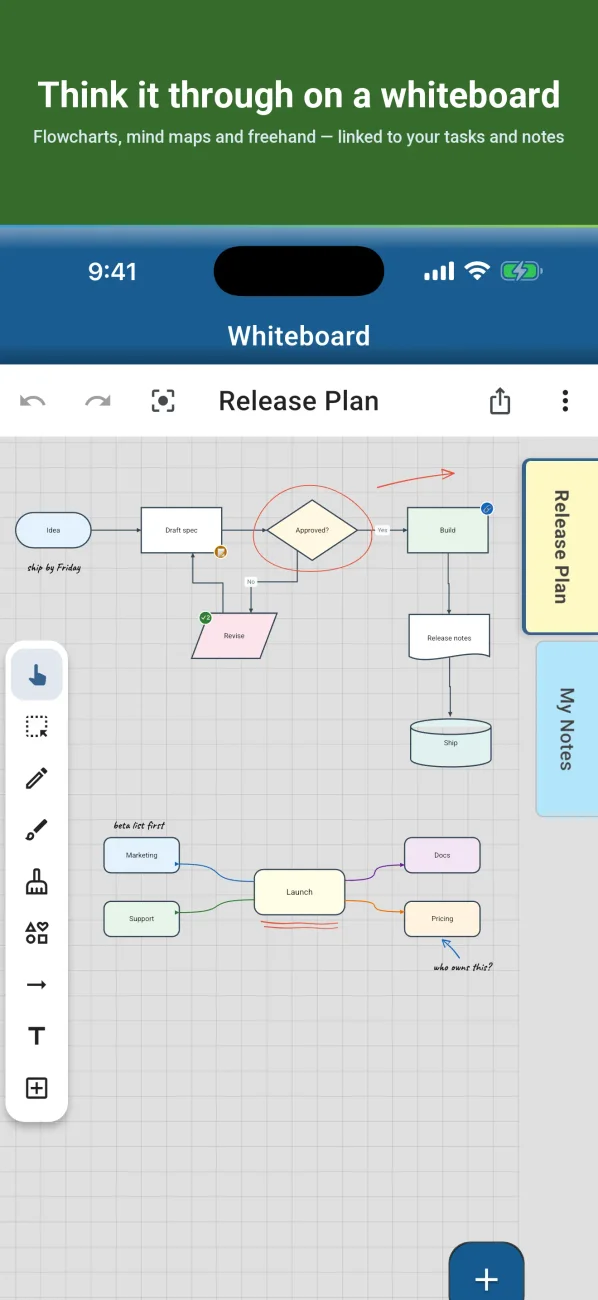
Think on a canvas, not just a list. Sketch freehand, drop sticky notes, connect shapes into flows and mind maps, or have AI generate a diagram for you*. Keep a personal whiteboard, give every project its own, and open Day Canvas to sketch or plan on a specific date in your planner.
BUILT FOR SHARING AND COLLABORATION*
Share projects with family, friends, or teammates. Assign tasks with clear ownership, coordinate schedules and household responsibilities, and keep everyone in sync with real-time updates.
SHARE FROM ANYWHERE
Found an interesting article or recipe? Use the Share Extension to save links from Safari or other apps directly to your Bookmarks or Notes — no copy-paste required.
AI-POWERED PRODUCTIVITY*
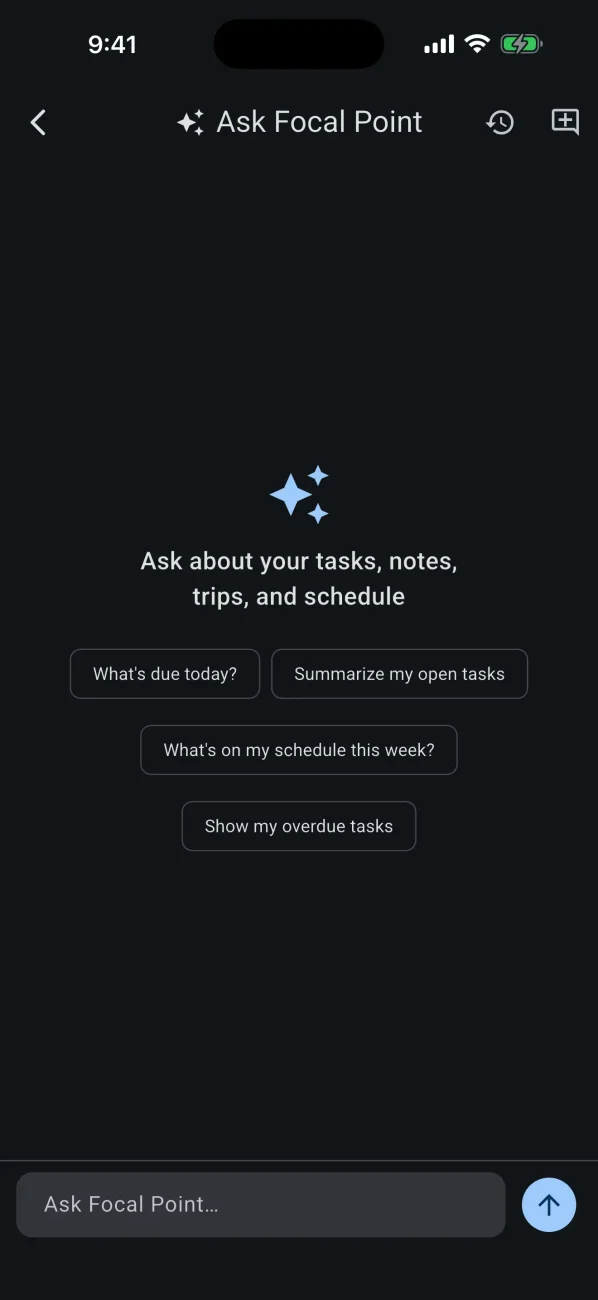
Ask Focal Point, your built-in assistant, answers questions across your tasks, notes, and documents. Just ask naturally, like "notes from last week's meeting" or "open tasks for the kitchen renovation." AI also summarizes documents, suggests tasks, and captures trip expenses from scanned receipts.
SPECIAL TOUCHES*
Add a personal touch to your daily routine. Celebrate life's moments with dynamic daily backgrounds that appear for birthdays, anniversaries, and special occasions.
PRODUCTIVITY ON ANY DEVICE
iPhone, iPad, and Mac. Start planning on your phone, review documents on your iPad, and manage tasks in kanban view on your Mac. Everything stays perfectly synchronized.
*PREMIUM FEATURES
Items marked * need Premium. Free includes three projects, one trip you plan yourself, tags, whiteboards, and local weather. Upgrade to Premium for unlimited trips with AI trip planning, stop research and route optimization, unlimited projects, expanded file storage and desktop sync, project and trip sharing, custom templates, smart weather for events and routes, and every AI feature. See https://focalpointproductivity.app for plan details.
Terms of Use: https://focalpointproductivity.app/terms.html
Privacy Policy: https://focalpointproductivity.app/privacy.html
What’s new
Version 1.4.2 · Oct 19, 2026
Ready for iPhone Duo. Focal Point now runs full-screen on both displays and adapts as you fold and unfold.
• Planner: collapse the widgets panel on iPad and iPhone Duo to give your calendar or Day Canvas the full width.
• Tasks: sort and filter rows scroll instead of getting cut off on smaller screens.
• Trips: each day now routes to that night's hotel, and stops along the way are handled correctly.
• Assorted fixes and polish.
App privacy
What Mile High Software Solutions declares on the App Store about how this app handles data.
-
Data linked to you
May be collected and linked to your identity.
- Purchases
- Location
- Contact info
- Contacts
- User content
- Identifiers
- Usage data
- Diagnostics
Privacy practices may vary, for example with the features you use or your age.
Information
- Seller
- Mile High Software Solutions LLC
- Category
- Productivity
- Version
- 1.4.2
- Updated
- Oct 19, 2026
- Released
- Jul 27, 2026
- Size
- 84.6 MB
- Requires
- iOS 16.0 or later
- Age rating
- 4+
- Price
- Free
- In-app purchases
- Yes
- Languages
- English
- Copyright
- © 2026 Mile High Software Solutions LLC
You might also like
-
 Reflow: ADHD Daily PlannerThe plan that fixes itself
-
 Todolist AI - Weekly PlannerTask Organizer
-
 BrainDump: Voice Tasks & FocusCalm To-Do for Busy Minds
-
 FlowStack: Focus & RoutineTo Do List, Timer & Pomodoro
-
 Weekline Weekly Planner & TodoTask List by Weight & Capacity
-
 AllChat: Verify AI AnswersSee Where AI Models Disagree
-
 Time Blocking: Day PlannerTimebox Focus Study Routine
-
 solopro: daily planner & to-doall-in-one|task|habit|calendar
-
 Busy B Planner: To-Do ListBrain Dump & Daily Reminders
-
 HabiHabit Tracker & Daily Planner