
Focal: Visual Timer & Routine
See time. One thing at a time.
Designed for iPhone
Free · In-app purchases
- Age rating4+
- CategoryProductivity
- DeveloperHo Van Dai
- LanguagesEnglish+ 24 more
- Size9.7 MB
Links to the official App Store page
Download.org hosts no file of Focal: Visual Timer & Routine. The button opens its official App Store page, published by Ho Van Dai. Listing last checked on Nov 18, 2026.
Screenshots


About
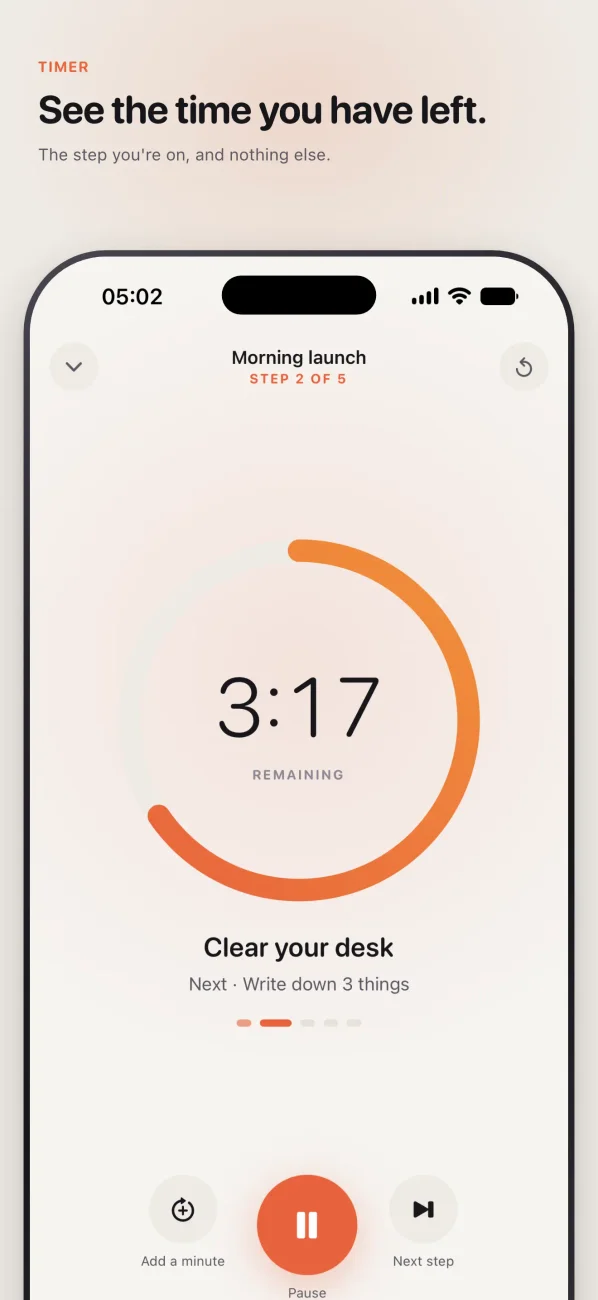
See the time you have left.
Focal is a visual timer: it turns a countdown into something you can look at: a colored disk that shrinks as your time runs out — the same idea as the timer on a classroom wall, in your pocket, on your lock screen, and on your desk while the phone charges.
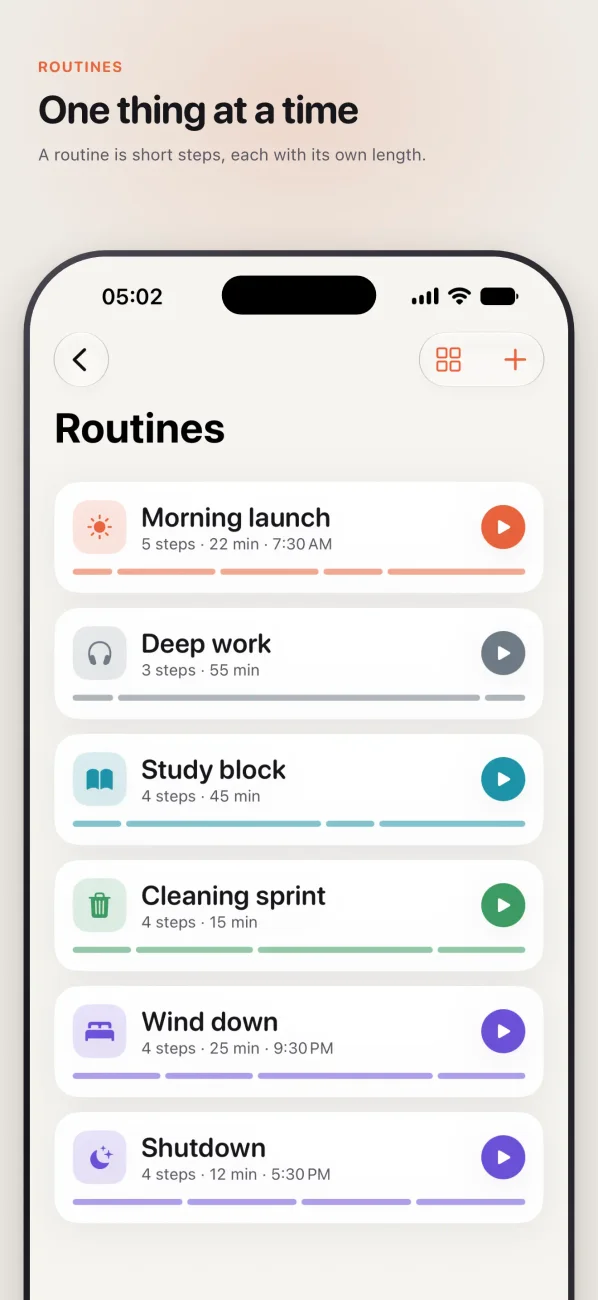
ONE THING AT A TIME
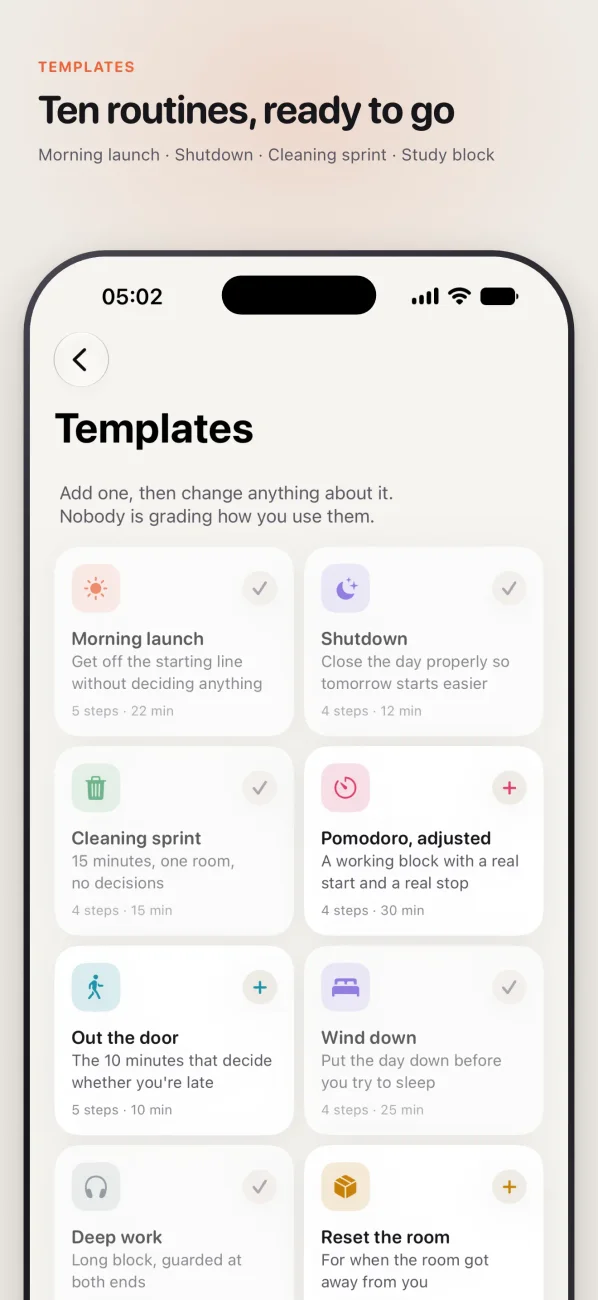
A routine in Focal is a chain of short steps, each with its own length. Focal shows you the step you are on and nothing else, then moves to the next one by itself. Morning launch, shutdown, cleaning sprint, a study block — start with ten ready-made routines or build your own.
TIME YOU CAN SEE, EVERYWHERE
• Full-screen timer in three shapes: disk, bar, or pie
• Live Activity and Dynamic Island — the countdown keeps running on your lock screen
• Home and Lock Screen widgets for your next routine
• Put the phone on its side while charging and StandBy becomes a desk timer
• Start from Siri, the Action Button, or Control Center
BUILT FOR THE WAY ATTENTION ACTUALLY WORKS
• Designed around ADHD time blindness — for when "five more minutes" quietly becomes an hour
• Gentle haptics at the halfway mark and in the final minute
• When time is up the clock keeps counting, and Focal taps you on the shoulder at five and fifteen minutes — the alarm for when you fall into something too deep
• Add a minute without losing your place
• Eight themes, including high-contrast and a quiet monochrome one
NO INTERNET NEEDED.
No account. No cloud. Nothing you make ever leaves your phone — the timer works in airplane mode, because it never needed the internet.
Terms of Use (EULA): https://www.apple.com/legal/internet-services/itunes/dev/stdeula/
What’s new
Version 1.1.8 · Nov 14, 2026
Stability improvements and bug fixes.
App privacy
What Ho Van Dai declares on the App Store about how this app handles data.
-
Data not collected
The developer does not collect any data from this app.
Privacy practices may vary, for example with the features you use or your age.
Information
- Seller
- Ho Van Dai
- Category
- Productivity
- Version
- 1.1.8
- Updated
- Nov 14, 2026
- Released
- Aug 20, 2026
- Size
- 9.7 MB
- Requires
- iOS 18.0 or later
- Age rating
- 4+
- Price
- Free
- In-app purchases
- Yes
- Languages
- English, Arabic, Bengali, Dutch, French, German, Hindi, Indonesian, Italian, Japanese, Javanese, Korean + 13 more
- Copyright
- © DHs 2026
You might also like
-
 Timedisk: Visual Timer AdultsADHD, time blindness, routines
-
 CLEPSYDRA: Sequential TimerOne Task After Another
-
 iTrack: MeTrack anything you like
-
 Reminder: Daily Tasks & AlarmTo-do list & task manager
-
 Ritualy: Timed RoutinesTime-aware routines, not lists
-
 TimeMirror - Track your dayTime Tracker & Focus Timer
-
 别白干Productivity
-
 Tempo: Focus TimerLive focus timer on top screen
-
 Framework: Daily PlannerPlan tasks, shifts & routines
-
 Quiet IQ: ADHD Focus TimerCalm Visual Timer