
- Age rating4+
- CategoryPhoto & Video
- DeveloperCraig Stubing
- LanguagesEnglish
- Size1.1 MB
Links to the official App Store page
Download.org hosts no file of FocalViz. The button opens its official App Store page, published by Craig Stubing. Listing last checked on Nov 15, 2026.
Screenshots


About
Stop packing lenses by instinct. FocalViz turns your photo library into a clear, honest map of how you actually shoot — so every lens in your bag is one you know you'll reach for.
FocalViz is the quiet, private place where you load your work, read your patterns, settle the gear debates, and walk out the door with confidence.
WHICH FOCAL LENGTHS DO YOU REALLY USE?
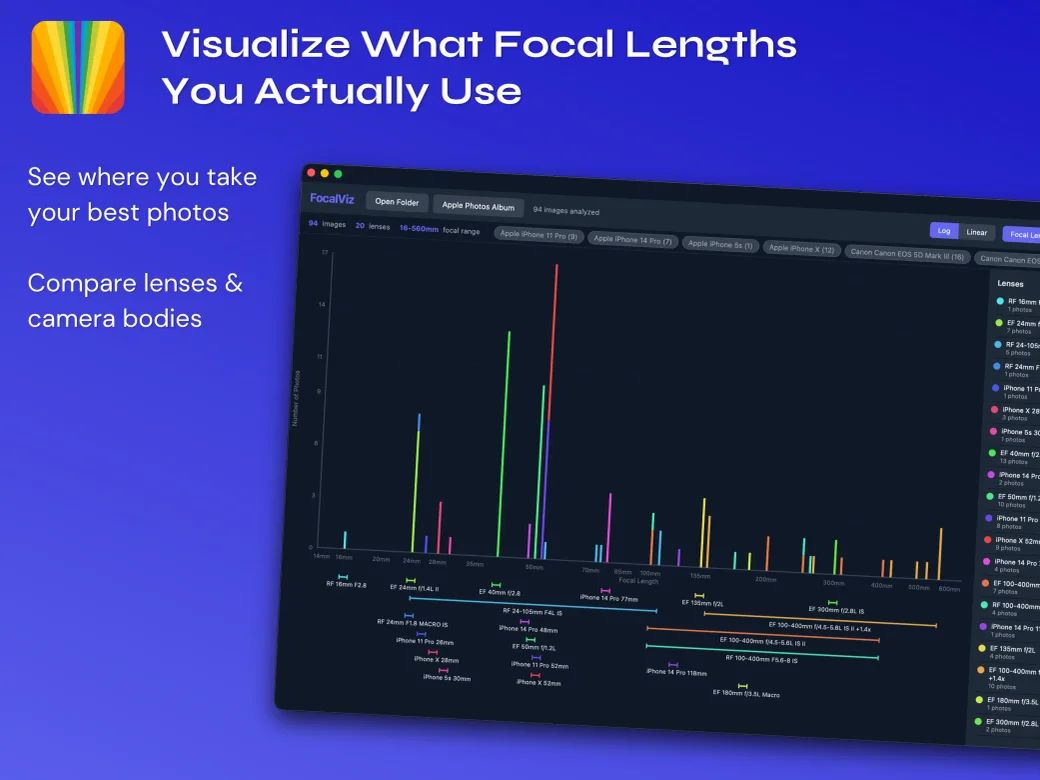
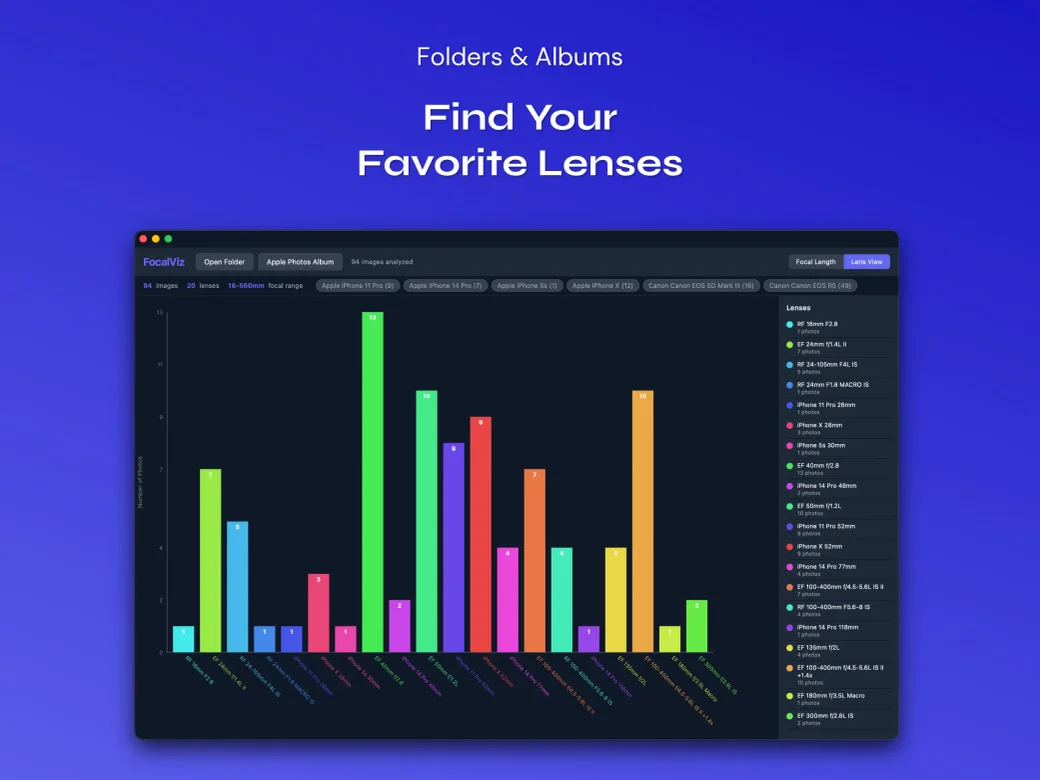
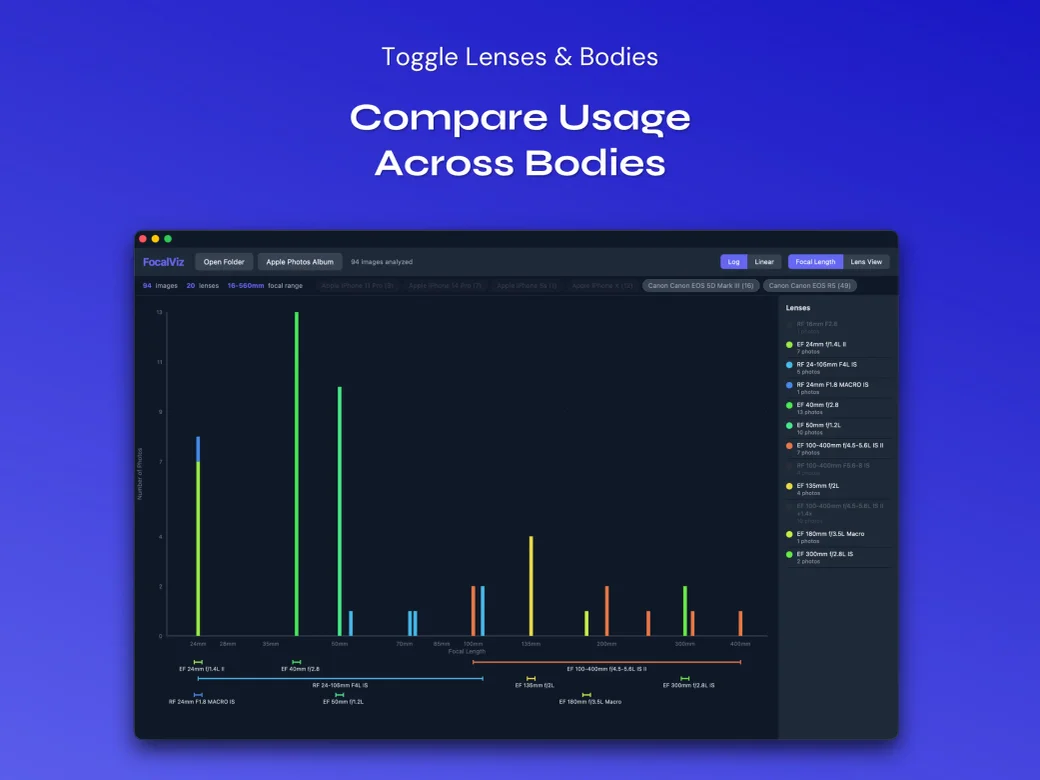
Point FocalViz at a folder of photos or an Apple Photos album and it builds a histogram of every shot, bucketed by focal length and colored by lens. One glance answers whether that 24-70 is pulling its weight, which prime you keep coming back to, and where the gaps in your kit actually are.
ALL YOUR GEAR ON ONE HONEST SCALE
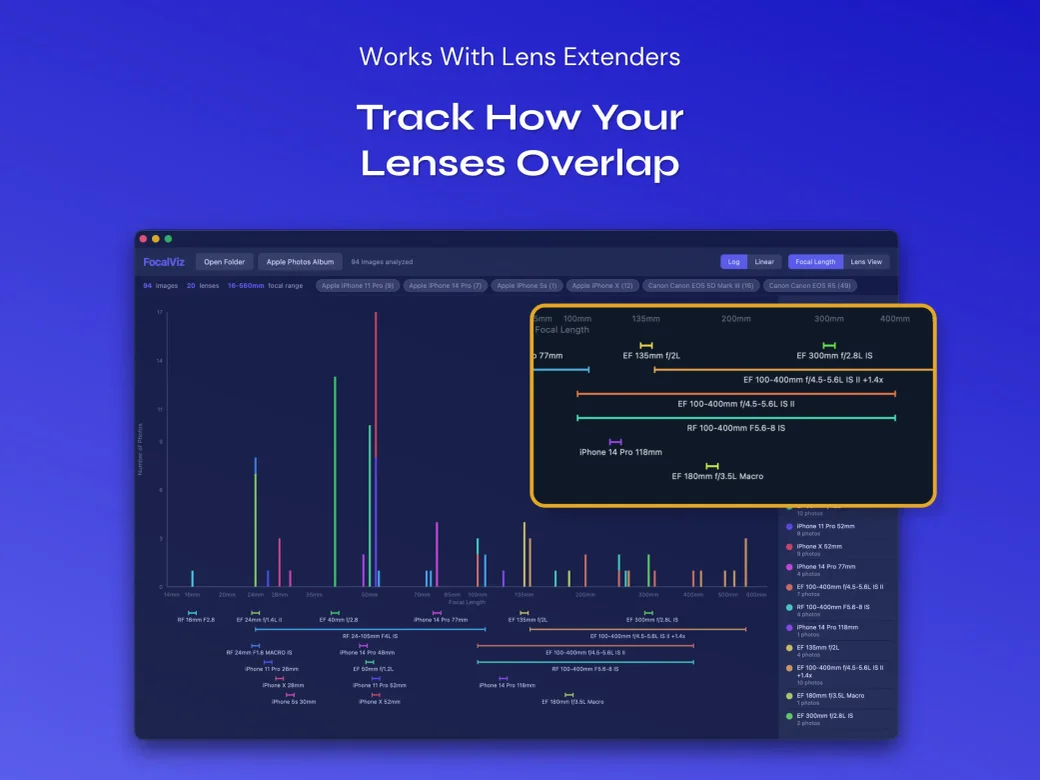
APS-C, Micro Four Thirds, medium format, phone cameras, and drones all land on the same 35mm-equivalent axis. Teleconverters are detected automatically from lens names and the reported range is scaled to match. You finally get a fair, side-by-side picture of every system you shoot.
DIG INTO THE FRAMES THAT MATTER
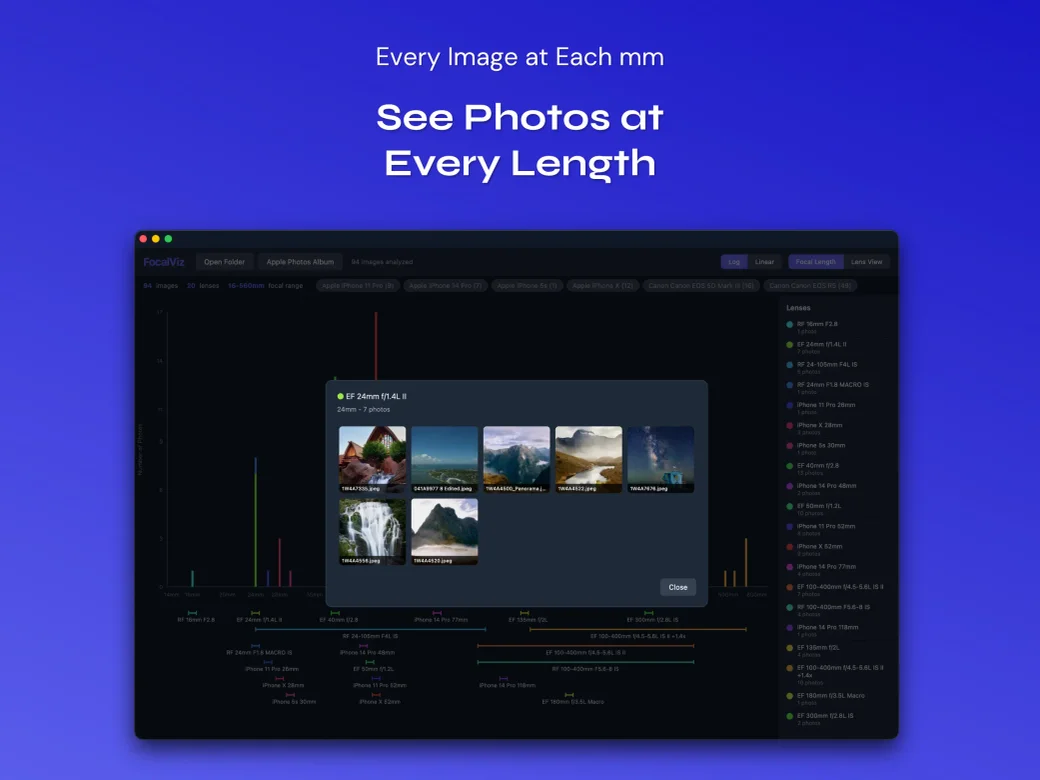
Tap any bar on the chart and thumbnail previews of the actual photos at that focal length appear instantly. See not just the numbers but the images that shaped them.
BUILT FOR HOW YOU BROWSE
The lens sidebar shows each lens as a range bar on the focal-length axis, with primes collapsed to a single point. Switch between focal-length and lens views, toggle log or linear scaling, and pinch or scroll to zoom the chart. Every interaction is native SwiftUI on both iPad and Mac.
YOUR PHOTOS NEVER LEAVE YOUR DEVICE
No account. No upload. No server anywhere in the chain. FocalViz reads your EXIF metadata locally and keeps everything on-device. When you use Apple Photos, images are read directly from your library and nothing is copied or transmitted.
WORKS WHERE YOU WORK
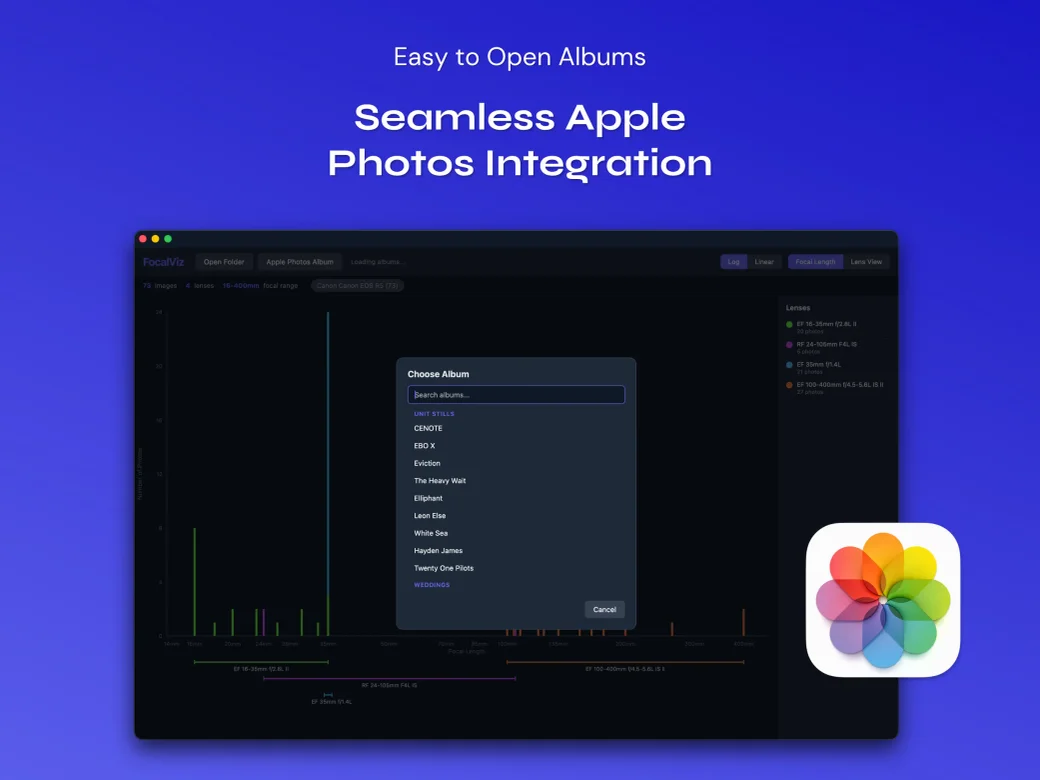
Native on iPadOS 17 and macOS 14 and later. Open a folder from Finder or the Files app, or connect directly to an Apple Photos album. Supports RAW files alongside JPEGs and includes full support for Apple Silicon and macOS Sequoia.
If you've ever stood in front of your gear wall and hesitated, FocalViz gives you the data to stop hesitating.
What’s new
Version 2.0.1 · Jul 24, 2026
Fixed bugs with some lenses that didn't write complete focal length data.
App privacy
What Craig Stubing declares on the App Store about how this app handles data.
-
Data not collected
The developer does not collect any data from this app.
Privacy practices may vary, for example with the features you use or your age.
Information
- Seller
- Craig Stubing
- Category
- Photo & Video
- Version
- 2.0.1
- Updated
- Jul 24, 2026
- Released
- Apr 9, 2026
- Size
- 1.1 MB
- Requires
- iOS 17.0 or later
- Age rating
- 4+
- Price
- Free
- Languages
- English
- Copyright
- © 2026 Craig Stubing
You might also like
-
 EXIFrameAdd EXIF Data to your photos
-
 Backward - Daily Time CapsuleOn This Day Photo Memories
-
 Exif Lens: Photo MetadataViewer, Editor & GPS Remover
-
 PanimeBring your photos to life
-
 Photo Collage WizardPhoto & Video
-
 Paddie: Frame Daily MomentsReframe Your Daily Fragments
-
 Ad Blocker For Safari - NoAdsAdBlocker extension for safari
-
 Exif ProView & edit photo's Metadata
-
 Photomo: Photo Cleaner & ReplyAlbum clean, Relive Memories
-
 CinematicalAdd black bars to your video.