
- Độ tuổi4+
- Danh mụcẢnh & Video
- Nhà phát triểnCraig Stubing
- Ngôn ngữTiếng Anh
- Kích thước1,1 MB
Liên kết đến trang App Store chính thức
Download.org không lưu trữ tệp nào của FocalViz. Nút này mở trang ứng dụng trên App Store, nơi Craig Stubing phát hành ứng dụng. Trang được kiểm tra lần cuối: 15/11/2026.
Ảnh chụp màn hình


Giới thiệu
Nhà phát triển chưa cung cấp nội dung này bằng ngôn ngữ của bạn.
Stop packing lenses by instinct. FocalViz turns your photo library into a clear, honest map of how you actually shoot — so every lens in your bag is one you know you'll reach for.
FocalViz is the quiet, private place where you load your work, read your patterns, settle the gear debates, and walk out the door with confidence.
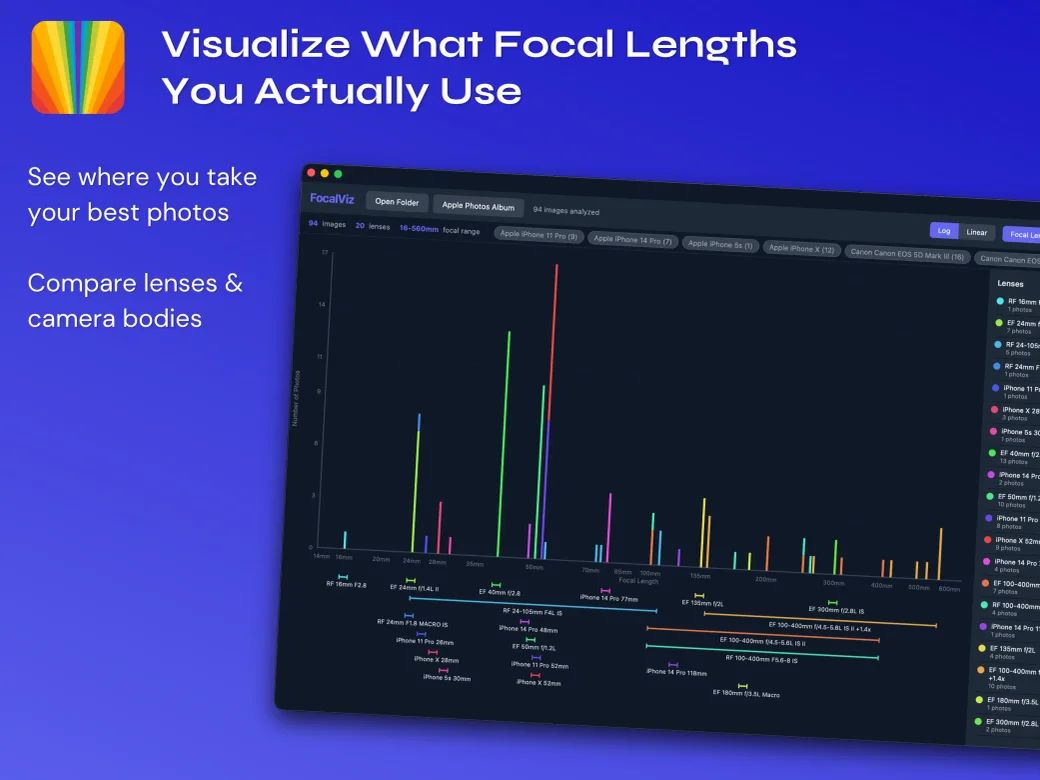
WHICH FOCAL LENGTHS DO YOU REALLY USE?
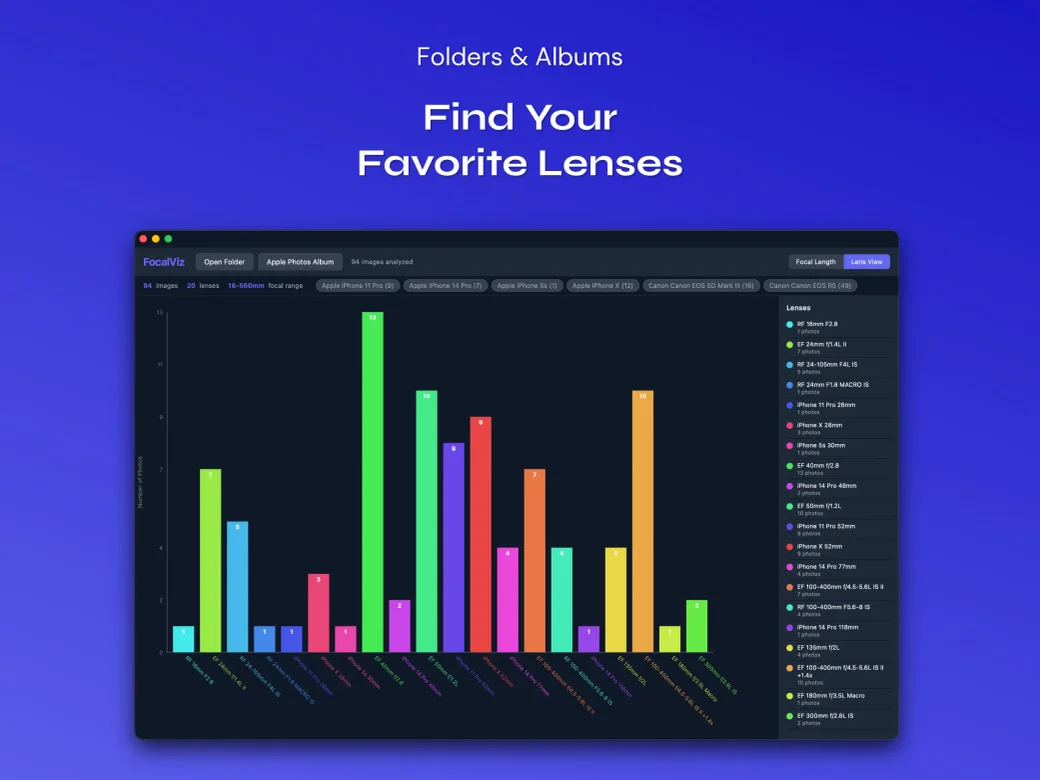
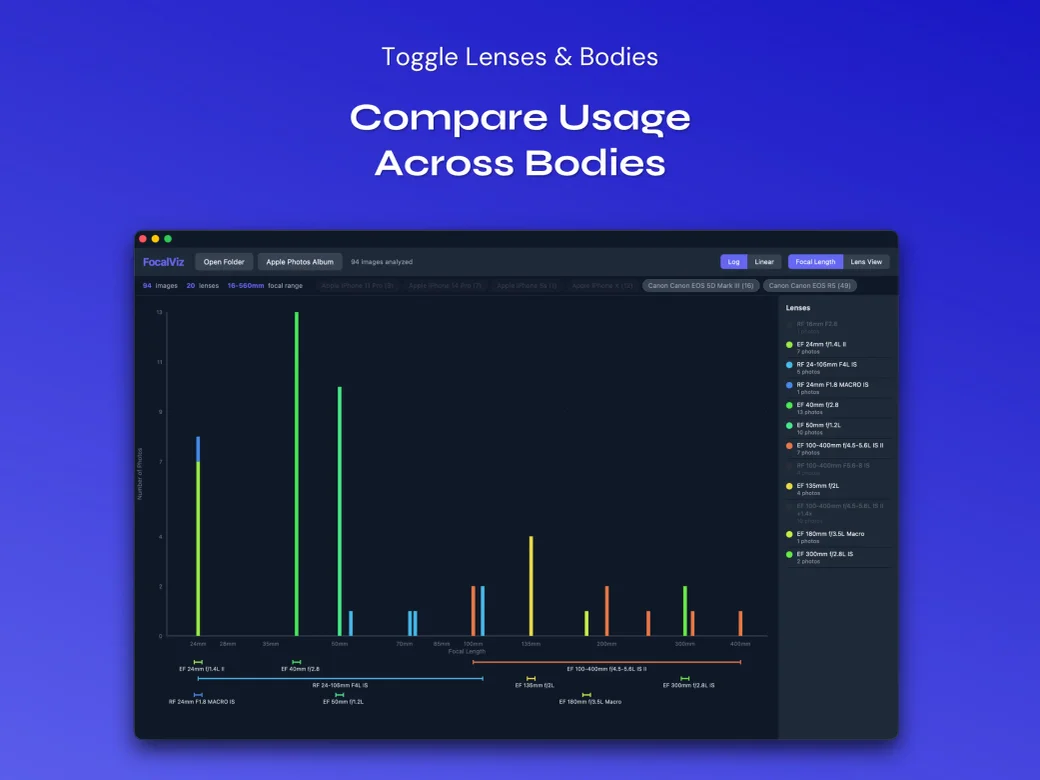
Point FocalViz at a folder of photos or an Apple Photos album and it builds a histogram of every shot, bucketed by focal length and colored by lens. One glance answers whether that 24-70 is pulling its weight, which prime you keep coming back to, and where the gaps in your kit actually are.
ALL YOUR GEAR ON ONE HONEST SCALE
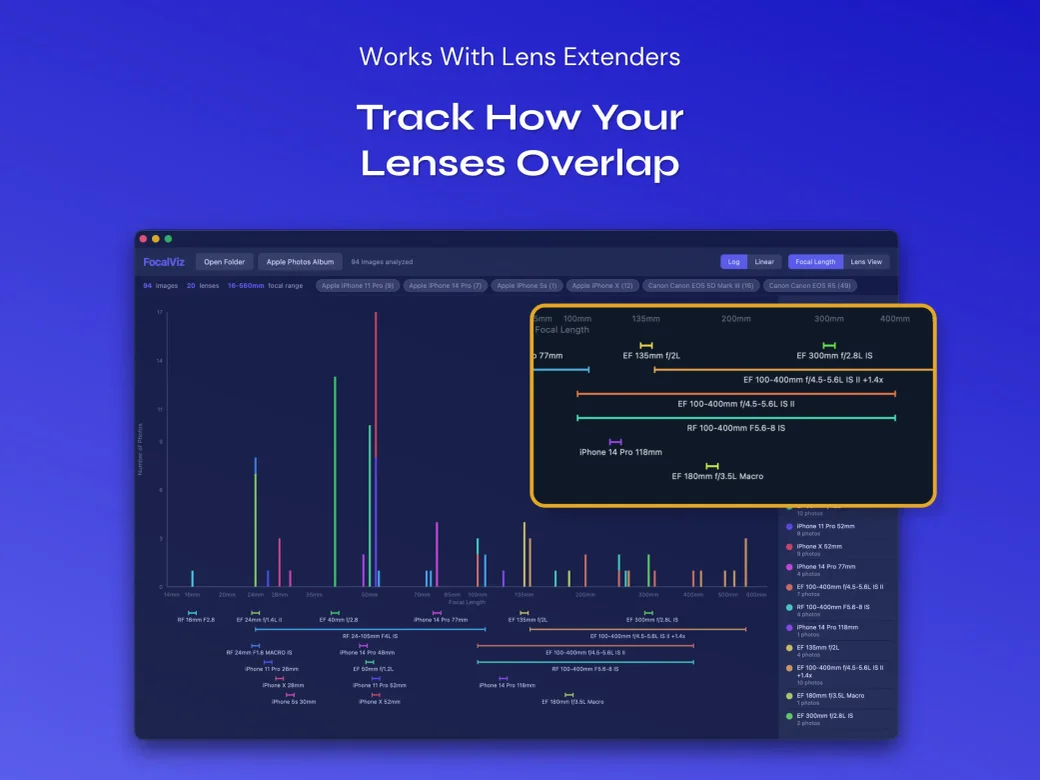
APS-C, Micro Four Thirds, medium format, phone cameras, and drones all land on the same 35mm-equivalent axis. Teleconverters are detected automatically from lens names and the reported range is scaled to match. You finally get a fair, side-by-side picture of every system you shoot.
DIG INTO THE FRAMES THAT MATTER
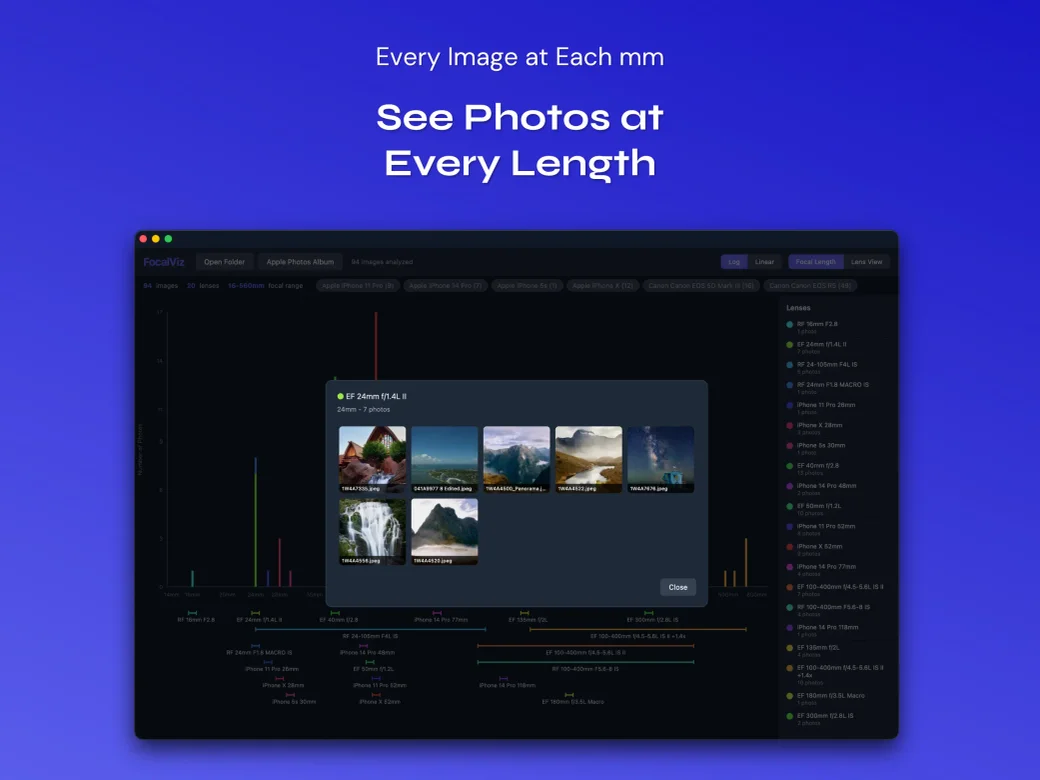
Tap any bar on the chart and thumbnail previews of the actual photos at that focal length appear instantly. See not just the numbers but the images that shaped them.
BUILT FOR HOW YOU BROWSE
The lens sidebar shows each lens as a range bar on the focal-length axis, with primes collapsed to a single point. Switch between focal-length and lens views, toggle log or linear scaling, and pinch or scroll to zoom the chart. Every interaction is native SwiftUI on both iPad and Mac.
YOUR PHOTOS NEVER LEAVE YOUR DEVICE
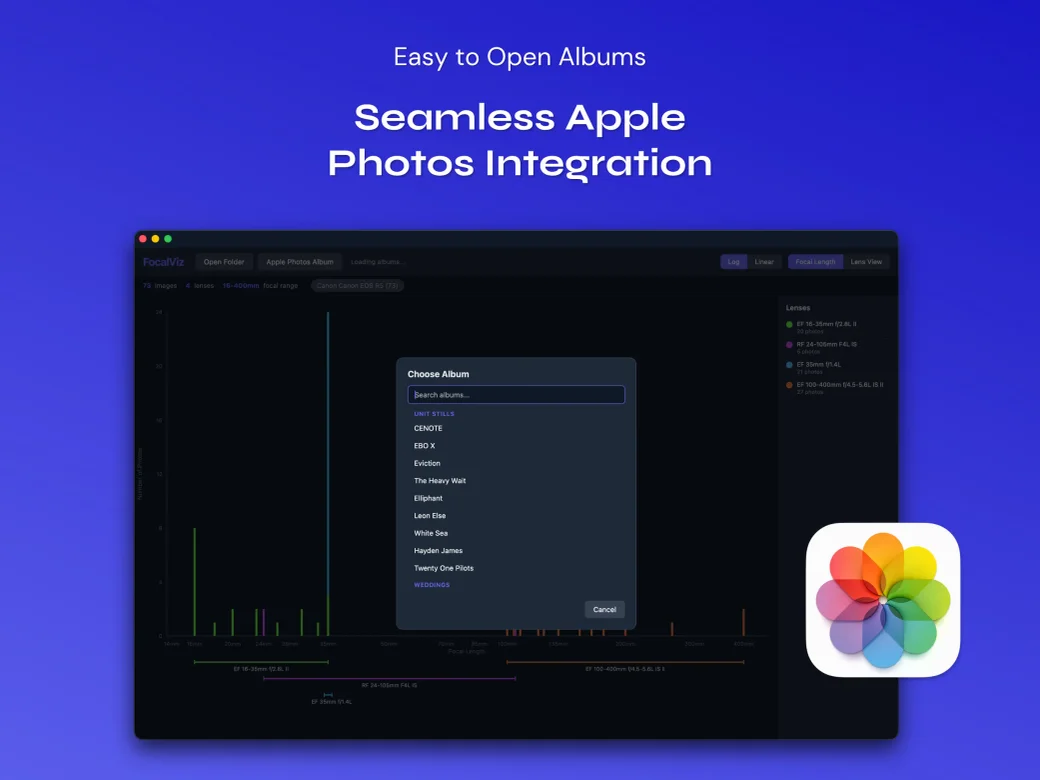
No account. No upload. No server anywhere in the chain. FocalViz reads your EXIF metadata locally and keeps everything on-device. When you use Apple Photos, images are read directly from your library and nothing is copied or transmitted.
WORKS WHERE YOU WORK
Native on iPadOS 17 and macOS 14 and later. Open a folder from Finder or the Files app, or connect directly to an Apple Photos album. Supports RAW files alongside JPEGs and includes full support for Apple Silicon and macOS Sequoia.
If you've ever stood in front of your gear wall and hesitated, FocalViz gives you the data to stop hesitating.
Có gì mới
Phiên bản 2.0.1 · 24/07/2026
Fixed bugs with some lenses that didn't write complete focal length data.
Quyền riêng tư của ứng dụng
Những gì Craig Stubing khai báo trên App Store về cách ứng dụng này xử lý dữ liệu.
-
Dữ liệu không được thu thập
Nhà phát triển không thu thập bất kỳ dữ liệu nào từ ứng dụng này.
Phương thức đảm bảo quyền riêng tư có thể khác nhau, chẳng hạn như tuỳ theo các tính năng bạn sử dụng hoặc độ tuổi của bạn.
Thông tin
- Người bán
- Craig Stubing
- Danh mục
- Ảnh & Video
- Phiên bản
- 2.0.1
- Cập nhật
- 24/07/2026
- Phát hành
- 09/04/2026
- Kích thước
- 1,1 MB
- Yêu cầu
- iOS 17.0 trở lên
- Độ tuổi
- 4+
- Giá
- Miễn phí
- Ngôn ngữ
- Tiếng Anh
- Bản quyền
- © 2026 Craig Stubing
Có thể bạn cũng thích
-
 EXIFrameẢnh & Video
-
 BackwardNhững kỷ niệm ảnh vào ngày này
-
 Exif Lens: Metadata ẢnhXóa vị trí, sửa ngày chụp
-
 PanimeẢnh & Video
-
 Photo Collage WizardẢnh & Video
-
 Paddie: Frame Daily MomentsẢnh & Video
-
 Ad Blocker For Safari - NoAdsẢnh & Video
-
 Exif ProẢnh & Video
-
 Photomo: Photo Cleaner & ReplyẢnh & Video
-
 CinematicalẢnh & Video