
Focus Timer: WhatsLeft
Countdown & Time Tracker
Designed for iPhone, iPad
Free · In-app purchases
- Age rating4+
- CategoryProductivity
- DeveloperManuel Thurner
- LanguagesEnglish+ 7 more
- Size42.6 MB
Links to the official App Store page
Download.org hosts no file of Focus Timer: WhatsLeft. The button opens its official App Store page, published by Manuel Thurner. Listing last checked on Nov 18, 2026.
Screenshots

About
See Where Your Time Goes -> Make Every Day Count
Track the passage of time like never before with WhatsLeft — an elegant time awareness app for your day, week, month, year, countdowns, focus sessions, and the moments that matter most.
Key Features:
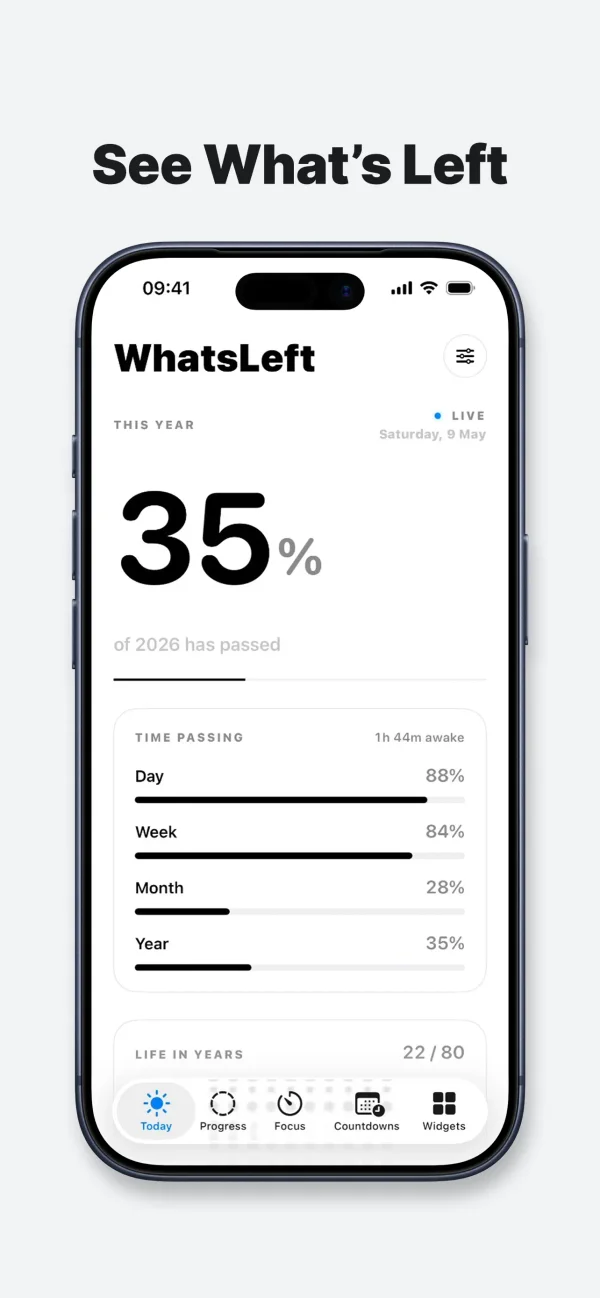
- Track Time in Real Time – See progress through today, this week, this month, and the full 365/366-day year
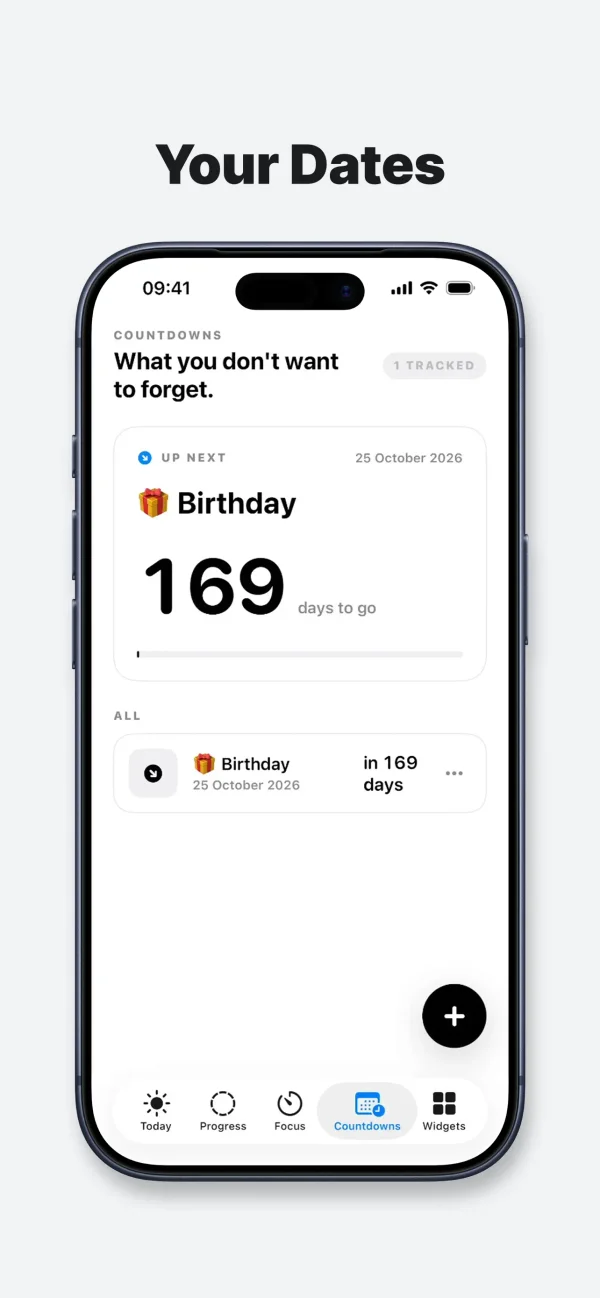
- Custom Countdowns – Track birthdays, vacations, anniversaries, holidays, deadlines, goals, and milestones
- Focus Timer – Start focused work sessions with flexible timer presets
- App Blocking – Hide distracting apps during Focus sessions or block them until you decide to stop
- Today Dashboard – See your day progress, remaining awake time, next countdown, and focus status
- Smart Reminders – Get calm reminders before the day slips away
- Customize Your Experience – Supports Light, Dark, and System appearance modes
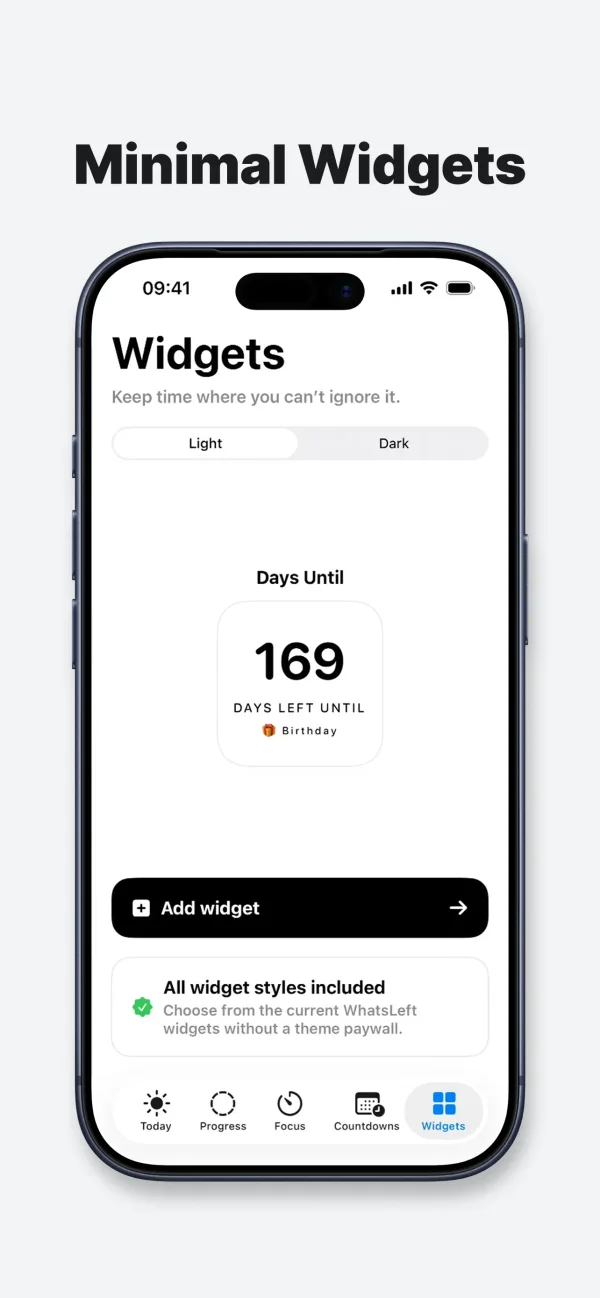
- Interactive Widgets – Tap any widget to open an elegant progress, countdown, or year preview
- Multiple Display Options – Choose styles and sizes for Home Screen, Lock Screen, and Apple Watch
Widget Collection:
- Orbit Widget – Watch Earth complete its orbit around the Sun
- Year Dots – See every day of the year in one clean 365/366-day overview
- Liquid Widget – A smooth, circular progress indicator with a percentage display
- Day Counter – Track passed or remaining days with fully customizable colors
- Yearglass – A mesmerizing hourglass animation for the year
- Progress Ring – A sleek circular progress indicator with percentage tracking
- Progress Ring Statistics – Includes total days and a detailed view
- Time Line – A minimalist progress bar for a clean, distraction-free overview
- Time Line Statistics – Displays total days and progress
- Days Until – Count the days until birthdays, vacations, anniversaries, holidays, deadlines, and more!
- Lock Screen Widgets – Keep progress and countdowns visible
App Features:
- Today Dashboard – See live progress, remaining awake time, your next countdown, focus status, and quick actions
- Progress Tracking – Track day, week, month, and year progress with clean visual meters
- Create & share custom countdowns — display them on your Days Until widget instantly.
- Focus Sessions – Choose from 15, 25, 45, 60, and 90-minute focus timers
- Focus Live Activity – Keep your active focus session visible
- App Blocking Setup – Select distracting apps and block them during Focus or until you stop
- Time Awareness Reminders – Schedule daily reminders for your time, goals, and countdowns
- Interactive Timeline – Scroll through the entire year in a 365/366-day view
- Explore All Styles – A widget gallery lets you preview every style
- Easy Setup Guide – Step-by-step widget installation
- Personalized Onboarding – Set your main goal: focus, deadlines, screen time, habits, or your year
- Multilingual Support – Available in English, French, German, Italian, Japanese, Korean, Portuguese, and Spanish
Important Notes:
- Widgets come in multiple sizes to fit any device layout
- Lock Screen widgets are available for selected widget styles
- App Blocking requires supported iOS Screen Time permissions
Experience the flow of time like never before. See what’s left, protect your focus, and make every day count with WhatsLeft today.
DISCLAIMER:
A weekly, monthly, or yearly purchase will be applied to your iTunes account at the end of the 3-day free trial upon confirmation. Subscriptions automatically renew unless canceled at least 24 hours before the end of the current period. You can cancel anytime in your iTunes account settings. Any unused portion of the free trial will be forfeited if you purchase a subscription.
Privacy policy: https://03-studios.com/whatsleft/privacy
Terms of use: https://www.apple.com/legal/internet-services/itunes/dev/stdeula/
What’s new
Version 2.0.0 · May 12, 2026
WhatsLeft is now more than a year progress widget app.
- New Today Dashboard with day progress, remaining awake time, focus status, and your next countdown
- New Focus Timer with flexible session presets
- App Blocking support to help protect your focus time
- Time Awareness Reminders to help you stay mindful throughout the day
- New Progress views for day, week, month, and year
- Improved Countdown experience
- Updated widget gallery with Home Screen and Lock Screen widgets
- Focus Live Activity support
- Personalized onboarding for your main time goal
- Design refinements, performance improvements, and bug fixes
App privacy
What Manuel Thurner declares on the App Store about how this app handles data.
-
Data not linked to you
May be collected but is not linked to your identity.
- Purchases
Privacy practices may vary, for example with the features you use or your age.
Information
- Seller
- Manuel Thurner
- Category
- Productivity
- Version
- 2.0.0
- Updated
- May 12, 2026
- Released
- Feb 20, 2025
- Size
- 42.6 MB
- Requires
- iOS 17.0 or later
- Age rating
- 4+
- Price
- Free
- In-app purchases
- Yes
- Languages
- English, French, German, Italian, Japanese, Korean, Portuguese, Spanish
- Copyright
- © 2026 Manuel Thurner. All rights reserved.
You might also like
-
 Day Dial - Year Progress BarYear, Month, & Day Progress
-
 AI Keyboard - SmartBoardAI Text, Chat, Write & Ask
-
 Habit Tracker - HabitNoonDaily Planner , Streaks , Adhd
-
 Screen Time Control: InscreenApp Blocker, Stay Focused, CBT
-
 Habit Tracker & Goal PlannerDaily Routine, Streaks, Focus
-
 Paraphrase tool: FluxkeyAI reword rewrite keyboard
-
 Patagonia Chat - Private AIAI that respects your privacy
-
 Remind Me FasterQuick-entry for Reminders
-
 Time Blocking Planner — ArcushDaily Schedule, Routine, ADHD
-
 Habit Radar : Habit TrackerTrack Habits with Friends