- 対象年齢4+
- カテゴリ仕事効率化
- 開発元Manuel Thurner
- 言語英語ほか7言語
- サイズ42.6 MB
App Storeの公式ページにリンクしています
Download.orgはFocus Timer: WhatsLeftのファイルを一切ホストしていません。ボタンを押すと、Manuel Thurnerが公開しているApp Storeのアプリページが開きます。ページの最終確認:2026/11/18。
スクリーンショット
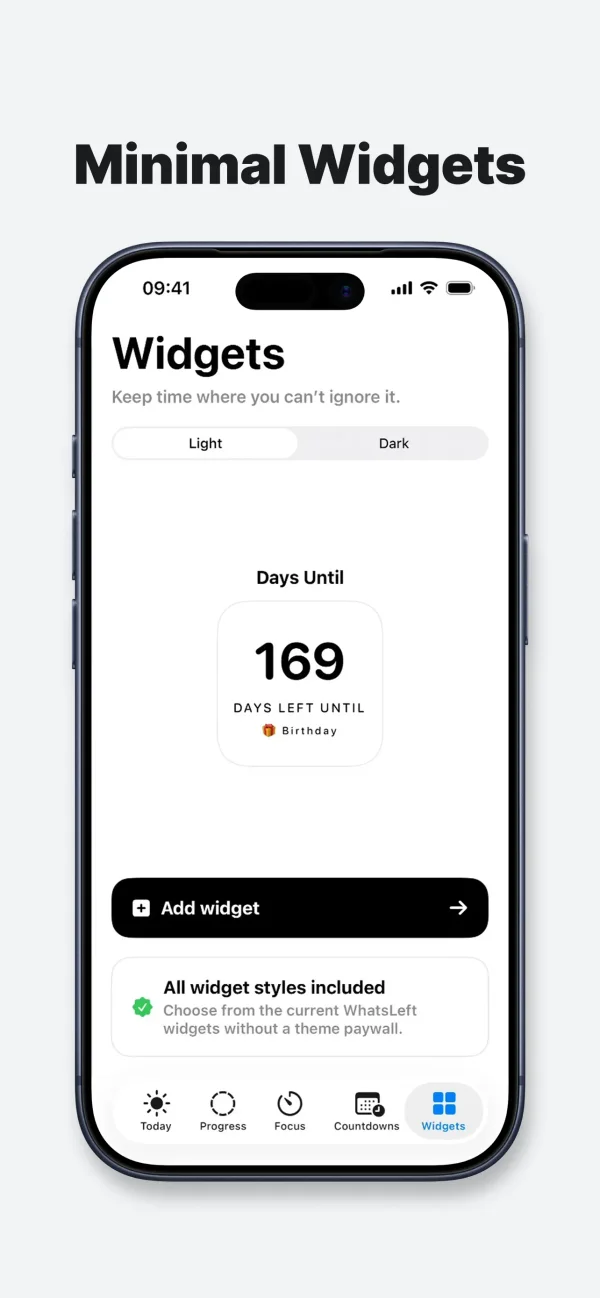
概要
開発元はこのテキストをお使いの言語で提供していません。
See Where Your Time Goes -> Make Every Day Count
Track the passage of time like never before with WhatsLeft — an elegant time awareness app for your day, week, month, year, countdowns, focus sessions, and the moments that matter most.
Key Features:
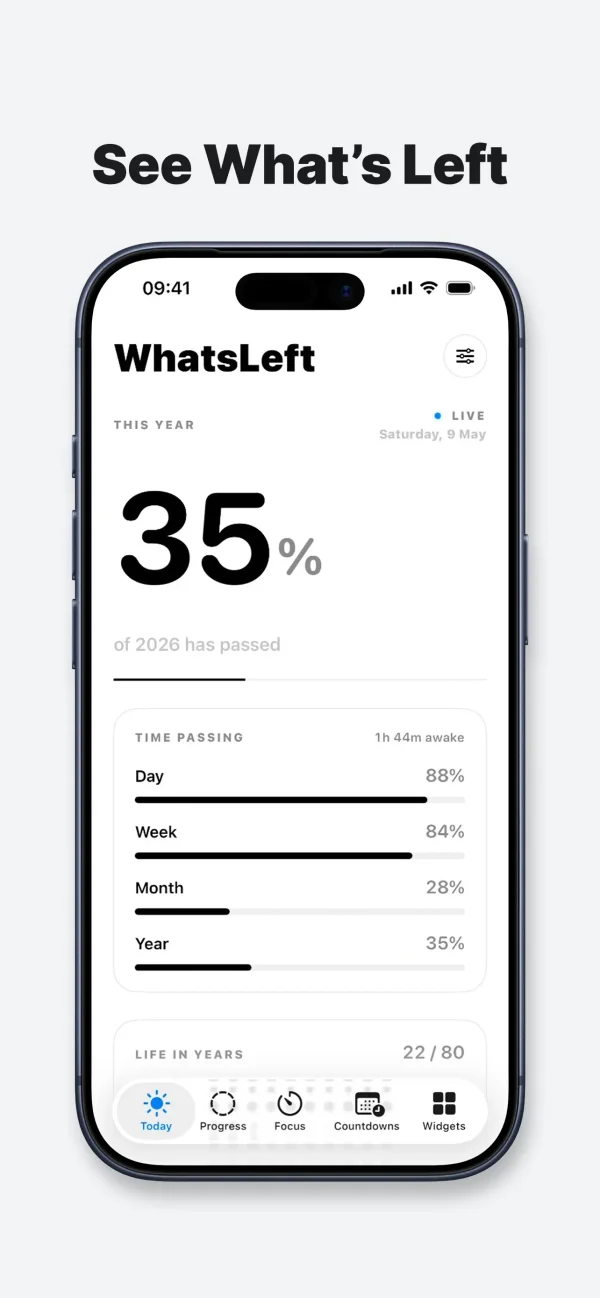
- Track Time in Real Time – See progress through today, this week, this month, and the full 365/366-day year
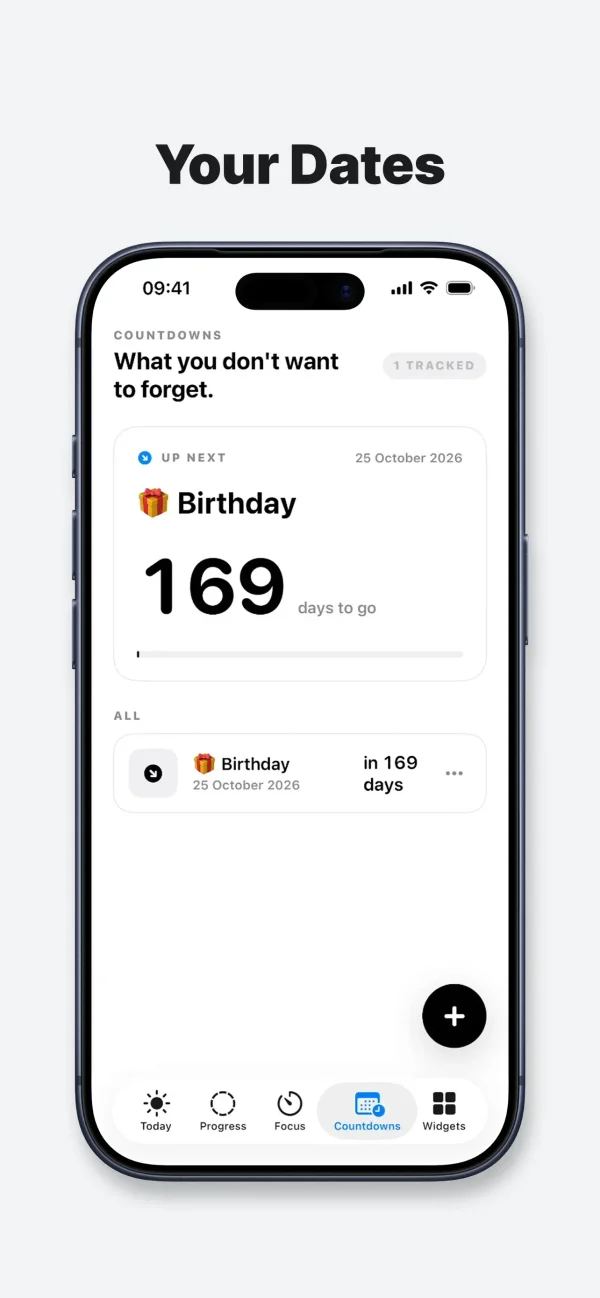
- Custom Countdowns – Track birthdays, vacations, anniversaries, holidays, deadlines, goals, and milestones
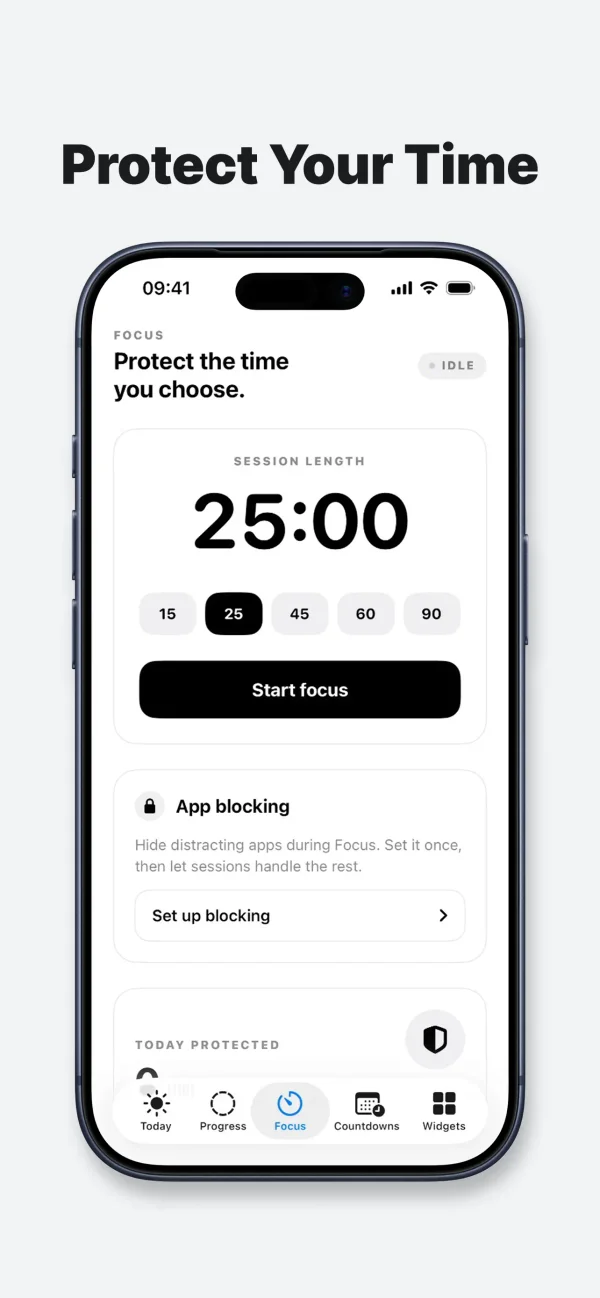
- Focus Timer – Start focused work sessions with flexible timer presets
- App Blocking – Hide distracting apps during Focus sessions or block them until you decide to stop
- Today Dashboard – See your day progress, remaining awake time, next countdown, and focus status
- Smart Reminders – Get calm reminders before the day slips away
- Customize Your Experience – Supports Light, Dark, and System appearance modes
- Interactive Widgets – Tap any widget to open an elegant progress, countdown, or year preview
- Multiple Display Options – Choose styles and sizes for Home Screen, Lock Screen, and Apple Watch
Widget Collection:
- Orbit Widget – Watch Earth complete its orbit around the Sun
- Year Dots – See every day of the year in one clean 365/366-day overview
- Liquid Widget – A smooth, circular progress indicator with a percentage display
- Day Counter – Track passed or remaining days with fully customizable colors
- Yearglass – A mesmerizing hourglass animation for the year
- Progress Ring – A sleek circular progress indicator with percentage tracking
- Progress Ring Statistics – Includes total days and a detailed view
- Time Line – A minimalist progress bar for a clean, distraction-free overview
- Time Line Statistics – Displays total days and progress
- Days Until – Count the days until birthdays, vacations, anniversaries, holidays, deadlines, and more!
- Lock Screen Widgets – Keep progress and countdowns visible
App Features:
- Today Dashboard – See live progress, remaining awake time, your next countdown, focus status, and quick actions
- Progress Tracking – Track day, week, month, and year progress with clean visual meters
- Create & share custom countdowns — display them on your Days Until widget instantly.
- Focus Sessions – Choose from 15, 25, 45, 60, and 90-minute focus timers
- Focus Live Activity – Keep your active focus session visible
- App Blocking Setup – Select distracting apps and block them during Focus or until you stop
- Time Awareness Reminders – Schedule daily reminders for your time, goals, and countdowns
- Interactive Timeline – Scroll through the entire year in a 365/366-day view
- Explore All Styles – A widget gallery lets you preview every style
- Easy Setup Guide – Step-by-step widget installation
- Personalized Onboarding – Set your main goal: focus, deadlines, screen time, habits, or your year
- Multilingual Support – Available in English, French, German, Italian, Japanese, Korean, Portuguese, and Spanish
Important Notes:
- Widgets come in multiple sizes to fit any device layout
- Lock Screen widgets are available for selected widget styles
- App Blocking requires supported iOS Screen Time permissions
Experience the flow of time like never before. See what’s left, protect your focus, and make every day count with WhatsLeft today.
DISCLAIMER:
A weekly, monthly, or yearly purchase will be applied to your iTunes account at the end of the 3-day free trial upon confirmation. Subscriptions automatically renew unless canceled at least 24 hours before the end of the current period. You can cancel anytime in your iTunes account settings. Any unused portion of the free trial will be forfeited if you purchase a subscription.
Privacy policy: https://03-studios.com/whatsleft/privacy
Terms of use: https://www.apple.com/legal/internet-services/itunes/dev/stdeula/
新機能
バージョン 2.0.0 · 2026/5/12
WhatsLeft is now more than a year progress widget app.
- New Today Dashboard with day progress, remaining awake time, focus status, and your next countdown
- New Focus Timer with flexible session presets
- App Blocking support to help protect your focus time
- Time Awareness Reminders to help you stay mindful throughout the day
- New Progress views for day, week, month, and year
- Improved Countdown experience
- Updated widget gallery with Home Screen and Lock Screen widgets
- Focus Live Activity support
- Personalized onboarding for your main time goal
- Design refinements, performance improvements, and bug fixes
アプリのプライバシー
このアプリのデータの取り扱いについて、Manuel ThurnerがApp Storeで申告している内容です。
-
ユーザーに関連付けられないデータ
収集される場合がありますが、ユーザーの識別情報には関連付けられません。
- 購入
プライバシーの取り扱いは、ご利用の機能やお客様の年齢などに応じて異なる場合があります。
情報
- 販売元
- Manuel Thurner
- カテゴリ
- 仕事効率化
- バージョン
- 2.0.0
- 更新日
- 2026/5/12
- リリース
- 2025/2/20
- サイズ
- 42.6 MB
- 必要条件
- iOS 17.0以降
- 対象年齢
- 4+
- 価格
- 無料
- アプリ内課金
- あり
- 言語
- 英語, フランス語, ドイツ語, イタリア語, 日本語, 韓国語, ポルトガル語, スペイン語
- 著作権
- © 2026 Manuel Thurner. All rights reserved.
こちらもおすすめ
-
 Day Dial - Year Progress Bar仕事効率化
-
 AI Keyboard - SmartBoard仕事効率化
-
 Habit Tracker - HabitNoonBuild better habits daily.
-
 Screen Time Control: Inscreen仕事効率化
-
 習慣トラッカー&目標プランナー日課・継続記録・集中管理
-
 言い換えツール:AIリライト文章作成文法チェッカーとキーボード
-
 プライベートチャットプライバシーを尊重するAI
-
 Remind Me Faster仕事効率化
-
 1日のスケジュール・予定表・手帳 — Arcushタスク管理・予定管理・シンプルカレンダー・習慣・ルーティン
-
 Habit Radar : Habit Tracker仕事効率化