
FocusFence
Focus Rules for App Blocking
Designed for iPhone, iPad
Free · In-app purchases
- Age rating4+
- CategoryUtilities
- DeveloperGeorgios Stavropoulos
- LanguagesEnglish+ 4 more
- Size4.3 MB
Links to the official App Store page
Download.org hosts no file of FocusFence. The button opens its official App Store page, published by Georgios Stavropoulos. Listing last checked on Nov 20, 2026.
Screenshots
About
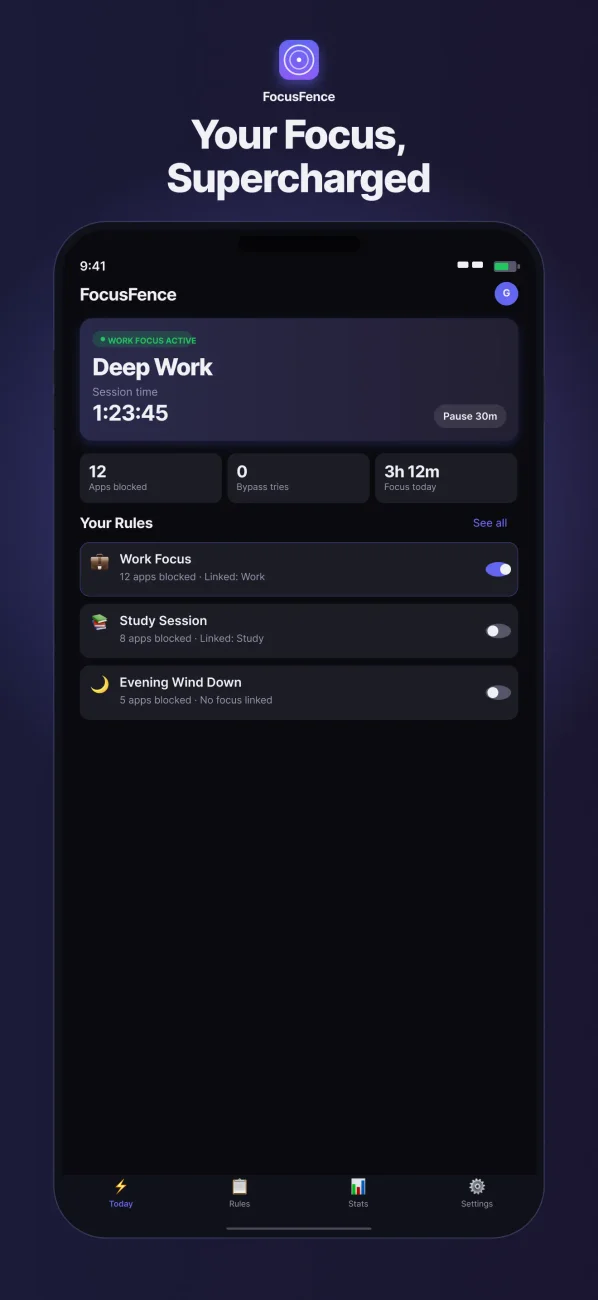
FocusFence is the missing control layer for Apple Focus modes. Create custom rule sets that automatically block distracting apps and enforce screen time limits whenever a Focus activates.
How it works:
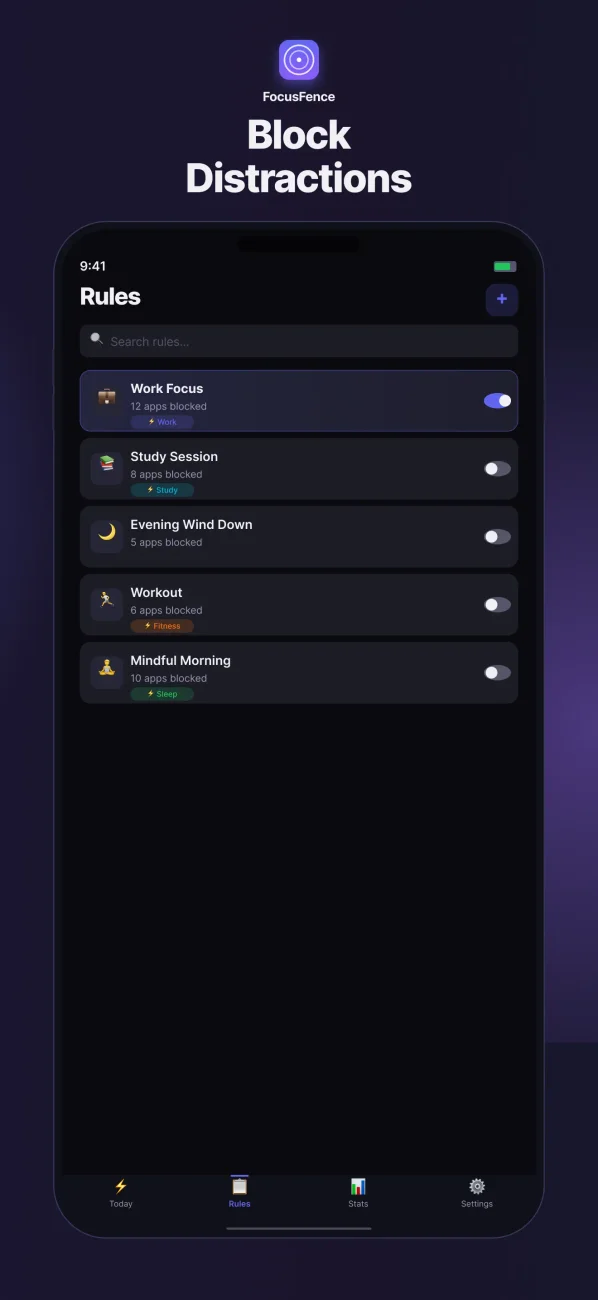
1. Create a rule set and pick which apps to block
2. Link it to any Focus mode (Work, Sleep, Do Not Disturb, etc.)
3. When the Focus turns on, your rules activate automatically
Key Features:
• Automatic Focus Integration — Rules activate and deactivate with your Focus modes, no manual effort required
• App & Category Blocking — Block specific apps or entire categories instantly
• Screen Time Limits — Set daily time limits per category that only apply during active sessions
• Commitment Lock — Lock yourself in so you can't disable rules for a set period
• Scheduled Activation — Activate rules on a time-based schedule, independent of Focus modes
• Shortcuts & Siri — Automate rule activation, pausing, and switching with Apple Shortcuts
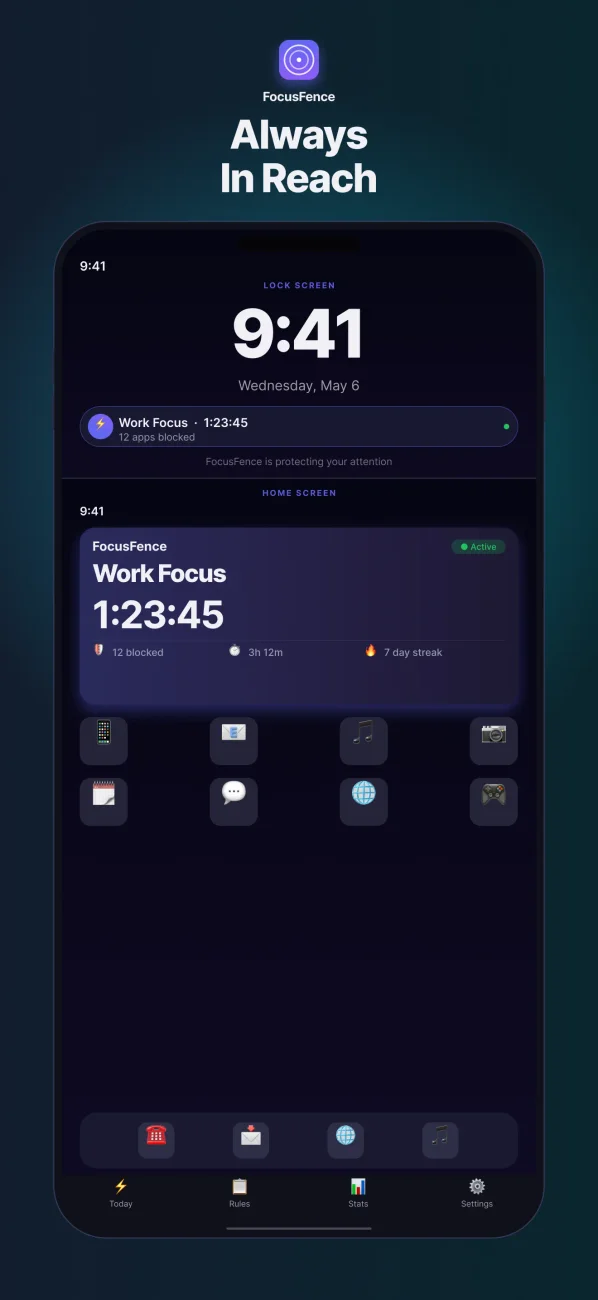
• Control Center Widget — Toggle your rules on or off from Control Center
• Home & Lock Screen Widgets — See your active rule set and session stats at a glance
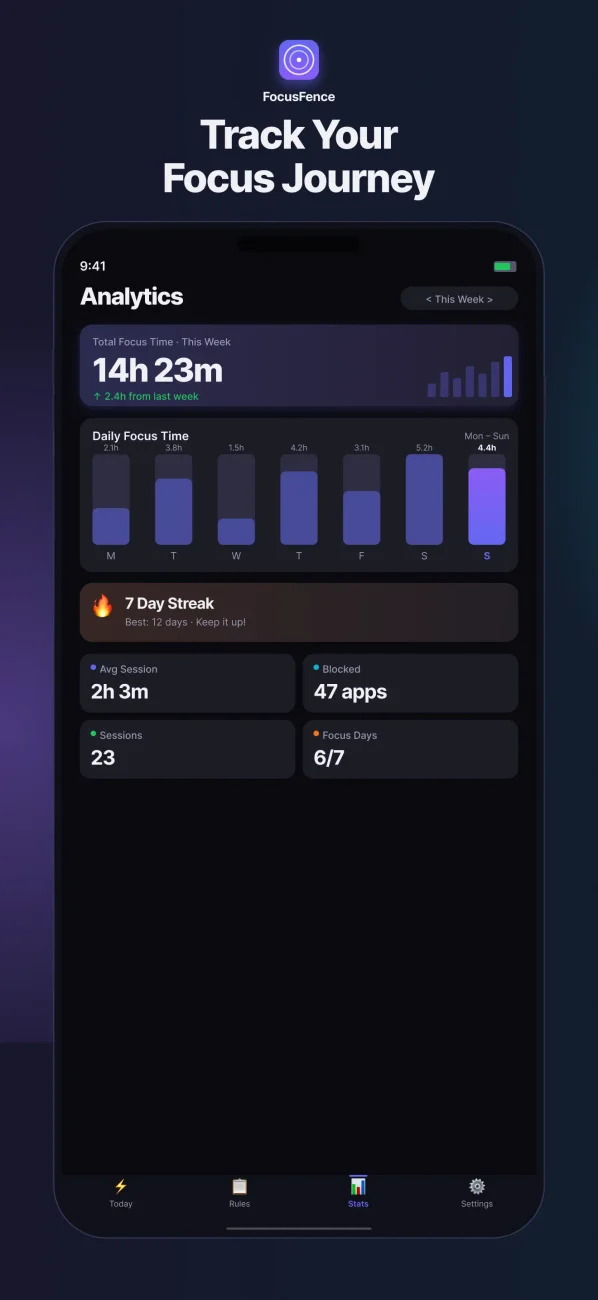
• Analytics — Track focus time, block attempts, session history, and streaks
All data stays on your device. No accounts, no cloud, no tracking.
FocusFence Pro unlocks unlimited rule sets, unlimited app blocking, scheduled activation, commitment lock, 30-day analytics, and full Shortcuts support.
Subscription options:
• Monthly: $2.99/month
• Annual: $24.99/year
• Lifetime: $49.99 (one-time purchase)
Payment is charged to your Apple ID. Subscriptions auto-renew unless cancelled at least 24 hours before the end of the current period.
Privacy Policy: https://stavrop.github.io/focusfence/privacy
Support: https://github.com/stavrop/focusfence/issues
What’s new
Version 1.8 · Aug 27, 2026
New
- Every rule now has an on/off switch in the Rules tab, so you can start and stop one without swiping.
- Commitment lock now actually holds. While a locked rule is running you can't pause it and you can't stop it — the lock lifts on its own, when the time you set is up. Ask to stop and FocusFence will tell you the moment that happens.
Fixed
- If FocusFence ever loses Screen Time access — another Screen Time app can take it — the app now says so plainly instead of showing rules as active while blocking nothing, and offers a one-tap way to turn blocking back on.
Improvements
- German, Greek, French and Italian translations are now complete across the app, including the subscription, logs and feedback screens.
- Counts like "1 sessions" now read correctly in every language.
App privacy
What Georgios Stavropoulos declares on the App Store about how this app handles data.
-
Data not collected
The developer does not collect any data from this app.
Privacy practices may vary, for example with the features you use or your age.
Information
- Seller
- Georgios Stavropoulos
- Category
- Utilities
- Version
- 1.8
- Updated
- Aug 27, 2026
- Released
- May 6, 2026
- Size
- 4.3 MB
- Requires
- iOS 17.0 or later
- Age rating
- 4+
- Price
- Free
- In-app purchases
- Yes
- Languages
- English, French, German, Greek, Italian
- Copyright
- © Georgios Stavropoulos
You might also like
-
 Smart FocusAutomate Your Focus Modes
-
 Paper Free ScannerScan any document
-
 Shift: PDF & Video ConverterCompress, OCR & merge files
-
 ControlHub RemoteLive DNS manager for Control D
-
 Yahtzee Score TrackerScore as you roll. No paper.
-
 Kiosk — Editable BrowserFullscreen desktop signage
-
 YABA: Yet Another Bookmark AppBookmarking Oversimplified
-
 Smart Home Manager - ItemiaQR Code Scanner & Storage
-
 Bouncer: Spam Text BlockerStop spam, scams & junk texts
-
 School Days Counter & WidgetHolidays, Vacations, Year End