- Age rating4+
- CategoryProductivity
- DeveloperNguyen Toan Le
- LanguagesEnglish
- Size2.3 MB
Links to the official App Store page
Download.org hosts no file of FocusFlow Timer. The button opens its official App Store page, published by Nguyen Toan Le. Listing last checked on Nov 12, 2026.
Screenshots

About
Boost your productivity and maintain focus with FocusFlow Timer, a beautifully designed Pomodoro technique timer that helps you work efficiently and take breaks strategically.
Why FocusFlow Timer?
• Elegant, distraction-free interface with dark mode
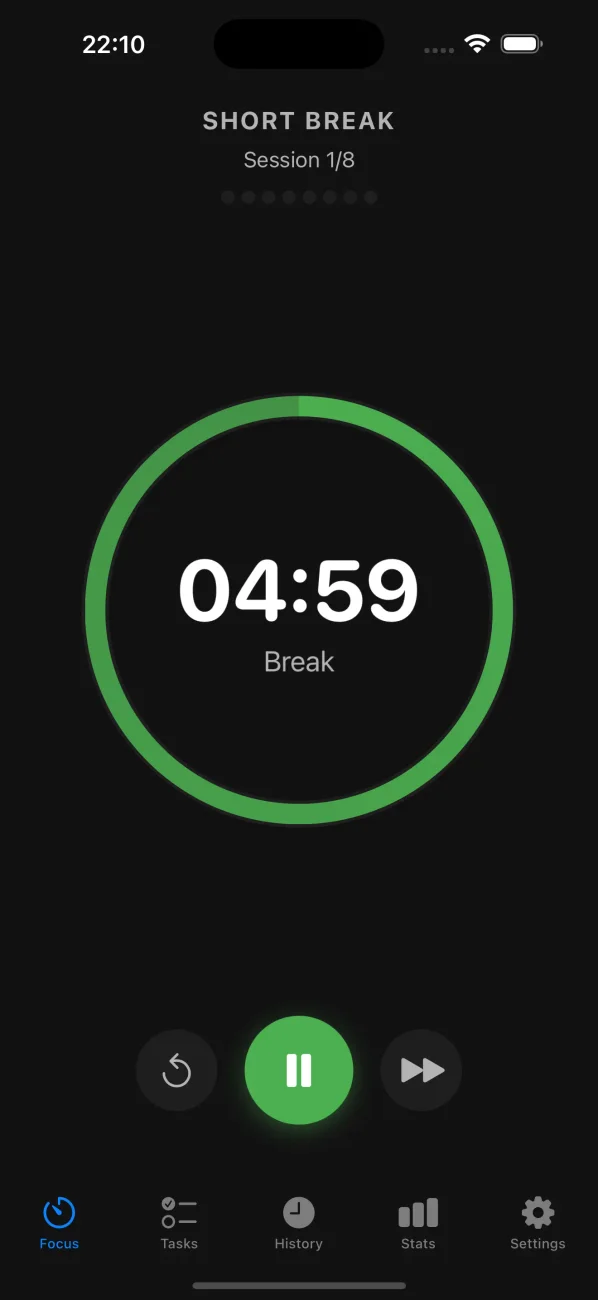
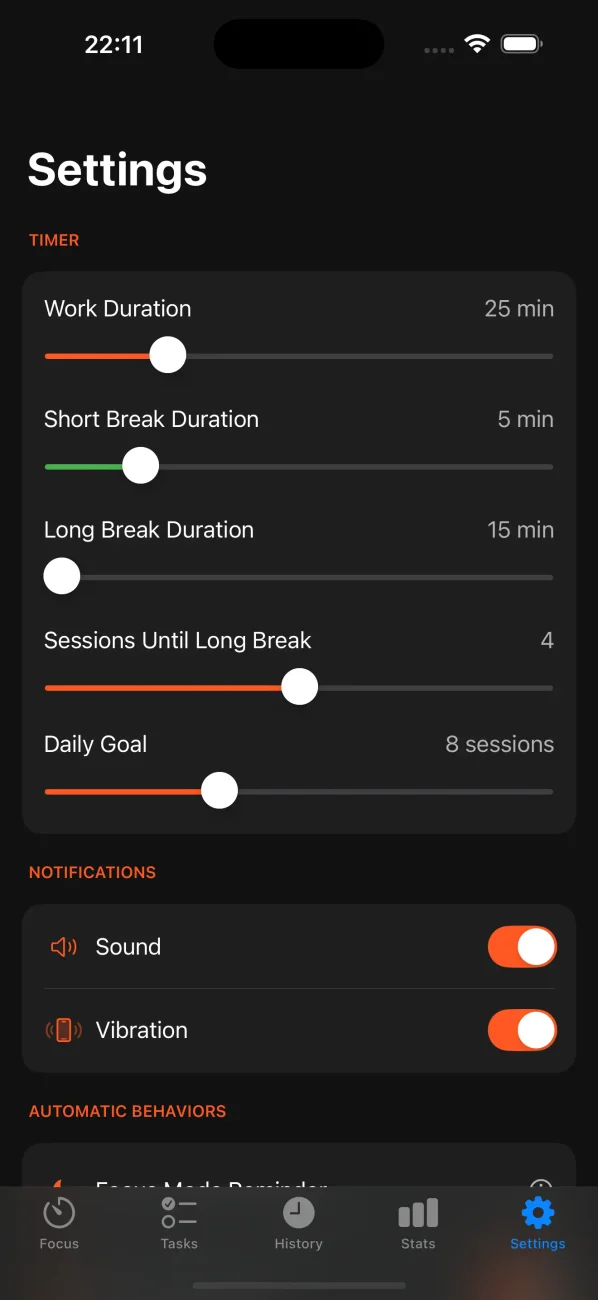
• Fully customizable work, short break, and long break durations
• Task management system integrated with your focus sessions
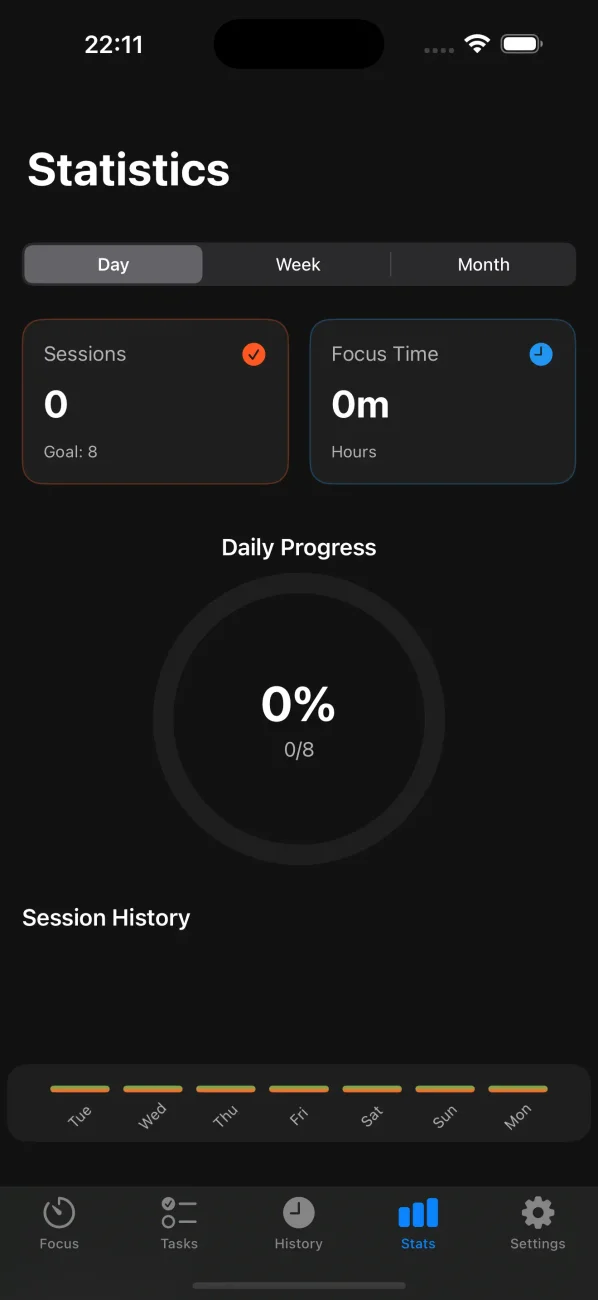
• Detailed statistics to track your productivity
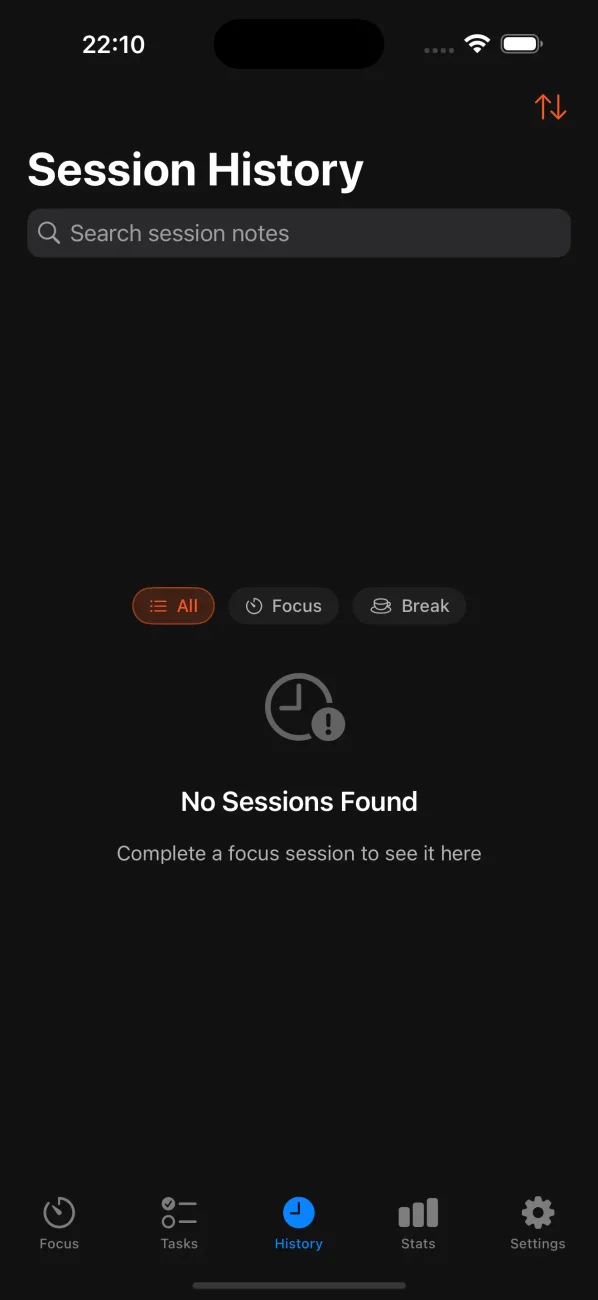
• Session history with notes and ratings
• Achievement system to keep you motivated
Key Features:
Customizable Timer:
• Set your ideal work duration (15-60 minutes)
• Adjust short breaks (3-15 minutes) and long breaks (15-30 minutes)
• Customize sessions count before long breaks
• Auto-start options for breaks and work sessions
Task Management:
• Create and manage tasks directly in the app
• Associate focus sessions with specific tasks
• Track completion status and session counts per task
• Easily mark tasks as complete with swipe gestures
Comprehensive Statistics:
• View daily, weekly, and monthly progress
• Track total focus time and completed sessions
• Monitor your daily goals and achievement progress
• Visualize your productivity trends
Session History:
• Review all your past focus and break sessions
• Rate and take notes on your focus sessions
• Filter and search through your session history
• Analyze your most productive times
Focus Enhancement:
• Visual progress indicators during sessions
• Sound and vibration notifications
• Do Not Disturb mode integration guide
• Achievement system to gamify your productivity
Whether you're studying for exams, working on projects, or need to maintain focus during any task, FocusFlow Timer provides the perfect balance of work and rest to maximize your productivity while preventing burnout.
Download FocusFlow Timer today and transform your work habits with the power of focused intervals and strategic breaks!
What’s new
Version 1.1 · Jul 25, 2025
• Support the Developer
New tip jar feature to keep FocusFlow free
Optional tips from $0.99 to $9.99
Beautiful support UI with badges and progress tracking
• Smarter Milestone Celebrations
Celebrate focus milestones (15, 40, 75, 125 sessions)
Timely, context-aware messages
Enhanced milestone notifications
• Better Background Experience
Timer now works when app is locked or backgrounded
App remembers your progress and greets you when you return
• UI & Experience Improvements
“Support Developer” now in Settings
New animations and visual feedback
Recognition system for supporters
• Supporter Rewards
Earn badges: Supporter → Super Fan → Legend
Stats tracking and thank-you messages
• Technical Upgrades
Smarter notification system
Improved performance in background mode
Better timing logic based on your preferences
••• Support is optional. All core features remain 100% free! •••
App privacy
What Nguyen Toan Le declares on the App Store about how this app handles data.
-
Data not collected
The developer does not collect any data from this app.
Privacy practices may vary, for example with the features you use or your age.
Information
- Seller
- Nguyen Toan Le
- Category
- Productivity
- Version
- 1.1
- Updated
- Jul 25, 2025
- Released
- Apr 29, 2025
- Size
- 2.3 MB
- Requires
- iOS 16.4 or later
- Age rating
- 4+
- Price
- Free
- In-app purchases
- Yes
- Languages
- English
- Copyright
- © ToanKhonTech
You might also like
-
 StarTimerSchedule you Timers
-
 Easy CountdownBeautiful countdown timer
-
 I SAID - Keep Your WordProcrastination ends here
-
 FocusFlow PomodoroTimerProductivity
-
 Voice Teleprompter - CueVoiceScript Reading Made Effortless
-
 Focus Flow : Deep Focus TimerStay Focused Every Day
-
 AIChatOCRA Privacy-Protected AI Chat
-
 FocusBlocks - Pomodoro TimerPomodoro focus
-
 Focus Flow - Peaceful PomodoroStudy, Work & Habit Tracker
-
 Domoro – Pomodoro Focus TimerBuild to beat distractions