FolderSpace
Turn Folders into Workspaces
Designed for iPhone, iPad
Free · In-app purchases
- Age rating4+
- CategoryProductivity
- DeveloperSEOKYUNG CO., LTD.
- LanguagesEnglish+ 13 more
- Size14.1 MB
Links to the official App Store page
Download.org hosts no file of FolderSpace. The button opens its official App Store page, published by SEOKYUNG CO., LTD. Listing last checked on Nov 23, 2026.
Screenshots
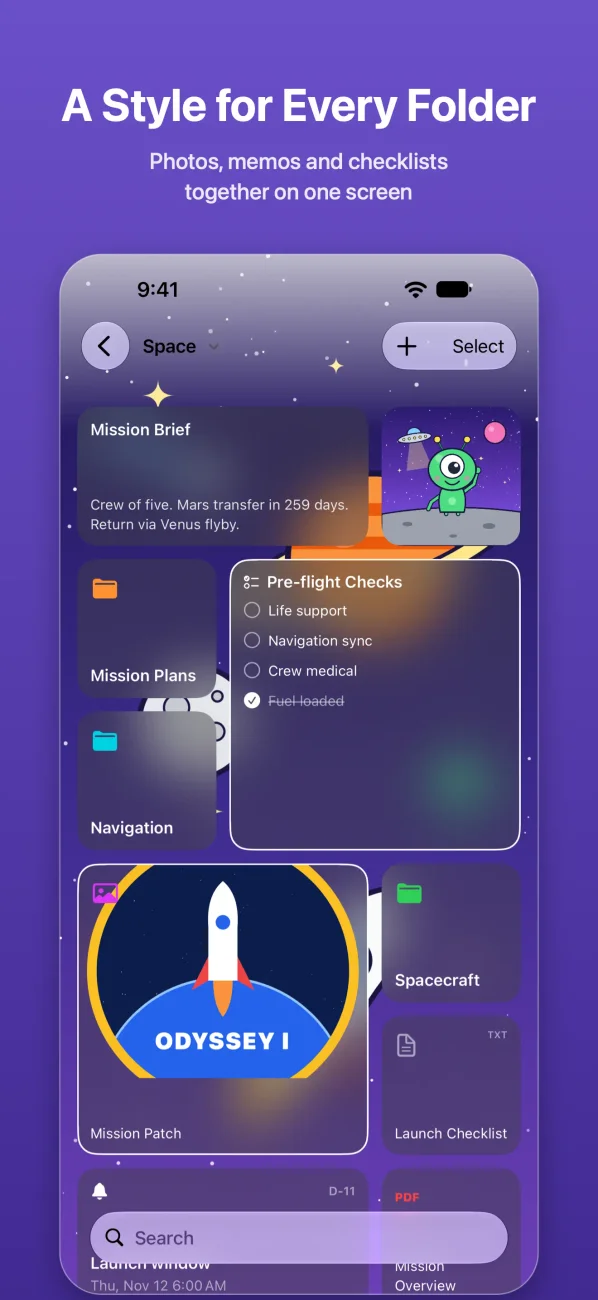
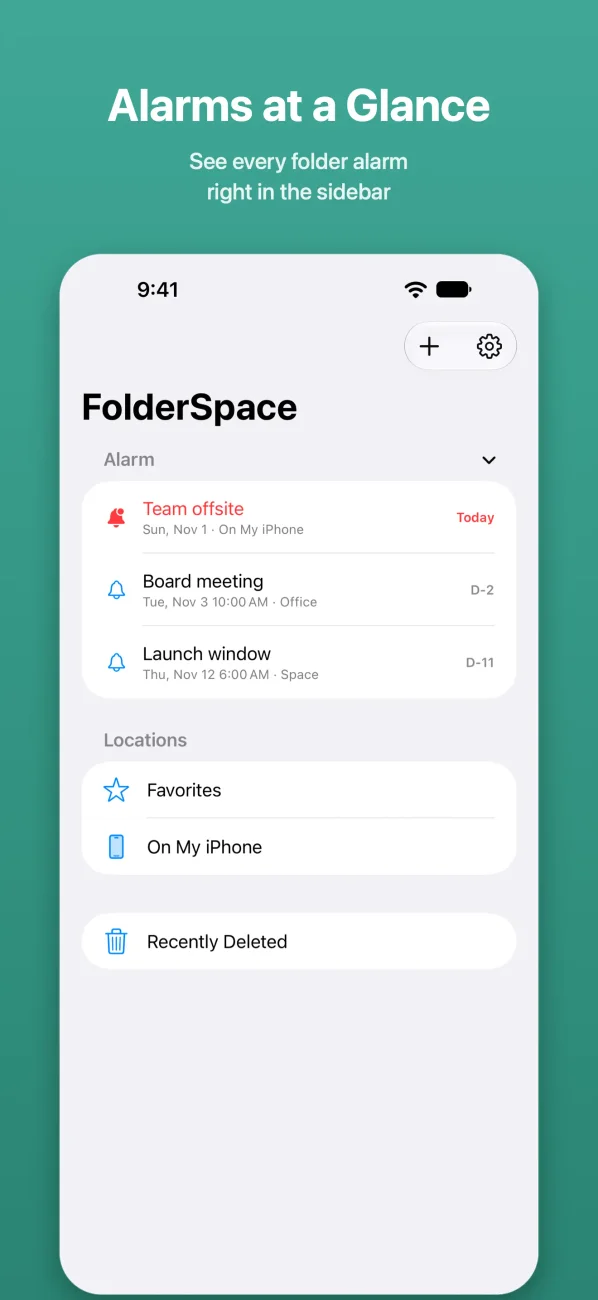
About
Turn your folders into workspaces.
FolderSpace is an iPhone and iPad app for managing and using your iCloud Drive and On My iPhone or On My iPad folders more intuitively.
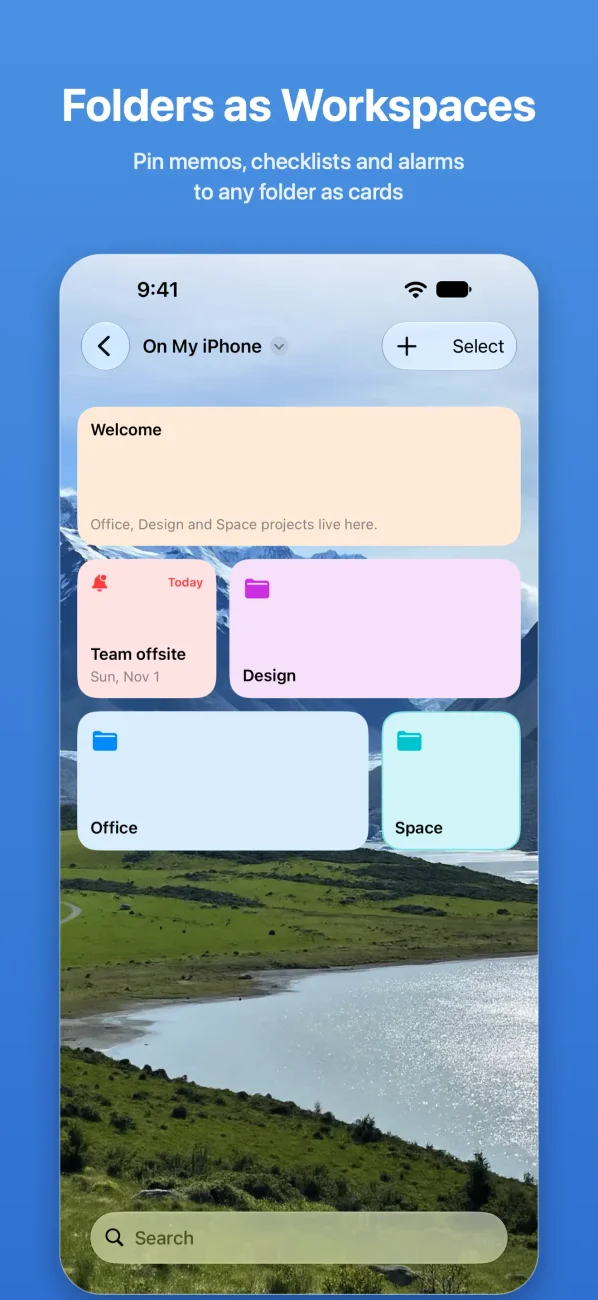
■ Notes, checklists, and alarms in folders
Add memos, checklists, alarms, and photo cards to any folder and use it as a workspace. What you add stays with the folder even when it is renamed or moved.
■ Make it your own
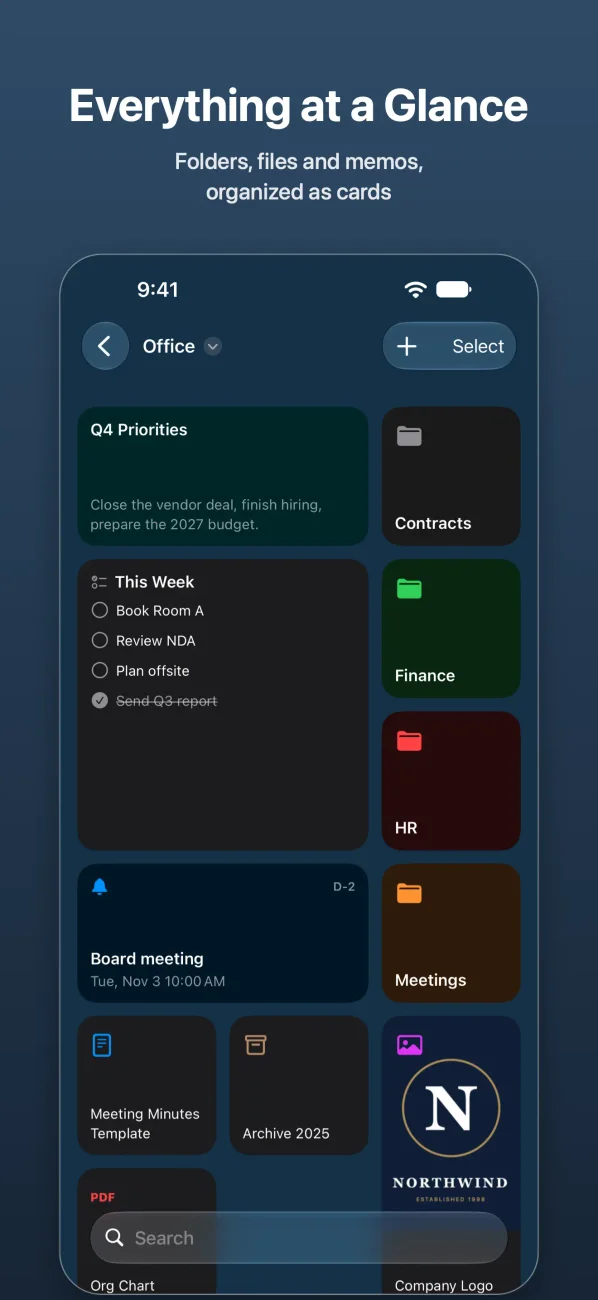
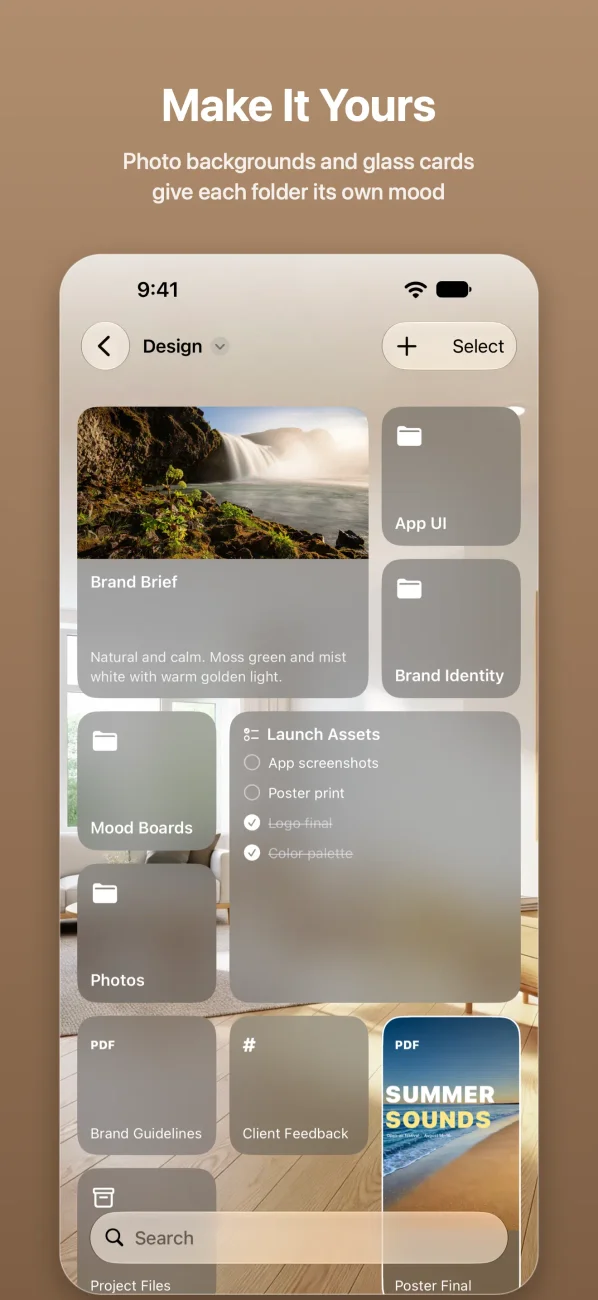
Folders and files appear as cards. Set each card's size, color, and importance, and drag cards wherever you want them. File cards can show a preview image of the document or photo. Give each folder page a solid color or photo background, and style it with glass cards and white icons.
■ Organize files
Group files with serial numbers into one card, and copy, move, share, delete, or uncompress right in the app. Shortcut cards open folders and files from other folders in one tap, and you can drag items to and from other apps. Items you delete in the app can be restored from Recently Deleted for 30 days.
■ Favorites and search
Keep the folders, files, and memos you use most in Favorites, and search by folder and file names and by the text of memos, checklists, and alarms.
■ Across your devices
Sign in to iCloud with the same Apple Account, and your memos, checklists, alarms, photo cards, and card settings stay in sync across devices. The folders and files themselves are synced by iCloud Drive.
■ FolderSpace Pro
Browsing, opening, copying, moving, and deleting files, rearranging cards, search, and Favorites are always free. Customizations such as adding memos, styling cards, and backgrounds are free on up to 2 folder pages. A FolderSpace Pro subscription unlocks them on every folder page.
The first 7 days are a free trial, followed by a monthly or yearly subscription. The free trial or subscription renews automatically unless you cancel at least 24 hours before it ends. You can manage or cancel it in Settings > Apple Account > Subscriptions.
■ Privacy
FolderSpace does not collect personal information. There is no sign-up, advertising, or analytics, and your folders and files are handled only on your device.
Terms of Use: https://www.apple.com/legal/internet-services/itunes/dev/stdeula/
Privacy Policy: https://apps.seokyungai.com/folderspace/en/privacy/
What’s new
Version 1.1.0 · Nov 11, 2026
• Now on iPad. Cards fit portrait and landscape, and adapt to any window size when you use FolderSpace alongside other apps.
• Added a few more user experience options.
App privacy
What SEOKYUNG CO., LTD. declares on the App Store about how this app handles data.
-
Data not collected
The developer does not collect any data from this app.
Privacy practices may vary, for example with the features you use or your age.
Information
- Seller
- SEOKYUNG CO., LTD.
- Category
- Productivity
- Version
- 1.1.0
- Updated
- Nov 11, 2026
- Released
- Nov 6, 2026
- Size
- 14.1 MB
- Requires
- iOS 26.0 or later
- Age rating
- 4+
- Price
- Free
- In-app purchases
- Yes
- Languages
- English, French, German, Hindi, Indonesian, Italian, Japanese, Korean, Portuguese, Simplified Chinese, Spanish, Thai + 2 more
- Copyright
- © 2026 SEOKYUNG CO., LTD.
You might also like
-
 NoteMi: Notes & FoldersSecure notes in folders
-
 Aurora ChecklistTo Do List with calendar
-
 TabNotes – Notes with TabsOrganize notes with color tabs
-
 Glass Notes: Private NotepadTo-Do, Widgets & Reminders
-
 Bantam AIAI Assistant in iMessage
-
 Glazr File Manager ProStorage cleaner & Wi-Fi share
-
 Side Notes: Pros & Cons ListDecision Matrix, SWOT Analysis
-
 NoryaNotesNotas, tareas y diario en uno
-
 GoCoEdit - Code & Text EditorDropbox client & SSH shell
-
 Pagi - Morning Pages & DiaryFocus Journal & Text Editor