FolderSpace
Turn Folders into Workspaces
Được thiết kế cho iPhone, iPad
Miễn phí · Mua hàng trong ứng dụng
- Độ tuổi4+
- Danh mụcHiệu Suất
- Nhà phát triểnSEOKYUNG CO., LTD.
- Ngôn ngữTiếng Anh+ 13 ngôn ngữ khác
- Kích thước14,1 MB
Liên kết đến trang App Store chính thức
Download.org không lưu trữ tệp nào của FolderSpace. Nút này mở trang ứng dụng trên App Store, nơi SEOKYUNG CO., LTD. phát hành ứng dụng. Trang được kiểm tra lần cuối: 23/11/2026.
Ảnh chụp màn hình
Giới thiệu
Nhà phát triển chưa cung cấp nội dung này bằng ngôn ngữ của bạn.
Turn your folders into workspaces.
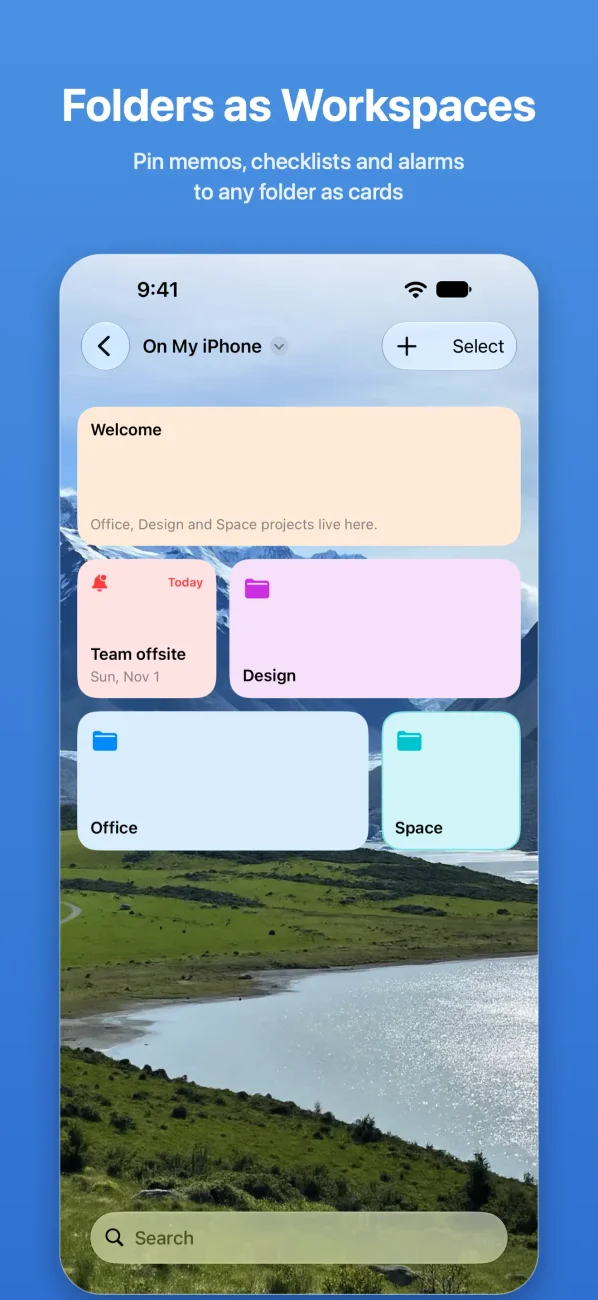
FolderSpace is an iPhone and iPad app for managing and using your iCloud Drive and On My iPhone or On My iPad folders more intuitively.
■ Notes, checklists, and alarms in folders
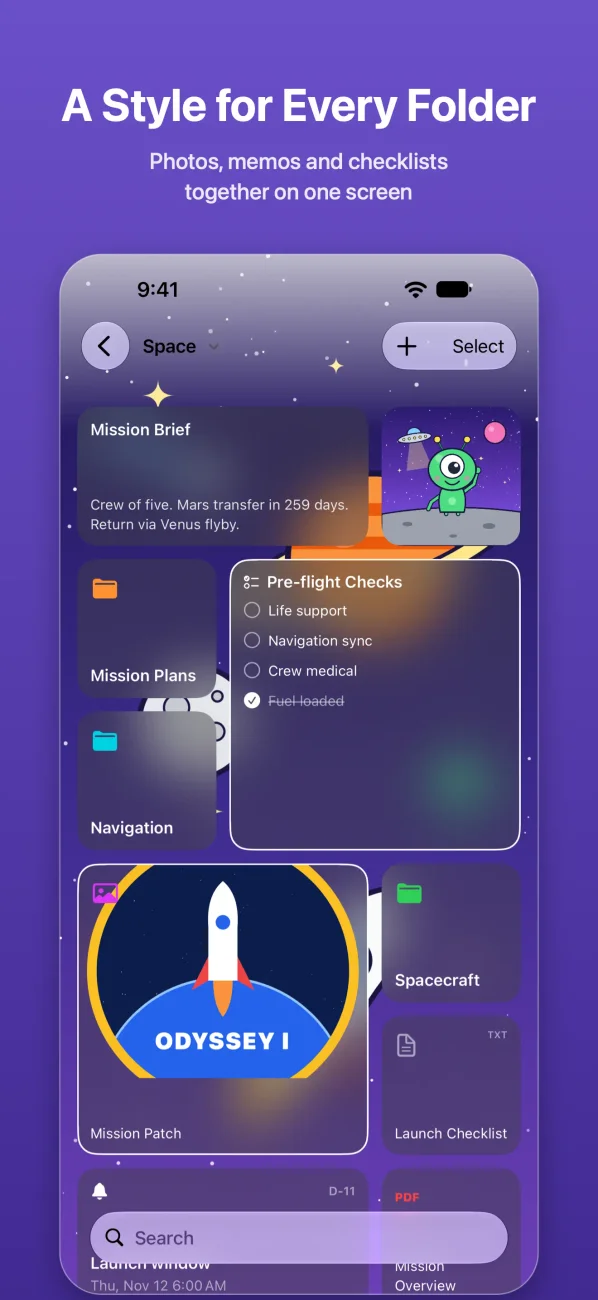
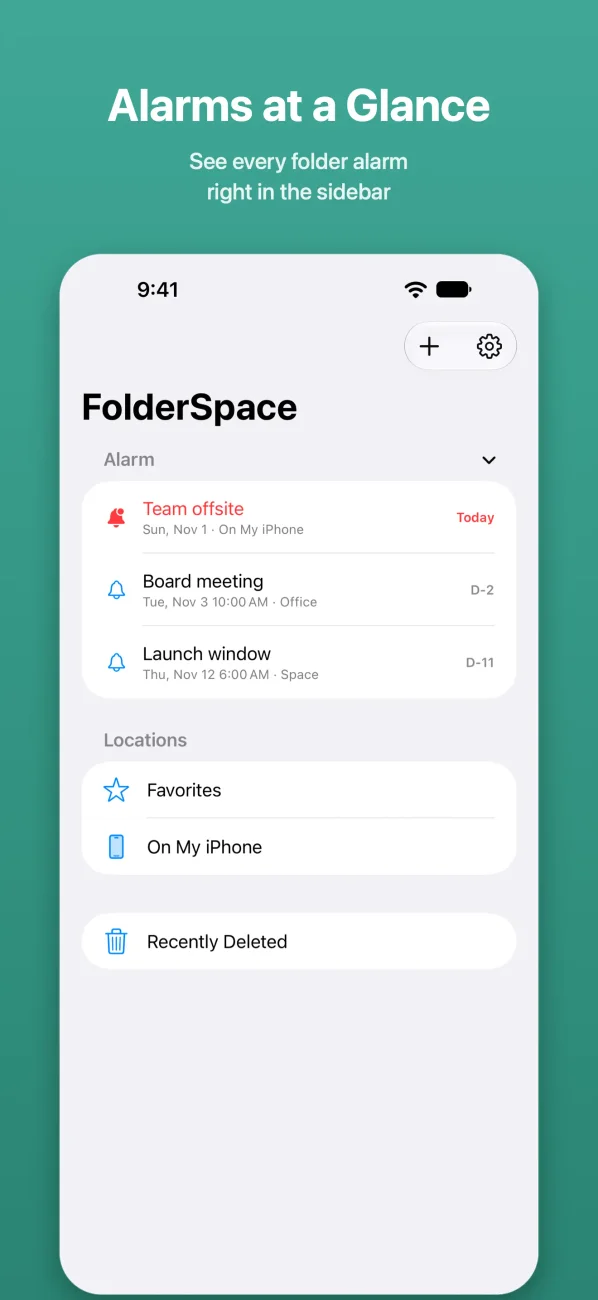
Add memos, checklists, alarms, and photo cards to any folder and use it as a workspace. What you add stays with the folder even when it is renamed or moved.
■ Make it your own
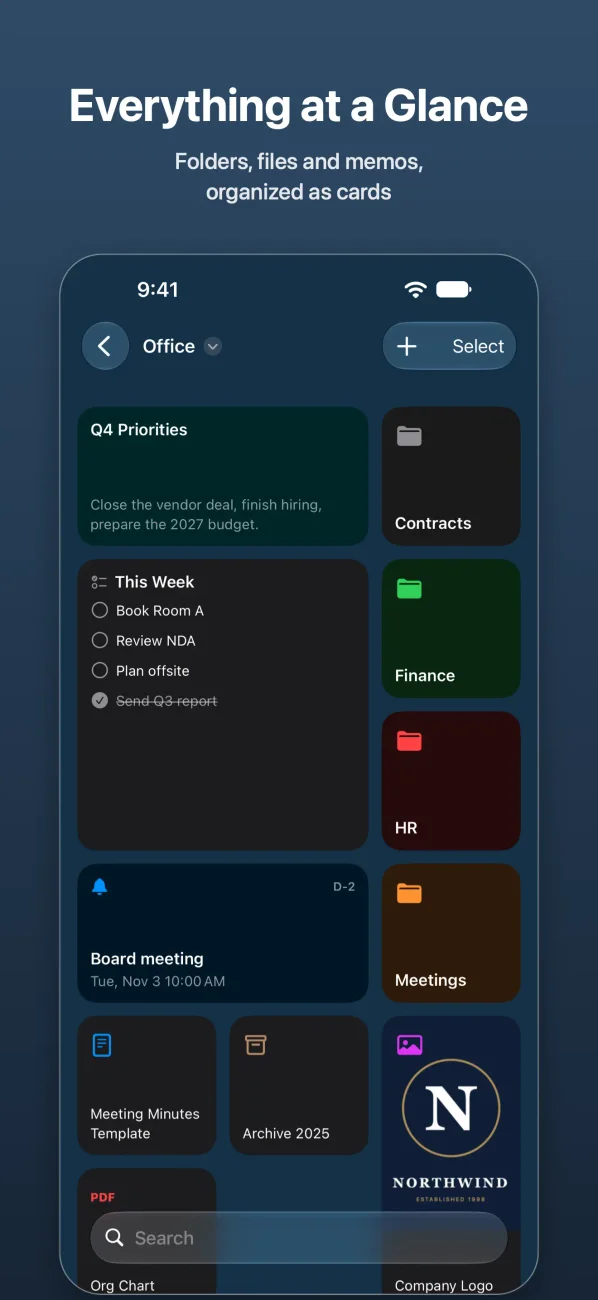
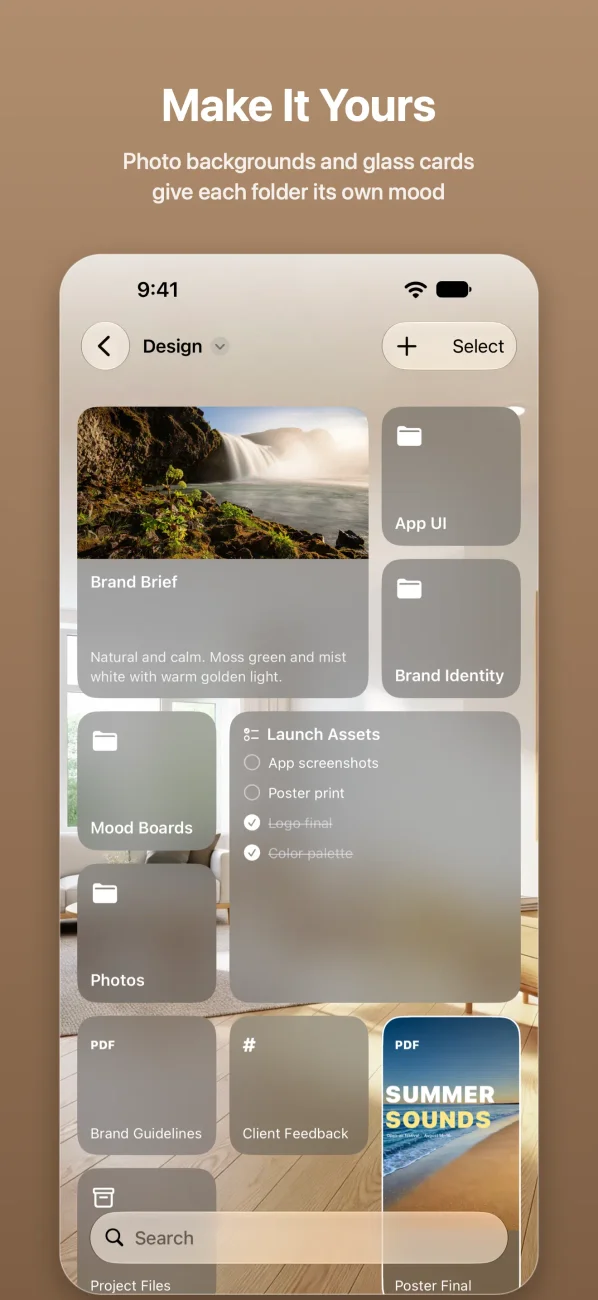
Folders and files appear as cards. Set each card's size, color, and importance, and drag cards wherever you want them. File cards can show a preview image of the document or photo. Give each folder page a solid color or photo background, and style it with glass cards and white icons.
■ Organize files
Group files with serial numbers into one card, and copy, move, share, delete, or uncompress right in the app. Shortcut cards open folders and files from other folders in one tap, and you can drag items to and from other apps. Items you delete in the app can be restored from Recently Deleted for 30 days.
■ Favorites and search
Keep the folders, files, and memos you use most in Favorites, and search by folder and file names and by the text of memos, checklists, and alarms.
■ Across your devices
Sign in to iCloud with the same Apple Account, and your memos, checklists, alarms, photo cards, and card settings stay in sync across devices. The folders and files themselves are synced by iCloud Drive.
■ FolderSpace Pro
Browsing, opening, copying, moving, and deleting files, rearranging cards, search, and Favorites are always free. Customizations such as adding memos, styling cards, and backgrounds are free on up to 2 folder pages. A FolderSpace Pro subscription unlocks them on every folder page.
The first 7 days are a free trial, followed by a monthly or yearly subscription. The free trial or subscription renews automatically unless you cancel at least 24 hours before it ends. You can manage or cancel it in Settings > Apple Account > Subscriptions.
■ Privacy
FolderSpace does not collect personal information. There is no sign-up, advertising, or analytics, and your folders and files are handled only on your device.
Terms of Use: https://www.apple.com/legal/internet-services/itunes/dev/stdeula/
Privacy Policy: https://apps.seokyungai.com/folderspace/en/privacy/
Có gì mới
Phiên bản 1.1.0 · 11/11/2026
• Now on iPad. Cards fit portrait and landscape, and adapt to any window size when you use FolderSpace alongside other apps.
• Added a few more user experience options.
Quyền riêng tư của ứng dụng
Những gì SEOKYUNG CO., LTD. khai báo trên App Store về cách ứng dụng này xử lý dữ liệu.
-
Dữ liệu không được thu thập
Nhà phát triển không thu thập bất kỳ dữ liệu nào từ ứng dụng này.
Phương thức đảm bảo quyền riêng tư có thể khác nhau, chẳng hạn như tuỳ theo các tính năng bạn sử dụng hoặc độ tuổi của bạn.
Thông tin
- Người bán
- SEOKYUNG CO., LTD.
- Danh mục
- Hiệu Suất
- Phiên bản
- 1.1.0
- Cập nhật
- 11/11/2026
- Phát hành
- 06/11/2026
- Kích thước
- 14,1 MB
- Yêu cầu
- iOS 26.0 trở lên
- Độ tuổi
- 4+
- Giá
- Miễn phí
- Mua hàng trong ứng dụng
- Có
- Ngôn ngữ
- Tiếng Anh, Tiếng Pháp, Tiếng Đức, Hindi, Tiếng Indonesia, Tiếng Ý, Tiếng Nhật, Tiếng Hàn, Tiếng Bồ Đào Nha, Tiếng Trung Giản thể, Tiếng Tây Ban Nha, Tiếng Thái + 2 ngôn ngữ khác
- Bản quyền
- © 2026 SEOKYUNG CO., LTD.
Có thể bạn cũng thích
-
 NoteMi: Notes & FoldersHiệu Suất
-
 Aurora ChecklistHiệu Suất
-
 TabNotes – Notes with TabsHiệu Suất
-
 Glass Notes: Ghi chú riêngViệc, danh sách & tiện ích
-
 Bantam AIHiệu Suất
-
 Glazr File Manager ProHiệu Suất
-
 Side Notes: Ưu Nhược ĐiểmMa trận Eisenhower và SWOT
-
 NoryaNotesHiệu Suất
-
 GoCoEdit - Code & Text EditorHiệu Suất
-
 Pagi - Morning Pages & DiaryFocus Journal & Text Editor