
- Age rating4+
- CategoryUtilities
- DeveloperTan Teck Hean
- LanguagesEnglish
- Size18.1 MB
Links to the official App Store page
Download.org hosts no file of FoldTick: Fold Counter. The button opens its official App Store page, published by Tan Teck Hean. Listing last checked on Nov 24, 2026.
Screenshots
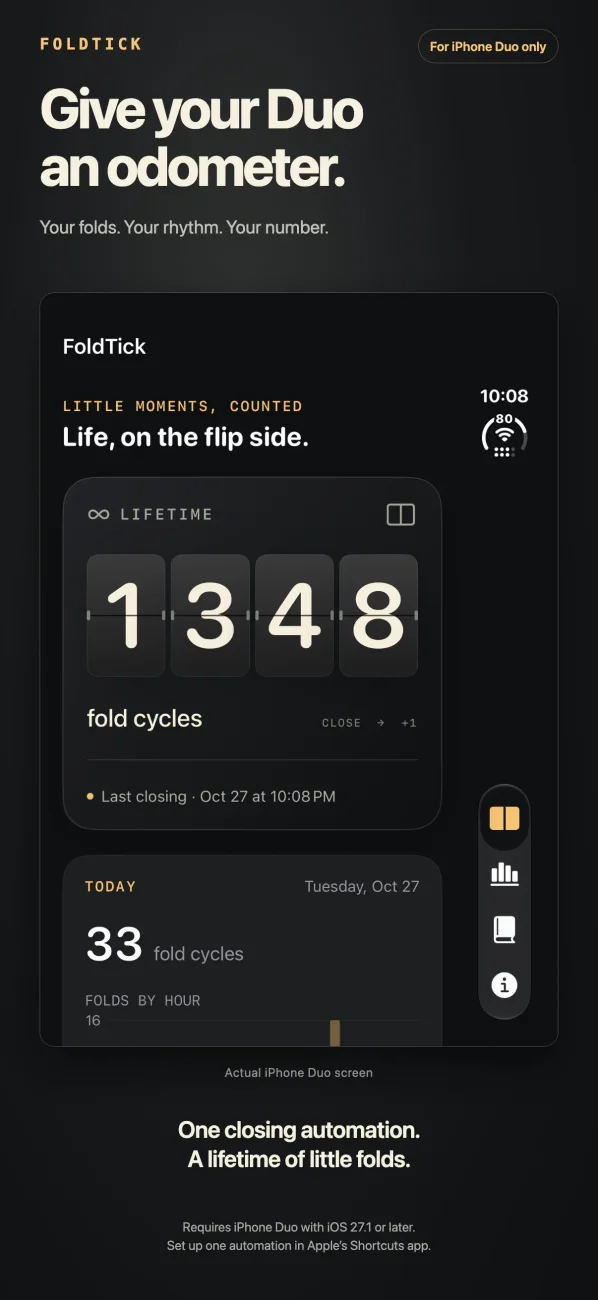
About
Keep your iPhone Duo’s fold count in view with 5 Home Screen widgets and 4 Lock Screen designs. Make it yours with 5 counter styles, from classic split flaps to glowing amber Nixie tubes.
YOUR FOLDS AT A GLANCE
Pick a compact counter, a counter with today and yesterday side by side, a full-width counter, a weekly chart, or a large dashboard with a 30-day calendar. On the Lock Screen, choose a regular or 7-day counter in either a circle or a rectangle.
FIVE COUNTER STYLES
Choose Modern Minimalist’s rounded flaps, Departure Board’s station-style lettering, Mechanical Odometer’s ivory drums, Vintage Nixie’s amber glow, or Industrial Tally’s steel case. Preview each in Settings. Your choice carries over to the in-app counter and full-color Home Screen widgets, which adapt to light and dark mode.
SEE HOW YOUR DAY UNFOLDS
Check your lifetime total, today’s count and hourly activity, the last 7 days, and the last 30 days. See your daily average, busiest day and hour, and how your weeks compare. Save or share a snapshot of your stats. If you folded before installing FoldTick, add an estimate to give your lifetime total and milestone progress a head start.
DUO ENGINE ROOM
Unfold your Duo to reveal brass gears, ticking mechanisms, and a glowing glass bulb. Move the hinge to turn the machinery, or switch on Motion to keep the gears turning while you watch. If you close your Duo while you’re in the Engine Room, it returns when you reopen the inner display.
CERTIFICATES OF DISTINGUISHED FOLDING
The FoldTick Office of Hinge Affairs takes your milestones with unnecessary seriousness. At 100, 500, 1,000, 5,000, and every 10,000 folds, earn a dated certificate with your name and an absurdly formal title. Become the Grand Conservator of Repeated Motion at 5,000 folds. Share a PNG image, save an A4 PDF, or print it and give it a spot on the wall.
SIRI & SHORTCUTS
Say “FoldTick total folds” to ask Siri for your saved count. Ask for a summary or your next milestone, too. Build your own automations using date-range totals, activity comparisons, CSV exports, share cards, certificate PDFs, and Counter Style changes.
MADE FOR IPHONE DUO
Automatic counting requires an iPhone Duo with iOS 27.1 or later and a one-time setup in Apple’s Shortcuts app. FoldTick’s illustrated guide walks you through it. Once enabled, the automation adds one fold cycle when you close your Duo, even when FoldTick is out of view.
No account, ads, or subscriptions. Your fold history stays on your device.
FoldTick is independent. iPhone Duo is a trademark of Apple Inc.
What’s new
Version 1.11 · Nov 23, 2026
Jump straight into Duo Engine Room with the gears already turning. Add FoldTick’s “Open Engine Room with Motion” action in Shortcuts. If your Duo is folded, Engine Room appears when you open the inner display.
Save your recorded fold history as a CSV under Backup/Restore in Settings. Import a FoldTick history CSV to merge missing records into your current history.
App privacy
What Tan Teck Hean declares on the App Store about how this app handles data.
-
Data not collected
The developer does not collect any data from this app.
Privacy practices may vary, for example with the features you use or your age.
Information
- Seller
- Tan Teck Hean
- Category
- Utilities
- Version
- 1.11
- Updated
- Nov 23, 2026
- Released
- Nov 5, 2026
- Size
- 18.1 MB
- Requires
- iOS 27.1 or later
- Age rating
- 4+
- Price
- $0.99
- Languages
- English
- Copyright
- © 2026 CHRISTAN WORKSHOP
You might also like
-
 FoldCounter: Fold StatsTrack your fold
-
 Hingeworthy : Fold CounterCount every open and close
-
 Fold StatsCount every unfold. Rank up.
-
 Roomy for Duo: Full WidthMore room for every page
-
 Fold Counter: Hinge TrackerCount every fold & unfold
-
 OutSpan - Fullscreen BrowsingWide web pages and ad blocker
-
 Wider - Fullscreen BrowsingMore room for the internet
-
 Remio Remote DesktopAccess & Control PC or Laptop
-
 WhyNot WidgetsOne-tap apps & premium widgets
-
 EFKey – Swipe & AI KeyboardTranslate, dictate, gestures