
- Age rating4+
- CategoryUtilities
- DeveloperLucas Johnson
- LanguagesEnglish
- Size3.0 MB
Links to the official App Store page
Download.org hosts no file of Hingeworthy : Fold Counter. The button opens its official App Store page, published by Lucas Johnson. Listing last checked on Nov 20, 2026.
Screenshots



About
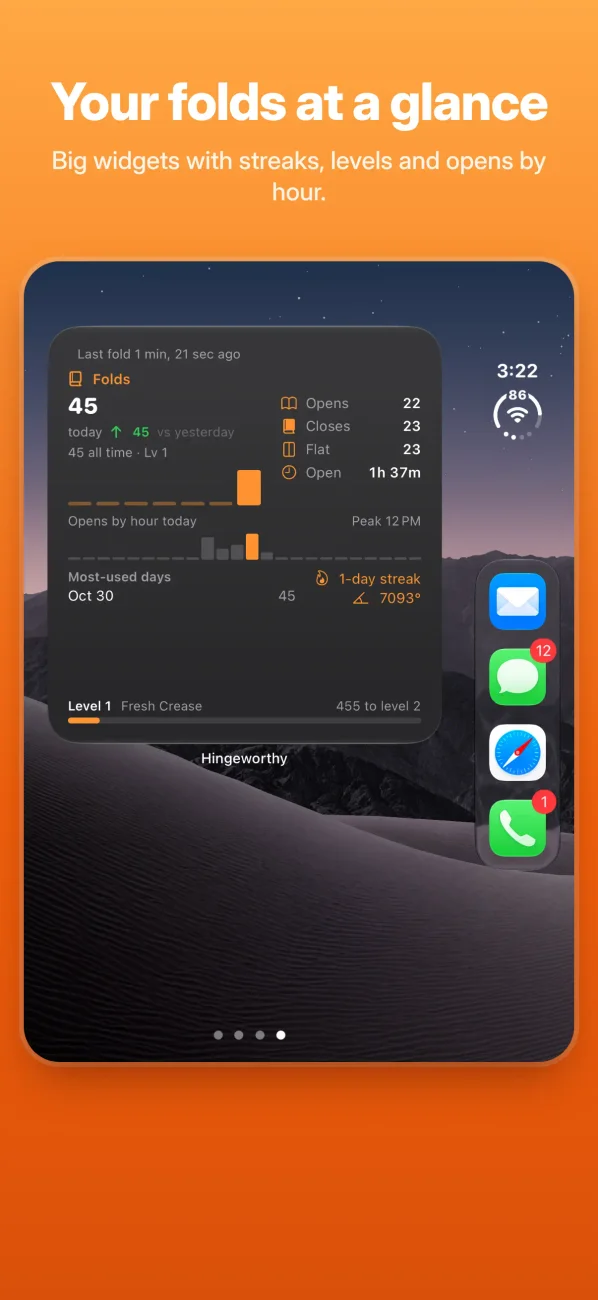
Hingeworthy counts every time you open and close your iPhone Duo.
EVERY FOLD, COUNTED
See today's opens and closes, your all-time total, and how often you open it flat or prop it up like a tent or laptop.
LIVE HINGE ANGLE
Watch exactly how far open your phone is, in degrees or as a percentage, on both the outer and inner screen.
HOME SCREEN WIDGETS
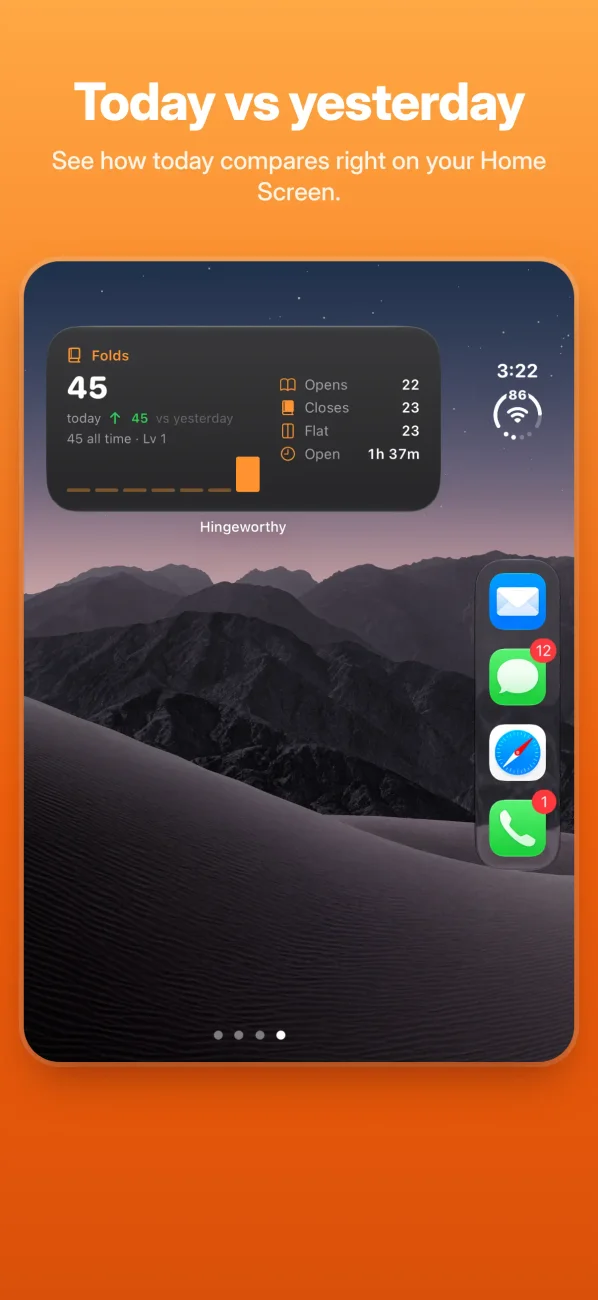
Small, medium and large widgets show today's folds, today vs yesterday, opens by hour, and your level.
HISTORY AND LEVELS
Find your busiest days and hours, keep a streak going, hit milestones, and earn a new title every 500 folds, from Fresh Crease to Hinge Legend.
COUNTS IN THE BACKGROUND
Set up two quick Shortcuts automations and Hingeworthy keeps counting even when the app is closed. The app walks you through it.
PRIVATE BY DESIGN
Everything stays on your phone. No account, no ads, no tracking.
Requires iPhone Duo.
What’s new
Version 1.3 · Nov 6, 2026
Make your widgets match your Home Screen.
• Widget backgrounds: choose Black, White, Graphite, Navy, Forest, Plum, Sand, Blush, or any color you like.
• Text color: Automatic (always readable), White, Black, your widget color, or your own pick.
• New Settings › Widget colors: pick custom colors with a live preview, or start from presets like Midnight, Paper, Ocean and Mint.
To change a widget, touch and hold it, tap Edit Widget, and choose Background and Text. Pick "Custom" to use the colors you set in the app.
App privacy
What Lucas Johnson declares on the App Store about how this app handles data.
-
Data not collected
The developer does not collect any data from this app.
Privacy practices may vary, for example with the features you use or your age.
Information
- Seller
- Lucas Johnson
- Category
- Utilities
- Version
- 1.3
- Updated
- Nov 6, 2026
- Released
- Nov 2, 2026
- Size
- 3.0 MB
- Requires
- iOS 27.1 or later
- Age rating
- 4+
- Price
- Free
- Languages
- English
- Copyright
- © Lucas Johnson 2026
You might also like
-
 FoldCounter: Fold StatsTrack your fold
-
 Fold StatsCount every unfold. Rank up.
-
 OutSpan - Fullscreen BrowsingWide web pages and ad blocker
-
 Wider - Fullscreen BrowsingMore room for the internet
-
 Fold Counter: Hinge TrackerCount every fold & unfold
-
 FoldOdometerCount every fold of your Duo
-
 Fold by FoldEvery open counts
-
 Brutal Time: Typographic ClockDesk clock & StandBy widgets
-
 DuoCorder+Live sensor scanner
-
 FoldTick: Fold CounterHome & Lock Screen Widgets